127.0.0.1:49342: Localhost IP Address, Port, and Debug Guide

Maybe you clicked something. Maybe a terminal window scrolled past. Maybe a log file caught your eye. Whichever it was, up came this string: `127.0.0.1:49342`. Your browser jumped to a page that is nowhere on the internet. Dev tools flagged it. A login popup blinked open and was gone. Nothing visibly broke. Something still felt a bit off, though.
Relax, nothing is broken. That little string is actually one of the most common things you will ever lay eyes on while using a computer, and the moment you understand its two halves, every future `127.0.0.1:` will read like an ordinary sentence. The IP address on the left is the universal loopback, same on every machine you touch. The port on the right is just a specific port the operating system handed out to a local service, a web application, or some network service for a brief conversation between programs running on your own hardware. None of it touches the external network. All of it stays on the one box in front of you.
So here is the plan. One explainer plus one troubleshooting guide, bolted together. Where the address comes from historically. What a port number actually represents. Why 49342, specifically, is nothing special at all. When a Windows user sees it versus somebody on Linux or macOS. What the security picture looks like in 2026 specifically. How crypto developers use the identical pattern in a Web3 development environment with Hardhat, Anvil, Ganache, and Bitcoin Core. Read it front to back, or jump straight to whichever section matches whatever sent you searching.
What 127.0.0.1 Is: The Loopback Address Explained
Take the IP half first. 127.0.0.1 is older than most of what you use online these days. Back in October 1989, well before there was any commercial web, the IETF dropped RFC 1122. Tucked inside Section 3.2.1.3 was one of the bluntest rules networking ever committed to paper: "Addresses of this form MUST NOT appear outside a host." Your phone's OS enforces it today. Your home router does too. Every OS ever shipped since then has quietly kept honoring it.
Scale trips people up. That rule applies to 16,777,216 addresses. All of them. Sixteen million addresses held in reserve so one of them, 127.0.0.1, can reliably mean "this machine, right here" anywhere on Earth. A bit wasteful? Yeah, complaints have been loud for decades. IANA's global IPv4 pool went to zero on February 3, 2011. ARIN got to zero on September 24, 2015. RIPE NCC handed out its final /22 block on November 25, 2019. An IETF draft called `draft-schoen-intarea-unicast-127` has been floating around suggesting most of the 127 space could actually go back to unicast use. Nobody wants to touch that. Too much existing software assumes 127 will never change.
One kicker that always surprises newcomers: the packet literally never reaches the physical network card. Not even close. A packet aimed at any 127.x.x.x destination gets grabbed by the OS's TCP/IP stack at layer 3 and shoved through a virtual interface (Linux and macOS call it `lo`). The kernel still does real work — builds the TCP segment, runs the checksum, walks the receive path. Real overhead, nonzero. But no switch on your LAN ever sees that traffic. No router sees it. No internet backbone sees it.
The word "localhost" is just a human-friendly alias mapped in a plain text file you can open right now. On Linux and macOS: `/etc/hosts`. On Windows: `C:\Windows\System32\drivers\etc\hosts`. The resolver hits that file before it asks any DNS server, which is why `localhost` resolves fine on a plane with the wifi off. IPv6 brings its own version, `::1/128`, defined by RFC 4291 in February 2006. One classic Friday headache: a modern browser resolves `localhost` as `::1` first, but the Python app only bound 127.0.0.1. Different sockets, no intersection, silent failure. Breaks somebody's flow every single week somewhere.

Why You See Port 49342: Ephemeral Ports and the IANA Ranges
Now the second half. Port numbers confuse people more than IPs do, and for good reason. The IANA service-name and transport-protocol port registry slices the full 16-bit space (0 through 65535) into three buckets, and which bucket 49342 lands in is the whole story.
| Range | Numbers | Purpose |
|---|---|---|
| System (well-known) | 0–1023 | Standard services (HTTP 80, HTTPS 443, SSH 22, SMTP 25). Admin rights required to bind |
| User (registered) | 1024–49151 | Services assigned to vendors (PostgreSQL 5432, MySQL 3306, RDP 3389) |
| Dynamic / Private / Ephemeral | 49152–65535 | Short-lived allocations; no service reservations allowed |
Port 49342 sits inside the dynamic range. Nothing is "registered" to it, and nothing ever will be, because IANA refuses to assign services in this range precisely so operating systems can freely hand out port numbers here for temporary use. An ephemeral port is a dynamically assigned port that an application did not ask for by a specific port number. It said to the OS, "give me any free port, I just need it for this session." The OS returned 49342, the app bound a listening socket, and whatever flow needed a short-lived address and port combination got one. Port 49342 is often used for temporary local server using ad-hoc binding of this kind.
The default ephemeral range actually varies by operating system.
| OS | Default ephemeral range | Source |
|---|---|---|
| Linux | 32768–60999 | `/proc/sys/net/ipv4/ip_local_port_range`, kernel docs |
| Windows (Vista / Server 2008+) | 49152–65535 | Microsoft Learn |
| macOS (Darwin / BSD) | 49152–65535 | `sysctl net.inet.ip.portrange.first/hifirst` |
| FreeBSD | 49152–65535 | sysctl defaults |
On Windows or macOS, 49342 sits squarely inside the default range. An OS allocator almost certainly handed it out. On Linux it is a different story — 49342 is above the default 32768 to 60999 range, so it was picked by an app that asked the kernel to `bind(('127.0.0.1', 0))` and got whatever was free. RFC 6056, out of the IETF in January 2011, tells stacks to randomize ephemeral-port selection across the whole 1024 to 65535 space for security reasons. Predictable ports make flows easier to hijack. That is why the same dev server might land on 49342 today, 54871 tomorrow, and 33200 the day after.
Where 127.0.0.1:49342 Shows Up on Your Machine
So when does this actually show up on a normal day? A local server running on port 49342 could be pretty much anything from a long list of tool for developers categories where developers test applications against a local loopback socket. The table below covers the everyday cases where ports like 49342 surface in the wild, with services running and accept connections on the specified port each time.
| Software | Typical port | What you see |
|---|---|---|
| OAuth CLI sign-in (gh, aws, gcloud) | Random ephemeral | Browser opens 127.0.0.1:, confirms, closes |
| Jupyter Notebook | 8888, then ephemeral | Kernel sockets use random ports in the 49152 range |
| Vite dev server | 5173 | Frontend hot reload |
| React / webpack-dev-server | 3000 | Same family |
| VS Code / JetBrains debug | Random ephemeral | Debug adapter binds a local server |
| Electron apps (Slack, Discord, Spotify) | Random ephemeral | Internal IPC bridge |
| Hardhat node | 8545 | Ethereum JSON-RPC |
| Anvil (Foundry) | 8545 | Ethereum JSON-RPC |
| Ganache GUI | 7545 | Ethereum test chain |
| Bitcoin Core regtest | 18443 | RPC since v0.16 |
The one case that drops `127.0.0.1:49342` literally into a browser address bar? Almost always OAuth. The IETF's RFC 8252, titled "OAuth 2.0 for Native Apps," came out in October 2017 and tells native apps to use the loopback redirect flow, with one rule carved in stone: the authorization server "MUST allow any port number." Run `gh auth login` or `gcloud auth login`. The CLI spins up a tiny http server on a random ephemeral port, fires a browser at the identity provider, catches the callback on that loopback address, and shuts itself down. You see one of the localhost addresses like 127.0.0.1:49342 flash for maybe two seconds before disappearing. Not a bug. Not a tracker. Not a scam. Just a very short handshake, entirely local, never reaching the external network at any point.
Troubleshooting 127.0.0.1:49342 Errors and Port Conflicts
In my experience, localhost pain comes in five flavors. Literally anything that sends you searching at 11pm fits into one of these buckets somehow.
Port already in use. Node yells `EADDRINUSE`. Python hands you `OSError: [Errno 98] Address already in use`, nice and ugly. Windows just blinks `WinSock 10048` and leaves. Same underlying reality in every case: another process on your machine grabbed 49342 first. Your job is to find it, kill it, and reclaim.
- On Linux: `ss -tulpn | grep :49342`, or crack out the old-school `sudo lsof -i :49342`
- On Mac: `lsof -nP -iTCP:49342 -sTCP:LISTEN`
- On Windows in PowerShell: `netstat -ano | findstr :49342`, then `tasklist /fi "PID eq "` to turn that PID into a program name
Server running, nothing can connect. You hit this more than you remember. IPv4 and IPv6 quietly crossed wires on you. Your server bound itself to 127.0.0.1. Your browser resolved `localhost` as `::1` for no reason at all. They are two different sockets, so of course nothing connects. Fix it by binding both families at once (listening on `::` tends to catch IPv4-mapped addresses on most stacks too) or just write 127.0.0.1 directly into the URL.
VPNs chewing up loopback. Cloudflare WARP is the top offender by a mile. Cloudflare actually admits it themselves on their known-limitations documentation page: on macOS specifically, disconnecting WARP can straight-up delete the 127.0.0.1 route. If your localhost went dark right after you toggled a VPN, that is almost certainly why. Reconnect WARP, or bring the route back by hand with `sudo ifconfig lo0 127.0.0.1 alias`. Proton VPN, Mullvad, and NordVPN basically never cause this, for whatever that is worth. Enterprise antivirus and EDR products are a different story; some of them intercept and proxy loopback traffic in ways that get weird fast.
HSTS remembering HTTPS tests you forgot about. Months ago, you tested a self-signed cert on `localhost`. Chrome did what Chrome does and cached the HSTS header. Now every plain `http://localhost` request silently rewrites to https. Super fun to debug. Two-minute fix: open `chrome://net-internals/#hsts` and blow away the entry.
Firewall rules. Loopback gets through most firewalls by default. Most. Some enterprise laptop images deliberately filter localhost as part of their malware-containment posture, and you discover this at the end of a long Thursday. Windows Defender Firewall advanced inbound rules are the place to check. On Linux, `sudo ufw status verbose`. If something really does need opening, permit only the specific port in question; do not nuke the whole firewall.
There is one habit that saves me every time, though. Before touching a single firewall rule or route, run `lsof` or `netstat`. Half the time it turns out to be a zombie process stubbornly holding the port from a dev run that crashed sometime earlier today. `kill -9` the PID. The problem is gone in seconds.
Setting Up Localhost and Server Configuration for Dev Use
Building instead of debugging? Pick up a few server configuration habits and you will save yourself a ton of afternoons. None of this is fancy. We are chasing something boring: reliable testing and debugging across multiple network services and different services on one laptop, that is it.
Rule one, the boring one: bind to `127.0.0.1`, not `0.0.0.0`. Listen on `0.0.0.0` and your little dev web server suddenly advertises itself across every network interface you own. Meaning: the random guy at the next table on the cafe wifi finds it. Bind to 127.0.0.1 and only stuff already on your machine gets in. Python's `http.server`, Node's `express.listen()`, Go's `http.ListenAndServe` — they all accept the literal IP. Just type it.
Rule two: when you truly do not care which port, don't pick. Pass port 0 to the listener (`server.listen(0)` on Node, `bind(('127.0.0.1', 0))` on Python) and the kernel drops back whatever is free at that millisecond. Call `getsockname()` afterward to learn what you actually got and hand it to whatever component wants the URL. Basically every OAuth CLI and every debug adapter you have ever touched does exactly this.
Rule three: environment variables, not hardcoded ports. Pull `PORT` from the env, default to something sensible if missing. The same binary runs dev on 127.0.0.1:5173 and production behind a reverse proxy on 443. Apply the same pattern to database strings, API keys, the lot. The Twelve-Factor App doc is older than some of your colleagues and it is still the cheapest way to avoid outages.
Rule four: HTTPS on localhost is no longer a pain. Chrome and Firefox both grant `localhost` and `127.0.0.1` Secure Context status for most features now, even without a real cert. A picky library still refusing a self-signed cert? Use `mkcert`, still the least annoying local CA around. Built-in tooling like Python's `http.server` and Node's `net` module means you can set up a local server in roughly five lines during local development, which allows developers to test a web application under realistic load by recycling the same scripts for integration tests where services to communicate over loopback is all you need.
Last rule, and actually the important one. Production is not local. Full stop. Your local machine is a trust boundary; a production container is not one. Never leave debug endpoints running on 127.0.0.1 inside a prod container, because other processes in that same container reach them on day one, and one runtime breakout bug later an attacker walks right in too. Use localhost traffic only where it actually belongs, used in development environments and nowhere else, and the day any internal API using the port graduates to a shared environment or production environments, put real auth in front of it immediately. No "we will fix it after launch." That was the previous company.
Using Port 49342 Safely: Security on the Loopback Address
Localhost feels private. And it is, mostly. Until it suddenly is not.
Here is the catch everyone eventually meets. Outside attackers cannot dial 127.0.0.1 directly, sure. But outside attackers can definitely trick your own browser, or some app on your machine you already trust, into making the call on their behalf. That whole class of attack is called DNS rebinding. It has been eating at localhost services since before most people reading this were writing code.
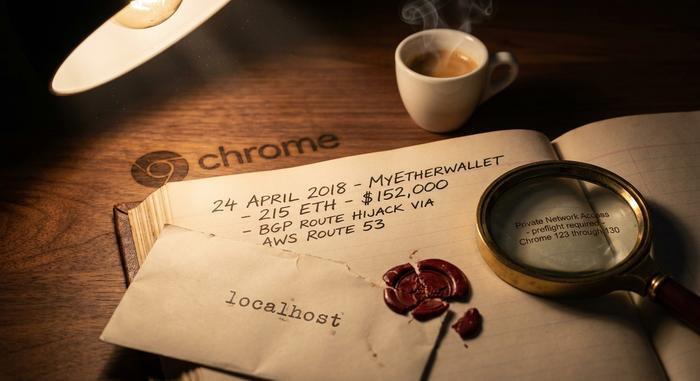
The example that crypto folks still reference is MyEtherWallet on April 24, 2018. Attackers pulled off a BGP hijack against Amazon's Route 53, rerouted DNS for myetherwallet.com, and served up a phishing clone that was live just long enough to drain around 215 ETH (about $152,000 to $160,000 depending on which timestamp you pin, per reporting from The Register and the Internet Society). Not strictly a localhost hack, I know. But it was the inflection point where the crypto community stopped pretending the browser's origin model was a real security boundary. Every local wallet bridge quietly listening on a loopback port suddenly felt exposed.
Chrome's answer arrived as Private Network Access, originally called CORS-RFC1918 in drafts. Since March 2024, the browser now fires a CORS preflight carrying `Access-Control-Request-Private-Network: true` before any public website is allowed to reach a private or loopback address. Your local service has to answer back with `Access-Control-Allow-Private-Network: true` to pass. Full enforcement rolls through Chrome releases 123 to 130. So if you ship a dev server on 127.0.0.1:49342 expecting a public page to hit it during integration tests, set that header. Otherwise the request just silently dies.
A couple of 2025 Electron CVEs deserve a callout while we are here. CVE-2025-10585 is a V8 type-confusion bug, added to CISA's Known Exploited Vulnerabilities catalog on September 23, 2025. CVE-2025-55305 is a code-integrity bypass that tampers with V8 heap snapshots, disclosed around the same window. Electron wraps Chromium, and your laptop has a pile of Electron apps on it (Slack, VS Code, Discord, Notion, Teams, probably more). Many of them expose local services on loopback. Patch fast. And please, do not ever stand up an RPC endpoint on 127.0.0.1 without an auth token if that endpoint can read keys, sign transactions, or touch money of any kind.
How Crypto Devs Use Localhost in Hardhat, Anvil, Ganache
Web3 dev is basically an endless parade of 127.0.0.1 network address references — whether your focus is contract deployment, protocol fuzzing, or just everyday web development against a local chain. There is a small cluster of local nodes running on localhost on your laptop right now (even if you forgot about half of them). Each has its own server on port rules. Each exposes a distinct ip address and port combination for clients to dial in on, typically using a specific port that the tool defaulted to.
Quick cheat sheet. Hardhat Network from Nomic Foundation picks `http://127.0.0.1:8545` with chain ID 31337 as its default. Foundry's Anvil claims the same address and port, configurable via `--port` for those moments when you have two test suites open and fighting. Ganache GUI grabs `127.0.0.1:7545` with network ID 5777, though its CLI sibling shares Hardhat's 8545. Bitcoin Core's regtest mode, meanwhile, runs its JSON-RPC on `127.0.0.1:18443` — a change that actually landed back in v0.16 through pull request #10825, after somebody pointed out a conflict with testnet's 18332.
MetaMask connects to literally any of them. Add a custom network with the local RPC URL and you are in. The IP 127.0.0.1 just acts as a thin bridge between your browser-based wallet UI and whatever simulated blockchain is humming on your laptop at that moment. When you spot `127.0.0.1:` in a Web3 stack trace, it is almost always one of two things: your IDE's debug adapter poking at the node, or the node itself spinning up a WebSocket endpoint on a random port right next to its fixed RPC.
Payment integrations repeat this pattern. Building a Plisio-backed crypto checkout? You end up running the SDK locally against a small Flask or Express listener on `127.0.0.1:3000/plisio/callback`. The gateway's webhook can never reach your laptop directly from the public internet, so local testing uses a tunnel (ngrok, Cloudflare Tunnel, Tailscale Funnel) to expose the port. That is a specific port on a specific port number you, the merchant, pick and control. Plisio's PHP, Python, Laravel, and Node.js SDKs each ship a `verifyCallbackData` helper that re-computes an HMAC-SHA1 of the payload against the shop's secret key. The check runs against each callback as it lands on the local listener. Same loopback address, same job, real signature attached.
Zoom out for a second. The pattern is actually everywhere: payment, OAuth, Web3 network services used in development all look the same from the inside — a server on port 49342 or some other dynamic port, real connections on the specified port, and running on localhost the whole time.
Quick Localhost and Port Checks for Any Operating System
A short cheat-sheet. Keep it open in a terminal tab. You will reach for these more than you think.
Picture a Linux box, any distro. `sudo ss -tulpn | grep :49342` answers the "who is on 49342" question. Lose that grep and you get every listening socket the machine has open. Curious about the kernel's dynamic port ceiling? `cat /proc/sys/net/ipv4/ip_local_port_range`. If you just want proof the loopback itself is alive, `ip addr show lo` shows you. And hey — if `lo` is gone from the output, you have found a much bigger problem than a port.
Mac works similarly, just with different tooling because it lives in the BSD world. `lsof -nP -iTCP:49342 -sTCP:LISTEN` prints the process camping on the port. Strip the colon and number, you list all listeners. Prefix sudo when you need visibility into other users' sockets. The ephemeral range lives at `sysctl net.inet.ip.portrange.first net.inet.ip.portrange.hifirst`. Loopback is called `lo0` here (not `lo`), and that little naming quirk catches people exactly once before they internalize it forever. Inspect with `ifconfig lo0`.
Windows flips the dialect entirely. Pop a PowerShell up as admin. `netstat -ano | findstr :49342` spits out a PID. Throw that into `tasklist /fi "PID eq "` to translate the number into an app name. The dynamic range? `netsh int ipv4 show dynamicport tcp`. Need to slide the range down because a stubborn legacy app demands something at the low end? `netsh int ipv4 set dynamic tcp start=49152 num=16384` moves it.
Commit those to muscle memory and your localhost headaches shrink to five-minute fixes, maybe less. Try this sometime: run `lsof -nP -iTCP -sTCP:LISTEN | grep 127.0.0.1` on your working laptop. The scrolling list is always longer than you expect. The browser's background tabs. A handful of editor language servers, often more than one. Docker's internal DNS. Electron IPC bridges from Slack, Discord, Linear, whatever else you run. Some OS telemetry daemon you never knew existed. Plus the six or seven dev servers from this morning that you definitely forgot to shut down. That noise floor is normal. That is just what a working development environment sounds like underneath.