192.168.1.1 Router Admin Login: Default Password Guide
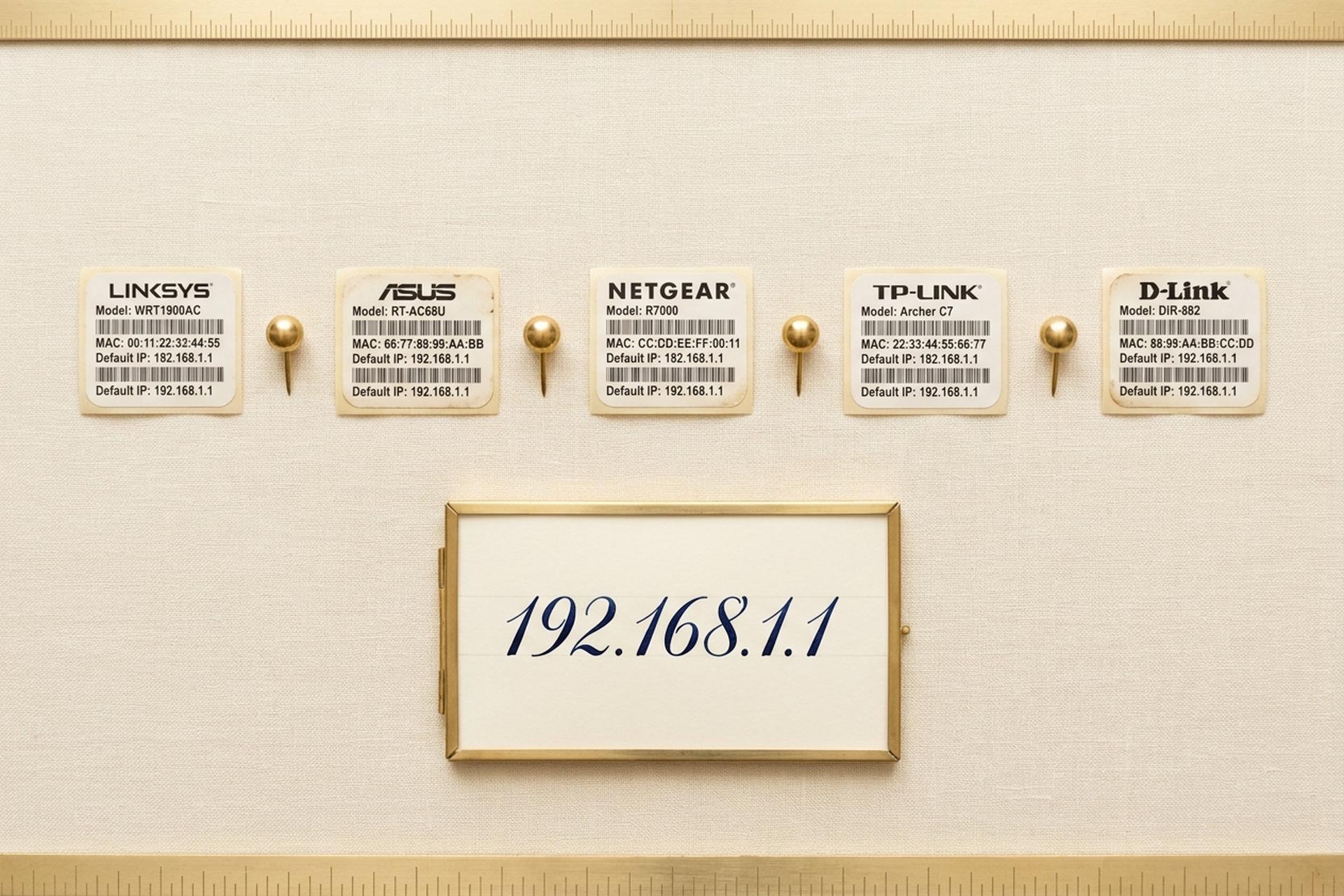
Billions of home routers default to the IP address 192.168.1.1. The gray admin login screen sitting behind it is essentially identical across Linksys, ASUS, and most Netgear units shipped over the past decade. Yet roughly one in three users still gets stuck before they ever reach a working admin panel.
The blockers turn out to be dull and repetitive. People drop the address into Google's search bar by mistake. The factory password printed in a 2018 forum thread no longer matches a 2025 router governed by the UK PSTI rules. Or somebody types a lowercase L instead of the digit 1 (192.168.l.l, hiding in plain sight) and the browser silently fails. This guide is short. Brand-specific. Filler-free. You get the four working login steps, every default credential pair that still functions in 2026 for routers genuinely on 192.168.1.1, a troubleshooting table naming the actual failure modes, and a security cleanup nobody touches until the day a foreign botnet is sitting on their router.
What 192.168.1.1 Is and Why Many Routers Use It
Private IPv4 address. Lives inside 192.168.0.0/16, the third of three blocks RFC 1918 carved out in March 1996 for local networks. Whole block: 65,536 addresses, exactly. Public internet: zero of them route there. Type 192.168.1.1 into your phone at Starbucks and nothing happens on purpose.
Why this exact number though? Half accident, half support-desk pragmatism. ".1.1" pronounces easily over the phone ("dot one dot one"), so Cisco-era Linksys engineers picked it in the late 1990s, ASUS copied it, most Netgear units followed. The neighboring slot, 192.168.0.1, went to TP-Link and D-Link instead. Which is exactly why "admin / admin" at 192.168.1.1 sometimes lands on a dead page: right credentials, wrong subnet. Your router sticker beats memory and beats every Reddit thread; that is the address worth typing.
How to Log In to 192.168.1.1 in 4 Easy Steps
Four steps. Order matters more than people think.
Step 1. Plug in a cable if you can. An Ethernet cable into one of the LAN ports beats wireless every time for admin tasks. Wi-Fi sessions drop occasionally during firmware writes (which is the worst possible moment to lose connection); a wired link sidesteps that entirely. No cable around? The Wi-Fi network printed on the router sticker works fine for the login page itself; just sit close to the device while you click around.
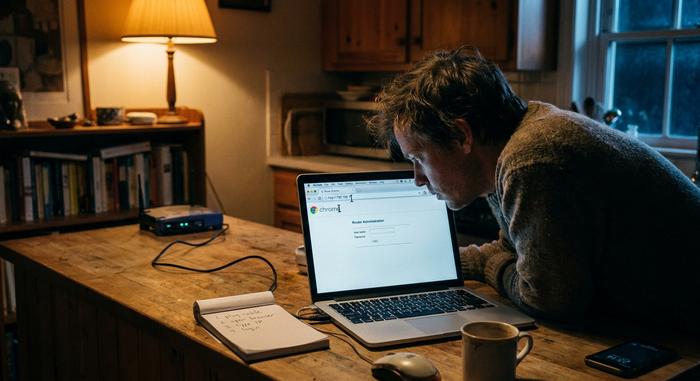
Step 2. Browser, address bar, IP. Drop `http://192.168.1.1` straight into the URL bar at the very top of the browser window. Not the Google search box. Not the "search or enter address" prompt on a fresh mobile tab. The URL bar, specifically. The browser hesitates for maybe half a second. A login form materializes. Chrome, Firefox, Safari, Edge: all identical behavior here. A handful of newer ASUS and TP-Link boxes serve the admin page over HTTPS with a self-signed certificate, which trips a "your connection is not private" splash. Click Advanced, then Proceed; the certificate is local to your LAN, no real risk.
Step 3. Type the factory credentials. Sticker on the back or underside of the box prints them. Sometimes the label reads "Login Details," sometimes "Admin Access," sometimes just "Default Password." Watch the case carefully. Most post-2023 passwords mix uppercase, digits, and a symbol or two, all in eight to twelve characters. Lost the sticker? It happens; mine peeled off after three humid summers on a windowsill. The next section lists the brand defaults that still work.
Step 4. The admin panel loads. Tabs across the top: Status, Wireless, Security, Internet, sometimes Parental Controls or QoS, depending on firmware. Now you can rename the SSID, rotate a password, set up port forwarding, do anything the firmware exposes. Setup wizard appears instead? Then the router got factory-reset at some point (by you, the ISP, or whoever owned it last) and wants to be provisioned from scratch.
A couple of edges worth knowing. Some ISP-locked Comcast and Verizon boxes remap port 80, so try `http://192.168.1.1:8080` if nothing happens. Skip Internet Explorer's compatibility mode and any legacy Edge build older than 2020; their JavaScript engines stumble on modern router admin pages. Phones work for password changes but struggle with firmware update screens because the action buttons sit off-screen on small displays. Laptop for the first session, phone for everyday tweaks.
Default Username and Password by Router Brand
"admin / admin" is dying as a default, finally. The push came from regulation. UK's Product Security and Telecommunications Infrastructure Act kicked in on 29 April 2024 and banned universal default credentials on any consumer connected device sold into Britain. Penalties bite: up to £10 million or 4% of global revenue. Vendors mostly use identical hardware everywhere, so a 2025 router bought in São Paulo or Manila usually ships with a unique sticker password too. Old units, however, still respond to the universal pair. The table below shows what works where.
| Brand / model line | Default username | Default password | Notes |
|---|---|---|---|
| Linksys (most consumer models) | admin | admin | Some older units accept blank password; check sticker |
| ASUS RT-AX, RT-AC series | admin | admin | RT-AX models post-2024 force first-boot password setup |
| Netgear (Nighthawk, R-series) | admin | password | Newer Orbi and Nighthawk use unique per-device passwords on sticker |
| Belkin (older) | (blank) | (blank) | Newer Belkin units redirected to belkin.range |
| Buffalo AirStation | admin | password | Some firmware accepts root / no password |
| EnGenius / Tenda | admin | admin | Tenda Nova series uses app-only setup |
| TP-Link Archer (older, before 2023) | admin | admin | At 192.168.0.1 primarily; some at 192.168.1.1 |
| TP-Link Archer AX23 and newer | (user-defined) | (set on first boot) | Address may be 192.168.1.1 or tplinkwifi.net |
| D-Link DIR / DGL series | admin | (blank) | At 192.168.0.1, not 1.1, on most models |
Roughly 60% of Linksys routers sold before 2023 still accept "admin / admin." Broadband Genie's 2025 survey of 3,242 UK households put it bluntly: 81% of respondents had never changed their router admin password. That number is exactly why the latest hardware now forces a new password on first boot.
One clarification, because half the bad guides on the open web botch this. TP-Link mostly defaults to 192.168.0.1, not .1.1, despite what older forum posts insist. Archers from 2015 through 2018 (C7, C9, A7) do sit at 192.168.1.1, but anything shipped after 2019 routes you to `tplinkwifi.net` or 192.168.0.1 instead. D-Link follows the same pattern: 192.168.0.1 on consumer DIR-series gear, not .1.1. If the sticker on your TP-Link or D-Link says 192.168.0.1, the login mechanic is identical but the IP you type is different.
Carrier-flashed firmware adds yet another twist. Comcast, Spectrum, AT&T, and Verizon Fios all overwrite the manufacturer's defaults during provisioning. So `admin / admin` won't even nudge a Spectrum-issued Sagemcom or Askey box; the carrier set a custom password and printed it on the side sticker. If neither the manufacturer's default nor `admin/admin` lets you in, search the ISP's own knowledge base for "default admin password" plus your modem model number before you start factory-resetting. Two clicks beats fifteen-minute lockouts.
Troubleshooting: 192.168.l.l Typos and Other Failures
Five things stop the page from loading, accounting for the lion's share of failed login tickets. Ranked roughly by how often each one shows up.
| Symptom | Likely cause | Fix |
|---|---|---|
| Page never loads, browser spins forever | Wrong gateway IP for your router | Run `ipconfig` (Windows) or `ifconfig` (Mac/Linux); use the "Default Gateway" line |
| Browser searches for the IP instead of opening it | Typed into the search box, not the URL bar | Click the URL bar directly; prefix with http:// |
| "Your connection is not private" warning | Router serves admin over HTTPS with self-signed cert | Click "Advanced," then "Proceed to 192.168.1.1 (unsafe)" |
| Page loads but rejects every login | Wrong defaults, or someone already changed them | Try the brand-specific defaults in the table; if no match, factory reset |
| "This site cannot be reached" | Admin panel listens on a non-standard port | Try `http://192.168.1.1:8080` |
Now the typo that eats more hours than every other failure mode combined: 192.168.l.l, two lowercase letter Ls dressed up as digit 1s. Plus the half-broken variants 192.168.l.1 (one L, one digit) and 192.168.1.l (digit then L). All three look almost identical in serif fonts; copy-paste from a forum post in Times New Roman, and the typo rides along invisibly. The browser address bar does not autocorrect. So you sit there clicking refresh while the wrong characters quietly do nothing. Fix: empty the URL bar, retype the IP one keystroke at a time. Slowly. Other variants of the same trap, seen in real support tickets: a capital O standing in for zero (192.168.O.1), a trailing forward slash some browsers swallow, or stealth spaces from autocomplete suggestions on a touchscreen keyboard.
If nothing in the table works, factory reset puts the router back to its day-one settings. Look for a recessed pinhole on the back; some models hide it underneath. Straightened paperclip presses it just fine. Hold for 10 to 30 seconds depending on the model, until the status lights blink together. Reset is destructive. It nukes Wi-Fi name, Wi-Fi password, parental controls, port forwards, everything. Snap photos of your current settings screens before pressing anything.
One last sanity check before you blame the router. Confirm that 192.168.1.1 is actually your gateway, not just a number from a Reddit thread. Windows: open Command Prompt, run `ipconfig`, read "Default Gateway." Mac: open Terminal, run `netstat -nr | grep default`. Linux: `ip route | grep default`. The address printed is your real gateway. If it's 192.168.0.1, 10.0.0.1, or 192.168.1.254, this article does not apply to your network; use whatever the command returned.
Configure Wi-Fi and Router Settings Inside 192.168.1.1
Logged in. Three settings really matter for daily use; the rest is rabbit-hole material.
First, the SSID, the network name. Look under Wireless, or Wi-Fi → Basic; the label depends on whether you bought Linksys, ASUS, or Netgear. Pick something you'll recognize on a phone but leave out your last name, apartment number, or anything else that broadcasts to every device scanning nearby. Hit Apply or Save explicitly. Walking away from a half-applied form is the number one reason new SSIDs silently revert.
Second, encryption mode, one click below the SSID. WPA3-Personal if your router supports it; WPA2-AES otherwise. Skip mixed-mode WPA/WPA2 unless somebody on your LAN runs a 2008 ThinkPad. WEP is officially dead, deprecated by Wi-Fi Alliance since 2004; never enable it. After saving, every device drops and reconnects with the new key.
Third, the channel. Mostly irrelevant in a detached house, decisive in an apartment block. The 2.4 GHz band has only three non-overlapping channels in most regions: 1, 6, and 11. On firmware shipped since 2020, auto-select is fine; on older boxes, fire up a Wi-Fi analyzer app on your phone, see which channel your neighbors are not using, set it manually. The 5 GHz band has so many channels and so little congestion that auto wins by default.
A couple of optional toggles to glance at. Guest Wi-Fi spins up a second SSID with zero access to your main LAN; perfect for visitors with laptops. Hide SSID drops your network name from public scans, which isn't real security (clients still leak the name when they connect) but does discourage casual snooping from neighbors.

Linksys, Netgear, ASUS, TP-Link, D-Link Specifics
Brand quirks always show up exactly when 192.168.1.1 refuses to load.
Linksys is the simplest case. Every consumer model the company has shipped since 1999 picks 192.168.1.1 out of the gate. Velop mesh systems, the more recent product line, also answer to `myrouter.local`; it points at the same admin page, just a friendlier URL.
ASUS RT-AX and RT-AC routers do the same thing: 192.168.1.1 first, `router.asus.com` second, both URLs landing on the same admin screen. Worth knowing because Chrome on Android sometimes mangles long numeric addresses but happily resolves the named one.
Netgear gets weird. Nighthawk and R-series boxes mostly default to 192.168.1.1, except when they don't. Some units quietly switch to 10.0.0.1 if a WAN-side conflict appears (think: cable-modem dual-NAT setups). The escape hatch is `routerlogin.net`, baked into every Netgear since 2014. It resolves locally and reaches whichever IP the router happens to be using.
TP-Link's Archer line confused several friends of mine. Most Archers default to 192.168.0.1 with `tplinkwifi.net` as the alias. Only the older C7 and C9 boxes from roughly 2015 through 2018 sit at 192.168.1.1; newer AX models took the .0.1 route. If a forum tells you otherwise, double-check the year.
D-Link finishes the list. DIR-series consumer routers default to 192.168.0.1 plus `dlinkrouter.local`. The exceptions are enterprise DAP access points, a few of which sit at 192.168.1.1, but most homes won't touch those.
Security: Botnets Hunting Routers on 192.168.1.1
Most readers skim this section. Six months later their DNS quietly reroutes through Moscow.
Quick context to make the risk concrete. Broadband Genie's 2025 survey of 3,242 UK households reports that 81% of users had never swapped the factory admin password, and 84% had never patched router firmware. Telemetry from 6.1 million homes, gathered jointly by Bitdefender and NETGEAR, logged 13.6 billion home-network attacks between January and October 2025; 4.6 billion of those were blocked exploits. That's about 29 attempted attacks per household per day. Same metric in 2024: 10. Slope is the bad part.
Real ops, not abstract risk. The Flax Typhoon "Raptor Train" botnet, jointly attributed by the FBI, NSA, and CISA on 18 September 2024, had silently enrolled over 260,000 small-office and home routers, an awful lot of them TP-Link, ASUS, and Netgear units routinely accessed at 192.168.1.1. Volt Typhoon's "KV-Botnet," dismantled in January 2024, freed thousands of Cisco and Netgear devices. Operation WrtHug, disclosed by SecurityScorecard in November 2025, had compromised 50,000+ ASUS routers. Microsoft's October 2024 advisory on CovertNetwork-1658 described password-spray attacks aimed at thousands of TP-Link SOHO boxes still running factory credentials.
Three concrete changes in the next ten minutes. One: swap the default admin password for something long, mixed-case, never reused elsewhere. Two: rotate the Wi-Fi password too, hit Save, reconnect each device. Three: pop into the firmware update menu and apply any pending update before you close the browser. Total time: under ten minutes on a typical 192.168.1.1 router. Those ten minutes close the door on the cheap, opportunistic end of the attack market, which is where most home compromises live.