What Is Card Issuer Rejection and How to Fix It

A customer fills their cart, enters their card details, clicks "Pay." Instead of a confirmation screen, they get: "Your payment was declined." No reason given. No obvious next step. And in most cases, they just leave.
Card issuer rejection is one of the most common problems in online payments, and one of the most expensive. It hits credit card and debit card transactions alike, often without any signal beforehand. Merchants lose revenue they never knew they were losing. Customers leave confused, sometimes embarrassed, almost always frustrated.
This guide covers what card issuer rejection actually means, why it happens, how to interpret decline codes, and what you can do about it, whether you're the one holding the card or the one processing payments.
How Card Issuer Rejection Works
When a customer pays by credit card or debit card, the money doesn't move directly from their account to the merchant. It goes through several layers of infrastructure, each of which can say no.
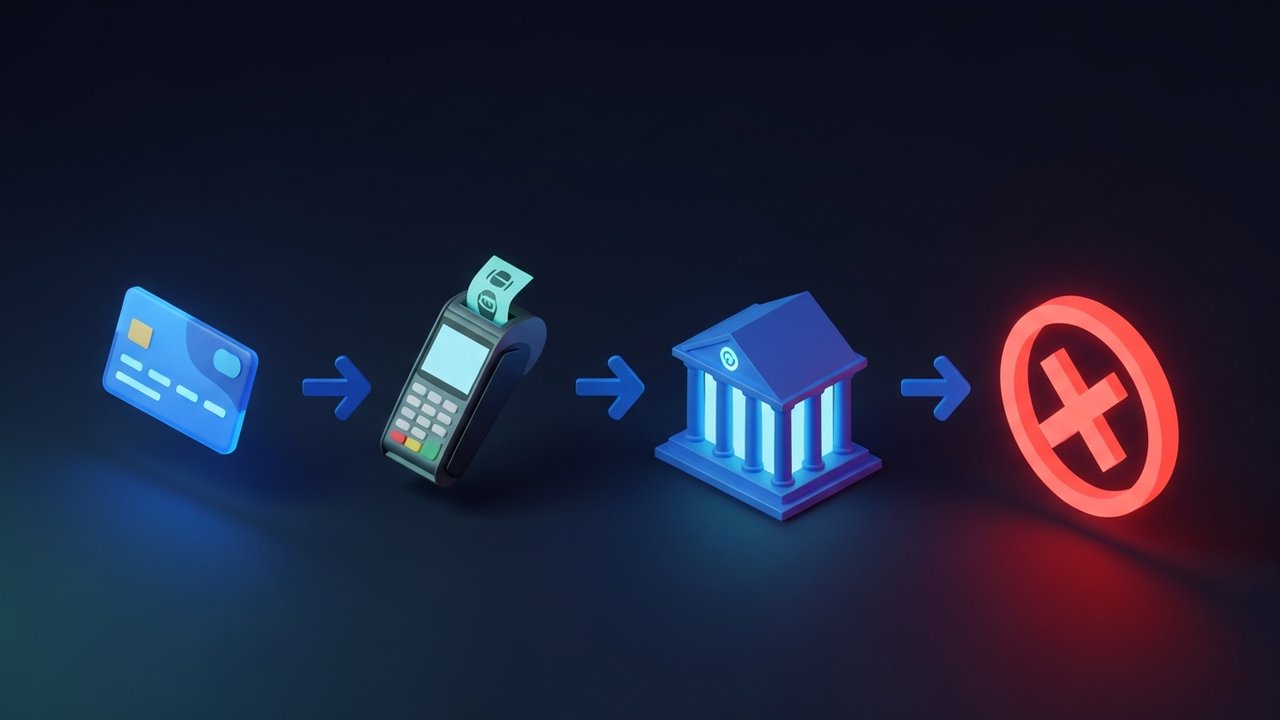
Here's what happens in the few seconds between clicking "Pay" and getting a result:
- The customer submits card details at checkout.
- The merchant's payment processor sends an authorization request to the card network (Visa, Mastercard, and so on).
- The card network routes that request to the card issuer, which is the bank or financial institution that originally issued the card.
- The card issuer checks the request against its internal rules: available balance, account standing, transaction history, fraud signals.
- The card issuer sends back an approval or a decline code.
- The merchant receives the result.
The entire chain runs in seconds, but the decision belongs to one party: the card issuer. The merchant has no visibility into why a payment was blocked, and the card network just passes the message along. This is why identical cards can behave differently at different merchants. A card issuer can apply stricter rules based on merchant category, purchase size, or geography, none of which the merchant controls. When a payment fails, it's a card issuer decision, not a checkout problem.
Soft Decline vs. Hard Decline: Key Differences
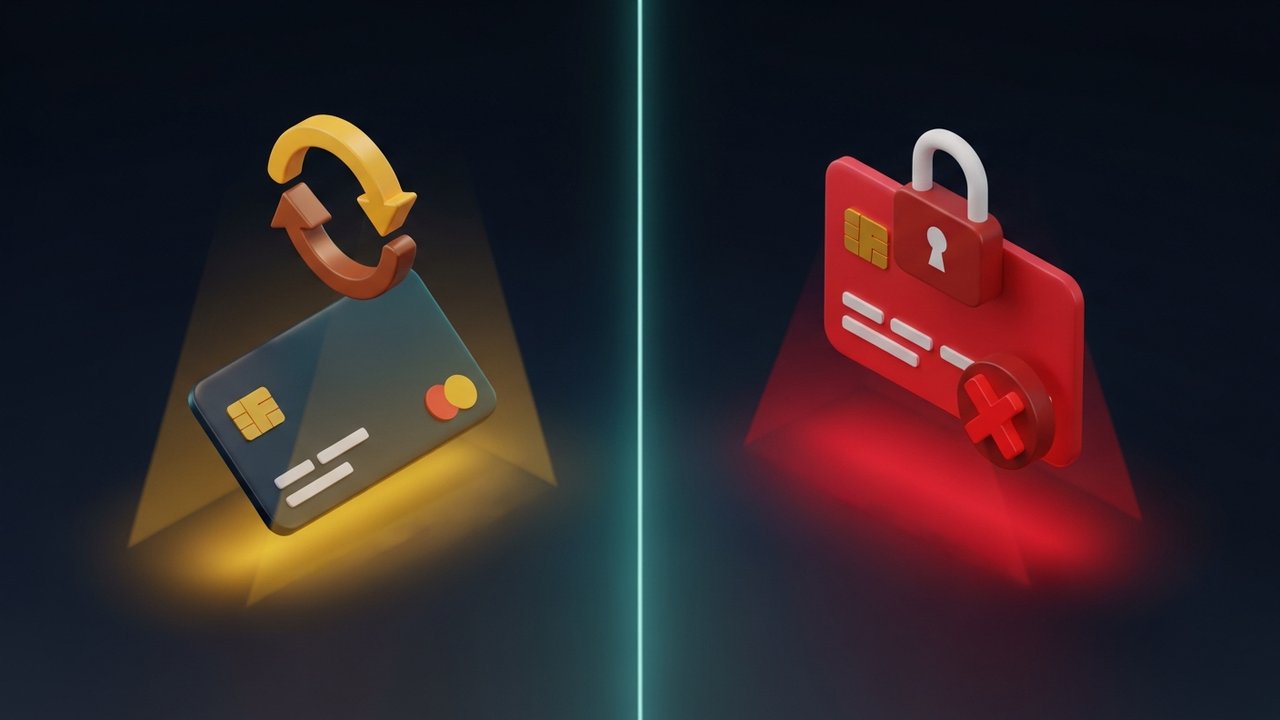
Not all card issuer rejections work the same way. The practical difference between a soft decline and a hard decline determines everything about how you should respond.
| Decline Type | Cause | Can Retry? | Merchant Action |
|---|---|---|---|
| Soft decline | Insufficient funds, suspected fraud, temporary hold, system issue | Yes, after resolving root cause | Notify customer, suggest retry or alternative payment |
| Hard decline | Expired card, stolen card, closed account, permanently blocked card | No, same card will always fail | Ask customer to use a different card or contact their bank |
Soft declines are temporary. Insufficient funds today might not be a problem tomorrow. A fraud alert can often be cleared with a short call to the bank. These issuer declines are annoying but fixable.
Hard declines are permanent. Once a card issuer flags a card as lost or stolen, or closes the account, no amount of retrying will change the outcome. Merchants who keep pushing the same card through after a hard decline aren't being helpful; they're wasting everyone's time and potentially triggering additional fraud flags on the account.
This distinction sounds simple, but most merchants don't handle it correctly. Treating every decline the same way is one of the more common and more costly mistakes in payment operations.
Common Reasons for Card Issuer Rejection
Understanding the specific reason behind a card issuer rejection helps you craft a better response to the customer and, in some cases, actually recover the sale. These are the eight causes that come up most often:
- Insufficient funds. This accounts for roughly 50% of all issuer declines. The cardholder doesn't have enough balance, whether that's a credit limit on a credit card or the account balance on a debit card.
- Incorrect card details. A wrong card number, expiry date, or CVV code causes an immediate rejection. Even one digit off is enough for the card issuer to block it.
- AVS or CVV mismatch. Address Verification Service checks whether the billing address on file at the card issuer matches what the customer entered. A mismatch, even something as minor as a zip code difference, can trigger a card decline without the cardholder understanding why.
- Suspected fraud or unusual activity. Banks use machine learning to flag transactions that don't fit a cardholder's normal pattern. A large purchase from an unfamiliar location, or a sudden spike in spending, can cause the card issuer to block it automatically.
- Expired card. People don't always update saved payment details when a replacement card arrives. In subscription businesses especially, this creates a steady stream of expired card declines.
- Lost or stolen card. The moment a card is reported lost or stolen, the card issuer blocks it completely. Every subsequent transaction attempt results in a hard decline.
- Transaction limit exceeded. Most cards carry daily or per-transaction spending limits set by the card issuer. Exceeding those limits gets the transaction rejected, even when there's no shortage of funds.
- International transaction blocked. Many financial institutions disable foreign transactions by default. Customers need to explicitly enable international use, and many don't realize they haven't done so until the card decline happens at checkout.
Common Card Decline Codes Explained
Each time a card issuer rejects a transaction, it sends back a numeric decline code. Merchants see these codes in their payment dashboards. Customers usually just get a generic error message. Knowing what the codes actually mean helps you respond correctly and avoid mistakes like retrying a transaction that can never succeed.
| Code | Meaning | Type | Recommended Action |
|---|---|---|---|
| 05 | Do not honor (generic decline) | Soft | Ask customer to contact their card issuer |
| 14 | Invalid card number | Hard | Ask customer to re-enter details or use a different card |
| 41 | Lost card | Hard | Do not retry; flag transaction for review |
| 43 | Stolen card | Hard | Do not retry; do not complete the transaction |
| 51 | Insufficient funds | Soft | Ask customer to check balance or use another payment method |
| 54 | Expired card | Hard | Ask customer to update their card details |
| 57 | Transaction not permitted | Hard | Transaction type not allowed on this card; offer alternative |
| 61 | Exceeds withdrawal limit | Soft | Customer must contact their card issuer to raise limits |
Decline code 05, "do not honor," is the vague one. Card issuers use it when they don't want to disclose the actual reason, usually because revealing it would help fraudsters game the system. It's among the most common credit card decline codes, and if you're seeing it repeatedly from the same customer or card, that's worth a manual look.
Codes 41 and 43 are the ones to watch out for. These flag lost or stolen cards. Retrying a transaction on a flagged card violates card network rules and will get you noticed by your payment processor in ways you don't want.
Impact of Card Issuer Rejections on Merchants
A single payment decline looks like a minor inconvenience. Multiply it across thousands of transactions and the picture changes fast.
False declines, where the card issuer rejects a legitimate credit card or debit card transaction because its fraud filters were too aggressive, cost merchants an estimated $443 billion per year globally. That number is bigger than what merchants lose to actual fraud. And unlike chargebacks, there's no dispute process for a false card decline. The revenue disappears and there's nothing to file.
The behavioral damage is harder to measure but just as real:
- 4 in 10 consumers won't buy from that merchant again after a declined transaction, even knowing it wasn't the merchant's fault
- Only 1 in 3 declined transactions gets successfully recovered
- In high-risk categories like subscriptions, digital goods, and gaming, payment decline rates routinely reach 20–30%
- Card declines are among the leading causes of shopping cart abandonment
Every card issuer rejection ripples outward. The customer loses trust in the checkout experience. The merchant loses not just that sale but potentially the customer's lifetime value. Support tickets pile up. Retry logic eats engineering resources. For businesses operating at scale, the operational cost of managing payment declines is significant on its own, separate from the revenue loss.
How to Fix a Card Issuer Rejection
The right fix depends on whether you're the cardholder or the merchant, and what type of issuer decline you're dealing with.
For Customers
- Check your balance first. Insufficient funds is the single most common reason for a credit card decline. Make sure the funds are actually there before anything else.
- Double-check your card details. Card number, expiry date, CVV, billing address, all of it. One wrong character is enough to trigger a rejection.
- Call your financial institution. If everything looks correct but the payment keeps failing, your card issuer may have placed a hold or flagged the transaction. A phone call usually clears soft declines within minutes.
- Switch to a different card or payment method. If you need to complete the purchase right now, a different credit card, debit card, or digital wallet gets around the problem entirely.
- Check your international settings. Buying from an overseas merchant? Confirm with your bank that international transactions are enabled. Many financial institutions turn this off by default.
For Merchants
- Separate soft declines from hard declines. Don't show the same error message for both. Soft declines warrant a retry prompt; hard declines should direct the customer to use a different card or contact their bank.
- Set up smart retry logic. For subscription payments hitting soft declines, retry after 24 to 48 hours. Hard declines should never get an automatic retry.
- Notify customers in real time. A clear, specific decline message is better than a generic error. Tell customers what they should do next.
- Use account updater services. Visa and Mastercard both provide automatic updates when cardholders receive replacement cards. This prevents expired card declines from accumulating in your subscriber base.
- Show alternative payment methods immediately. The moment a card fails, present a fallback. If the customer has to go back and navigate to a different payment option, you've already lost most of them.
- Consider 3D Secure for higher-value transactions. 3DS shifts fraud liability to the card issuer and tends to reduce false decline rates on legitimate purchases above certain thresholds.
How Merchants Can Prevent Card Issuer Rejections
Preventing declines is more profitable than recovering them. A few infrastructure investments pay off consistently:
- Input validation at checkout. Format card numbers automatically as customers type. Catch format errors before the transaction is ever submitted. This eliminates most incorrect detail declines before they reach the card issuer.
- Card account updater integration. When a card gets renewed or replaced, the updater refreshes stored payment details automatically. Any subscription business with stored cards should have this running.
- AI-based fraud scoring. Not all fraud scoring tools are created equal. The good ones flag genuinely risky transactions without blocking legitimate ones. Reducing false declines matters as much as stopping fraud, and it affects the same revenue line.
- Retry waterfall for subscription billing. Build a systematic retry schedule for failed payments: retry at decline, wait 24 hours, try a different time of day, then send the customer a notification. One retry attempt isn't enough.
- Payment tokenization. Storing tokens instead of raw card data reduces security risk and improves reliability across card replacements and reissuances.
- More payment options at checkout. The more alternatives customers have, the less damage any single card issuer rejection does. Digital wallets, buy-now-pay-later, and crypto all capture customers who can't or won't complete a card payment.
Crypto Payments as an Alternative to Card Declines
Card issuer rejection is a structural feature of how card payments work. Every transaction needs a financial institution to say yes, and financial institutions have their own rules, risk models, and failure rates. That authorization layer is where significant revenue gets lost, not to fraud but to the infrastructure itself.
Crypto payments skip it entirely. When a customer pays with cryptocurrency, there's no card issuer involved. No authorization request goes to a bank. The payment either confirms on the blockchain or it doesn't, and that outcome isn't influenced by fraud filters, spending limits, or geographic restrictions imposed by someone else's financial institution.
For merchants losing consistent revenue to card declines, especially in cross-border commerce, digital goods, or subscription services, adding crypto as a payment option removes a whole category of failure from the picture.
Plisio connects merchants to over 20 cryptocurrencies through a single integration, with no monthly fees and no chargebacks. It runs alongside card payments rather than replacing them. For merchants absorbing 10–20% decline rates on card transactions, the math on adding an alternative payment method that bypasses the card issuer entirely tends to work out quickly.
Card issuer rejection is built into how card-based payments work. It's not going away. But merchants who understand the difference between soft and hard declines, respond to decline codes correctly, and build some basic prevention logic into their payment stack can significantly cut the revenue they're losing. For those willing to add crypto to the mix, there's also a path that bypasses the card issuer problem entirely.