Know Your GST Number: GSTIN Search Tool Guide
Checking a supplier's GST registration takes under a minute and costs nothing. India had over 1.53 crore active GST taxpayers as of June 2025 (GSTN, 2025) — every one of them searchable on the public portal, no account needed. Most businesses skip this check and pay for it later when input tax credit claims get disallowed. This guide covers the GST number search tool step by step, what the 15-digit GSTIN format encodes, how to catch fake registrations before they cost you, and what changes when customers pay in crypto. Know your GST obligations before you need to.
What Is GSTIN? Know Your GST Number Basics
GSTIN stands for Goods and Services Tax Identification Number. Every taxpayer registered under India's goods and services tax regime gets one: a 15-digit alphanumeric code issued when registration goes through. Before July 2017, each state ran its own tax identifier — the TIN under the old VAT system. GST scrapped the patchwork and replaced it with a single national identification number. To know your GST number inside out, start with the structure; once you understand the format, finding and verifying any registration takes seconds.
Sole proprietors, partnerships, private limited companies, LLPs, trusts — every registered entity gets its own GSTIN from the Central Board of Indirect Taxes and Customs (CBIC). That number goes on every invoice, every GST return, every official tax document the business issues or receives.
How the GST Identification Number Works
The GSTIN is a live key into the national GST database. File a return, claim input tax credit on a purchase — the system cross-checks the GSTIN on each invoice every time. Invalid number? Suspended? Cancelled? The transaction fails compliance checks and the buyer loses the input tax credit on that purchase.
What this means is: verifying a supplier's GSTIN before accepting any invoice isn't optional caution — it's basic financial hygiene. One bad number can wipe out the input tax credit on an entire order. The financial hit is real; the check takes thirty seconds.
Who Needs a GST Number in India
Registration thresholds vary by supply type and state. Businesses that must register include:
- Suppliers with aggregate annual turnover above ₹40 lakh (goods, most states)
- Service providers with annual turnover above ₹20 lakh (most states)
- Businesses in special category states, where the threshold for services is ₹10 lakh
- E-commerce operators and sellers on platforms like Amazon and Flipkart, regardless of turnover
- Businesses making inter-state supply of taxable goods or services
- Casual taxable persons and non-resident taxable persons operating temporarily in India
Registration triggers the full set of obligations. Collect GST from customers, file GST returns on schedule, issue compliant invoices — all mandatory from day one. Know your GST number from the start; it goes on every document from the first invoice onwards, and missing it on even one invoice creates a compliance gap.
How to Search GST Number by Name or PAN
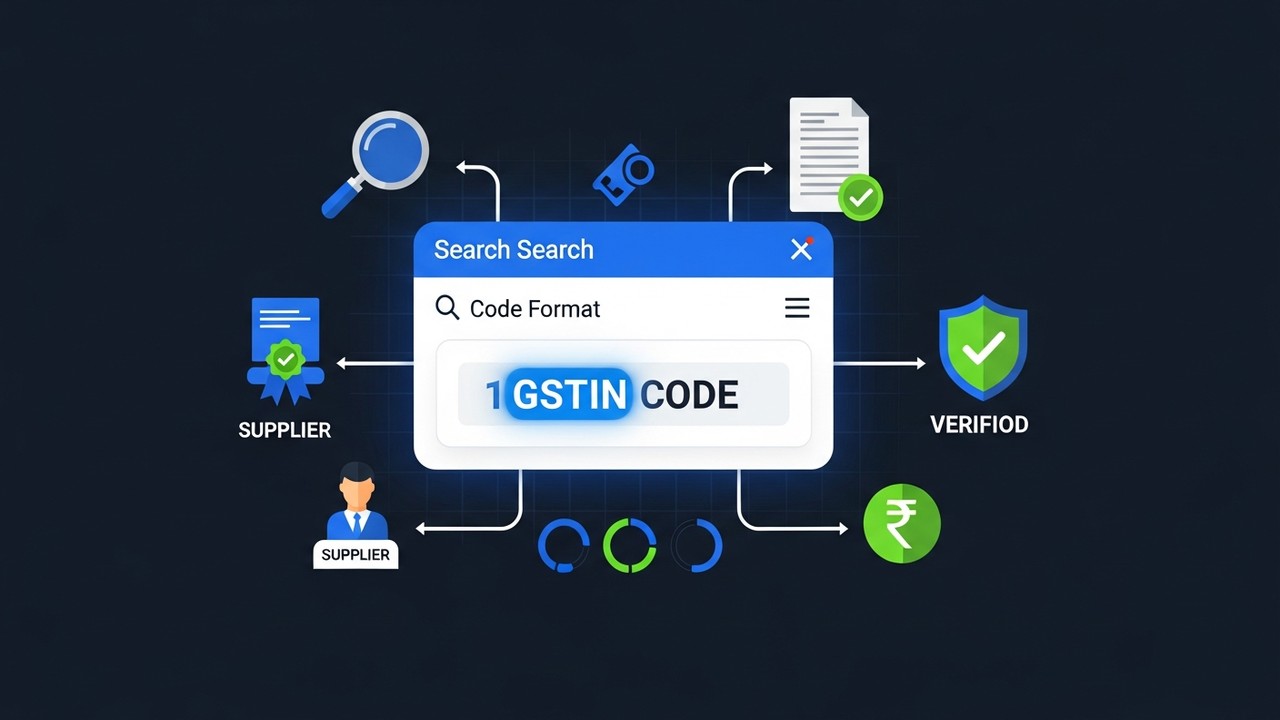
Free gst number search on the official portal needs no account — anyone can use it, no login required. Three search paths exist: by GSTIN, by PAN, or by business name. Most people default to name or PAN because they rarely have the full 15-digit code memorised.
Step-by-Step: Search by Business Name
Start here when all you have is a supplier's trading name. The portal handles partial matches, so typing "Reliance Ret" gets you there even if the registered legal name differs slightly.
- Navigate to the official GST portal at gst.gov.in
- Click Search Taxpayer in the top navigation bar
- Select Search by Name
- Enter the legal name or trade name (at least 3 characters required)
- Select the state from the dropdown to narrow results
- Complete the CAPTCHA verification
- Click Search — a list of matching registrations appears
- Click any result to view full details: GSTIN, status, registration date, and filing history
Always filter by state. Mumbai alone has hundreds of businesses with "Trading Company" in the name. Without the state filter, you're scrolling through noise. Once you land on a match, cross-check the registered address against what the supplier actually told you — discrepancies are worth investigating.
Step-by-Step: Search GST Number by PAN
In practice, PAN search is faster. Characters 3–12 of every GSTIN are the taxpayer's PAN, embedded by design. Type in the PAN and the portal does the matching for you.
- Go to gst.gov.in → Search Taxpayer → Search by PAN
- Enter the 10-character PAN number
- Complete the CAPTCHA
- Click Search
What comes back is every GSTIN tied to that PAN. A textile exporter with warehouses in Gujarat, Maharashtra, and Karnataka holds three separate GSTINs — same PAN, different state codes. The PAN search using pan pulls all of them in one shot, which matters when you're verifying a multi-state supplier and need to confirm the right registration for the state you're dealing in.
Using the GST Number Search Tool Online
The official GST portal works fine for one-off checks. But it's not the only gst number search option, and for businesses running supplier audits at scale, the portal's interface gets tedious fast. Third-party tools pull from the same government data and solve the problem differently.
GST Portal vs Third-Party Search Tools
| Feature | GST Portal (gst.gov.in) | ClearTax GST Search | Masters India GST Search |
|---|---|---|---|
| Data source | Official government database | Government API | Government API |
| Search by GSTIN | ✓ | ✓ | ✓ |
| Search by PAN | ✓ | ✓ | ✓ |
| Search by name | ✓ | ✓ | ✓ |
| Full filing history | ✓ | Partial | Partial |
| Bulk verification | ✗ | ✓ (paid plans) | ✓ (paid plans) |
| Login required | No | No | No |
| Real-time data | ✓ | ✓ | ✓ |
For one-off checks, stick with gst.gov.in — data comes straight from the source, no middleman. The moment you're verifying 50+ supplier GSTINs a month, the manual portal approach doesn't scale. That's when paid bulk tools from ClearTax or Masters India start paying for themselves.
What Information the Search Tool Shows
Pull up any GSTIN and the portal gives you eight fields. Most people check one or two. All eight matter:
- Legal name — the name registered with CBIC. Not what they put on their website; what they filed with the government.
- Trade name — the brand or operating name. A business can have a different trade name and legal name at the same time, which is common.
- GSTIN / identification number — the full 15-digit code, which you can then cross-check against the invoice.
- Registration date — useful context. A "registration date" of last month for a supplier claiming years of history is a flag.
- State and principal place of business — the address on record. Compare it to the invoice address.
- Entity type — proprietorship, partnership, private limited company, etc.
- Status — Active, Cancelled, or Suspended. This is the field that protects your input tax credit.
- Return filing history — the most useful due diligence signal. An active GSTIN with zero filed returns is a red flag, full stop.
Structure of a GST Number Decoded
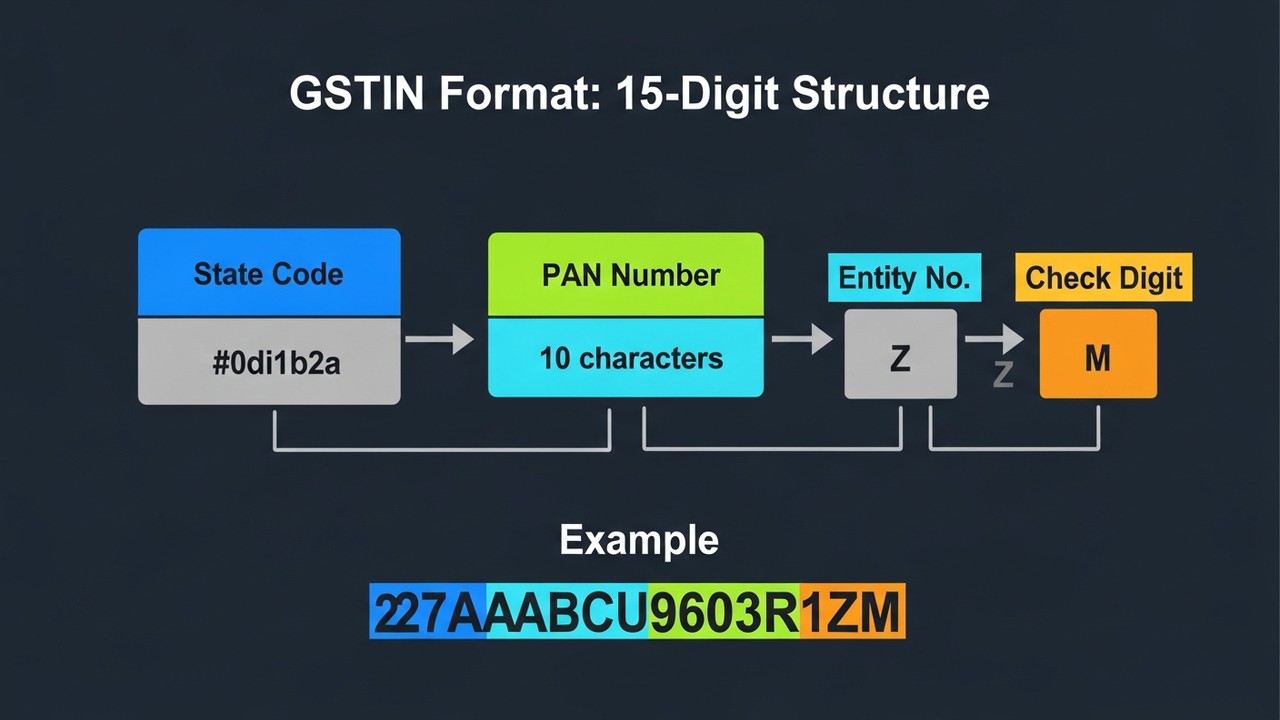
A GSTIN isn't a random string. Each segment of the 15-digit identification number encodes something real — and knowing the structure turns a verification from a lookup into an actual read.
| Position | Length | Meaning | Example |
|---|---|---|---|
| 1–2 | 2 digits | State code (GST Council state codes) | 27 = Maharashtra |
| 3–12 | 10 characters | PAN of the registered taxpayer | AABCU9603R |
| 13 | 1 character | Entity number (1–9, A–Z) for multiple registrations per PAN | 1 |
| 14 | 1 character | Default character — always "Z" | Z |
| 15 | 1 character | Checksum digit (alphanumeric) | 5 |
Walk through 27AABCU9603R1Z5. First two digits: 27, which is Maharashtra. Next ten: AABCU9603R — that's the PAN. The 13th character is 1, marking this as the taxpayer's first registration in that state. Position 14 is always Z; treat it as a spacer. Position 15 is the checksum, generated automatically.
Memorise the state codes that come up most often. Delhi is 07, Karnataka is 29, Tamil Nadu is 33, Gujarat is 24. If a supplier hands you an invoice from a "Delhi office" but the GSTIN leads with 29, you've spotted a contradiction before you even call the portal.
A PAN search using pan sometimes returns three or four GSTINs for the same company. That's not suspicious — it means they're registered in multiple states, each with its own GSTIN. Same PAN across all of them, different state code and entity number per location. Completely legitimate; just geography.
How to Verify the GST Number Is Active
Finding a GSTIN in the portal is step one. Step two — equally important — is checking whether it's still active. A registration that was valid six months ago might be suspended today. Know your GST status before you accept any invoice, not after the fact when input tax credit gets rejected and you're left explaining a gap to a tax officer.
What Active, Inactive, and Cancelled Status Means
Three statuses appear on the portal. They are not equally bad:
- Active — Registration stands. The taxpayer files returns and issues valid invoices.
- Suspended — Filing stopped, usually for months. The tax authority put a hold on the registration. Invoices from a suspended supplier are a compliance risk: your input tax credit claim may not survive an audit.
- Cancelled — Gone permanently. Either the business wound down voluntarily or the authority cancelled it for non-compliance. An invoice from a cancelled GSTIN is legally worthless. No exceptions.
The issue here is that "Cancelled" on the portal is permanent, whereas "Suspended" can sometimes be reversed if the supplier catches up on filings. Either way, you shouldn't accept new invoices until the status clears.
How to Check GSTIN Verification Status
Gstin verification takes under a minute and requires no login. The steps:
- Go to gst.gov.in → Search Taxpayer → Search by GSTIN/UIN
- Enter the full 15-digit GSTIN
- Check the Status field in the returned result — that single field is what matters
Suspended or Cancelled? Don't process the invoice. Call the supplier, ask for an explanation, and wait for Active status before filing any input tax credit claims. Pursuing claims against non-active GSTINs is a reliable path to a disallowance notice and audit scrutiny.
How to Spot Fake GST Numbers and Scams
India's goods and services tax system has a genuine fake invoice problem — not a theoretical one. GST authorities detected evasion of roughly ₹7.08 lakh crore between FY2021 and FY2025, with fake input tax credit claims accounting for ₹1.79 lakh crore of that figure (Tax Guru / CBIC data, 2024). In FY2025–26 alone, investigators turned up 24,109 fake invoice cases (SAG Infotech, 2025). Knowing how to identify a fake gst number is basic financial self-defence. Without that skill, a fraudulent supplier hands you a bogus registration and you end up holding the disallowed input tax credit claims — not them.
Red Flags of a Fraudulent GSTIN
In FY2024–25, tax authorities suspended over 4,000 fake GSTINs and flagged ₹35,000 crore worth of input tax credit claims for investigation (CBIC enforcement data, 2024). Each of those cases started with someone accepting an invoice without checking. Here's what to look for:
- Not found on the portal — gst.gov.in returns nothing. The GSTIN doesn't exist. Walk away.
- State code mismatch — the first two digits point to a different state than the supplier claims to operate from.
- Legal name or trade name doesn't match — what the portal shows and what's on the invoice are different. That gap is the fraud.
- Status is Cancelled or Suspended — the registration is no longer valid. Doesn't matter why; you can't use the invoice.
- PAN segment doesn't match — if you know the supplier's PAN, characters 3–12 of their GSTIN must be identical. Any difference means the GSTIN was fabricated.
- Zero return filing history — an "Active" status with no GST returns ever filed. A working business doesn't do that. This one catches a lot of shell registrations.
What to Do If You Find a Fake GST Number
Discovering a fake gst number on a supplier invoice means stopping immediately — not waiting to see what happens:
- Pause all pending payments to the supplier
- Do not file any input tax credit claims based on invoices from that GSTIN
- Document everything — screenshot the portal result showing no record or cancelled status; save the original invoice
- File a grievance through the GST portal's complaint mechanism or contact your local GST officer directly
- Talk to a chartered accountant about whether previously filed returns need to be amended
That last point matters more than most people realise. If you already claimed input tax credit on earlier invoices from the same supplier, those claims become vulnerable the moment the GSTIN is flagged. Getting ahead of it is always cheaper than waiting for an audit notice.
GST Compliance for Crypto Payments: What Businesses Need
Accepting cryptocurrency as payment does not exempt a business from goods and services tax obligations. The invoice, the GST return, and the input tax credit chain all work the same way regardless of whether the customer paid in rupees, USDT, or Bitcoin. To know your GST compliance requirements when accepting crypto, you need to understand how the tax authority treats virtual digital assets. Every Indian business managing GST compliance needs to know where crypto payments sit within the same framework. A detailed look at how crypto is taxed in India covers the income tax angle; the GST side runs on separate rules.
GST on Crypto Transactions in India
The Central Board of Indirect Taxes and Customs has treated Virtual Digital Assets (VDAs) as neither currency nor securities for goods and services tax purposes — which means their transfer can attract GST as a supply. The practical rules for businesses that need to know your GST liability on crypto:
- Crypto exchanges pay 18% GST on their service fee income — not on the full value of crypto traded (ClearTax, 2025)
- A business accepting crypto as payment for goods or services must issue a GST invoice for the underlying sale in INR — the payment method doesn't change the GST liability on the supply
- Input tax credit rules apply normally — but only if the GSTIN on each purchase invoice is valid and active
- The INR equivalent of the crypto received at the time of the transaction is the taxable value for GST purposes
Understanding crypto tax compliance in India across both the income tax and GST layers is increasingly important as crypto adoption among Indian merchants grows.
Accepting Crypto and Staying GST-Compliant
The practical challenge for merchants accepting crypto is accurate records. GST returns require rupee values, which means every crypto payment needs a corresponding INR valuation at the time of receipt. Manual conversion and record-keeping at scale is error-prone and slow.
A structured payment processor solves this. When you start accepting crypto payments through a dedicated gateway, each transaction is timestamped, valued, and recorded in a format that maps directly to GST filing requirements. Among the crypto payment gateway options available to Indian merchants, Plisio provides the payment records, transaction history, and INR-equivalent data that make GST return reconciliation straightforward.
Merchants who want to accept crypto without compromising their GST compliance can explore Plisio's tools at Plisio.net — the infrastructure is built for businesses that need clean, auditable payment records alongside crypto acceptance.