DES Payroll System: What It Is and How It Works

Payroll is one of those things that looks simple until you're the one responsible for it. Get the numbers wrong and employees notice immediately. Miss a tax deadline and the penalties arrive fast. A DES payroll system exists to take that off the table — automating the calculation, deduction, and reporting cycle so it runs correctly every time.
The term covers more ground than most people expect. Whether it's a government department's enterprise system or a cloud platform a small business runs payroll through, the underlying job is the same. This article breaks down what a des payroll system actually is, how it works, and what to look for when choosing one.
What Is a DES Payroll System
DES stands for Department of Enterprise Services. The most specific version is the government agency in Washington State, USA, which runs payroll and HR infrastructure for public sector employees. Its MyPortal platform handles compensation, leave tracking, and compliance for tens of thousands of state workers under civil service rules.
Outside that context, the phrase "DES payroll system" is used more loosely. It describes any departmental or enterprise-grade payroll platform that an organisation uses to manage employee pay end to end. Small business software qualifies just as much as a custom government system — the label covers the function, not just one specific product.
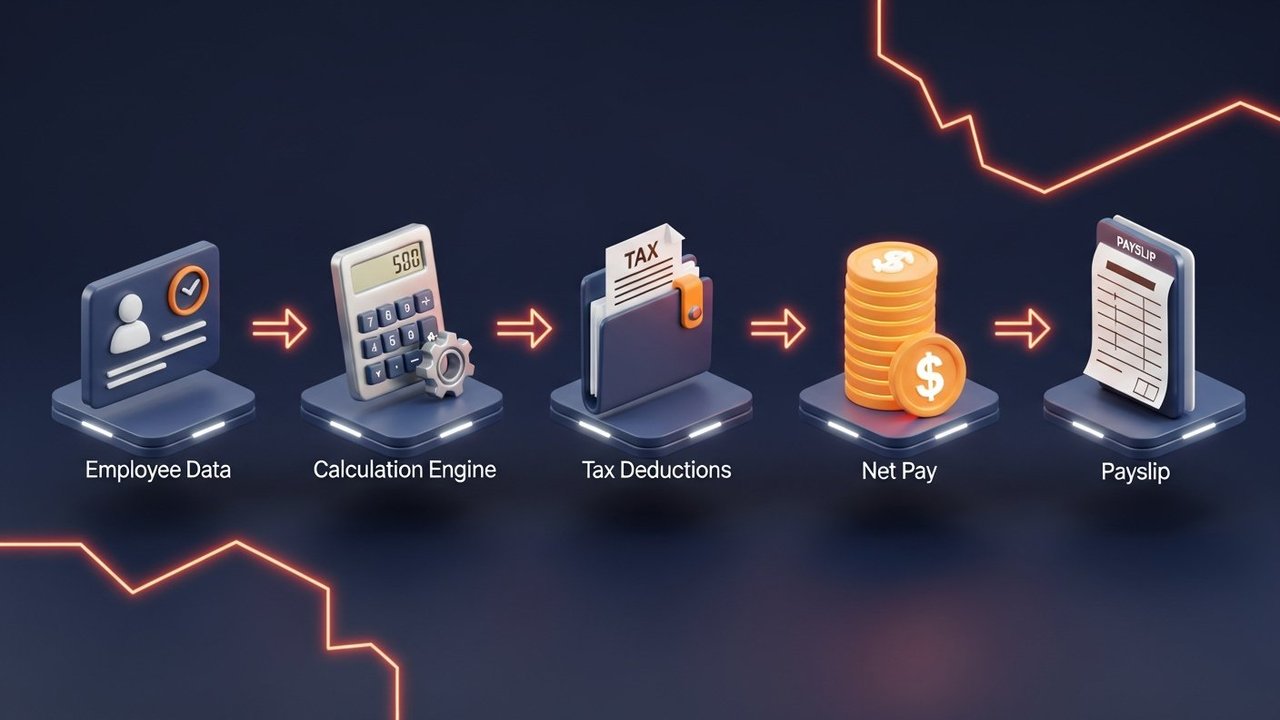
What all of them do comes down to four things: take employee data, calculate what each person is owed, apply the right deductions, and produce the records that employers and tax authorities need. When a payroll system does that reliably, payday runs quietly. When it doesn't, the problems tend to be expensive.
How a DES Payroll System Works
Most payroll runs on a fixed cycle, monthly or bi-weekly, and follows the same five steps whether you're paying three people or three thousand.
- Employee data input — The system stores each employee's contract details, salary or hourly rate, bank account, tax code, and benefit elections. Attendance data flows in from a time-tracking tool or gets entered manually; the system uses it to track hours worked, overtime, sick days, and approved leave.
- Gross pay calculation — Base pay, overtime, bonuses, commissions, and any shift premiums for that period get added up. One-off items like a joining bonus or redundancy payment go in here too.
- Deductions applied — Mandatory deductions come off first: income tax (against the employee's tax code or bracket), social security or national insurance, and pension contributions. Voluntary deductions like health insurance premiums, salary sacrifice schemes, or union dues come after.
- Net pay computed and disbursed — Whatever's left after deductions is net pay. The payroll system triggers payment via bank transfer, direct deposit, or cheque. Most modern payroll software connects directly to banking systems, so disbursement runs without manual handoffs.
- Reports generated — Payslips go out to each employee. The employer's compliance reports go to the tax authority: real-time submissions, year-end summaries, social contribution filings, audit-ready records. Finance teams can track historical payroll data by period, department, or employee, and records stay on file for as long as regulations require, typically six to seven years.
Automated payroll processing handles all five steps in minutes. Manual spreadsheet payroll does the same thing but takes days, and it introduces the calculation errors that turn into compliance problems down the road.
Core Features of DES Payroll Software
A well-built payroll system does more than crunch numbers. Here are the features that matter in practice:
- Employee record management — one place for each employee's personal data, contract terms, salary history, tax details, and bank information. When something changes (a new address, a pay rise, different hours), it updates across every subsequent payroll run automatically.
- Attendance and leave tracking — logs working hours, overtime, sick days, holidays, and parental leave. The system tracks live leave balances so HR and line managers can see entitlements at a glance and run accurate payroll reports each cycle.
- Automated tax calculation — applies current tax tables for each employee's code or jurisdiction, recalculating the moment rates change. That's what prevents under- or over-withholding.
- Payslip generation — itemised payslips showing gross pay, every deduction, and net pay, delivered digitally to each employee.
- Compliance reporting — generates filings for the relevant tax authority on the right schedule, monthly, quarterly, or annually depending on jurisdiction. RTI submissions in the UK, PAYE in Ireland, quarterly filings in the US.
- HR and accounting integration — payroll data feeds directly into the general ledger and HR platform, cutting out duplicate entry and reconciliation work.
- Audit trail and data security — every transaction and data change gets logged with a timestamp and user ID. Access controls limit who can view or alter payroll data.
- Multi-currency and multi-country payroll — for organisations with employees in more than one country, the system handles different currencies, local tax rules, and statutory requirements per jurisdiction.
Types of Payroll Systems Explained
Not all payroll systems work the same way. The right setup depends on company size, IT capacity, and how complicated your payroll actually is.
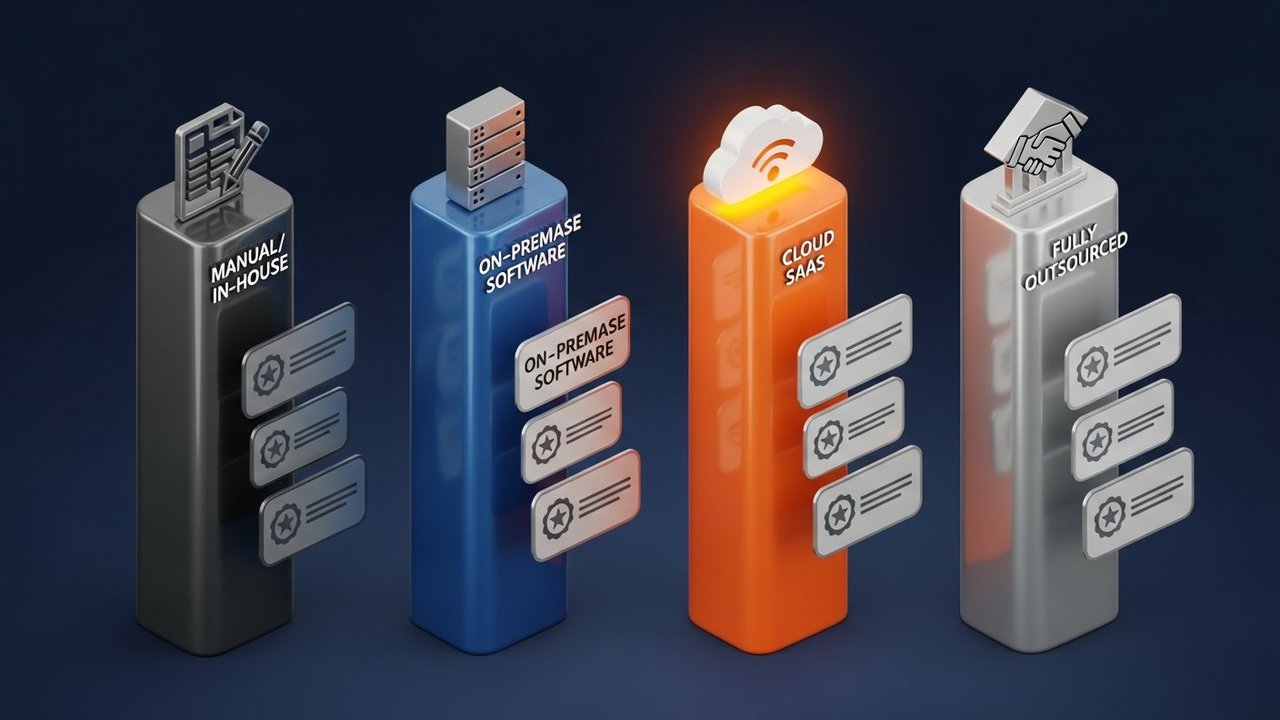
| Type | Description | Best for |
|---|---|---|
| In-house / manual | Spreadsheet-based, run internally without dedicated software | Sole traders and micro-businesses with 1–5 employees |
| On-premise software | Installed on company servers, managed by IT team | Mid-size companies with IT infrastructure and compliance needs |
| Cloud-based SaaS | Hosted online, accessed via browser, subscription pricing | SMEs and fast-growing businesses — scales without hardware |
| Fully outsourced | Third-party payroll bureau handles all calculations and filings | Businesses that want zero payroll admin responsibility |
Cloud is winning. About 51% of companies globally are migrating away from on-premise payroll to cloud-based platforms. The reasons aren't complicated: cloud systems update when tax laws change, don't need IT maintenance, and remote finance teams can access them from anywhere.
Government DES payroll systems occupy their own lane. They're typically custom on-premise or hybrid platforms built for public sector requirements: civil service pay bands, union agreements, accrual-based leave, and strict data sovereignty rules that most commercial SaaS products don't satisfy.
Payroll Compliance and Reporting Requirements
Payroll compliance is where things get expensive when they go wrong. Every employer running a payroll system has the same obligations: calculate tax correctly, pay it on time, report it accurately, and keep records that hold up to scrutiny.
Requirements vary by country, but the common threads:
- Income tax withholding — the employer deducts the right amount from each pay packet and remits it to the tax authority on the employee's behalf
- Social security and national insurance contributions — both employer and employee portions get calculated and paid to the relevant body, whether that's the IRS, HMRC, or equivalent
- Pension contributions — mandatory in most jurisdictions; in the UK, auto-enrolment means most employees go into a qualifying scheme unless they actively opt out
- Statutory pay — sick pay, maternity, paternity, and parental pay are calculated and tracked separately, with their own reporting requirements
- Year-end reporting — annual summaries of each employee's total pay and deductions, filed with the tax authority and issued to the employee
Miss a deadline or submit incorrect data and penalties follow. The IRS charges between 2% and 15% of the unpaid amount depending on how late it is. HMRC applies a percentage-based penalty for late real-time submissions, which escalates with repeat failures.
A reliable des payroll system handles all of this in the background. It applies correct rates, generates each required report on schedule, and flags data mismatches before the filing deadline. Finance teams can track every transaction through the audit trail if questions come up later.
What to Look For in a Payroll System
Once payroll is running through a system, switching is painful. These are the seven things worth getting right before committing:
- Compliance coverage — does the system handle the tax and labour laws in every jurisdiction where you have employees? A UK-only system breaks the moment you hire in Germany or Singapore.
- Integration depth — how well does it connect to your HR platform, time-tracking tool, and accounting software? Manual data transfers between systems are where errors pile up.
- Scalability — can it handle five times your current headcount without a platform migration? Growing into a new payroll system mid-scale is a painful project no finance team wants.
- Multi-currency support — if you pay contractors or employees in other countries, multi-currency payroll isn't optional. Check whether FX conversion runs automatically or requires manual steps each cycle.
- Reporting and audit trail — does it generate the exact report formats your tax authority accepts? Can you track and pull historical data for any prior period without raising a support ticket?
- Support and uptime SLAs — payroll failing on payday is a serious problem. Check the vendor's support response times and whether they commit to uptime during payroll processing windows.
- Pricing model — per-employee fees compound fast as headcount grows. Model the cost across a realistic growth scenario, not just today's team size, before signing anything.
Crypto as an Alternative for Global Payroll Payments
Traditional payroll works fine for domestic employees. For international teams — contractors in different countries, remote workers paid in foreign currencies — the friction starts to show.
A SWIFT transfer to an overseas contractor takes 3–5 business days to clear. Fees run up to $50 per transfer, plus an FX spread on top. Correspondent banks sometimes hold the funds for compliance checks with no predictable release date.
For a freelancer waiting on payment, that's a real problem. For a business running payroll across ten countries simultaneously, the aggregate cost and delay is significant.
Crypto sidesteps most of this. A stablecoin transfer in USDT or USDC settles in minutes at a flat fee that doesn't vary with the amount sent. No SWIFT network, no correspondent banks, no FX markup layered in by whoever processes the wire. The contractor gets funds in their wallet directly, wherever they are.
This works particularly well for paying gig workers, remote developers, and contractors in regions where international banking is limited or expensive. The payment is direct, employer to contractor, with an on-chain record.
Plisio handles payroll and contractor payments in Bitcoin, Ethereum, Litecoin, USDT, and more than a dozen other assets at 0.5% flat. No KYC required for merchants, no monthly fees, and the rate doesn't change based on amount or destination.
Conclusion
A DES payroll system — whether government-run or a commercial product — exists to get employees and contractors paid correctly, on time, and in compliance with whatever rules apply to each of them. The payroll system covers data management, gross pay calculation, deductions, disbursement, and the reporting that keeps the employer on the right side of tax authorities.
For domestic payroll, cloud-based payroll software handles most situations well. Where the des payroll system approach gets costly is international payments: SWIFT fees, FX spreads, and multi-day settlement times add up quickly across a global team. Crypto payment rails solve that specific problem cleanly. For organisations running cross-border payroll regularly, it's worth building into the payment infrastructure from the start.