GPay Limit Per Day: Complete Guide to Google Pay Transaction Limits
Google Pay handles billions of UPI transactions in India every month. But hit the gpay limit per day and your payment just stops — often mid-transfer, often at an inconvenient time. Knowing where the ceiling actually sits, and why it varies between users, saves a lot of confusion.
This guide covers the google pay transaction limit in full: the daily cap, bank-by-bank differences, P2P vs P2M rules, and your real options once you’ve maxed out.
What Is the GPay Limit Per Day?
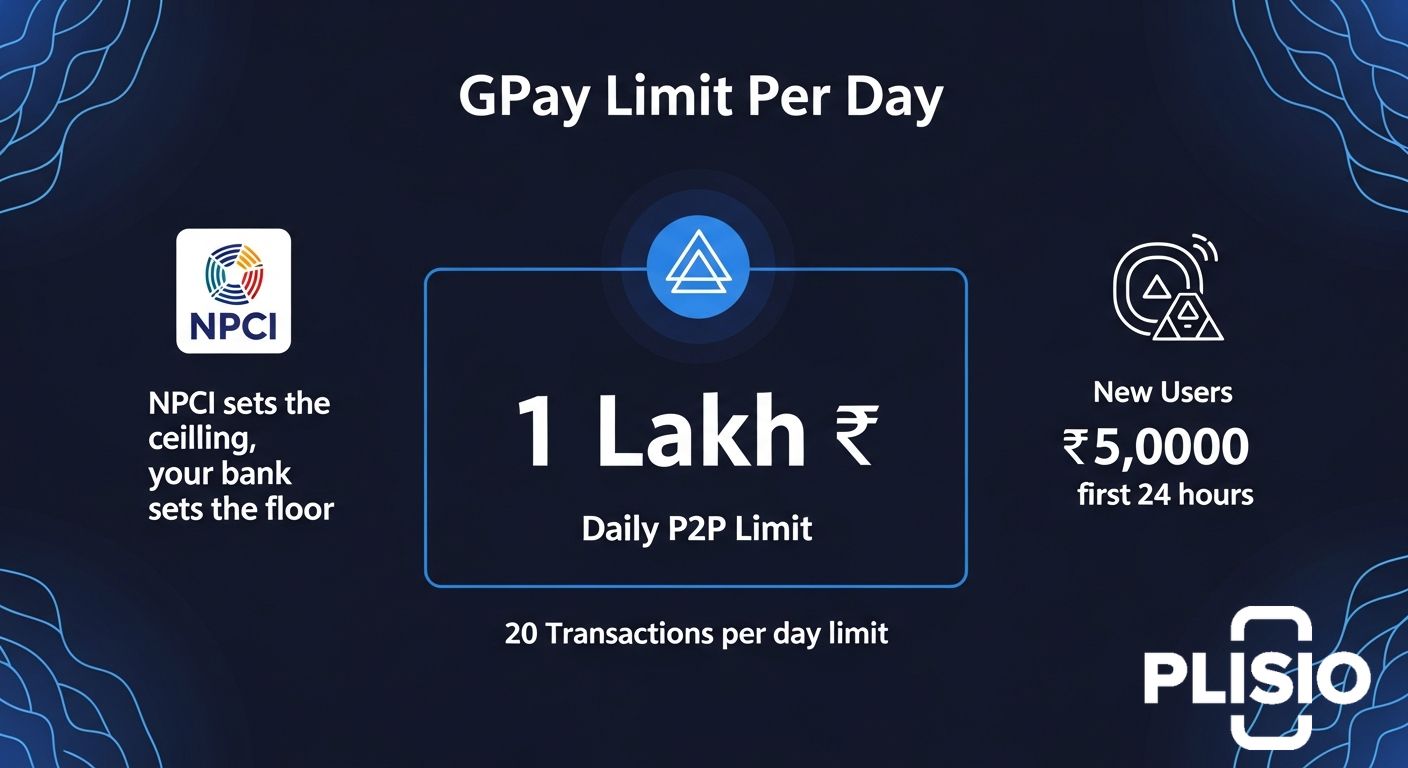
₹1 lakh per day. That’s the baseline for most users, alongside a 20-transaction cap.
But Google Pay doesn’t actually set this number. The National Payments Corporation of India (NPCI) does. Individual banks can then layer their own stricter caps on top. So your actual gpay limit per day is a combination of two policies — NPCI’s ceiling and your bank’s floor.
Standard UPI Transaction Limits
Here’s how it breaks down across transaction types:
|
Transaction Type |
Per Transaction Limit |
Daily Limit |
Daily Transaction Count |
|---|---|---|---|
|
P2P (Person to Person) |
₹1,00,000 |
₹1,00,000 |
20 transactions |
|
P2M (Person to Merchant) |
₹2,00,000 |
No fixed cap |
No fixed count |
|
New UPI users (first 24 hrs) |
₹5,000 |
₹5,000 |
Limited |
|
High-value categories (IPO, insurance) |
₹5,00,000 |
Varies |
Varies |
Daily Transaction Count Limit
The 20-transaction count is the limit that surprises people most. You can hit it before you get anywhere near ₹1 lakh — if you’re splitting bills, paying multiple vendors, or making several small transfers through the day. Count resets at midnight.
Google Pay Transaction Limits for Different Banks
NPCI sets the maximum. Banks set whatever they want below that.
Most large banks mirror the NPCI limit exactly. A few — particularly smaller regional banks — apply tighter caps, especially for accounts that haven’t completed full KYC.
|
Bank |
P2P Daily Limit |
Per Transaction Limit |
|---|---|---|
|
SBI |
₹1,00,000 |
₹1,00,000 |
|
HDFC Bank |
₹1,00,000 |
₹1,00,000 |
|
ICICI Bank |
₹1,00,000 |
₹1,00,000 |
|
Axis Bank |
₹1,00,000 |
₹1,00,000 |
|
Canara Bank |
₹50,000 |
₹50,000 |
|
Indian Bank |
₹50,000 |
₹50,000 |
|
KVB |
₹25,000 |
₹25,000 |
If your Google Pay daily limit feels lower than it should, the restriction is almost certainly coming from your bank. Check your bank’s UPI policy directly — they revise these numbers occasionally and without announcement.
GPay Limits by Transaction Type
The google pay transaction limit isn’t one number. It shifts depending on who you’re paying.
Person-to-Person (P2P) Limits
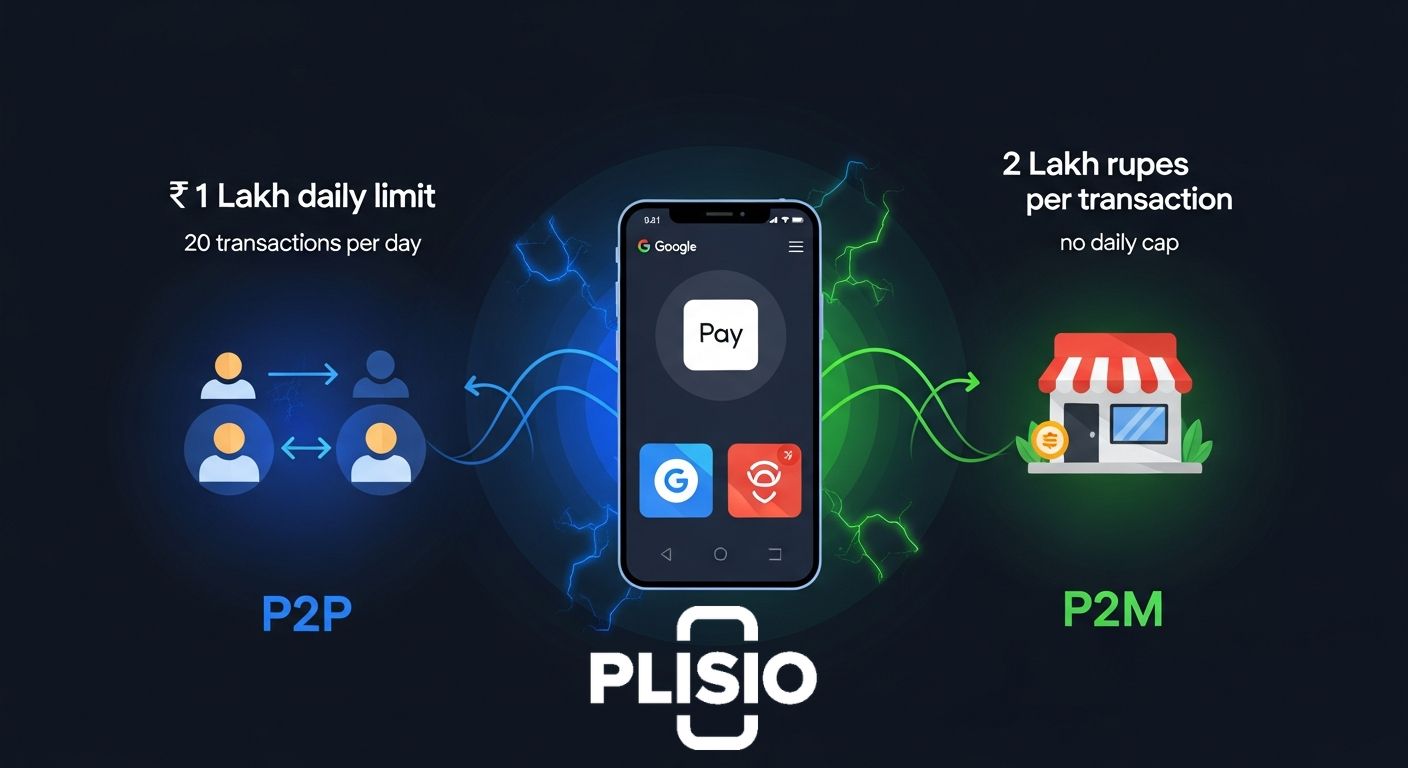
P2P means any transfer to another individual — not a registered business. This is where the tighter rules apply:
- Maximum ₹1 lakh per day, shared across all UPI apps on the same bank account
- Maximum 20 transactions per day
- If you send ₹60,000 via PhonePe, your remaining Google Pay daily limit from that account is ₹40,000
- New users are capped at ₹5,000 for the first 24 hours after linking a bank account
Person-to-Merchant (P2M) Limits
P2M covers any payment to a registered business — scanning a QR code at a shop, paying an online merchant, settling a bill at a restaurant:
- Per transaction limit: ₹2 lakh
- No hard daily cap under standard NPCI rules
- Hospitals, utilities, and educational institutions can process even higher amounts
- Your bank may still apply a daily cap on P2M — check with them if you’re processing large merchant payments
Paying rent to a private landlord counts as P2P. Paying a registered shop via their QR code is P2M. That one distinction changes which limit applies.
How to Check Your GPay Limit Per Day
Google Pay doesn’t show a live counter of your remaining daily limit. There’s no dashboard for it. But you can find the information:
- Open Google Pay and tap your profile photo in the top right corner
- Go to Manage Google Pay account
- Tap UPI settings or Payment methods
- Select the bank account you want to check
- Look for transaction or UPI limit information
Most banks also display UPI usage data in their own mobile banking apps — often in more detail than GPay shows. If you just need a fast answer, attempt the transaction. GPay’s error message will tell you exactly which limit you’ve hit.
For merchants processing high volumes, it’s also worth knowing that alternative rails exist — Web3 payment infrastructure and crypto gateways operate completely outside UPI’s daily limit structure.
How to Increase Your Google Pay Limit
You can’t raise the gpay limit per day from inside the app. There’s no slider, no setting, no shortcut. The limit lives at the banking and NPCI level.
That said, a few things actually work:
- Complete full KYC with your bank — unverified accounts carry lower limits. Full KYC typically unlocks the standard NPCI ceiling
- Contact your bank directly — business account holders can sometimes request a higher UPI limit with supporting documentation
- Switch primary bank accounts — if your bank caps P2P at ₹50,000, linking SBI, HDFC, or ICICI as your primary UPI account gives you the full ₹1 lakh google pay limit
- Split across days — not elegant, but effective: break transfers above ₹1 lakh into two payments on consecutive days
Anyone selling a tool or trick to increase gpay limit from inside the app is not telling the truth.
What Happens When You Reach the GPay Daily Limit?
Google Pay declines the transaction. The money stays in your account. The error message tells you which ceiling you hit:
- “Transaction limit exceeded” — daily rupee cap reached
- “Daily transaction count exceeded” — hit the 20-transaction ceiling
- “Bank limit exceeded” — your bank’s limit is lower than NPCI’s
Your options at that point:
- Use a different bank account linked to Google Pay — each account has its own separate limit pool
- Switch UPI apps, but know that if it’s the same bank account, the limit carries over — PhonePe and GPay share the same pool per account
- Use NEFT, IMPS, or net banking for high-value transfers that UPI can’t handle
For merchants who run into the gpay limit per day regularly, UPI’s ceiling can become a real operational problem. Some explore cryptocurrency payment gateways as a complement — crypto transactions carry no daily caps, no chargebacks, and settle directly to your wallet.
Conclusion
The standard gpay limit per day is ₹1 lakh and 20 transactions for P2P transfers. Merchant payments run higher — ₹2 lakh per transaction, no fixed daily cap. Your actual ceiling depends on your bank; some sit below the NPCI baseline.
If you’re hitting the limit regularly, the fix is straightforward: complete KYC and use a bank that applies the full NPCI limit. For high-volume merchants, it’s worth knowing that payment alternatives — including crypto debit cards and crypto payment gateways — sit entirely outside the UPI limit structure.
Limits reset at midnight.