What Is Gimkit? A Classroom Game Show Review for 2026
2017. A high-school junior in Issaquah, Washington was assigned a class project. He picked: build a quiz game where students answer questions, earn virtual cash, then spend it on upgrades to outscore their classmates. The kid called it Gimlet. The cocktail association forced a rename. Gimkit was born.
Nine years on, the same product is one of the three most-used review tools in U.S. classrooms, alongside Kahoot and Blooket. The founder, Josh Feinsilber, is still running it.
So what is the article about? Where Gimkit came from. How every game mode works. How to host a live session and how students actually join. The 2026 pricing in plain numbers. How it stacks up against Kahoot, Blooket, and Quizizz. And what teachers and parents should know about cheating and student data. The goal: enough for a teacher to make a buy decision in five minutes, plus enough context for a parent to understand what their kid is playing in fifth period.
What Is Gimkit and How Did It Start?
Strip away the marketing copy. Gimkit is a web-based learning game where students answer quiz questions to earn in-game cash, then spend that cash on power-ups and upgrades. Think flashcard review with a strategy economy bolted on top. A kid who answers fast can buy a multiplier. A kid who answers slowly can buy a streak shield. The resulting competition keeps the room engaged in a way a flat quiz almost never does.
Now the founder. Josh Feinsilber built the first version in 2017 as a class project. Gibson Ek is a non-traditional public school in Issaquah built around project-based learning, which is why a student-built classroom tool was allowed to become coursework. Gimkit Inc. got incorporated in October 2017. Official company, June 2018. Jeff Osborn, the co-founder, found the project on Product Hunt and went full-time at the end of January 2019.
What does the company look like in 2026? Independent. Seattle HQ. About seven employees per Tracxn data from late 2025. No major venture round announced; Crunchbase shows a single undisclosed round. Revenue is freemium, supported by Pro subscriptions and group licenses for schools and districts. You will see "5 million users" and "75% of U.S. high schools" floating around. Both numbers trace back to a single aggregator (racecode.xyz), so attribute carefully. The most authoritative public number is KIRO 7's 2019 line: "millions of users internationally."
Gimkit Game Modes: From Classic to Creative
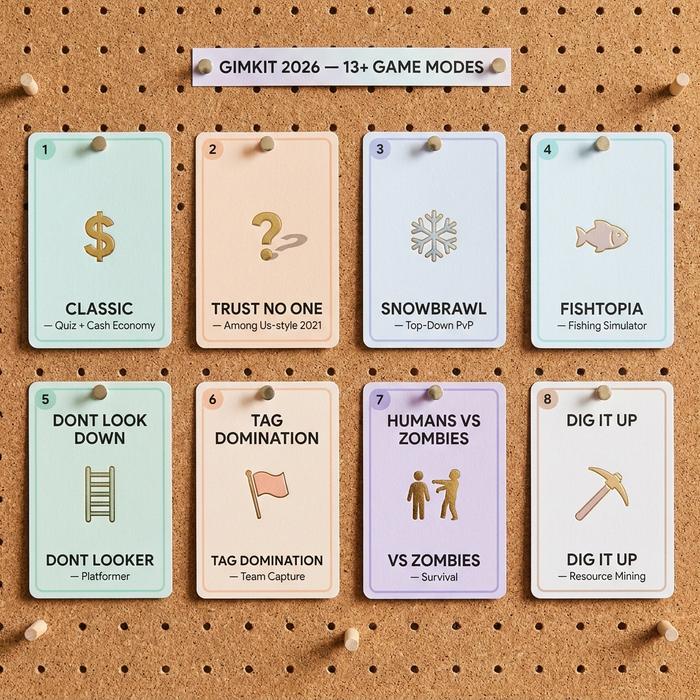
From one quiz format in 2017 to roughly two dozen distinct game modes by 2026. Faster to learn the categories than to memorise the full list.
| Category | Examples | Typical play style |
|---|---|---|
| Classic | The Classic | Answer questions, earn cash, buy upgrades |
| Fun Picks | Trust No One, Tycoon, The Floor Is Lava, Humans vs Zombies | Story or social-deduction layered on quiz play |
| Top-Down 2D | Fishtopia, Snowbrawl, Tag: Domination, Capture the Flag, One Way Out | Move on a 2D map, answer questions, fight or collect |
| Platformer 2D | Don't Look Down, Dig It Up, Knockback, Color Clash | Side-scrolling platformer with quiz mechanics |
Two modes really deserve a second look. The first is Trust No One, launched in 2021. It is Gimkit's Among Us-style social-deduction mode. One or two students get secretly assigned as imposters. The rest answer questions and complete tasks while voting on who they suspect. The mode dropped at the peak of the Among Us craze. It never stopped being popular. The second is Gimkit Creative, launched May 10, 2023. A no-code 2D map editor where up to sixty players can collaborate on building a custom map. Every official 2D mode now lives inside Creative, and forum.creative.gimkit.com hosts an active library of community-built maps.
For a teacher new to the platform, Classic is the easiest starting point. The 2D modes really shine in middle and high school classrooms. Fun Picks like Trust No One produce the loudest rooms, which is either a feature or a problem depending on what the lesson plan needed.
How to Host a Gimkit Game in the Classroom
The hosting flow is simple enough to run for the first time mid-period. Six steps.
1. Sign in to gimkit.com on the teacher dashboard.
2. Pick a kit. Either a kit you have built or one imported from Quizlet or CSV, or a public kit from the Gimkit gallery.
3. Click the green "Play Live" button.
4. Choose a game mode from the carousel.
5. Set options: nickname generator on or off, late-join allowed, target goal (cash amount or time), and which class the game belongs to.
6. Click Continue. The Lobby opens with a five-digit game code.
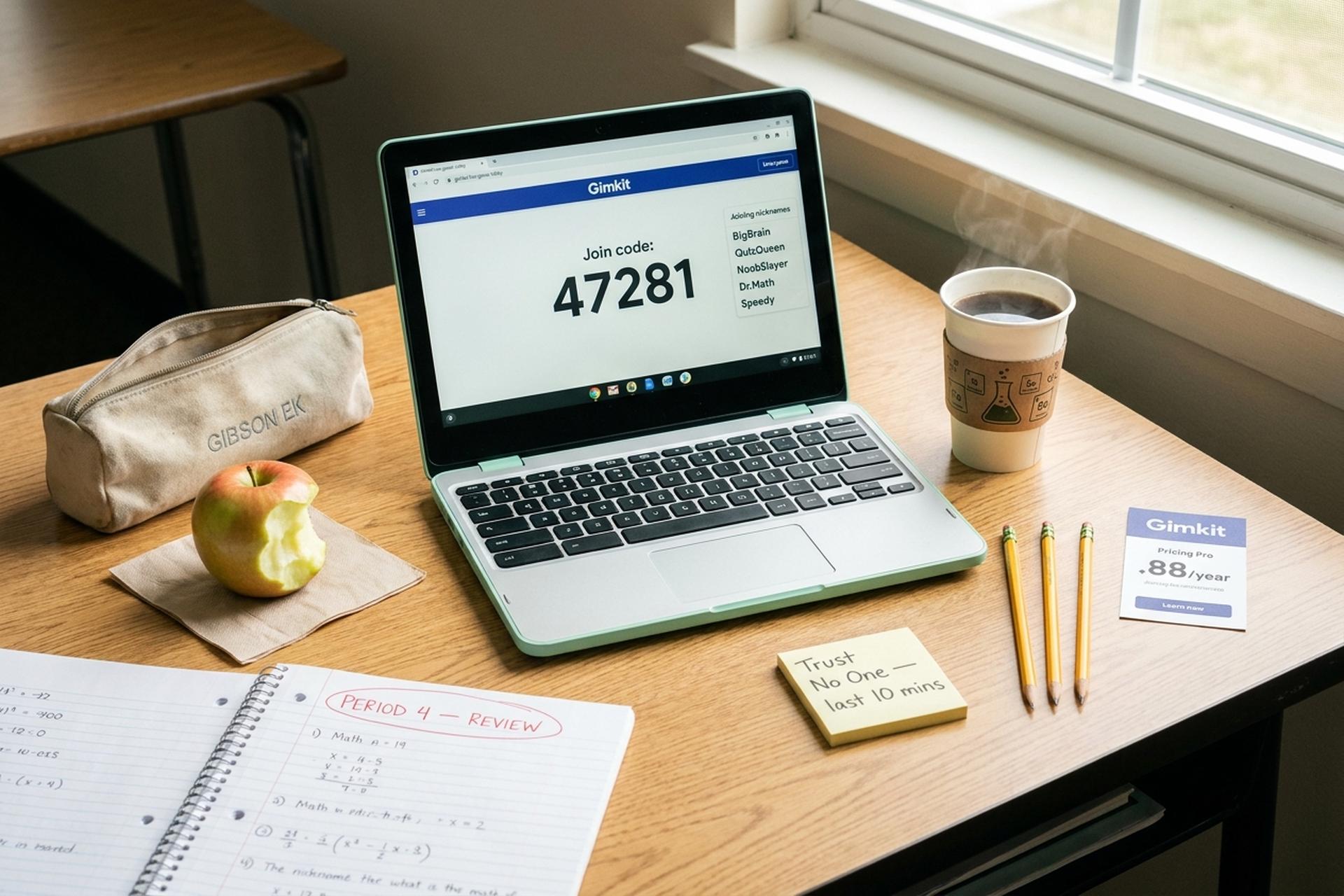
That code is the key piece. Display it on the board. Students enter it at gimkit.com/join. Once enough students appear in the lobby, click Start Game and the round begins.
Two practical notes. First, the late-join setting is worth turning on for a live classroom; students will inevitably arrive late or get bumped from Wi-Fi. Second, the nickname generator stops the inevitable "Mr. Smith Sucks" scribbled into the join field. Most teachers leave it on.
How Students Join a Gimkit Live Game
A short demo video on the Gimkit help center walks through the same flow if a teacher prefers to learn by watching first. For students, the mechanics are shorter still. Two steps total.
1. Open gimkit.com/join in any browser, or scan the QR code the teacher displays.
2. Enter the five-digit game code, then a nickname.
Done. That is the whole student experience. No email. No password. No app download anywhere. Gimkit runs on Chromebooks, school iPads, phones, any modern browser. The game itself executes as JavaScript on the device; the only thing it actually needs is a stable connection.
For asynchronous use, teachers can also assign Homework Mode. Students get a multi-day window to play on their own pace. Same kit, same questions, no live host needed. Homework Mode is how most middle-school teachers use Gimkit for unit review the night before a big test.
Gimkit Pro Pricing and Group Plans 2026
Gimkit's free tier (Basic) is functional but limited. The advanced game modes, larger kit imports, detailed reports, and most of the 2D modes sit behind Pro. The 2026 pricing is below.
| Plan | Cost | Best for |
|---|---|---|
| Basic | Free | Trying it out, occasional use |
| Pro (monthly) | $14.99/month | Single teacher, flexible billing |
| Pro (annual) | $59.88/year ($4.99/mo equivalent) | Single teacher, year-long commitment |
| Department Group | $650/year (up to 20 teachers) | Subject-area teams |
| School Group | $1,000/year (entire school) | School-wide rollouts |
Gimkit also runs a 14-day Pro free trial for new educators. Public reviews on SoftwareSuggest give Gimkit 4.5 out of 5 across roughly four verified reviews, with a 90% recommendation rate. SourceForge users skew higher (5/5 in the small sample published).
The Basic plan is what most teachers start on. The realistic pain point with Basic is that the most-loved modes, the 2D Creative-built modes especially, require Pro. The other competitive weakness is that the free tier is more restrictive than Kahoot's or Blooket's.
Gimkit vs Kahoot, Blooket, and Quizizz
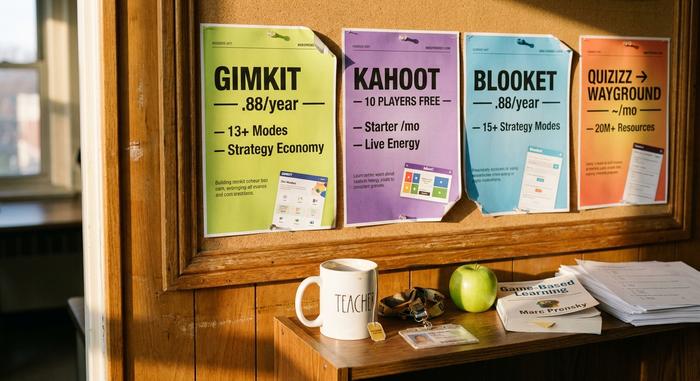
The four-platform comparison is what most teachers actually want.
| Platform | Free tier cap | Cheapest paid plan | Game-mode variety | Strongest use case |
|---|---|---|---|---|
| Gimkit | Limited modes, kits | $4.99/mo annual | 20+ modes incl. 2D | Strategy + competition |
| Kahoot | 10 players free | $17/mo Starter | Quiz, Jumble, etc. | Live energy, big rooms |
| Blooket | Generous free tier | $4.99/mo annual | 15+ strategy modes | Strategy on a budget |
| Quizizz / Wayground | 20-25 players free | ~$5/mo Super | Quiz, Lessons, Reports | Async homework |
Each platform has a real edge. Kahoot owns the live-event energy and the brand. The music alone has carried Kahoot through three school generations. Blooket is Gimkit's most direct competitor; it has a noticeably more generous free tier. Quizizz, which rebranded to Wayground in late 2025, leans hardest into asynchronous homework and its 20-million-item teacher resource library. Gimkit's edge is the strategy economy. The cash-and-upgrades layer turns review into a game in a way the other three never quite match.
The Hilltopper, a Pennsylvania high-school newspaper, ran a student survey in April 2025. The question: which platform do you prefer? Gimkit took 47.8%. Blooket took 43.5%. Another 8.7% said both. Small sample. But the gap lines up with what teachers report on r/Teachers.
Pedagogy: Does Gamified Learning Work?
Honest answer: probably yes, with caveats. The peer-reviewed evidence on game-based learning is fairly clear, even though no published RCT has specifically tested Gimkit.
The numbers come from two recent meta-analyses. A 2024 paper indexed in ERIC (EJ1452851) covered 38 studies and concluded that game-based learning produces moderate-to-large positive effects on cognitive, social, emotional, and motivational outcomes versus traditional instruction. A second meta-analysis through PMC in 2024 reported similar effect sizes specifically on engagement and motivation. A 2021 ERIC study found students using a portable digital review game answered roughly three times as many practice questions in nineteen days as students who got paper worksheets.
The caveat? Selection bias. Studies that publish tend to have positive effects. Real classroom outcomes ride on how the teacher uses the tool. A Gimkit session run as a five-minute warm-up reinforces material. The same session run as forty minutes of "let me grade essays" filler reinforces almost nothing. The literature flags this consistently. The platform is a multiplier on teacher pedagogy, not a substitute for it.
Privacy, COPPA, and FERPA on Gimkit
For schools, this is the question parents and IT departments ask first. Gimkit's published policies are reasonably clean.
Compliance covers the two main U.S. statutes here. COPPA (the Children's Online Privacy Protection Act, which applies to users under 13). FERPA (the Family Educational Rights and Privacy Act, which governs student records). Students join with a nickname only. No email, no last name, no personally identifying information required to play. The platform runs no ads. Gimkit says explicitly that it does not sell user data. Class invitation links route under-13 student accounts through teacher-managed access, which is the COPPA-compliant pathway.
The single most practical recommendation, echoed across r/Teachers and edtech forums: use the built-in nickname generator for younger grades. It removes the "creative student inventing problematic usernames" problem and keeps any classroom-level recordings of leaderboards safely anonymous.
Cheating, Bots, and the Gimkit Discord
The cheating sub-culture around Gimkit is real, and worth knowing about before a teacher leaves a class unattended on a Gimkit-only review day.
Three kinds of cheats circulate. Auto-answer scripts try to read the question and submit the correct answer programmatically. Bot flooders join a game with hundreds of fake nicknames and spam the lobby. Browser extensions promise infinite money or instant role reveals in Trust No One. Most of the third-party "hack" sites carry malware payloads, which is a separate problem entirely.
Gimkit publishes a "Hacking and Cheating" help article and uses pattern detection to flag accounts that hit perfect scores at inhuman speed, that show sudden currency spikes, or that demonstrate role knowledge in social-deduction modes that a normal player should not have. The official Gimkit Discord, which sits at roughly 44,000 members per gimkitjoin.net, polices most public discussions of cheats heavily.
For a teacher, the practical mitigation is mostly behavioural: walk the room, mix Trust No One sparingly, and use the cumulative-progress reports to spot anomalies after the fact.
Educator Review: Pros, Cons, and Verdict
A short educator-style review at the end. Pros first.
The strongest thing about Gimkit is the in-game economy. The cash-and-upgrade loop sustains attention longer than a flat quiz format does, and it creates real moments of strategic thinking that the other platforms do not match. The 2D modes built in Gimkit Creative are visually polished and make middle-school review sessions genuinely fun. Kit creation is fast, importable from Quizlet or CSV, and the Google Classroom integration smooths the assignment workflow.
The cons are easier to enumerate. The free tier is restrictive compared to Blooket. Pro pricing at $59.88 a year per teacher adds up across a department; the $1,000 school plan is the better value once a building has more than fifteen Gimkit users. Open-ended questions cannot be auto-graded. Real-time analytics are limited. There is no offline mode, which matters in classrooms where Wi-Fi flakes.
The verdict, for a typical middle or high school teacher: Gimkit is worth Pro on the annual plan, not the monthly. For elementary teachers, Blooket and Quizizz/Wayground both offer more on the free tier. For schools running content-heavy review periods (end-of-unit, exam prep), the school-wide $1,000 plan is the cleanest deployment. For a parent: if your kid mentions Fishtopia or Trust No One, they are probably reviewing vocabulary, and that is fine.