Etherscan: what it is, how to use the Ethereum blockchain explorer, and why it matters
The first time I lost ETH, someone in a Discord told me to "check Etherscan." I did not know what that was. I pasted the transaction hash into the search bar, hit enter, and stared at a screen full of numbers that confirmed three things at once: my money was gone, blockchain transactions do not have an undo button, and Etherscan is the tool that shows you exactly where your crypto went.
If you have been in crypto for more than a week, you have probably heard of Etherscan. If you have not actually used it, you are missing the single most useful free tool in the Ethereum ecosystem. It is basically Google for the Ethereum blockchain. Every transaction, every wallet, every smart contract that anyone has ever deployed on Ethereum exists on the public ledger, and Etherscan turns all of that raw data into something a human can actually read.
Matthew Tan built it back in 2015, out of Kuala Lumpur. His team is 29 people. That is it. Twenty-nine people running a platform that handles 80 million page views a month from 8 million unique visitors. It is free. You do not need an account. And it has become the default reference for anyone who touches Ethereum, from first-time buyers checking if their transfer went through to DeFi developers debugging contract calls.
This is the guide I wish someone had given me before I started clicking around Etherscan wondering what half the numbers meant.
What is Etherscan and how does it work?
Under the hood, Etherscan connects to Ethereum nodes through JSON-RPC (think of it as the language computers use to ask the blockchain questions). It asks the nodes for data, organizes what comes back into a database, and shows it to you through a web page.
In plain terms: every ETH transfer, every Uniswap swap, every NFT mint, every smart contract deployment gets written to the Ethereum blockchain permanently. Etherscan reads all of it and turns raw hexadecimal gibberish into pages that show you the sender, the receiver, the amount, the timestamp, the gas fee, and whether it worked. That is literally all it does. But that is enough to be indispensable.
One thing to be clear about: Etherscan does not hold your crypto. Does not process transactions. Cannot see your private keys. It is read-only. You are looking through a window at public data. Anyone can look at any wallet or any transaction at any time. The owner will never know you looked. That is what a public blockchain means, and Etherscan is just the magnifying glass.
| What Etherscan shows | What Etherscan does NOT do |
|---|---|
| Transaction details (sender, receiver, amount, gas) | Hold or store cryptocurrency |
| Wallet balances and token holdings | Execute transactions on your behalf |
| Smart contract source code and interactions | Access private keys or seed phrases |
| Gas price estimates in real time | Reverse or cancel confirmed transactions |
| Token information (supply, holders, transfers) | Provide financial advice |
| NFT ownership and transfer history | Work with blockchains other than Ethereum |
How to use Etherscan: step-by-step for beginners
No account needed. Open etherscan.io and go. Here is what you do with it.
Looking up a transaction
You sent ETH somewhere and want to know if it arrived. This happens to everyone.
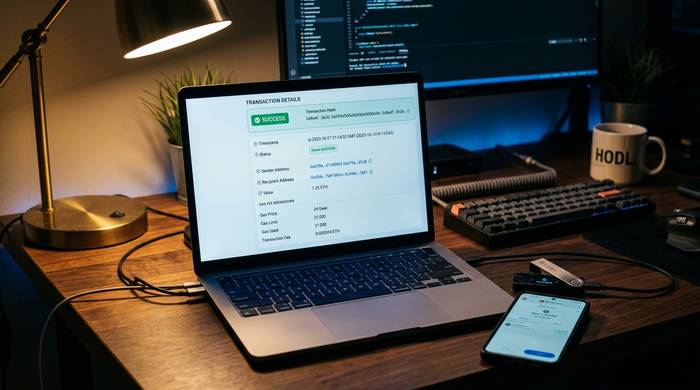
Open etherscan.io. Grab that transaction hash from your wallet (the long 0x string). Paste it in the search bar. Hit enter.
What you see: status (Success, Failed, or Pending), who sent it, who received it, how much, what gas was paid, which block recorded it. If the status reads "Success," it is done and cannot be reversed. "Pending" means the network has not processed it yet. "Failed" means something broke, usually not enough gas or a smart contract error. And here is the annoying part: you still pay gas on failed transactions. Ethereum charges you for trying even when it does not work.
Checking a wallet address
Same search bar. Paste a wallet address instead of a transaction hash. Now you see the ETH balance, every transaction ever made (in and out), all ERC-20 tokens in that wallet, and any NFTs sitting in there.
Why would you do this? Verify someone paid you. Check a project's treasury. See if a sketchy address has scam history. Follow a whale wallet to see what big players are buying. I do that last one more than I should admit.
Here is something that catches beginners off guard: everything on Ethereum is public. If someone has your wallet address, they can see every transaction you have ever made, every token you hold, every NFT you own. Pseudonymous is not the same thing as anonymous. Before you share your address on Twitter, think about whether you want the world browsing your financial history.
Using the gas tracker
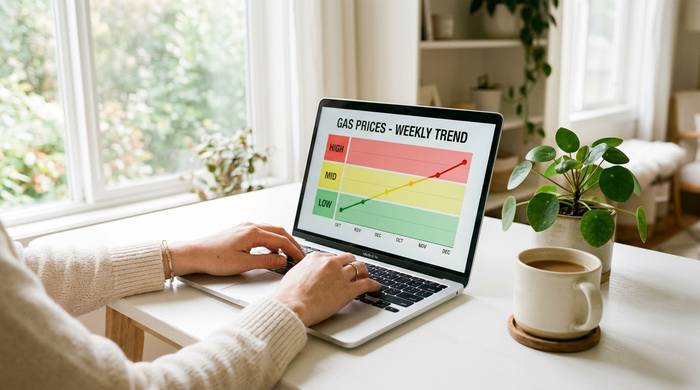
Gas on Ethereum changes minute to minute. The Gas Tracker on Etherscan breaks it into three tiers: low (cheap but slow), average, and high (expensive but fast). You see estimated confirmation time and cost in gwei and USD for each.
I check this before every non-urgent transaction. The difference between noon on a weekday and 3 AM UTC on a Sunday can be $5 versus $20 for the same transfer. For a DeFi swap or an NFT mint, the gap can be even bigger. Five seconds of checking the Gas Tracker can save you real money. I learned this the hard way after paying $47 in gas for a $30 transaction because I did not look first.
Verifying a token before buying
This saved me from losing money at least twice. Before you buy any token you found on Twitter or Telegram, search its contract address on Etherscan and look at four things.
Is the contract verified? If the source code is visible, that is good. If it says "not verified," walk away. You cannot see what the code does, and that means you are trusting a stranger with your money.
Who holds the tokens? Pull up the Holders tab. If one wallet has 90% of the supply, that is a rug pull waiting to happen. That one wallet can dump everything the second people start buying.
Does the trading look real? Legitimate tokens have many different wallets buying and selling. Scam tokens have a small group of wallets trading back and forth to fake volume.
Is the token labeled? Etherscan recognizes legitimate tokens and shows their name and logo. If the token has no label and no icon, it is either brand new or nobody credible has vouched for it.
Etherscan features most beginners do not know about
Beyond basic lookups, Etherscan has several tools that are genuinely useful once you know they exist.
The multichain portfolio tracker lets you view holdings across 25+ blockchains from a single interface. Etherscan now operates over 50 block explorers across EVM chains, plus Solscan (which they acquired in January 2024) for Solana. Instead of jumping between BscScan, PolygonScan, ArbiScan, and a dozen others, you can see everything in one place.
Address watchlists let you monitor specific wallets and receive email notifications when they send or receive transactions. Free account required. This is how people track whale activity without checking manually.
Private notes let you label addresses and transactions with your own descriptions. If you are tracking multiple DeFi positions or monitoring payments for a business, this keeps things organized.
Contract interaction through the Read/Write interface lets you call smart contract functions directly from Etherscan. Read functions are free (they just query data). Write functions require a connected wallet and gas. This is useful when a project's website is down but you need to interact with their contract.
Token approvals checker (under More Tools) shows every smart contract you have given permission to spend your tokens. This is a security feature. Old approvals from contracts you no longer use are attack vectors. Review and revoke the ones you do not need.
| Feature | What it does | Account required? |
|---|---|---|
| Transaction lookup | Search any tx by hash | No |
| Wallet explorer | View balances and history | No |
| Gas Tracker | Real-time fee estimates | No |
| Token verification | Check contract and holders | No |
| Multichain portfolio | 25+ chains in one view | No |
| Address watchlist | Email alerts for wallet activity | Yes (free) |
| Private notes | Label addresses and transactions | Yes (free) |
| Contract Read/Write | Interact with smart contracts | No (Write needs wallet) |
| Token approvals | Review and revoke permissions | No (revoke needs wallet) |
| API access | Programmatic blockchain data | Yes (free tier available) |
Common mistakes beginners make on Etherscan
I have watched people make the same Etherscan mistakes over and over. Here are the ones that cost money or cause confusion.
Pasting the wrong thing. Transaction hashes, wallet addresses, and contract addresses all look the same: long strings starting with 0x. They are not the same. If you want to track a payment, you need the transaction hash from your wallet, not the wallet address itself.
Thinking Etherscan can fix anything. It cannot. It shows you what happened. It does not undo it. Sent ETH to a wrong address? Etherscan confirms the mistake. That is all. Nobody can reverse a confirmed Ethereum transaction.
Sharing wallet addresses without thinking. I saw a guy post his Ethereum address in a public Discord asking for help. Within minutes, someone had pulled up his entire history on Etherscan: $200K in DeFi positions, an embarrassing NFT collection, and three failed transactions. Everything on the blockchain is public. Etherscan makes it one click away.
Trusting unverified contracts. If the Contract tab shows "source code not verified," that means you cannot see what the code does. Maybe it is fine. Maybe it drains your wallet. Verified does not mean safe, but unverified should make you very cautious.
Ignoring gas timing. I cannot stress this enough. People pay $50 in gas for a $20 swap because they transacted during rush hour. Check the Gas Tracker. Wait for off-peak. It takes 30 seconds and saves real money.
Etherscan API: what developers use it for
If you build apps that need Ethereum data, the Etherscan API is probably how you get it. The API lets you pull transaction data, wallet balances, token information, gas prices, and contract ABIs programmatically.
The free tier gives you 3 calls per second and 100,000 daily calls. That is enough for personal projects and small apps. Paid plans start at $49 per month (Lite, 5 calls/sec) and go up to $899 per month (Pro Plus, 30 calls/sec with address metadata). Enterprise plans with dedicated infrastructure and SLAs are available for larger operations. Most crypto portfolio trackers, tax tools, and DeFi dashboards use the Etherscan API somewhere in their stack.
In late 2024, Etherscan launched API V2 Multichain, which lets you use a single API key across 50+ EVM chains. You switch networks by changing a chain ID parameter. That alone saves developers from managing a separate key for each chain.
Another feature worth mentioning: the AI-powered Code Reader. It uses OpenAI and Groq models to analyze smart contract source code in plain English. If you are not a Solidity developer but want to understand what a contract does before interacting with it, this tool translates the code into something readable. Free for logged-in users.
Etherscan alternatives and sister sites
Etherscan only covers Ethereum mainnet. But the team behind it has built explorers for other chains:
| Explorer | Blockchain |
|---|---|
| Etherscan | Ethereum |
| BscScan | BNB Smart Chain |
| PolygonScan | Polygon |
| ArbiScan | Arbitrum |
| OptimismScan | Optimism |
| BaseScan | Base |
| FtmScan | Fantom |
Competitors exist too. Blockscout is an open-source alternative that anyone can deploy for their own chain. Dune Analytics goes in a completely different direction: it lets you write SQL queries against blockchain data and build custom dashboards, which is powerful but not beginner-friendly. Nansen and Arkham focus on wallet labeling and on-chain intelligence, identifying which wallets belong to known entities like exchanges, funds, or specific individuals. These are more like investigation tools than simple explorers.
For most people, Etherscan is the only blockchain explorer they will ever need. It does not try to do everything. It does one thing, showing you what is happening on Ethereum, and it does it well enough that after nearly a decade of operation it is still the first place people go.