Random User Agent: Why Rotate It and When It Backfires
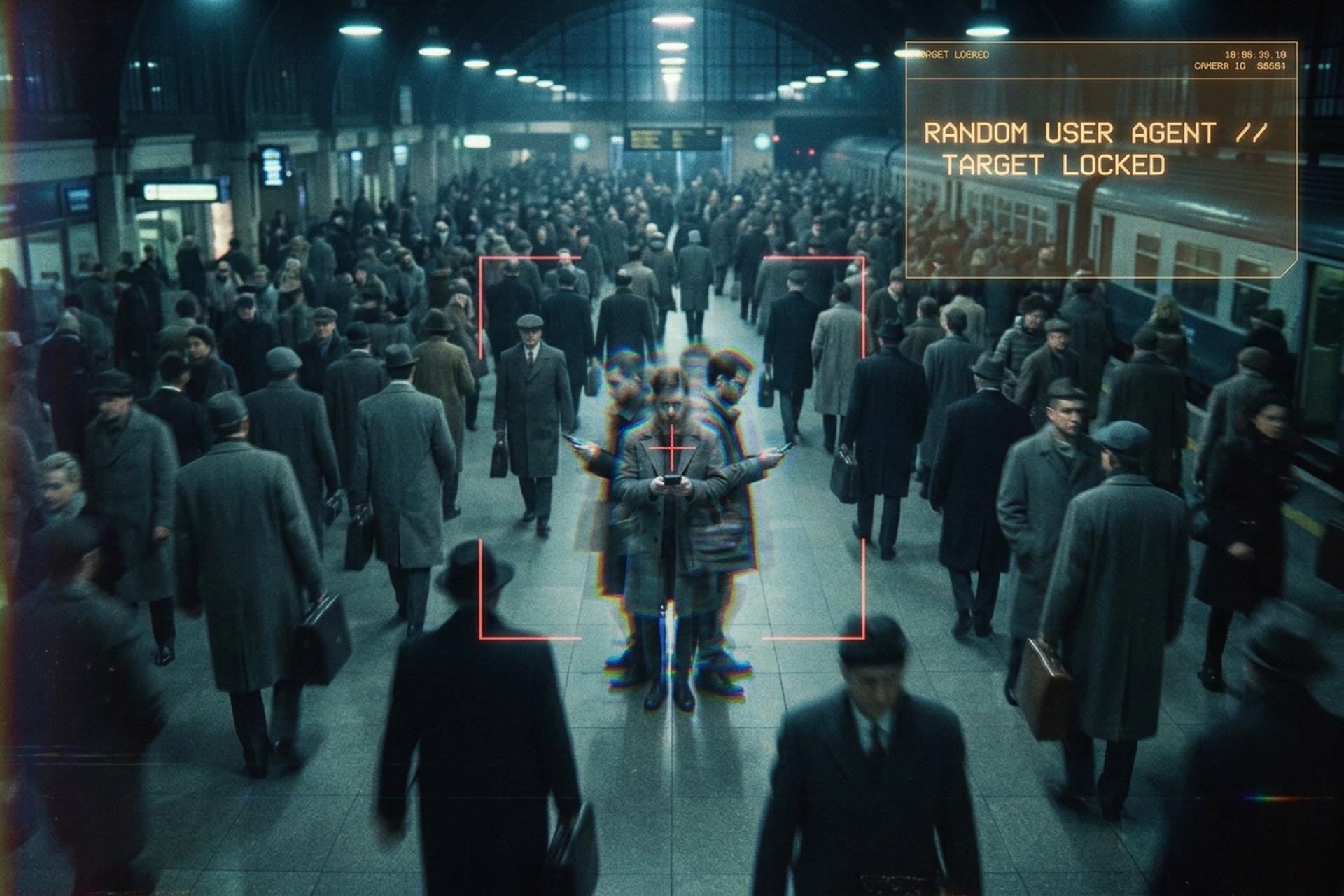
Most people who set up a random user agent are trying to disappear. They install a switcher, pick "rotate every five minutes," and assume they have just made themselves harder to track. Sometimes that is true. Often it is the opposite. A user agent is the short line of text your browser sends to every website to introduce itself, and a randomly chosen one can stand out far more than the boring real thing. Servers have good reason to read that line closely: automated bots now make up the majority of web traffic, so the user agent is the first thing a site checks to guess whether you are a person or a script.
This guide walks through what a user agent actually reveals, what "random" really means, where rotation genuinely helps, and the cases where it quietly works against you.
What a User Agent String Tells a Website
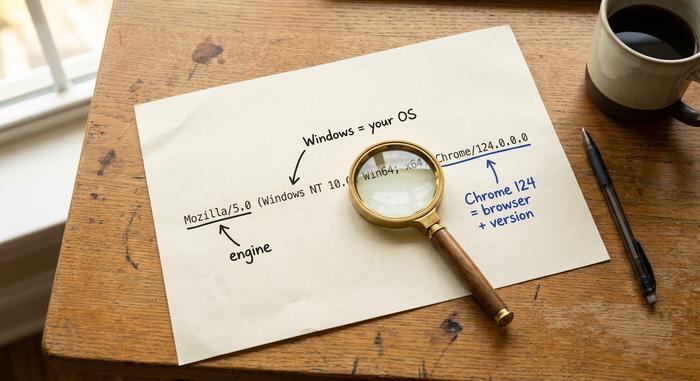
A user agent is an HTTP header, a single string your browser attaches to every request. It reads like a clumsy introduction. A typical Chrome string looks like this: `Mozilla/5.0 (Windows NT 10.0; Win64; x64) AppleWebKit/537.36 (KHTML, like Gecko) Chrome/124.0.0.0 Safari/537.36`. Buried in that mess is a surprising amount about your device.
The server reads it to decide what to send back. A mobile user agent gets the mobile layout of a page; an old browser might get a simpler version of the site. That is the legitimate job. The same string also tells the site which browser, which version, and which operating system you run, which is exactly the part that matters for tracking.
| Token | Example value | What it reveals |
|---|---|---|
| Product | Mozilla/5.0 | Legacy compatibility token, on almost every browser |
| Platform | Windows NT 10.0; Win64; x64 | Your operating system and architecture |
| Engine | AppleWebKit/537.36 | The rendering engine |
| Browser | Chrome/124.0.0.0 | Browser name and version |
| Device hint | iPhone; CPU iPhone OS 17_4 | On mobile, the device class |
None of this identifies you by name. But combined with everything else a page can read, it becomes one more line in a long confession.
What a Random User Agent Is and How Rotation Works
A random user agent is not a string of gibberish. "Random" here means rotating through a pool of real, common user agent strings rather than sending the same one every time. The pool matters: a good tool draws from current, widely used strings so that each pick looks like an ordinary visitor, not an invented browser that does not exist.
There are three common rhythms for the rotation. Per-request rotation changes the string on every single call, which suits a scraper hammering an API. Per-session rotation keeps one string for a whole browsing session, which looks more like a real person who does not swap browsers mid-visit. Interval rotation, the model most switcher extensions use, automatically picks a new string every few minutes or on browser startup.
Which rhythm you want depends entirely on the goal. A scraper wants to look like a thousand different users. A privacy-minded person wants to look like one unremarkable user. Those are not the same target, and the rotation that helps one can expose the other. That tension runs through the rest of this guide.
Random User Agent Browser Extensions and Switchers
For most people, the random user agent arrives as a browser extension. You install it, and from then on it spoofs the user agent header on your behalf, swapping in a different string with each request or on a set schedule.
The Chrome and Firefox switcher extensions
The best known is simply called Random User-Agent. It is open-source, lightweight, and runs on Chrome, Firefox, Edge, and Opera. The Chrome version alone has more than 100,000 users and a 4.6-star rating, which tells you how much demand there is for this one small change. You install it from the Chrome Web Store, and the extension replaces your real user agent with a randomly selected one from its pool, refreshing on a schedule you set.
There is a second popular tool, User-Agent Switcher and Manager, which leans toward manual control: you pick a specific string per site from a toolbar popup, useful for testing how a website behaves for different devices.
What the settings actually do
The settings are where these extensions earn their keep, and where users misjudge them. A typical switcher lets you set the auto-change interval, keep an exceptions list so trusted sites always see your real browser, and supply a custom user agent list. Many also offer a JavaScript protection setting, which tries to make scripts on the page see the same fake browser the header claims, instead of catching the real one underneath.
On privacy, the reputable extensions are clean. Random User-Agent's privacy policy states it has never collected and will never collect personal data or browsing history. The catch is not the extension's honesty — it is that changing the user agent string does not change the dozens of other signals a website reads, and that gap is where the trouble starts.
Rotating User Agents for Web Scraping
Scraping is where a random user agent is genuinely the right tool. When you are pulling thousands of pages, the user agent stops being a privacy question and becomes a survival one.
Why one user agent gets you blocked
Servers fingerprint the user agent first because it is the cheapest signal to check. If a thousand requests arrive in a minute all carrying the identical string, the pattern is obvious, and the block follows fast. The pressure is only growing: automated traffic crossed the majority of all web requests in 2025, and AI-driven crawling alone grew roughly fifteenfold over that year. Of that load, the malicious slice anti-bot systems most want to stop ran near 37% of all traffic, according to Imperva's bad bot report, which is why blunt user agent checks now sit at the front door of almost every serious website. Sites have responded by tightening exactly the checks a single static user agent fails. The tooling market reflects the stakes, with the web-scraping software space worth over a billion dollars in 2025.
Matching the rest of the request
Rotation is the standard answer, and the common tools all support it. The Python library fake-useragent serves fresh strings; Scrapy middleware, Selenium, and Puppeteer can all swap the user agent per request or per session. But here is the part that trips up beginners: the user agent is one header among many. If you rotate the user agent to claim Chrome on Windows while your other headers, your TLS handshake, and your JavaScript environment still say "automation script," you have not blended in. You have just drawn a circle around yourself. Rotation works only when the whole request agrees with the story the user agent tells.
When a Random User Agent Hurts Your Privacy
Here is the counterintuitive heart of the matter: can randomizing the user agent make your online identity easier to track, not harder? Often, yes.
The entropy math
Privacy researchers measure identifiability in bits of entropy, where more bits mean a rarer, more identifying value. The user agent alone carries about 10.5 bits on average, according to the Electronic Frontier Foundation, meaning only about 1 in 1,500 browsers share any given string. That is already a lot of identifying information for one header. The EFF's broader study found that 84% of browsers had a completely unique fingerprint once you combined the user agent with a handful of other readable signals. The user agent is not the whole fingerprint, but it is a fat slice of it.
The consistency trap
Now add randomization on top. A website does not only read your header; JavaScript on the page reads your canvas rendering, your WebGL data, your fonts, your timezone, your screen size. Those do not change when your header flips. So if your user agent suddenly claims iPhone Safari while every other signal still says Windows desktop, you have not hidden — you have created a contradiction no real device would produce. Detection systems love that. One 2024 study of evasive bot traffic found that checking for fingerprint inconsistencies cut successful bot evasion by nearly half. A constantly shifting user agent on a device whose other traits never move is not camouflage; it is a flashing light. This is why Tor Browser does the exact opposite of randomizing: it ships one identical user agent to every user, so that no one stands out.
| Approach | Hides the UA string | Matches other signals | Blends into a crowd |
|---|---|---|---|
| Single fixed real UA | No | Yes | Somewhat |
| Random UA extension | Yes | No | No |
| Full antidetect fingerprint | Yes | Yes | Yes, per profile |
| Tor uniform UA | No | Yes | Yes, by design |
How Chrome and Tor Are Ending the User Agent Game
The platforms themselves decided years ago that the user agent is a bad identifier, and they moved on it from two opposite directions.
Google ran a multi-year project called User-Agent Reduction, complete since Chrome 113 in 2023. Chrome now freezes the detailed parts of its string: the minor version is reported as 0.0.0 and the Android device model collapses to a generic "K." The fine-grained data moved to a newer, permission-gated system called User-Agent Client Hints, where a site has to ask for the details instead of reading them by default. The goal was explicitly to shrink the user agent as a passive tracking surface.
Chrome's reach makes the point sharper. With around 70% of the global browser market in 2026, its frozen string is now what a huge share of real visitors send, so imitating it blends you into a massive crowd while randomizing away from it does the reverse.
Tor took the other road. Rather than reduce the string, it standardizes it, handing every Tor user the same user agent so the header reveals nothing that separates one person from the next. Both approaches agree on the lesson a random switcher misses: you hide by looking like everyone else — not by looking like no one.

Does Randomizing Boost Your Online Privacy?
Short answer: usually not. For everyday browsing, a random user agent rarely boosts your online privacy, and it can quietly cost you some. It makes one signal jitter while the rest of your fingerprint sits perfectly still. Want fewer trackers? A browser built for the job, like Tor or a hardened Firefox, does far more than a header swap ever will.
Scraping flips the math. There, rotation is not optional, it is the whole game, but only as part of a request whose headers, timing, and browser environment all tell one story. Same tool, opposite verdict. It comes down to what you are actually trying to do.
What a Random User Agent Can and Cannot Do
A random user agent is a sharp tool for one job and a dull one for another. It rotates the single line a server checks first, which is exactly what large-scale scraping needs and exactly what casual privacy does not. The mistake is treating one header as a disguise — when it is only one line of a much longer statement your browser makes on every page. If you want to hide, blend in: match every signal or join a crowd that all looks the same. If you want to scrape, rotate freely, but make sure the rest of the request tells the same story. So before you install the next switcher, ask the real question: do you want to look like everyone, or like no one?