Mullvad Browser: Tor Privacy Tech, Built for a VPN
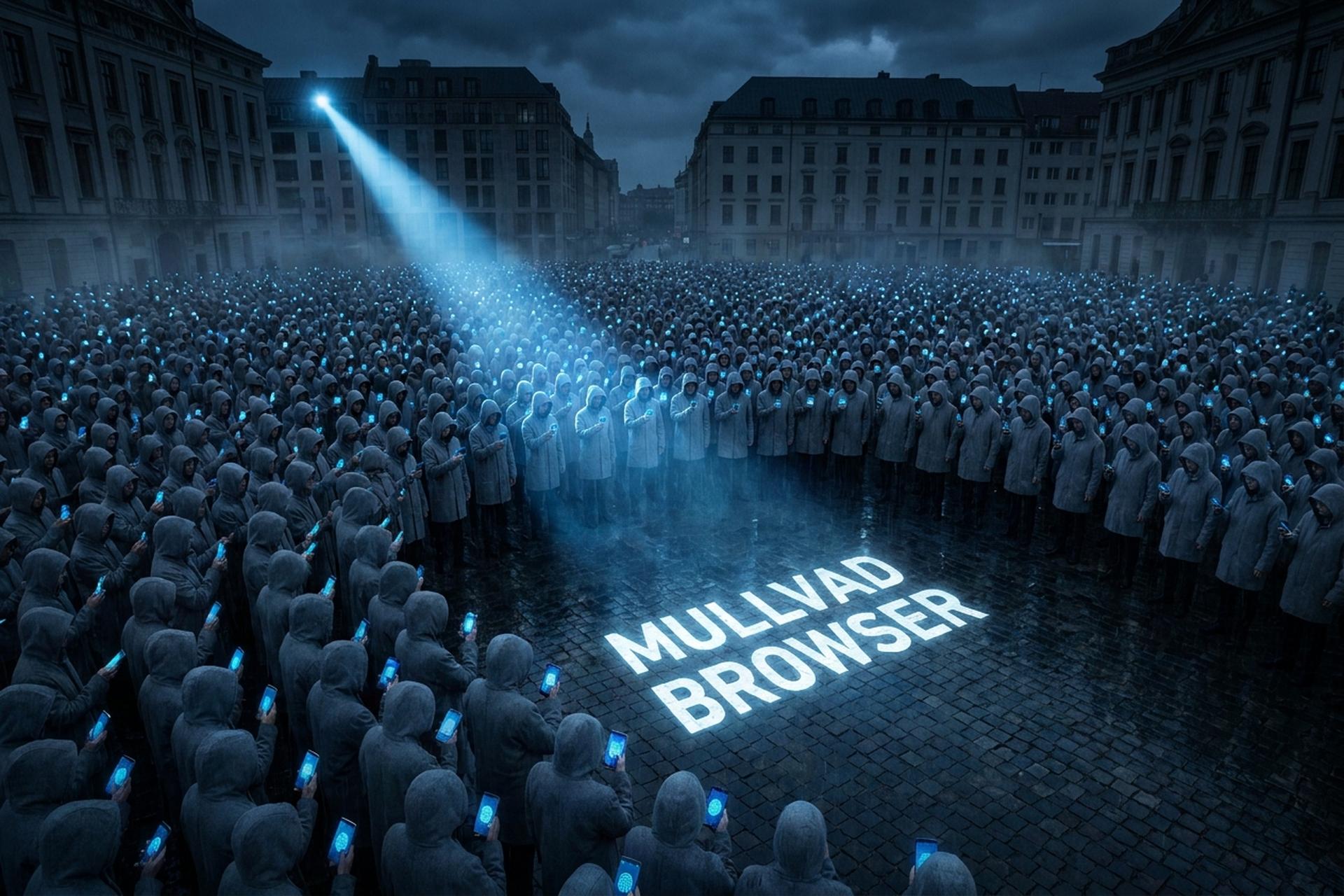
Tor Browser routes you through the Tor network. The Mullvad Browser rips that network out and keeps the disguise. Strange idea, until you see the logic: you bring your own VPN, and you get Tor-grade anti-fingerprinting at normal speed. Most browsers that call themselves private are still fighting cookies. This one fights the thing that replaced cookies. Built by the Tor Project and released with Mullvad VPN in April 2023, the Mullvad Browser exists for one job: make you look like everyone else online. And in 2024, when Google quietly cancelled the death of the third-party cookie, that job got a lot more important.
What is the Mullvad Browser, exactly?
Think of it as Tor Browser with the Tor network removed. Same anti-fingerprinting brain — different plumbing. The Tor Project engineers actually build it; Mullvad just distributes it and puts its name on the box.
It is free. No trial, no upsell, no catch. Mullvad earns money from its VPN, not the browser, so there is nothing to monetize here and no telemetry phoning home. The browser is based on Firefox ESR, ships with uBlock Origin and NoScript already installed, opens in private mode by default, and wipes your session when you close it. It is open-source under the MPL, and it runs on Windows, macOS, and Linux.
| Spec | Detail |
|---|---|
| Built by | Tor Project (distributed by Mullvad VPN) |
| Released | April 3, 2023 |
| Based on | Firefox ESR |
| Bundled | uBlock Origin, NoScript |
| Telemetry | None (disabled at compile time) |
| Price | Free, open-source (MPL) |
| Platforms | Windows, macOS, Linux |
So it is a real browser you can download today. The interesting question is not what it is. It is how it pulls off the disguise.
Built to minimize tracking and fingerprinting
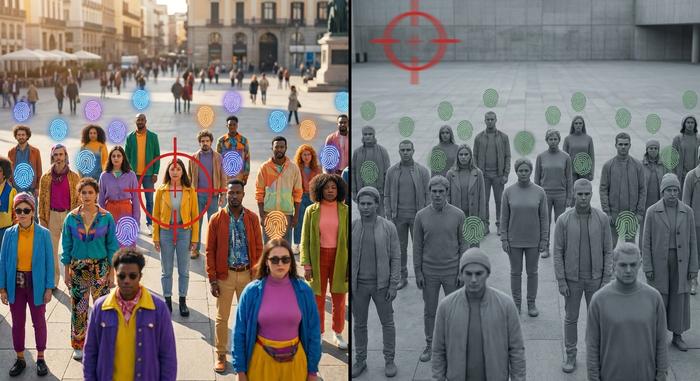
Here is the part that surprised me. The Mullvad Browser does not hide your fingerprint. It makes everyone's fingerprint identical. That sounds backwards, but it is the whole trick, and it is why this works when other "privacy" browsers don't.
What a browser fingerprint is
Every browser leaks a profile: your screen size, installed fonts, time zone, graphics card quirks, language settings. Stitch enough of those together and you get a fingerprint that is unique to you, no cookie required. An old EFF study put the number at 83.6% of browsers being uniquely identifiable, and the web has only gotten noisier since. Trackers love this because you cannot delete a fingerprint the way you delete a cookie. And the tracking is dense. Ghostery's WhoTracks.Me data finds the average top site carries around seven trackers, and roughly 41% of web traffic involves them. One nasty technique, canvas fingerprinting, asks your browser to draw a hidden image; tiny differences in how your hardware renders it become a near-unique signature you never see and never agreed to.
The uniformity trick
Most anti-fingerprinting tools randomize your data, which ironically makes you stand out as "the user with weird random values." Mullvad goes the other way. It forces every user into the same mold. Your time zone reports as UTC. Fonts are normalized. The window is letterboxed in fixed steps, which is why you sometimes see grey bars around a page. Resize the window and it snaps to standard dimensions. The goal is simple: when a tracker looks at you, it sees the same person it saw a thousand times today.
What it blocks out of the box
The defaults do real work. uBlock Origin kills ads and third-party trackers. NoScript can lock down JavaScript. Third-party cookies are blocked, telemetry is off, and nothing persists between sessions unless you force it. You are not configuring privacy. It ships that way.
Why you pair the browser with Mullvad VPN
Now the catch, and it is a big one. The browser hides who you look like. It does nothing about where you connect from. Open it with no VPN and your real IP address is still right there, visible to every site you load, and your internet service provider still sees your online activity in full. The fingerprint defense and the network defense are split on purpose. Masking your network is the one job VPNs do best.
That is where the VPN comes in. Route your traffic through an encrypted tunnel and the site sees the VPN's IP, not yours, while your ISP sees only that you connected to a VPN. Mullvad's own VPN runs on WireGuard with a strict no-logs policy, and that policy is not just marketing. In April 2023, Swedish police showed up at Mullvad's office with a search warrant and left with nothing, because there was no customer data to seize. Independent audits by Cure53 have backed up the infrastructure too. The pairing fixes one more leak: DNS. Mullvad routes DNS queries through encrypted DNS over HTTPS (DoH), so the list of sites you look up does not quietly escape to your provider even while the tunnel is up, and split tunneling lets you route only the browser through the VPN. You do not have to use Mullvad's VPN, though. Any trustworthy VPN works. The browser just assumes you brought one.
A tool against mass surveillance and censorship
There is a bigger why here than ad-blocking. The same uniformity that frustrates marketers also blunts mass surveillance, because a profile that matches millions of others is a weak signal for anyone trying to track a specific person. Add a VPN and you can route around censorship in places where the open web is filtered. That uniformity also starves data brokers. Their entire business is quiet data collection, merging your browsing into a profile and reselling it, and a browser that looks like everyone else gives them very little to work with.
This matters more than it did two years ago. Google spent years promising to kill the third-party cookie, then reversed course in July 2024 and shut down its Privacy Sandbox plan by October 2025. Cookies are staying. Which means fingerprinting, not cookies, is now the main way you get tracked across the web. For scale, Chrome holds about 70% of the browser market as of 2026, with Firefox near 2% and Brave under 1%, so the defaults most people live with are set by the very companies that profit from tracking. The Mullvad Browser was engineered to defeat exactly that.
Mullvad Browser vs Tor Browser and Brave
The honest framing is not "which browser is best." It is "which threat model fits you." Tor Browser gives you the strongest anonymity by routing through the Tor network, but it is slow and some sites block it. Brave is fast and blocks ads, but it randomizes your fingerprint rather than unifying it, and it bundles crypto features you may not want. The Mullvad Browser sits in a specific gap: Tor-grade fingerprint defense at normal browsing speed — as long as you supply a VPN.
| Browser | Network | Fingerprint approach | Speed | Best for |
|---|---|---|---|---|
| Mullvad Browser | Your VPN | Uniformity (hide in the crowd) | Normal | Anti-fingerprinting at usable speed |
| Tor Browser | Tor network | Uniformity | Slow | Maximum anonymity |
| Brave | Direct or built-in VPN | Randomization | Fast | Everyday ad-blocking |
| Hardened Firefox / LibreWolf | Your VPN | Partial hardening | Normal | DIY tinkerers |
None of these is "the private browser." They are tools for different jobs. If you want anonymity above all, Tor Browser still wins. If you want a fast daily driver with ad-blocking, Brave is fine. LibreWolf and hardened Firefox sit in between, offering strong privacy if you are willing to tweak settings yourself, though they do not match the out-of-the-box uniformity the Tor Project bakes in. The Mullvad Browser is the one to reach for when fingerprinting is your specific worry.
Mullvad Browser for crypto privacy
This is the use case nobody seems to write about, and it is the one that matters most if you hold crypto. It is where privacy and security stop being abstract and start guarding real money. On-chain you are pseudonymous. Your wallet is a string of characters — not your name. But your browser is the thread that can tie that string back to you, and almost no guide mentions it.
How your browser links your wallet to your name
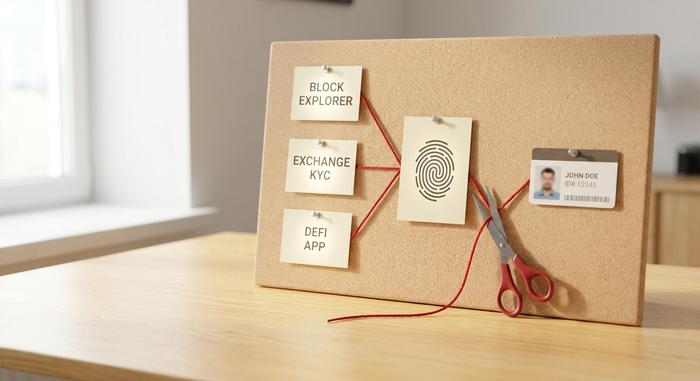
Picture your normal setup. You check a block explorer in one tab, log into an exchange in another, open a DeFi app in a third. Same browser, same unique fingerprint across all of them. To a tracker or a data broker, those sessions are obviously the same person. Now the exchange already has your verified identity from KYC. Connect that to the fingerprint, and the fingerprint connects to the "anonymous" wallet you used on the DeFi app. The chain is built, and you built it. A uniform fingerprint breaks that correlation. So does connecting through a VPN, which hides the IP address that would otherwise tie every session to your home.
Paying for privacy without doxxing yourself
Here is a detail I appreciate. Most privacy tools make you hand over an email and a card to buy them — a funny way to start being private. Mullvad VPN does the opposite. You get a random 16-digit account number, no email required, and you can pay in cash, Bitcoin, or Monero. Pay in crypto and you even get a 10% discount.
| Payment method | Anonymity |
|---|---|
| Monero | Highest (private by default) |
| Bitcoin | High (with a fresh address) |
| Cash by mail | High |
| Card / PayPal | Low (ties to identity) |
A practical crypto-privacy setup
Keep it simple. Use the Mullvad Browser behind a VPN as your dedicated crypto browser, and never log into your everyday Google or social accounts in it. Use a fresh wallet for activity you want to keep separate. In practice that comes down to three habits. Connect the VPN first, every single time. Keep one session for KYC tasks where your identity is already known, and a separate clean one for anything you want unlinked. And never paste a withdrawal address, a wallet login, and a personal email into the same session, because that is the exact moment the dots get joined. The point is not to vanish. It is to stop quietly stitching your wallet, your exchange, and your real name into one profile.
Setting up the privacy-focused browser
Setup is genuinely about five minutes, but two things trip people up. First, download only from mullvad.net and verify the signature; fake "privacy" browsers are a real thing. Second, the browser does nothing for your IP on its own, so connect your VPN before you start.
After that, the defaults are good. You can pick a security level (Standard, Safer, or Safest) depending on how much you are willing to break for protection. Leave the window size alone, because resizing it re-uniques your fingerprint, which is the one mistake that undoes the whole design. Use the reset-identity button to wipe your session between tasks. And remember the rule that matters most: if anonymity is the goal, do not log into your real accounts.
Limitations and online privacy trade-offs
It is not magic, and as a daily web browser it is not for everything. Expect CAPTCHAs and the occasional Cloudflare wall, because looking like everyone else also looks suspicious to some sites. The Firefox ESR base lags the latest Firefox by design, trading newest features for stability. It masks nothing about your IP unless you add a VPN. And it cannot save you from yourself: log into Google with your real account and you have handed over the identity the browser just worked to protect. Treat it as a focused tool — not a cloak of invisibility.
Is the Mullvad Browser worth it?
Yes, with a condition. It is worth it if you treat it as a dedicated privacy and crypto browser, kept separate from your daily life and always run behind a VPN. Use it as your only browser and you will get annoyed by the friction. Use it for the sessions that actually need protecting and it is one of the easiest privacy upgrades available, for the price of free. The open question is how long uniformity holds up now that fingerprinting, not cookies, is the tracking battleground worth winning.