Solscan: how to use the Solana blockchain explorer like a pro
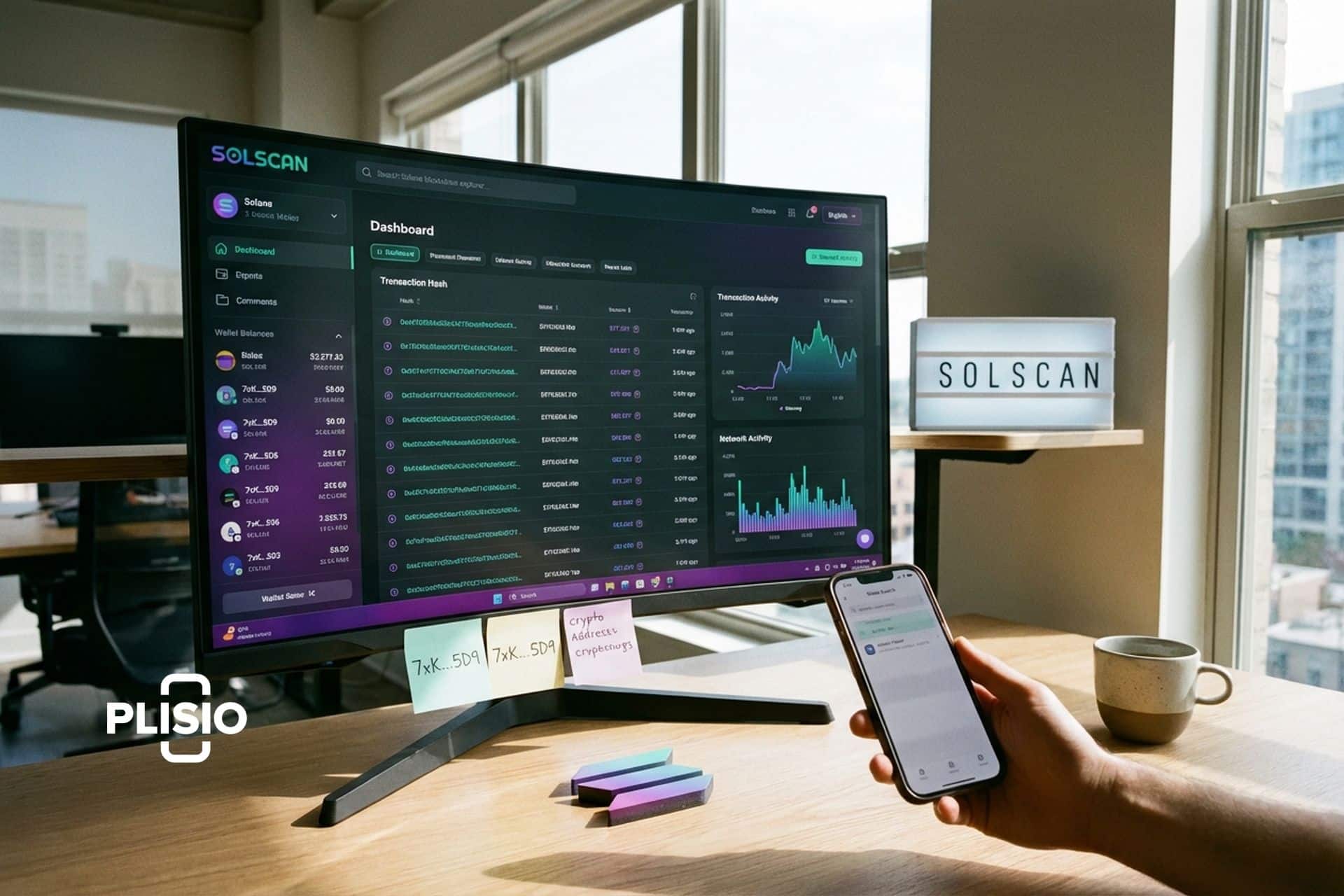
My first Solana transaction took 4 seconds to confirm. Impressive, I thought. Then I tried to figure out what actually happened during those 4 seconds. On Ethereum I would open Etherscan, paste the transaction hash, and see every detail laid out: sender, receiver, token amount, gas used, contract interactions. On Solana I pasted the transaction signature into the official Solana Explorer and got a wall of raw data that looked like it was designed for validators, not humans.
Then someone in a Discord server said "just use Solscan." I pasted the same signature into solscan.io and everything was readable. Token transfers color-coded. NFT images displayed inline. Program interactions labeled in plain English. It was the Etherscan experience, but for Solana. And I have not used anything else since.
Solscan is the most popular blockchain explorer for Solana. Over 2 million monthly users. Over 180 million data requests handled. It indexes every transaction, every token, every NFT, every wallet, and every program on the Solana blockchain and presents it in a format that actual humans can work with. Free. No account required. Just paste an address and start reading.
This article walks through what Solscan does, how to use it for real tasks, where it beats the alternatives, and what the API offers for developers.
What Solscan is and why Solana needs it
If Solana is a highway with millions of cars per day, Solscan is the traffic camera system that recorded every single car, every lane change, and every exit. Except you can search it. Want to know what happened to your SOL at 2:47 PM on March 15? Paste the transaction signature and Solscan tells you.
I spent about 30 minutes trying to parse a Solana transaction through the official RPC once. The raw JSON response was 200 lines of nested objects with base58-encoded account keys and integer-encoded instruction data. Then I pasted the same signature into Solscan and it showed me: "You swapped 200 USDC for 1.4 SOL on Jupiter. Fee: 0.000005 SOL." That difference is the whole value proposition.
Solana transactions are also more complex than Ethereum's. One Solana signature can bundle multiple instructions together. A single click on a memecoin might trigger a swap on Raydium, a fee payment to the platform, and an associated token account creation, all in one transaction. Solscan labels each instruction separately so you can follow the money through every hop.
Etherscan's parent company Blockscan acquired Solscan, bringing the same UI patterns that millions of Ethereum users already know. If you have ever used Etherscan, Solscan feels like coming home. Same layout logic, different blockchain.
| Solscan at a glance | Details |
|---|---|
| URL | solscan.io |
| Blockchain | Solana |
| Monthly users | 2+ million |
| Data requests | 180+ million |
| Cost | Free (Pro API available) |
| Account required | No |
| Parent company | Blockscan (Etherscan) |
| Mobile app | No (web-based) |
How to use Solscan: the practical walkthrough
I use Solscan for five things daily. Let me walk through each one with the exact workflow I follow.
Looking up a transaction. Somebody sends me SOL or a Solana token. I copy the transaction signature (a long Base58 string) from my wallet and paste it into the Solscan search bar. The result page shows: the sender, the receiver, the amount transferred, the fee paid, the program that processed it, and the status (success or failed). For token swaps, I see which tokens went in and which came out, the DEX that handled the swap, and the effective exchange rate. For NFT transfers, the NFT image appears inline. For complex DeFi interactions, each instruction is broken out with labels.
Checking a wallet. I paste any Solana wallet address and Solscan shows me everything that address holds: SOL balance, SPL token balances (with dollar values), NFTs (with images), staking positions, and complete transaction history. When I am evaluating a new token and want to see what the top wallets are doing, I start with the token page, find the top holders, and click through to their wallet pages to see if they are accumulating, selling, or holding.
Researching a token. Before buying any Solana token, I look it up on Solscan. The token page shows: total supply, circulating supply, holder count, top holders and their percentage of supply, recent transfers, and which DEXs list it. If one wallet holds 40% of supply, that is a red flag. If the creator wallet is still active and transferring large amounts to exchanges, that is a sell signal. I have avoided at least three rug pulls on Solana by checking holder distribution on Solscan before buying.
Tracking NFT collections. Solscan displays NFTs with images, metadata, attributes, and collection grouping. I browse specific wallets to see their NFT portfolio. When a known whale wallet accumulates NFTs from a particular collection, Solscan shows that activity in real time through the transaction history.
Monitoring validators. Solana runs on proof of stake with roughly 1,800 validators. Solscan's validator page shows performance data: uptime, commission rates, total stake, skip rates. If I am choosing a validator for staking my SOL, I compare these metrics on Solscan before delegating.
The DeFi and NFT dashboards
Solscan goes beyond basic blockchain exploration with dedicated dashboards for DeFi and NFT activity.
The DeFi section tracks activity on major Solana protocols: Raydium, Orca, Jupiter, Marinade, and others. You can see trading volumes, liquidity pool sizes, and which pairs are generating the most activity. When a new memecoin launches on Raydium and trading volume spikes, the DeFi dashboard picks it up immediately. I use this to spot early momentum on new tokens before they trend on social media.
The NFT section aggregates collection data: floor prices, listed counts, recent sales, and volume trends. It is not as deep as specialized NFT analytics tools like Tensor or Magic Eden's analytics, but it covers the basics without needing a separate platform.
The analytics dashboard provides Solana network health metrics: daily transactions, active accounts, average transaction fees, and network throughput. When Solana had its congestion issues in early 2024, the analytics dashboard was the first place I checked to see how severe the slowdown actually was versus what crypto Twitter was claiming.
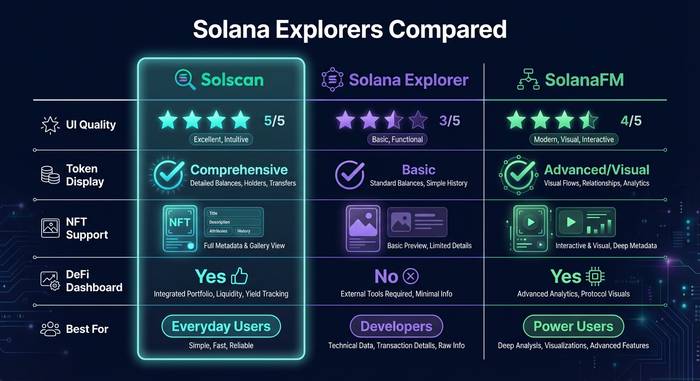
Solscan vs Solana Explorer vs SolanaFM
Three explorers compete for Solana users. Each has a different personality.
| Feature | Solscan | Solana Explorer | SolanaFM |
|---|---|---|---|
| UI quality | Polished, Etherscan-like | Functional but raw | Clean, modern |
| Token display | Detailed (images, values) | Basic | Good |
| NFT display | Images + metadata | Basic | Good |
| DeFi dashboard | Yes | No | Yes |
| Transaction parsing | Excellent (labeled instructions) | Technical (raw data) | Good |
| Validator info | Detailed | Detailed | Basic |
| API | Free + Pro tiers | Basic RPC | Free + Pro |
| Best for | Everyday users, traders | Developers, validators | Power users |
Solana Explorer is the official explorer maintained by the Solana Foundation. It shows accurate data but presents it in a developer-friendly format that most regular users find overwhelming. If you want to inspect the raw bytes of a transaction instruction, Solana Explorer is your tool. If you want to see "you swapped 500 USDC for 3.2 SOL on Jupiter," Solscan is better.
SolanaFM is the third option and it has gotten noticeably better in the last two years. The interface is clean and the transaction parsing rivals Solscan. It supports Solana's newer features (compressed NFTs, token extensions) more aggressively than Solscan in some cases. I check SolanaFM when Solscan's display of a complex transaction looks incomplete.
My recommendation: bookmark Solscan as your default. Use Solana Explorer when you need raw technical data. Check SolanaFM for a second opinion on complex transactions. They are all free. There is no reason not to have all three available.
The Solscan API: data for developers
I built a simple whale tracker for myself using the Solscan API. Nothing fancy. A Python script that checks a list of 20 known whale wallets every 5 minutes and sends me a Telegram alert when any of them moves more than $50,000 in a single transaction. Took about 2 hours to write. The API did the heavy lifting.
The free tier handles basic stuff: account lookups, token data, transaction details. Rate limits are generous enough for personal projects and small bots. You hit the endpoint, get clean JSON back, parse it, done.
The Pro API is where it gets serious. Higher rate limits for production apps. Historical data access going back months. Webhooks that push events to your server in real time instead of you polling every few seconds. Pricing starts around $50-100 per month depending on how much data you pull.
Tax tools like Koinly and CoinTracker pull Solana transaction history through Solscan's API. Portfolio trackers aggregate wallet balances across multiple addresses. Trading bots monitor specific programs for new pool creations. The ecosystem of tools built on Solscan's data layer is bigger than most people realize because it all runs behind the scenes.
Why blockchain explorers matter on Solana specifically
Solana processes thousands of transactions per second. On a busy day, the network handles over 50 million transactions. That speed is a feature for users but creates a fire hose of data that nobody can follow manually.
Without an explorer like Solscan, you are flying blind. Did that token transfer actually go through? Where did your SOL go when you interacted with a DeFi protocol? Who are the top holders of a memecoin that showed up on your Twitter feed? Is the validator you staked with performing well or about to get jailed?
Every question like that gets answered on Solscan in seconds. And in a ecosystem where new tokens launch dozens of times per day and rug pulls happen constantly, the ability to check holder distribution, verify liquidity locks, and trace fund flows is not a nice-to-have. It is essential for survival.
I tell every new Solana user the same thing: before you buy anything, paste the token address into Solscan. Check the top holders. Check when the token was created. Check if the deployer wallet still holds a large percentage. Five minutes of Solscan research can save you from a $500 mistake. Most people skip this step exactly once.
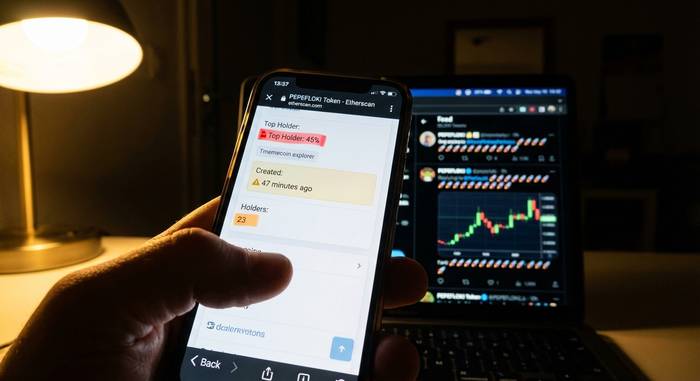
Let me give you a real example from last month. A memecoin started trending on crypto Twitter. "Next 100x." Influencers posting rocket emojis. I pasted the mint address into Solscan. Top holder: 45% of supply. Second holder: 12%. Third: 8%. Three wallets controlled 65% of all tokens. The token had been created 47 minutes before the first tweet. I did not buy. The token pumped 300% in 2 hours and then crashed 95% in the next 30 minutes as the top wallets dumped everything. Solscan showed me the dump in real time: three large transfers to Raydium, three sells, price collapse. Everyone who checked Solscan before buying saw the same warning signs I did. Everyone who only checked Twitter lost money.
That pattern repeats on Solana dozens of times per day. The memecoins change names. The playbook stays the same. And the defense stays the same too: Solscan, five minutes, check the holders. The tool is free. The education costs whatever you lose the first time you skip it.
Solana processed over 50 million transactions per day during peak periods in 2025. Daily active addresses topped 5 million. DEX volume on Solana hit $3.8 billion per day in busy weeks. The ecosystem has grown to thousands of DeFi protocols, NFT collections, and SPL tokens. Without a reliable explorer, navigating that volume of activity is like trying to read a newspaper printed at the speed of light. Solscan slows it down to human speed.
The Etherscan acquisition and what it means for Solscan
In January 2024, Etherscan's parent company Blockscan formally acquired Solscan. Long Vuong, the founder (previously CEO of TomoChain), had built the platform from a Singapore-based startup into the dominant Solana explorer with backing from Multicoin Capital, Electric Capital, Jump Capital, and Solana Ventures.
The acquisition changed a few things. Solscan's infrastructure got an upgrade. Response times improved. The API got restructured with a more enterprise-friendly tier system. The UI started picking up Etherscan patterns that made it easier for Ethereum-native users to navigate Solana data.
What did not change: Solscan remained free to use. No token was introduced. No paywall appeared in front of basic features. Blockscan runs a dozen blockchain explorers (BscScan, PolygonScan, ArbiScan) and the business model is consistent across all of them: free web explorer, paid API for developers and businesses.
I was initially concerned that the Etherscan acquisition would homogenize Solscan and strip away Solana-specific features in favor of a cookie-cutter Etherscan template. That did not happen. Solscan still handles Solana's unique quirks: multi-instruction transactions, compressed NFTs, token extensions, and the SPL token architecture that has no equivalent on Ethereum. The explorer got better infrastructure without losing its Solana DNA.
SolanaFM, the main competitor, got acquired by Jupiter (the Solana DEX aggregator) around the same time. That acquisition turned SolanaFM into more of an internal tool for Jupiter's ecosystem rather than a general-purpose explorer. In practice, it means Solscan now has less active competition than it did in 2023. The explorer market on Solana effectively consolidated into Solscan as the default for regular users and Solana Explorer as the official backup for developers.
Token security features that most people miss
Solscan added security indicators that not enough people use. When you pull up any SPL token page, look for two specific fields near the top: mint authority and freeze authority.
Mint authority tells you whether someone can create new tokens at will. If mint authority is active and held by a single wallet, the deployer can print unlimited tokens and dump them. A renounced (disabled) mint authority means the supply is fixed. Nobody can inflate it.
Freeze authority is even scarier. If a token has active freeze authority, the holder of that authority can freeze any wallet's tokens, making them untransferable. Legitimate projects sometimes keep freeze authority for compliance reasons. Scam tokens use it to freeze buyer wallets so victims cannot sell while the deployer dumps.
I check both fields on every new token I consider buying. Both renounced? Safer. Either active? I need to trust whoever holds that authority. For a random memecoin with an anonymous deployer, active mint or freeze authority is a hard pass. For a regulated stablecoin like USDC where Circle holds freeze authority for compliance, it makes sense.
These checks take 10 seconds on Solscan. The number of people who lose money to tokens with active mint authority, tokens where the deployer can literally print infinite supply, is depressing. The data is right there on the token page. People just do not look.