BrowserLeaks: Test Your Browser Fingerprint and Privacy

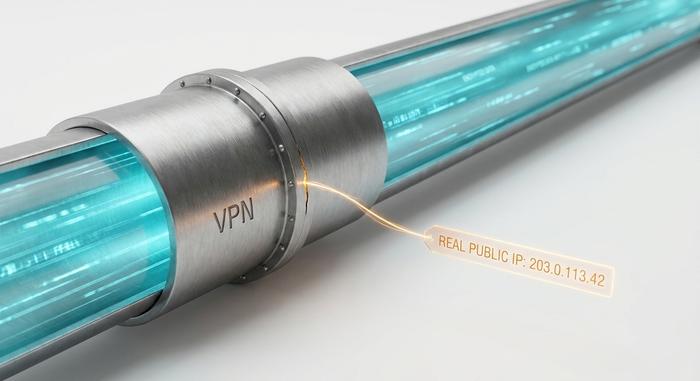
A VPN hides your IP address. That is roughly all it does. The browser you are reading this in still hands every website you visit a long list of other details: your screen size, your graphics card, the exact fonts installed on your machine, the way your processor draws a hidden image. Stitched together, those details form a browser fingerprint that can follow you across sites even when your IP keeps changing.
BrowserLeaks is the free browser testing tool that shows you exactly what you are giving away. It runs more than twenty separate tests, asks for no account, and stores nothing. This guide walks through what each test means, how to read the results without panicking, and how to actually close the gaps. There is also a twist that most crypto users miss: the "fix" everyone recommends has, in at least one documented case, become the thing that drained their wallets.
What BrowserLeaks Is and Why It Matters
BrowserLeaks is not a privacy product. It does not hide anything, block anything, or sell you a subscription. It is a diagnostic tool, a mirror for your own setup. You open browserleaks.com, click through a set of test pages, and the site reports back the raw data your web browser just volunteered.
That framing matters because of what BrowserLeaks deliberately leaves out: a score. There is no pass or fail, no green checkmark, no "your privacy rating is 87 out of 100." Some people find that frustrating. I think it is the honest choice. A single number would flatten a messy picture into a verdict, and the picture here is genuinely messy. The tool shows you your real IP, your WebRTC results, your canvas hash, your DNS resolvers, and leaves the interpretation to you.
The site has run on the same model for years: free, browser-based, no install, results in real time. It is best understood as an index of independent test pages rather than one dashboard. Each page isolates a single leak vector so you can see which specific thing is exposing you. For anyone who wants to understand their own setup instead of trusting a marketing claim, that transparency is what makes it useful for honest privacy testing.
How Browser Fingerprinting Actually Works
A fingerprint is not a cookie. Cookies are files a site stores on your machine, and you can delete them. A fingerprint is built from things your browser simply reveals when asked, and there is nothing to delete because nothing was stored. This is why fingerprinting survives incognito mode, cleared caches, and a fresh VPN connection.
How a fingerprint is assembled
No single signal identifies you. Your screen resolution is shared by millions of people. So is your browser version, your timezone, your language. The trick is combination. A site reads your canvas rendering, your WebGL renderer string, your installed fonts, your user-agent, your screen resolution, and a dozen smaller attributes, all through ordinary JavaScript APIs, then hashes them into one identifier. Each weak signal is useless alone. Together they are often unique.
Why it survives VPNs and incognito
A VPN changes one attribute: the IP address. The fingerprint is built from the device and the browser, not the network. Switch to a private window and the same hardware draws the same canvas image, reports the same GPU, lists the same fonts. The IP moved; everything else stayed put. That is the gap people fall into when they assume a VPN equals anonymity.
How common it really is
The data here is older than you might expect and worse than you might hope. The EFF's Panopticlick experiment tested roughly 500,000 browsers and found that 84% carried a unique fingerprint; with Flash or Java enabled, that rose above 94%. Fingerprinting has only spread since. A 2025 measurement study from UC San Diego found canvas fingerprinting deployed on 12.7% of the top 20,000 websites. And a 2025 study presented at the ACM Web Conference, called FPTrace, showed that altering a fingerprint cut downstream tracking chains from 36,446 to 6,345 — an 83% drop — proving the technique is wired directly into real-time ad targeting, and that it kept working even after users opted out under GDPR. Running BrowserLeaks against your own setup is one of the faster ways to see which of these signals you are currently broadcasting.
The Main BrowserLeaks Tests, One by One
This is the part you came for. BrowserLeaks groups its checks into separate pages, and each fingerprinting test isolates one signal. Here is what the main ones expose and what a problem actually looks like on screen.
| Test | What it exposes | A red flag looks like |
|---|---|---|
| IP address | Public IP, country, city, ISP, ASN | Your home country showing while a VPN claims another |
| WebRTC | Real IP via STUN, even behind a VPN | A second IP that matches your real location |
| Canvas / WebGL | GPU, driver, rendering hash | A "unique" rating shared by almost no one |
| DNS | Which servers resolve your domains | Your ISP's resolver instead of the VPN's |
| Fonts / headers / TLS | System fonts, user-agent, cipher suites | A font list that pins you to one exact machine |
IP address and geolocation
The simplest page, and the first one to check. It reports your public IP plus the location and ISP attached to it. Run it with your VPN on. If the country, city, or ISP still points home, your VPN is not routing the way you think.
WebRTC leak test
WebRTC is the browser feature behind video calls, and it is the most famous leak on the site. To set up a connection, the browser asks a STUN server "what is my real address?" and that answer can expose your real IP address even while a VPN is active. You can be fully tunneled and still leak here. If the WebRTC leak test shows an IP that matches your real location, that is the leak to fix first.
Canvas, WebGL and audio fingerprint
These are pure fingerprinting, not network leaks. The canvas fingerprint test asks your browser to draw a hidden image and hashes the result; tiny differences in your GPU, drivers, and operating system make that hash distinctive. WebGL does the same with 3D rendering and exposes your graphics card by name. The audio test profiles how your hardware processes sound. None of these reveal your IP, but together they build the identifier that follows you between sites.
DNS leak test
Even with a working VPN, your browser can send domain lookups to your internet provider's servers instead of through the tunnel. That means your ISP, and anyone watching it, still sees every site you visit by name. These DNS leaks are easy to miss. The DNS leak test lists which DNS servers answered your queries. If you see your ISP there, traffic is escaping the tunnel.
Fonts, headers, Client Hints and TLS
The quieter tests round out the picture. The font page lists the exact typefaces installed on your system, which is a surprisingly strong identifier. HTTP headers and Client Hints expose your user-agent, language, and device class. The SSL/TLS page reads your connection's cipher suites and handshake (the JA3 and JA4 signatures), which can fingerprint you at the network layer regardless of what your browser claims to be.
How to Read Your Browser Privacy Results
Here is the rule that flips most people's intuition when they first open BrowserLeaks: a unique fingerprint is bad, but an inconsistent one is worse. Trackers and fraud systems do not just look for rare values. They look for combinations that do not make sense together.
Because BrowserLeaks gives you no pass or fail, you have to know what you are scanning for. The clearest warning signs are mismatches. A timezone set to New York while your IP says Frankfurt. A browser language of Vietnamese on an IP geolocated to Brazil. A GPU string reading "VMware," "VirtualBox," or "Microsoft Basic Render Driver," which announces that you are on a virtual machine. A real IP surfacing under WebRTC while your VPN insists you are elsewhere. Both a public and a local IP showing at once.
Any one of those tells a website that your story does not hold together, and an inconsistent identity often draws more suspicion than an ordinary one. So when you read your browser privacy results, do not chase a perfect score that does not exist. Check that the pieces agree with each other, then count how many data points you are handing over in the first place.
Fixing Browser Leaks With a VPN, Proxy or Tor
There is a hierarchy of fixes, and the honest version is not what most "ultimate guides" tell you, because most of them are selling something. Run the BrowserLeaks tests first so you know which leaks you are actually dealing with before reaching for any tool. Here is the blunt comparison.
| Approach | Helps with | Limitation |
|---|---|---|
| Leak-proof VPN | IP, geolocation | Does nothing for canvas, fonts, WebGL |
| Disable WebRTC | The real-IP leak | A missing WebRTC API is itself unusual |
| Residential proxy | An IP that looks ordinary | Setup errors reopen DNS and WebRTC leaks |
| Tor Browser | IP and fingerprint together | Slow; some sites block it |
VPNs, proxies and the WebRTC problem
Using a VPN or proxy is the obvious first move, though it only covers part of the problem. A VPN with built-in leak protection fixes the IP and geolocation pages. Disabling WebRTC in your browser settings closes the real-IP leak. Routing through a residential proxy makes your address look like an ordinary home connection rather than a data center, which is why proxy providers market so heavily to people running multiple accounts. But a proxy only helps if it carries everything (including DNS) through the same tunnel. A proxy that handles only HTTP, or an extension that bypasses it, reopens the exact leaks you were trying to close.
Why spoofing usually backfires
This is where the marketing and the research part ways. Randomly spoofing your canvas, fonts, or user-agent feels like protection, but it often makes you more identifiable, not less, because a browser that reports a new random fingerprint on every visit is itself a rare and suspicious pattern. A 2025 ACM Web Conference study tested 18 popular anti-fingerprinting extensions and defeated all 18; only the Tor Browser resisted. A separate October 2025 analysis found Chrome the most prone to WebRTC IP leakage, while Tor leaked nothing across every platform tested.
What actually lowers your fingerprint
The approaches that work do the opposite of spoofing: they make you look like everyone else. Tor Browser gives every user a near-identical fingerprint by design, so you blend into the crowd. Hardened Firefox and Brave reduce what is exposed in the first place; Brave reached 101 million monthly active users by September 2025, though that is still a sliver next to Chrome's roughly 68% global share. Cutting your extension count helps too, since each one adds detectable quirks. Tor carries around 2.5 million daily users — small, but it is the one tool that consistently passes the tests that defeat everything else.
Crypto, Anti-Detect Browsers and Your Privacy
Crypto users have a sharper reason to care than most, and it is the angle the review sites tend to skip. If you manage several wallets or exchange accounts, a shared browser fingerprint plus a shared IP can quietly link them together. Chain-analysis firms already cluster on-chain behavior; tie that to a consistent device fingerprint and the separation between your "anonymous" addresses starts to dissolve. People in this situation reach for anti-detect browsers, tools that spin up isolated browser profiles, each with its own fingerprint and proxy, then test those profiles against BrowserLeaks to confirm the masking holds.
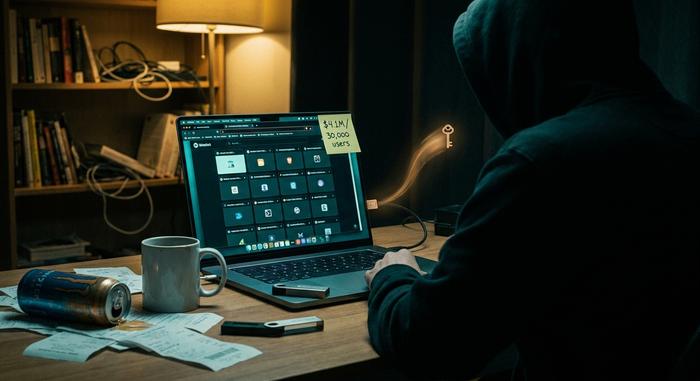
That is reasonable. What is not reasonable is trusting the anti-detect browser blindly, because the tool sold as the fix has a documented history of becoming the threat. In January 2025, the security firm SlowMist analyzed a supply-chain attack on a fingerprint-browser vendor in which roughly $4.1 million was drained from around 30,000 crypto users inside a 72-hour window. An earlier incident in 2023 hit more than 3,000 wallet addresses for over $410,000. The software that promised anonymity shipped the keys out the back door.
None of this means you should avoid these tools. But an anti-detect browser is software with full access to your sessions, and it deserves the same scrutiny you would give any wallet. Isolate it, verify the vendor, and never assume that passing a BrowserLeaks test means your funds are safe. Privacy and security are not the same problem, and a tool can ace one while failing the other.
Run BrowserLeaks Regularly, Not Just Once
Privacy is not a setting you flip once. Every time you change a VPN server, add an extension, update your browser, or spin up a new profile, your fingerprint shifts and a new leak can open. The point of BrowserLeaks is that it costs nothing to check.
So the practical habit is simple: run BrowserLeaks after every change. The goal is not to become invisible, which is mostly impossible, but to make sure your story is consistent and that you are handing over as little as you reasonably can. What does your browser say about you right now, and would it survive a second look?