YubiKey: Hardware Security Key for Crypto and MFA
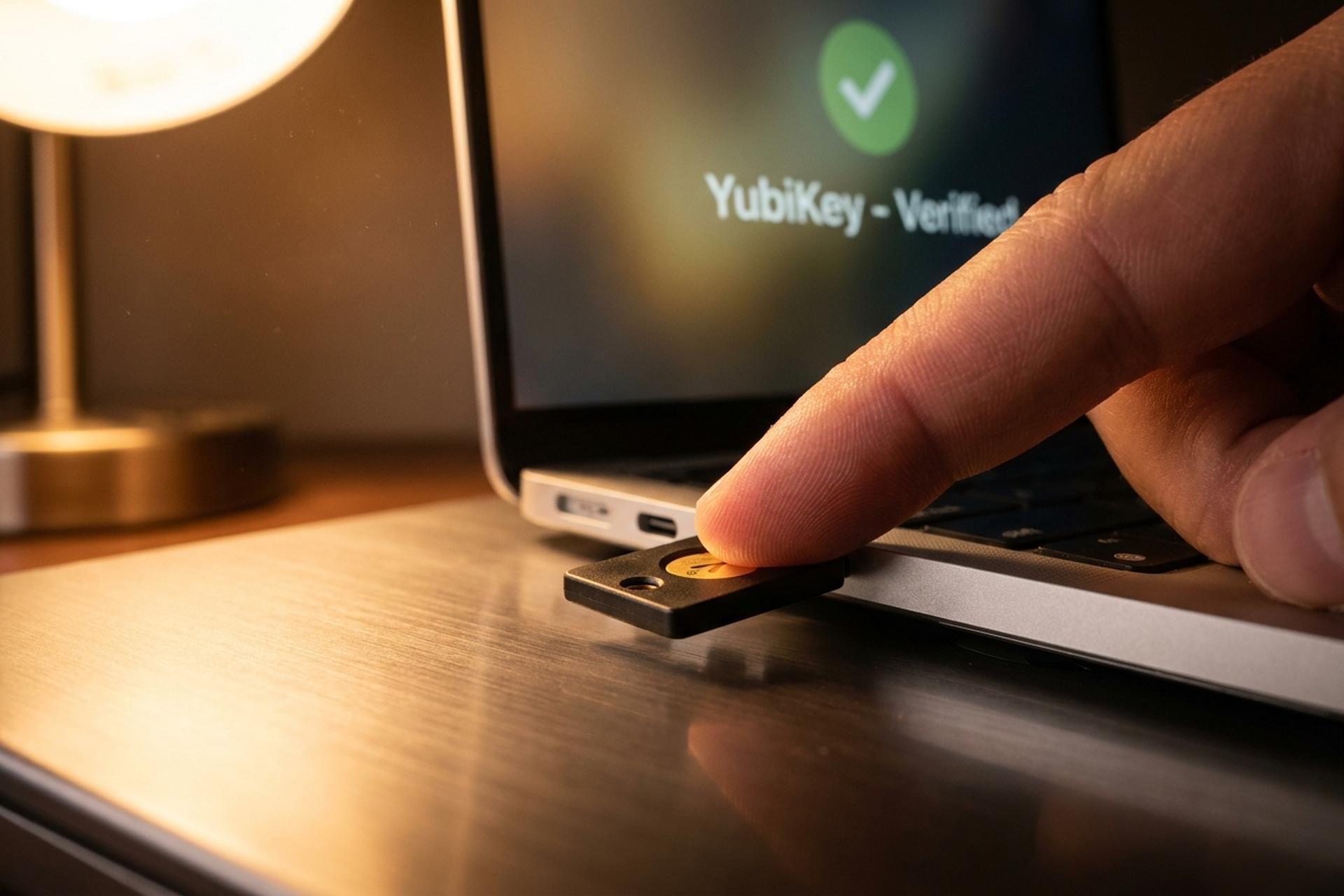
A small metal tab you tap with a fingertip did something no password ever managed: it ended account takeovers at one of the most attacked companies on earth. After Google handed a YubiKey to more than 85,000 employees, the number of staff accounts successfully phished dropped to zero and has stayed there since early 2017. That is the whole pitch for a hardware security key. It is not antivirus and it does not store your coins. It is a physical object that proves you are you, and it is almost impossible to trick.
This guide explains what a YubiKey is, how it actually works, why it beats SMS and authenticator apps, and how to use one to lock down the crypto accounts that thieves go after first.
What a YubiKey Is and Why It Matters
Think of a YubiKey as a house key for your accounts, except this one cannot be copied. It is a small hardware security key from Yubico, the Swedish-American company that has made them since 2007. No battery. No screen. Just a sliver of plastic and metal the size of a flash drive that slots into a USB port or taps your phone over NFC, with a gold disc you press with a fingertip.
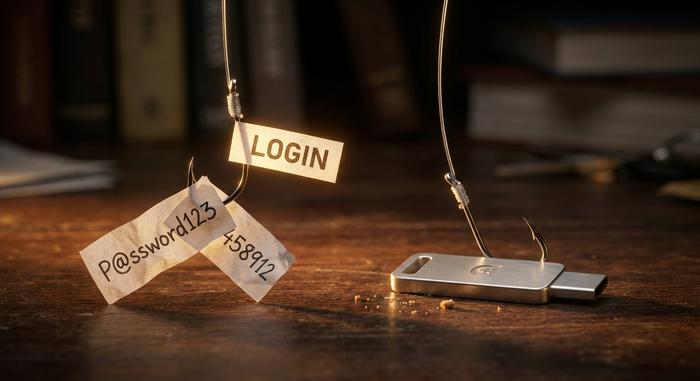
That fingertip is the whole trick. A password is something you know, and anything you know can be stolen, leaked, or guessed, often all three at once. A YubiKey is something you have, and you cannot phish a physical object out of someone's pocket. So it becomes a second factor for two-factor authentication, and a stubborn one. It stores none of your coins and none of your files. At login it settles a single question and then goes quiet: is the actual owner standing here right now? Tap, and you are in. Don't, and the login just dies on the screen, however perfect the stolen password looked.
How a YubiKey Works to Stop Phishing
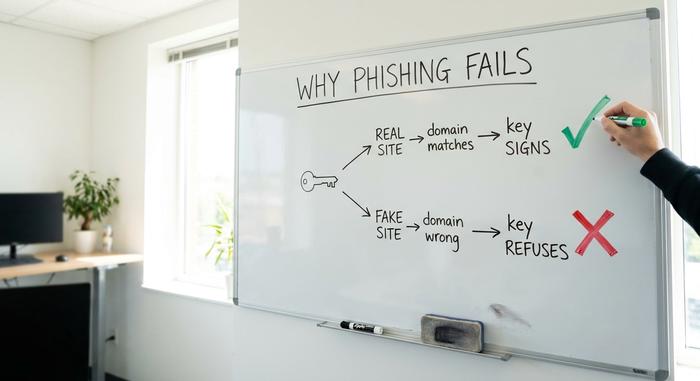
The clever part is not the hardware. It is a domain-bound signature that a fake website can never coax out of the device.
A secret that never leaves
Register a YubiKey with a service and it quietly mints a new key pair, one public and one private, using public key cryptography. The private half gets burned into a secure chip and never comes back out. Not over USB, not with the device in your hand, not ever. Only the public half goes to the server. After that, every login is a quick call and response: the site throws a random challenge, the key signs it with the private half nobody can read, and the server checks that signature against the public half it kept. That is the FIDO2 and WebAuthn standard, built on the older U2F, and it is the reason your credential cannot be peeled off the device.
Why phishing cannot work
Now the part that actually kills phishing. In that same exchange, the browser also tells the key which domain you are on. The YubiKey compares it to the site it first registered with. On a lookalike page the domain is wrong, so the key shrugs and refuses to sign. You can be totally fooled by the fake site — the hardware is not, and the hardware is what counts. Throw in the physical tap that proves a human is present, and you have what security agencies label phishing-resistant authentication. A password can be typed into a fake box. A domain-bound signature cannot.
OTP, smart card, and passkeys
A flagship YubiKey speaks several languages, not one. It can fire off a Yubico one-time password, a 44-character monster next to the six-digit codes an app shows. It does time-based one-time passwords too, the same TOTP standard your authenticator app uses. It plays smart card for corporate and government logins. And it stores passkeys for fully passwordless authentication, where the key is the login, not a backup to it. That last one is taking off fast: the FIDO Alliance says nearly half of the top 100 websites already accept passkeys.
| Protocol | What it does | Replaces |
|---|---|---|
| FIDO2 / WebAuthn | Phishing-resistant login and passkeys | Passwords and weak 2FA |
| U2F | Origin-bound second factor | SMS and app codes |
| Yubico OTP | 44-character one-time password | Short authenticator codes |
| TOTP / OATH | Time-based codes stored on the key | A separate authenticator app |
| Smart card (PIV) | Certificate-based login | Corporate badge logins |
Why a YubiKey Beats SMS and Authenticator Apps
Every other common second factor can be relayed to a fake site in real time. A YubiKey cannot, and that single gap is exactly where crypto gets stolen.
SMS is the weakest link
A text-message code feels convenient and is the worst common option. The code goes to your phone number, and your phone number can be taken from you. In a SIM swap, an attacker talks your carrier into moving your number to their SIM, then catches your codes directly. This is not a rare edge case. SIM swap fraud in the UK jumped more than 1,055% in 2024. It is why CISA and the FBI refuse to count SMS as phishing-resistant MFA at all. For an account holding money, trusting SMS is a mistake, and it is the exact weakness that makes a hardware key matter more for a crypto holder than for almost anyone else.
Even authenticator apps have a phishing gap
Authenticator apps are a big step up from SMS and count as strong two-factor authentication next to a text code, but they keep one weakness. Any MFA is worth turning on; Microsoft found it blocks 99.9% of automated attacks. Still, the type decides whether a live human phisher gets through. The six-digit code an app shows is just a number, and a number can be typed into a fake box. A modern phishing page asks for your code and relays it to the real service inside the 30-second window. A YubiKey shuts that hole, because its signature is tied to the real domain and cannot be replayed onto another. That is not theory. It is why Google's 85,000 staff stopped getting phished the day hardware keys replaced everything else.
| Method | Phishing-resistant | SIM-swap-proof | Works offline |
|---|---|---|---|
| SMS code | No | No | No |
| Authenticator app | No | Yes | Yes |
| YubiKey | Yes | Yes | Yes |
Using a YubiKey to Secure Your Crypto
Here is the payoff for anyone in crypto: a YubiKey locks the exact accounts that SIM swaps and wallet drainers target first. Most major exchanges now support a hardware security key for account security, and several allow full FIDO2 or passkey login, including Coinbase, Binance, Gemini, OKX, Bybit, Crypto.com, and KuCoin. Kraken and Bitfinex accept a hardware key as a second factor. Turning that on means a thief who has your password and your phone number still cannot get in without the physical key.
Do not stop at the exchange. The account that matters most is your email — it is the recovery path for everything else — so put a key on it first. Add one to your password manager next, then your exchange and any wallet service that supports it. The goal is simple: remove every login that depends only on a code a scammer can phish or intercept. The same key then secures your other online services with one habit, and because the technology was built specifically to defeat phishing attacks, it neutralizes the precise step a wallet drainer or fake-airdrop page relies on. Across all those online accounts, the YubiKey becomes the one credential nobody can copy remotely, which quietly shuts the door SIM swaps and drainers rely on.
YubiKey Models and How to Choose
Yubico's catalogue looks scarier than the choice really is. Three questions settle it: what ports your devices have, whether you want NFC for your phone, and whether you want a fingerprint reader.
For most people the answer is the YubiKey 5 NFC at around $58. It speaks every protocol above and gives you USB-A plus NFC. All your gear is USB-C? The YubiKey 5C NFC is the same key in a different form factor. Want to spend less? The Security Key at about $29 strips the extras and runs FIDO2 and U2F only, which is plenty for crypto and everyday logins. Prefer a fingerprint? The YubiKey Bio Series, near $98, adds a biometric sensor for PIN-free use, and there is a FIPS line for regulated workplaces. Whatever you land on, buy two. The second is your backup, and you will be grateful for it the day the first one goes through the wash.
Setting Up and Living With a YubiKey
Setup takes about ten minutes per account. The part nobody warns you about is the backup.
Registering your key
Start at the official setup page, choose a service, and open its two-factor or passkey settings. Then pick one of three paths to configure the key: register it as a security key, save a passkey to it, or drop it into an authenticator-app slot. Tap when prompted and you are done. Most people end up with two yubikeys and a couple of authentication options on each account, so losing one device never locks them out. The same key works across Windows, macOS, Linux, Android, and iOS, so it guards your laptop and your phone alike. Do your email first, then your password manager, then your exchange. Those three cover most of your real risk.
The catch: backups and honest limits
A YubiKey is not magic, and the trade-offs are worth knowing. Register a single key, lose it, and you can lock yourself out, so always enroll a spare or stash your recovery codes somewhere safe. Not every service supports hardware keys yet, though the list grows every year. There is the upfront cost, roughly $58. And the hardware has had bugs: a 2017 flaw called ROCA, a 2024 Infineon issue, both needing physical access and both fixed in newer firmware. Footnotes, not dealbreakers. None of them outweigh the one thing that matters here, which is stopping remote account takeovers cold.
Is a YubiKey Worth It for Crypto Users?
For anyone holding crypto, the answer is an easy yes. A YubiKey is a one-time purchase, around $58 plus a backup, with no subscription. Weigh that against a single SIM swap or phishing page that empties an exchange account, and the math is not close. A password and an authenticator app raise the bar; YubiKey MFA raises it past where remote attackers can reach at all. If even one of your online accounts holds money, it is the cheapest insurance you will ever buy.
A YubiKey Turns Your Finger Into a Password
Strip away the protocols and the model numbers and a YubiKey does one thing extremely well: it makes the strongest part of your login a physical object you hold and touch. Phishing can copy a password and relay a code, but it cannot copy a key sitting in your pocket — or fake the tap of your finger. That is the entire reason it works where everything else leaks. Put one on your email and your main exchange this week, and add a backup. So the only real question left is the practical one: which account that holds your money are you still protecting with a code a stranger could phish today?