Passkeys vs 2FA: Which Protects Your Crypto Better?
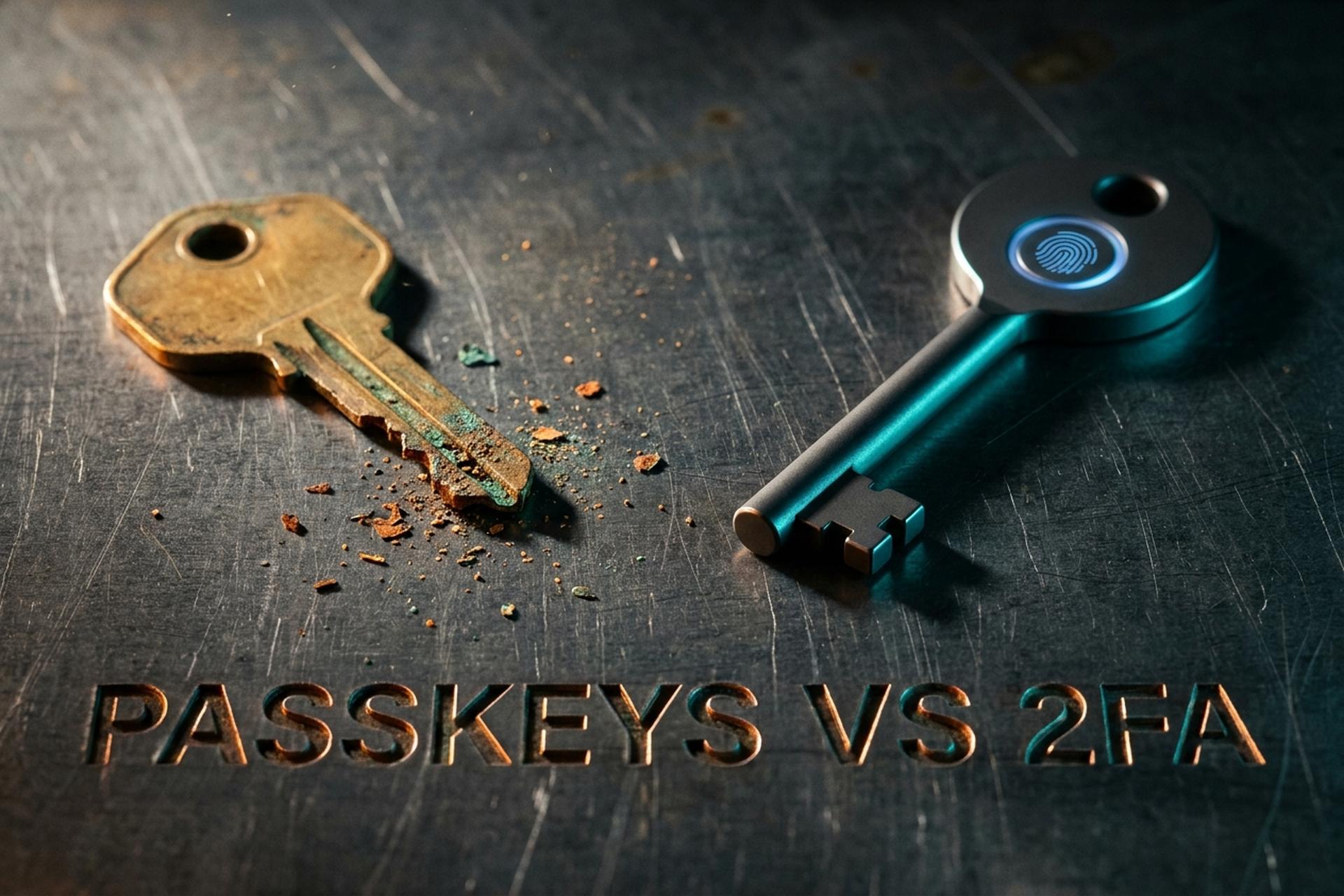
Your password leaks in a breach you never hear about. A few weeks later someone tries it on your crypto exchange, and the only thing standing between them and your balance is a six-digit code sent to your phone. That code was supposed to be the wall. For years it was good enough. Passkeys vs 2FA is the argument over whether that wall is still worth trusting, and the honest answer matters most to anyone holding money that moves in one direction only. This guide explains both methods in plain terms, compares them head to head, and shows why the attack that actually drains accounts barely slows down for traditional two-factor authentication.
What is two-factor authentication (2FA)?
Two-factor authentication, sometimes written 2 factor, is a second check bolted onto your password, and the idea behind it is simple enough that most people already use it without thinking. Even if someone steals the first factor, they still need the second one before they can get in. Security people tend to sort those factors into three rough buckets, something you know such as a password or PIN, something you have such as your phone or a hardware token, and something you are such as a fingerprint or a face scan, and a 2FA setup simply combines any two of them.
The catch is that not all second factors are equal, and the "2FA on" toggle quietly hides that. An SMS code is the weakest common option, a code from an authenticator app like Google Authenticator, usually a TOTP that rolls over every 30 seconds, is meaningfully stronger, and a physical security key is stronger still. Microsoft has said that turning on MFA blocks about 99.9% of automated account attacks, which tells you the baseline works well against bulk, low-effort attempts, and the question this whole article circles is what happens when the attacker is not low-effort at all.
Here is how the common second factors stack up.
| 2FA method | How it works | Phishing-resistant? | Main weakness |
|---|---|---|---|
| SMS code | One-time code texted to your number | No | SIM swap, SS7 interception |
| Authenticator app (TOTP) | Rotating code in an app | No | Real-time relay phishing |
| Push approval | Tap "approve" on your phone | No | MFA fatigue, prompt bombing |
| Hardware security key | Physical key you plug in or tap | Yes | Cost, can be lost |
The jump that matters sits in the bottom row. SMS codes, app codes, and push prompts all share one weakness, which is that a human can be talked into completing them on the wrong site, whereas a hardware security key cannot be talked into anything at all. That is the same property a passkey is built around, so the real divide runs between phishable factors and phishing-resistant ones rather than between a password and a second factor.
What is a passkey, and how passkeys work
A passkey is not a better code; it is a pair of cryptographic keys, and understanding that pair is really the whole point. When you create a passkey for a website or app, your device quietly generates two linked values, a public key and a private key, using the FIDO2 and WebAuthn standards that Apple, Google, and Microsoft have all built into their systems as the backbone of passwordless authentication.
Passkeys have moved fast. The FIDO Alliance reported around 5 billion passkeys in active use as of May 2026, with 75% of consumers having enabled one on at least one account. This is no longer a niche feature.
The public and private key handshake
The split between the two keys is what keeps a passkey safe. Think of the public key as a padlock the website keeps a copy of, and the private key as the only thing that can open it, sealed inside your phone. When you log in, the site hands your device a one-time puzzle to sign. Your device signs that puzzle with the private key, sends back the answer, the server checks it against the public key it already holds, and you are in. Nothing secret ever travels across the network, so someone listening on the wire has nothing to steal and replay later.
A biometric check or your device PIN unlocks the private key locally so it can sign. The fingerprint never reaches the server either. Compare that to a password, which you hand over in full every single time you log in — trusting whoever is on the other end to store it safely.
Where your passkeys are stored: synced vs device-bound
Passkeys come in two flavors. Synced passkeys live in a password manager or platform keychain (Apple's, Google's, a tool like 1Password or Bitwarden) and follow you across devices. Device-bound passkeys, including those on hardware security keys, never leave the single piece of hardware that made them. Synced passkeys are more convenient and survive a lost phone; device-bound keys give the strongest physical security because the cryptographic keys are pinned to one object you can lock in a drawer.
Passkeys vs 2FA: the key differences
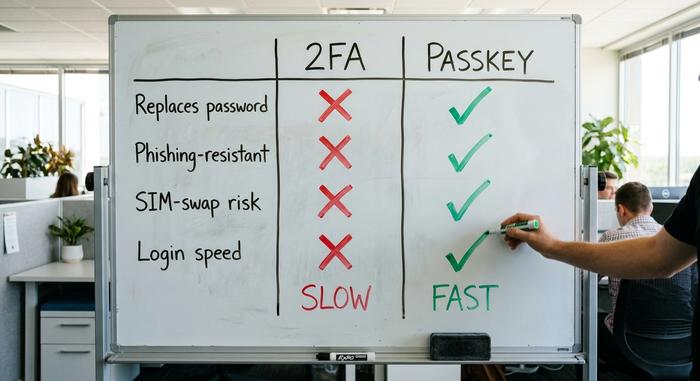
The cleanest way to hold the difference in your head is this: 2FA adds a step to a password, while a passkey replaces the password outright. Once you see it that way, the rest follows. 2FA still depends on a knowable secret that can leak. A passkey has no shared secret to leak in the first place.
That single change cascades into everything else, from phishing resistance to login speed. Providers rolling out passkeys report sign-ins that are meaningfully faster and more successful than a password paired with an SMS code, because there is nothing to type and nothing to wait for. The table below lays out the key differences.
| What matters | 2FA (password + SMS/TOTP) | Passkey |
|---|---|---|
| Replaces the password | No, it adds to it | Yes |
| Phishing-resistant | No (codes can be relayed) | Yes (bound to the real domain) |
| Exposed to SIM swapping | Yes, with SMS | No |
| Shared secret to steal | Yes | No |
| Login speed | Slower (type a code) | Faster (tap or scan) |
| Recovery if device lost | Backup codes / SMS | Sync or backup key |
Is a passkey itself a form of 2FA or MFA?
Here is the nuance that trips people up. When you unlock a passkey, two checks happen in the same instant. You prove you hold the device that stores the private key, and the fingerprint or face scan proves the device is really in your hands. That is two factors in one tap, which makes a passkey multi-factor on its own. Bolt traditional 2FA on top of it and you mostly add a second prompt, not a second wall.
This is why the US Cybersecurity and Infrastructure Security Agency names only FIDO2/WebAuthn and PKI smartcards as genuinely phishing-resistant MFA. A passkey is not the weaker cousin of a second factor; it is multi-factor by design, folded into a single step.
Why phishing breaks 2FA but not passkeys
Phishing is the attack that decides this whole debate. Verizon's 2025 Data Breach Investigations Report found stolen credentials behind 22% of breaches and phishing behind another 16%, so these are not exotic exploits but the front door most intruders actually walk through.
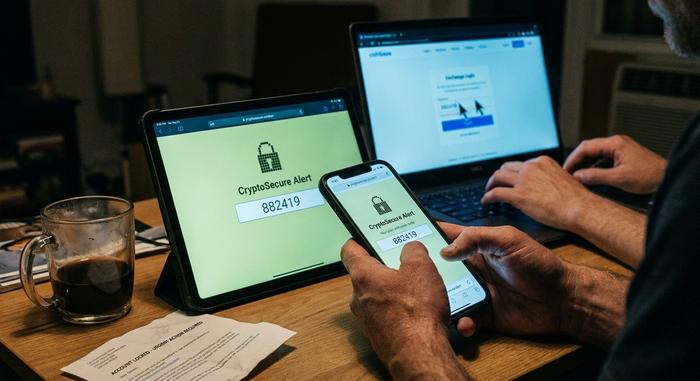
Picture the usual trap. An email warns that your account is locked, you click through to a page that looks exactly like your exchange, and you dutifully type your password and the six-digit code from your authenticator app. On the real site that code would be fine. On the attacker's copy, they grab it and replay it against the genuine login within seconds, and the second factor you trusted has just waved them straight in. This is the part people underestimate. 2FA still asks a human to hand something over, and a human can be talked into almost anything. A passkey hands over nothing. The private key cannot be typed, read aloud, or pasted into a fake form, and it only ever works on the exact domain where you created it, so the lookalike page has nothing to collect and nothing to replay.
SIM swapping and the SMS code problem
SMS is the soft underbelly of 2FA. In a SIM swap, an attacker convinces your carrier to move your number to their phone, and every code meant for you now lands on their screen. The FBI's Internet Crime Complaint Center logged 982 SIM-swap complaints in its 2024 report, with losses near $26 million, and those are only the cases that people actually bothered to report. SMS messages can also be intercepted outright through flaws in the ageing SS7 telecom protocol, which leaves you with an uncomfortable truth, that any code travelling over the phone network is a code somebody else can quietly redirect.
OTP phishing and MFA fatigue
Even an authenticator app is not immune, since attackers run real-time relay sites that sit between you and the real login, capturing your TOTP and replaying it well within its 30-second window. Push-based 2FA has its own failure mode known as MFA fatigue, in which an attacker spams approval prompts until a tired user finally taps the approve button just to make the buzzing stop. None of these tricks work on a passkey, since there is no code to intercept in the first place and no prompt that can be approved by mistake.
Use passkeys on crypto exchanges and wallets
This is where the passkeys vs 2FA comparison stops being academic, and where most general guides go quiet. A bank can reverse a fraudulent charge. A blockchain cannot. When an attacker SIM-swaps their way into your exchange login and withdraws your balance, that transaction is final. The 2025 FBI Internet Crime report tallied $20.9 billion in total losses, with roughly $11.4 billion tied to crypto fraud, and account takeovers are a steady part of that mix.
Major exchanges, including Coinbase, Binance, and Kraken, now let you protect your login with a passkey. Turning it on removes the SMS code that SIM-swap crews hunt for and replaces it with a key an attacker cannot phish from another country.
One distinction matters, because it is easy to get wrong. A passkey secures the way you log in to a custodial account on an exchange. It is not the same as your self-custody wallet's private key or seed phrase, and it does not replace them. If you hold your own coins, the seed phrase is still the master key to your funds; a passkey protects the exchange door, not the vault you carry yourself. Getting that straight is the difference between real account security and a false sense of it.
A passkey also pairs well with controls the exchange already gives you. Turn it on for login, then add a withdrawal address allowlist so that even a hijacked session cannot send funds to an unknown wallet without a waiting period. The passkey blocks the break-in; the allowlist limits the damage if anything else slips. Used together, passkeys and 2FA controls enhance security far more than either does alone, and your account stops depending on a code that can be redirected over the air to a stranger's phone.
When you still need traditional 2FA
Passkeys are not everywhere yet, and the passkeys vs 2FA choice often comes down to what a given service supports, so do not rip out your second factor on day one. The FIDO Alliance counts more than 15 billion accounts that are passkey-ready as of 2025, yet coverage across smaller sites stays patchy, and plenty of the services you rely on still offer nothing but a password and a code. For those, keep your 2FA and just pick the better version of it, an authenticator app rather than SMS. Recovery is the other place it earns its keep. Lose the device that holds a device-bound passkey, and a backup factor or a saved set of recovery codes is what gets you back in. The smart setup uses both, with passkeys where you can have them, app-based 2FA where you cannot, and a recovery plan sitting quietly under both.
There is also a transition cost worth naming. Until a site supports passkeys, you are stuck with its strongest available option, and for many services that still means a plain authenticator app. Treat that as a holding pattern rather than a destination, and revisit your important accounts every few months, because passkey support keeps expanding and the account you could not protect last spring may offer it now.
How to switch from 2FA to passkeys
Moving over is a ladder, not a single leap — and the one rule is never to delete your recovery path mid-switch. Here is a sane order:
1. Replace SMS with an authenticator app on every account that still uses codes. This alone kills your SIM-swap exposure.
2. Add a passkey wherever it is offered, usually under the account security or login settings.
3. Store the passkey in a synced password manager or on a hardware security key, depending on how much physical security you want.
4. Keep one backup authentication method and save your recovery codes somewhere offline.
5. Only remove SMS as a factor once the passkey logs you in cleanly.
Start with the accounts that hold money or identity: your email (the master key to password resets), your exchange, your password manager. Work down from there. The whole migration can take an afternoon, and most of it is waiting for pages to load.
The verdict: passkeys, 2FA, or both?
In the passkeys vs 2FA debate, passkeys win on the attack that actually empties accounts. Phishing and SIM swaps walk straight past SMS codes and often past app codes too, then walk into a wall with passkeys. Use a passkey wherever it is offered, treat it as the default on any crypto exchange, and keep app-based 2FA as the fallback for everything that has not caught up yet. The real question is not which one to trust. It is how fast you can move the accounts that matter most. Which one will you switch first?