yt-dlp: The Modern youtube-dl Fork for Downloading Video
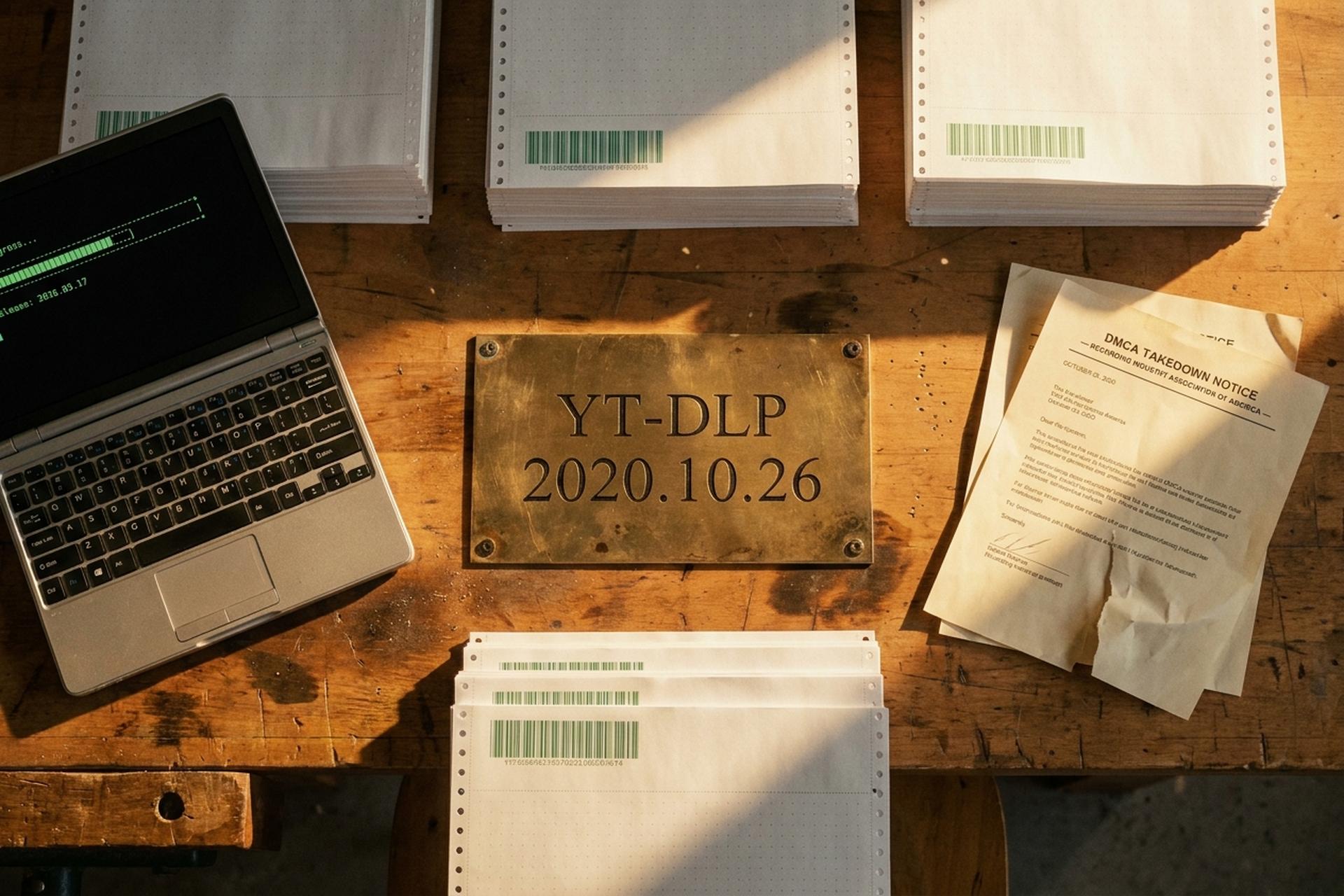
On October 23, 2020, the Recording Industry Association of America filed a DMCA takedown against youtube-dl on GitHub. Three days later, on October 26, a new repository quietly appeared at github.com/yt-dlp/yt-dlp. By the time GitHub reinstated the original project on November 16 — together with a fresh $1 million developer defense fund — the new fork had already started absorbing youtube-dl's contributors.
That fork is now the main one. As of May 2026, yt-dlp logs over 12 million downloads on PyPI a month. Its GitHub repository has 160,766 stars. The project ships a new release roughly every two weeks. The latest tag, at the time of writing, is `2026.03.17`. It supports more than 1,800 video and audio sites through its extractor plugin system. What follows is an honest tour of what yt-dlp is and how to use it. Plus where it stands legally in 2026. And why a perfectly working install can suddenly stop working in mid-2025.
Where yt-dlp came from: the fork chain from youtube-dl
Lineage matters here because it explains a behaviour gap. yt-dlp ships fixes within hours of a YouTube break; youtube-dl can take weeks. Three projects sit on the family tree, and each step was driven by frustration with the last.
youtube-dl was the original. Ricardo García wrote it in August 2006, and Philipp Hagemeister later led it with a tight group under `ytdl-org/youtube-dl`. By 2020 it was the de facto archival tool, but pull requests were piling up and YouTube fixes were landing late.
That gap is what produced youtube-dlc, where the "c" was for "community". `blackjack4494` forked the repo in 2020 and the merge queue cleared in days. The fork itself went semi-inactive late the same year — one maintainer is fragile.
yt-dlp is a re-fork from youtube-dlc. The repository was created on October 26, 2020, three days into the RIAA takedown of upstream youtube-dl. yt-dlp is a command-line tool that allows you to download videos and audio from supported websites. The "p" reflects an early lead maintainer (`pukkandan`). The project is now governed by a multi-maintainer organization that includes `coletdjnz`, `dirkf`, `Grub4K`, `bashonly`, and `seproDev`. By January 2021 yt-dlp had absorbed youtube-dlc's contributor base. It had become the dominant fork of youtube-dl. The focus was on features and improvements that upstream had not merged.
A few project-level facts are worth flagging. yt-dlp uses calendar versioning, so a tag like `2026.03.17` is literally the date of the release. The license is The Unlicense, an explicit public-domain dedication that even most FOSS projects don't use. The repo has 13,348 forks and 2,507 open issues. Ubuntu 22.04 replaced youtube-dl with yt-dlp as its default video downloader, and Debian followed in bookworm. The supported-sites list in `supportedsites.md` currently lists more than 1,500 named entries; the codebase itself ships closer to 1,800 extractor modules with lazy loading. Arch, Fedora, NixOS, Homebrew, Chocolatey, Scoop, and Winget all package it. Twenty to thirty releases a year is what kept distributions from drifting back to the slower upstream.

How the RIAA's 2020 takedown made yt-dlp inevitable
The RIAA's October 23, 2020 DMCA notice was filed under 17 U.S.C. § 1201, the anticircumvention clause. Its theory was that youtube-dl bypassed YouTube's "rolling cipher" signature mechanism, which the RIAA framed as a technological measure protecting access to copyrighted works. GitHub initially complied and removed the repository along with seventeen forks.
What followed was a textbook Streisand effect. Developers reposted the source code in increasingly inventive ways, including a Twitter image whose pixel colours encoded the entire codebase. The Electronic Frontier Foundation sent GitHub a letter on November 16, 2020. Its technical case was simple. A signature that any standards-compliant browser can run is not a "technological measure that effectively controls access" within § 1201. youtube-dl uses the signature; it does not break it.
GitHub reinstated the repository the same day. It also pledged a $1 million developer defense fund and committed to manual technical-and-legal review of every § 1201 takedown going forward. The episode catalyzed yt-dlp's creation. The new fork's repository appears in commit history three days into the takedown. No one knew yet whether GitHub would back down. Developers wanted insurance.
Install yt-dlp on Windows, macOS, and Linux
People forget the second half of the install, and then they wonder why the merge step crashes. yt-dlp on its own can pull a single stream from any of its supported sites, sure. But best video plus best audio? Embedded chapters? An mp4 remux? All of that quietly hands off to `ffmpeg` and `ffprobe`. Skip those two and your first `bv*+ba/b` attempt prints something cryptic and dies. So: install both, every time.
For Windows I pick winget. `winget install yt-dlp.yt-dlp`, then `winget install Gyan.FFmpeg`. Scoop works if you already use it; Chocolatey too. If a package manager feels like overkill, the standalone `yt-dlp.exe` sits on GitHub Releases — drop it in a folder, add the folder to PATH, done.
Mac users get the easy version. `brew install yt-dlp ffmpeg`. One line. Move on.
Linux varies by distro. Debian's main archive ships it. Arch keeps it in `extra`. Fedora picks it up through standard channels. The problem is timing: when a YouTube break lands, distro versions tend to lag by days. The escape hatch is the Python install, which is the best way to download videos same-day after a fix lands: `python -m pip install -U yt-dlp` on any system with Python 3.9 or newer. That line also upgrades in place. The curl-and-chmod option is still in the docs (`sudo curl -L https://github.com/yt-dlp/yt-dlp/releases/latest/download/yt-dlp -o /usr/local/bin/yt-dlp && sudo chmod +x /usr/local/bin/yt-dlp`), but reach for it only when no package manager option exists.
After install, `yt-dlp -U` updates pip and binary copies; it skips package-manager copies on purpose. Pick one install method and stick with it. The pairing of ffmpeg and ffprobe is non-negotiable.
Basic yt-dlp commands you will actually use
The minimum cheat sheet is short. The bare command, `yt-dlp URL`, just works for the common case. Everything past that is one or two flags.
Before you grab a YouTube video, run `yt-dlp -F URL` to see what is on the table. The output lists every video format, every audio stream, and every pre-merged stream the extractor found, along with codecs and file sizes. Most people then jump straight to `yt-dlp -f "bv*+ba/b" URL`. That selector reads as "best video plus best audio, fall back to the best combined stream if the two aren't separate". It is yt-dlp's flagship format selection syntax and worth memorising. Tack on `--merge-output-format mp4` to force the container; tack on `-x --audio-format mp3` for audio-only. For subtitles, `--write-subs --sub-langs en` grabs the official ones, and `--write-auto-subs` falls back to the auto-generated track when there's no human one.
For lists, `-a urls.txt` reads one URL per line and is the standard way to download multiple videos in one run. The `--playlist-items 1-10,15,20-` flag slices a playlist. And `--download-archive seen.txt` keeps a record of completed downloads, so reruns skip what you already have. The download archive is the cleanest way to download entire playlists and channels incrementally without re-downloading. Output naming follows a template. The string `-o "%(channel)s/%(upload_date>%Y-%m-%d)s — %(title)s.%(ext)s"` produces dated, channel-grouped filenames in your chosen folder. The result is friendly to Plex and Jellyfin libraries. The `-P` flag changes the destination directory. The `--restrict-filenames` flag keeps things ASCII for cross-filesystem safety. And `--print filename` previews what yt-dlp would write before the download process starts.
If a download "plays instead of downloading", that is your browser opening the link before yt-dlp sees it. Pass the URL as a literal argument, or quote it, and run yt-dlp from the terminal.
Power-user features: postprocessors, SponsorBlock, cookies
Beyond the basics, yt-dlp has a quietly enormous feature surface. The flags below are the ones that matter most in practice.
| Category | Flag | Use |
|---|---|---|
| Format sorting | `-S "+size,+br,res:1080"` | Prefer smaller files at 1080p |
| Postprocess | `--embed-thumbnail --embed-metadata --embed-chapters --embed-subs` | Bake artwork, tags, chapters, and subs into the file |
| SponsorBlock | `--sponsorblock-mark all` / `--sponsorblock-remove sponsor,selfpromo` | Mark or cut sponsor sections in YouTube videos |
| Authentication | `--cookies-from-browser firefox` | Use cookies from your browser; supports Chrome, Brave, Edge, Safari, Opera, Vivaldi, Chromium, Whale |
| Live recording | `--live-from-start --hls-use-mpegts` | Capture a livestream from the start, even if you join late |
| Speed | `--concurrent-fragments 8` | Parallel HLS or DASH fragment downloads |
| External downloader | `--downloader aria2c` | Hand transfers off to aria2c for parallelism |
| Plugins | `~/.yt-dlp/plugins/` | Drop-in custom extractors and postprocessors |
SponsorBlock integration is useful. The option taps the SponsorBlock community database. It either flags chapter markers or excises the sponsor sections in YouTube videos outright. The `--cookies-from-browser` option reads cookies from browser profiles, including Firefox containers, which is the cleanest way to download anything behind a paywall or sign-in. For terabytes of long-running archives, the external downloader hand-off to aria2c noticeably lifts download speed on networks where TCP windowing is the bottleneck. And `--split-chapters` will split video content by chapter into separate files, which is handy when a single upload bundles several talks. yt-dlp also supports `--video-multistreams` to combine video tracks where the site provides multiple, although this is rare in the wild.
The plugin system deserves its own line. yt-dlp will auto-discover Python modules placed in `~/.yt-dlp/plugins/` (or installed via `pip` with the `yt-dlp-plugins` entry point) and load them as extractors or postprocessors. This is how unusual sites get supported without waiting for an upstream patch. It is also how the PoToken provider plugins discussed below hook in.
The 2025-2026 PoToken and SABR situation
YouTube spent 2025 making yt-dlp's life harder. Two changes are the reason a perfectly good install can suddenly start failing in 2026.
PoToken is the bigger one. Every video request now needs a Proof-of-Origin Token. The token is bound to the video, expires fast, and is also session-bound. Manual extraction stopped working months ago. What does work is a small helper called `bgutil-ytdlp-pot-provider` running on the side; it generates tokens on demand and the main yt-dlp call picks them up automatically. The yt-dlp wiki has a guide called PO Token Guide that walks through the setup. Without the helper, requests come back downgraded or simply blocked, and yt-dlp may not work correctly even on videos that played in your browser thirty seconds earlier.
SABR is the second piece. SABR is YouTube's Server-side Adaptive Bitrate, and through 2025 the `web` extractor started returning SABR-only formats that break the normal download path. The fix is usually an extractor-args hint plus cookies from a signed-in browser. The threads worth watching while the fix matures are issues #12482, #14307, #14390, #16082, and #13968. Net result: yt-dlp still works on the vast majority of public YouTube content, but in 2026 a "just works" command is often a "PoToken provider, fresh cookies, and a little patience" command instead.

yt-dlp legal status in 2026: US, Germany, EU
The legal answer is jurisdictional, and the headline is that nothing has been definitively settled.
In the United States, no court has ruled on yt-dlp specifically. The 2020 RIAA episode is the closest precedent and ended in a non-judicial reversal. The US Copyright Office's 9th Triennial Section 1201 final rule took effect on October 28, 2024 and runs through October 28, 2027. It renewed prior exemptions and added one for AI-trustworthiness research, but it did not create a general circumvention exemption for personal video archival. Section 1201's structural problem, that it criminalizes tools that touch DRM regardless of intent, remains.
In Germany, the action has been around hosting liability rather than the software itself. The Hamburg Higher Regional Court rejected the appeal of Uberspace, the Mainz hoster of `youtube-dl.org`, on November 27, 2024. The decision finalized a 2023 lower-court ruling that hosters can be liable for sites that signpost circumvention tools. The doctrine does not directly outlaw yt-dlp, but it makes German hosting risky for any project that visibly advertises bypass capabilities.
At EU level, the Digital Services Act standardizes notice-and-action takedown procedures (Articles 16–17) but does not regulate downloader software. There is no EU-wide ruling forcing hosters to block yt-dlp. Personal use of yt-dlp on your own content is not the legal pressure point in any of these jurisdictions. The same applies to content where the creator has given permission. The friction lies in distribution and in interaction with stream protection.
GUI front-ends and the wider downloader ecosystem
Not everyone wants a terminal, and yt-dlp's command line is not a marketing strength. yt-dlp is one of many video downloaders, but it sits underneath most modern video downloader GUIs as the working engine. Stacher is the most polished cross-platform GUI. Tartube is a Python/GTK alternative. yt-dlg is a community fork specifically for yt-dlp. Tube-Archivist is a self-hosted Docker server for channel archival; it can download videos from various websites on a schedule. YTDL-Material is a self-hosted web frontend. ytdl-sub is a declarative YAML configuration tool popular with Plex and Jellyfin self-hosters. JDownloader 2 integrates yt-dlp through a plugin. Each tool exposes its own video selection interface and download options panel, but the heavy lifting is yt-dlp's.
| Tool | Status (2026) | Scope | License |
|---|---|---|---|
| yt-dlp | Active, weekly releases | 1,800+ video/audio sites | Unlicense |
| youtube-dl | Slow, last release Sep 2021 | YouTube + ~1,000 sites | Unlicense |
| gallery-dl | Active | Image galleries; can call yt-dlp for video | GPLv2 |
| streamlink | Active | Live streams piped to a player | BSD-2 |
The clean rule: yt-dlp for archival downloads, streamlink for live to a player, gallery-dl for image-heavy sites.
Safety: where to download yt-dlp and how to spot fakes
The only safe sources are GitHub Releases, PyPI (`pip install yt-dlp`), official distribution packages, and the major Windows package managers (Winget, Scoop, Chocolatey). Third-party "yt-dlp downloader" sites bundle adware, miners, or modified binaries. Windows Defender has historically flagged the PyInstaller-packaged `yt-dlp.exe` as `Trojan:Win32/Wacatac.B!ml` (issues #7532 and #15415). These are heuristic false positives. Signature databases usually clear within days. Small open-source projects like yt-dlp survive on volunteer maintainers. Crypto donations through gateways like Plisio are one debanking-resistant way for international contributors to receive support.
One worked example. Say you want to download a YouTube video to your computer for a presentation. The command is `yt-dlp -f "bv*+ba/b" --merge-output-format mp4 URL`, which gives you the right download format. yt-dlp is a fork with more extractors than youtube-dl, and yt-dlp has many that let you download a video where the original gives up. yt-dlp using its plugin system covers niche sources, and yt-dlp allows `-a urls.txt` when you need to download videos from various websites. Anything supported by yt-dlp is in `supportedsites.md`.