BlockAway : How This Free Web Proxy Works, Worth Using?
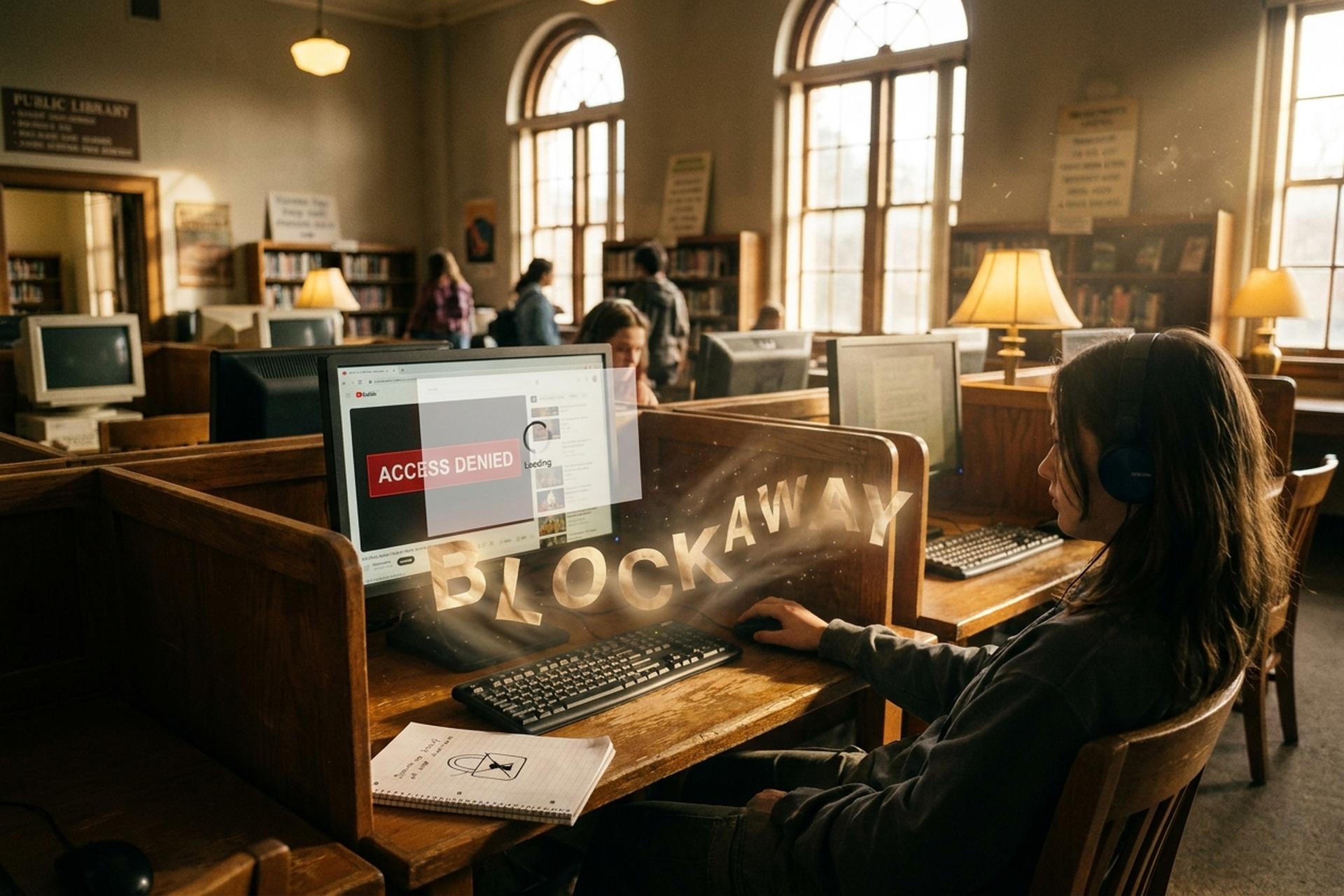
Typed a URL at work or school or on a friend's Wi-Fi and gotten a blank page where a site should be? Then you already know why tools like BlockAway exist. Blocked pages are a daily annoyance for a lot of people. Some bans come from the school router filtering YouTube. Others are national, like Russia pulling 469 VPN apps off its stores by early 2026, according to Top10VPN. Others are corporate, the kind of office setup that pings HR the second you open LinkedIn on the work network.
BlockAway is one of the plainer answers to all that. A free web proxy and free service that runs in your browser, asks for nothing, and tries to unblock any website you feed it. Not a VPN. Not a paid tool. Nothing to install. Inside the noisy field of free web proxies, BlockAway belongs to the small group that can actually render modern JavaScript-heavy sites without falling apart. And because it is free, it comes with a set of honest trade-offs that the usual reviews gloss over.
Most write-ups about BlockAway just repeat the feature list from the homepage. This one digs into the actual plumbing, flags the bits that reviewers tend to skip, and lines it up against the alternatives people compare it to. By the end you should know whether it fits your situation, or whether you should be looking at a VPN instead.
What BlockAway Is and Why People Use BlockAway
BlockAway lives at blockaway.net. It is a free web proxy service that sits between your browser and the website you want to visit, like a middleman. You type a URL into the BlockAway box, the service pulls that page in your place, and the result loads inside the same browser tab you started in. There is no need to install anything, no account to create, no extension to wrangle. BlockAway is free to use, and the homepage keeps telling you so in big letters.
Small tool, real problem. Freedom House's Freedom on the Net 2025 report covered 72 countries and logged the 15th straight year of global internet-freedom decline. In 57 of those countries people were arrested or jailed for what they said online, the worst number the group has ever printed. Access Now counted 313 internet shutdowns across 52 countries in 2025, the most since they started tracking in 2016. Top10VPN pegged the economic damage at $19.7 billion for the year, across 212 separate outages in 28 countries, a 156% jump over 2024. That is the backdrop every "bypass" tool, BlockAway included, is actually pushing against.
The everyday reasons are smaller. A student sneaks a look at Instagram during a free period. An office worker wants to read a news site HR quietly filtered. A traveler in Turkey tries to open a German paper. Somebody just wants a page to load without handing over another email address. Concern plays a part too: a 2023 Pew Research Center survey found 81% of Americans worried about how companies use their data, and 73% said they feel they have little or no control. BlockAway fits all of that because it is browser-only and needs nothing set up.
One thing it is not meant for: serious business. The company says so itself. The proxy is for lawful, public content, not online banking, personal logins, or anything with real financial or legal weight attached.
How BlockAway Works as a Reverse Web Proxy Server
The mechanics matter here, because they explain both what BlockAway can do and what it cannot. At the core it is a reverse proxy. Unlike local-network web proxies baked into a corporate gateway, BlockAway sits on the open internet and asks nothing of your device.
Think of a normal browser session as a straight line. You type youtube.com, your device talks to YouTube, content comes back. A reverse proxy snaps that line in two. Your browser talks to BlockAway. BlockAway then talks to YouTube on your behalf, downloads the content, and hands it to you. That is how BlockAway uses its own infrastructure as the cover: YouTube thinks the request came from BlockAway, and your school or office router thinks you are just visiting blockaway.net.
So far, so simple. The catch is modern web pages do not work that way anymore. A typical site loads hundreds of extra assets: images, scripts, fonts, videos, all pointing at the original domain. If the proxy just passes the HTML through without editing it, your browser tries to fetch those assets directly from youtube.com, the firewall lights up, and the page dies on you halfway through loading.
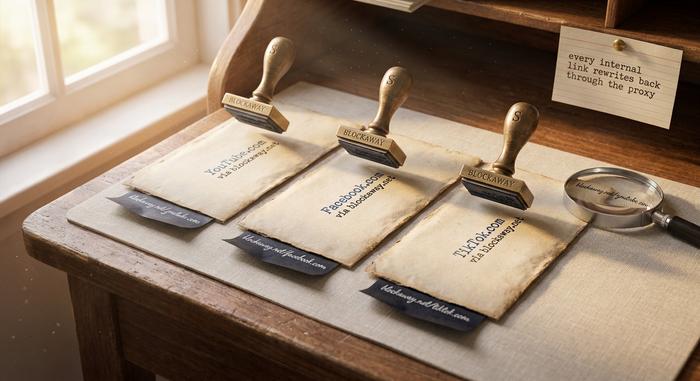
This is where the URL rewriting engine earns its keep. Before the HTML ever reaches you, BlockAway combs through it and rewrites every internal link so it routes back through BlockAway's own servers instead. The upshot is that JavaScript-heavy sites like YouTube, Facebook, and TikTok actually render properly, video players and all, rather than collapsing into broken icons. It is also how BlockAway keeps browser traffic, browser sessions, and page loads stable for sites that would refuse to cooperate with a dumb proxy.
Most BlockAway reviews skip this part. They should not. The rewriting engine is the single feature that separates real browser proxies from the pile of scripted toys that technically move HTTP traffic but cannot actually display the modern web.
What SSL Encryption Does and Does Not Protect Here
BlockAway encrypts the connection between your browser and its proxy server using SSL encryption. Useful, but only up to a point.
The encryption covers the leg between your device and the proxy. Your ISP, your school IT team, or anyone else looking at your local network sees an encrypted connection to BlockAway, not the name of the site you are actually visiting. That part works as advertised. It is the reason BlockAway can quietly bypass many basic firewall filters that only check the destination domain.
What SSL encryption does not cover is the second leg of the journey. Once the proxy server fetches a destination site, the encryption between the proxy and that site depends on whether the site itself uses HTTPS. If it does, the data stays encrypted end to end. If it does not, your request and the response travel in plain text between BlockAway and the target sites, and the proxy operator can, in principle, see every detail.
This is where free proxies as a category earn their bad reputation. Security researcher Christian Haschek famously tested 443 open proxies in 2015 and found that only 21% were "not shady"; 79% refused HTTPS entirely, and 16.6% actively injected ads into the HTML they served. A 2024 academic paper titled "Free Proxies Unmasked," presented at the MADWeb workshop, tracked 640,600 free proxy IPs over 30 months, found that only 34.5% were ever live during tests, flagged 16,923 as active content manipulators, and recorded 4,452 distinct vulnerabilities on their IPs, including 1,755 that allowed remote code execution. BlockAway has not been named in any of those studies, but the structural risk of any free proxy service is real and worth stating clearly.
BlockAway encrypts your local hop. That is a meaningful layer of protection, but it is not the same thing as encrypt-everything anonymity.
Bypassing a Firewall, ISP, or Local Network Block
Most people reach for a free proxy to get past one of three walls: a firewall, an ISP-level block, or a local network policy. Each one fails for a different reason.
A firewall, in this setting, usually means a filter on a school or office router checking which domains you try to hit. Route the traffic through BlockAway and the router sees a connection to blockaway.net and nothing more. The actual site underneath is invisible to it. Unless the administrator has specifically blacklisted BlockAway, you are through.
ISP-level blocks work at a larger scale. A country or an internet service provider can instruct all its networks to drop traffic to a given domain. A proxy service helps by shifting the visible destination. Russia is an extreme example: Roskomnadzor had blocked 469 VPN services by early 2026, and since September 2025 any company advertising a VPN inside Russia can be fined up to 500,000 rubles, or roughly $6,150, according to Meduza. Despite that, The Moscow Times reported that self-declared regular or occasional VPN use among Russians rose from 25% in March 2024 to 36% one year later. Pakistan's 15-month ban on X (Twitter) ended in May 2025 but was followed by systematic VPN blocking from December 22, 2025. By April 21, 2026, Iran's most recent nationwide blackout had stretched to 53 consecutive days, cutting off roughly 92 million people. A simple browser-based proxy is one of the few tools that still runs on many locked-down networks in such environments, because there is nothing to install and nothing to detect on the device itself.
Local network blocks are the smallest category and the easiest to solve. A public library allows web browsing but blocks video streaming. A coffee shop restricts social media. An airport network is set up to block traffic unrelated to travel. In all of those cases, a browser-based free web proxy is usually enough to restore free access to restricted websites and to get access to content the filter is blocking. You do not need encryption of the entire device. You only need a second address between you and the target website, which is exactly what BlockAway provides for unblocking sites and helping you access content one page at a time.
One caveat: more advanced networks, especially those using deep packet inspection, can detect and block proxy ips outright. If BlockAway is blocked, there is nothing the service can do at your end. The only response is to try a different proxy site or move to a VPN with obfuscated servers.
Server Location, Speed, and Real IP Masking
BlockAway lets users choose a server location before fetching a page. The free plan offers US and European options. Premium access adds more countries, including Germany, the UK, Spain, Canada, and Israel.
Server location matters for two reasons. The first is geo-blocking: the promise of "access any website" becomes conditional, because some sites only return content to visitors from specific regions. Streaming services are the obvious example. Statista data from February 2025 showed Netflix's UK library at 8,893 titles, the US library at 7,865, and Iceland leading the world at more than 9,700 titles. The same rule applies to news archives, academic journals, and local retailers. If the content you want is US-only, you need a US exit point, and vice versa. The second reason is latency. Your request now has to travel from your device to the proxy server, then to the destination site, then back again. Every extra kilometer adds milliseconds. Choosing the closer region reduces lag, but it may defeat the purpose if the content is region-locked to somewhere else.
Your real IP address is hidden from the destination site because the site only sees BlockAway's outgoing IP. To the target website, every BlockAway visitor looks like the same small pool of proxy ips rather than individual users. Masking your IP and placing a mask between you and the destination site is what most people mean when they say BlockAway "makes you anonymous". The tool does the basic job of unblocking sites and hiding your address, and it does so without installing software on your device, which is a meaningful privacy benefit in itself.
It is not complete anonymity, though. Websites increasingly rely on browser fingerprinting, which reads your device's screen size, fonts, language, time zone, hardware features, and installed plugins to build a unique identifier that does not depend on your IP address at all. A 2017 Mozilla study estimated that more than 80% of browser fingerprints are unique. BlockAway cannot change any of those signals, because all of them come from your browser, not from your network path. Real IP masking is a real benefit, but by itself it is an incomplete privacy measure.

BlockAway vs VPN: Which Layer of Protection Fits Best
Can BlockAway replace a VPN? That is the question people keep asking. Short answer, no. Longer answer is all about scope.
A VPN runs at the system level. It grabs every packet leaving your device, regardless of which app sent it, and wraps the whole thing in encryption. Your browser, your mail client, your Slack notifications, even background software updates, all of it pushes through the same encrypted tunnel. Your ISP sees one connection going to the VPN provider and nothing more. BlockAway is far narrower. It handles what happens inside one browser tab. Open a second tab, type the URL straight in, and you are back on the open internet, fully exposed.
That gap changes what each tool is good for. Mainstream VPNs cover everything on your device. Free web proxies like BlockAway cover one tab at a time, and nothing else.
| Factor | BlockAway | Full VPN |
|---|---|---|
| Traffic covered | Browser tab only | Entire device |
| Installation | None, works in any web browser | App or system-level client |
| Encryption | SSL encryption to proxy server | Full-tunnel encryption |
| Speed | Often slower during peak hours | Usually faster on paid plans |
| Cost | Free (ad-supported) | Usually paid, $3–$12 per month |
| Server locations | US, Europe (more on premium) | 60+ countries typically |
| Anti-detection | Basic, blocked by some sites | Obfuscated servers bypass most |
| Streaming support | Limited, Netflix blocks it | Strong on major services |
| Anonymous browsing | Basic IP masking only | IP plus system-level hiding |
| Appropriate for | Casual access, quick bypass | Sensitive traffic, daily use |
The Grand View Research Global VPN Market report valued the global VPN market at $77 billion in 2025 and projected it to reach roughly $350 billion by 2032, a compound annual growth rate of 17.2%. GlobalWebIndex estimates that about 23% of global internet users aged 16 and over now rely on a VPN at least occasionally, which works out to nearly 1.75 billion people. The broader proxy-service market is tiny by comparison, near $1.07 billion worldwide in 2025 according to Business Research Insights. A free web proxy sits at the casual-use end of that market, not at the enterprise end.
The stakes behind that choice are higher every year. IBM's Cost of a Data Breach Report 2025 put the global average breach cost at $4.44 million, while the US average rose to $10.22 million. Surfshark counted 425.7 million breached accounts globally in 2025. A practical way to think about it: reach for a VPN service when you would hate for anyone to see the traffic, and reach for BlockAway when the entire goal is "just let this one page load".
Best BlockAway Alternatives: CroxyProxy, Hide.me, KProxy
When BlockAway stalls or refuses, people usually try three other names. CroxyProxy. Hide.me. KProxy. Same general job, three different approaches.
CroxyProxy is BlockAway's closest cousin. Same browser-based model, same free tier, same target problem of getting past firewalls. BlockAway offers the same light footprint, so the choice often comes down to which one happens to load faster when you hit Go. SimilarWeb recorded roughly 22.57 million visits to CroxyProxy in February 2026, against about 11.5 million for BlockAway in late 2024. BlockAway was climbing fast, though, up 32% month over month by March 2026, and its audience skewed young and global: the United States, Indonesia, and India, mostly 18 to 24 year olds. CroxyProxy also ships a browser extension, which helps if you keep opening the same blocked site over and over and do not want to retype the URL every time.
Hide.me is a different animal. The product with the name attached is a VPN, not a proxy. They offer a free web-proxy tool on the side, but the real service encrypts your whole device. People who start with the free proxy often graduate to the paid VPN when they realise they want a no-logs policy and encrypted everything, not just one tab.
KProxy is the old-school option. It has been around for years, and its trademark quirk is the 3-hour session cap on free users. Annoying for long video sessions. Fine if you just need a quick look at one page.
| Service | Type | Install required | Free tier | Server countries | Strength | Weakness |
|---|---|---|---|---|---|---|
| BlockAway | Browser proxy | None | Yes, ad-supported | 2 (US, EU) | Instant access, no setup | Limited protection, premium needed for speed |
| CroxyProxy | Browser proxy + extension | Optional extension | Yes, ad-supported | Multiple | Higher traffic, extension option | Heavier ads |
| Hide.me | Proxy + VPN | App for VPN | Yes, limited data | 5 locations on free | Full VPN available, no-logs | Free VPN data cap |
| KProxy | Browser proxy | None | Yes, with time limits | ~10 | Long trusted operator | 3-hour session cap |
None of these services make BlockAway obsolete. The right pick depends on what you need. If the goal is the fastest possible one-click unblock, BlockAway or CroxyProxy are the usual starting points. If the goal is real protection on public Wi-Fi, Hide.me's VPN is closer to the job. If the goal is unusual compatibility with a stubborn site, KProxy is worth trying simply because it runs a different backend.
Free Web Proxies and Anonymous Browsing Trade-offs
Anyone thinking seriously about using free proxies should understand the category's track record. Free web proxies are not neutral infrastructure. Somebody has to pay for the servers. Many services advertise themselves as a free server for unblocking restricted websites, but the business model behind each one shapes what the operator actually does with your traffic.
In BlockAway's case, the free tier is supported by ads, and the premium tier offers ad-free browsing with faster connections. That is a clear, honest model. Many smaller free proxies are less transparent. The 2024 research paper "Free Proxies Unmasked" studied 640,000 open proxy IPs and concluded that more than 17,000 of them actively modified content in transit, typically to inject advertising or tracking. Haschek's earlier study found that the same tactic was widespread even a decade ago.
What that means practically is that anonymous browsing through a random free proxy is often not anonymous at all. The operator can log every URL you visit, every form you submit on HTTP sites, and every cookie you send. Switching to a tool with a name and a public product page, like BlockAway, is better than picking a random free proxy from a list. But even then, the service's privacy terms of service should be read before you trust it with anything you would not want a stranger to see.
There is also the ad-supported dimension. Ads on free proxy sites sometimes carry tracking scripts that fingerprint you independently of the proxy itself. Running a pop-up blocker or a privacy-focused browser reduces that exposure.
When BlockAway Is Worth Using for Casual Access
Line the claims up next to the caveats, and the pattern gets clear fast. BlockAway earns its keep for a narrow slice of use cases. Everything outside that slice is a bad fit.
Worth using: low-stakes, casual access or quick access to a blocked page on a network you do not control. Enter a website you want to reach, press Go, the page loads through the proxy. Students on school Chromebooks. Office workers curious about a filtered news site. Travelers trying to read a domestic paper from a hotel network. Library visitors where installing anything is simply not allowed. BlockAway runs entirely in the browser and nowhere else, which is exactly why it works on those machines to access blocked websites.
Worth using again: the moments when speed matters less than simplicity. Page loads can crawl at peak hours because free servers are shared across many users at once. Fine if you only need a page or a short clip. Not fine for hours of steady streaming; for that you want a paid VPN with real infrastructure.
Not worth using: anything with real consequences. Online banking, logins with sensitive credentials, medical portals, work-confidential data, any account you would hate to lose, none of those should ever pass through a free proxy server. Unclear logging, possible ad monitoring, no device-level encryption. The risk outweighs the convenience every single time.
That leaves BlockAway as a small tool with a narrow job. Kept to that job, it works. Pushed past it, it quietly exposes you. Worth being honest about that before you type a password into a page loaded through a free proxy.