Originality AI Review 2026: Best AI Detector and Checker Tested
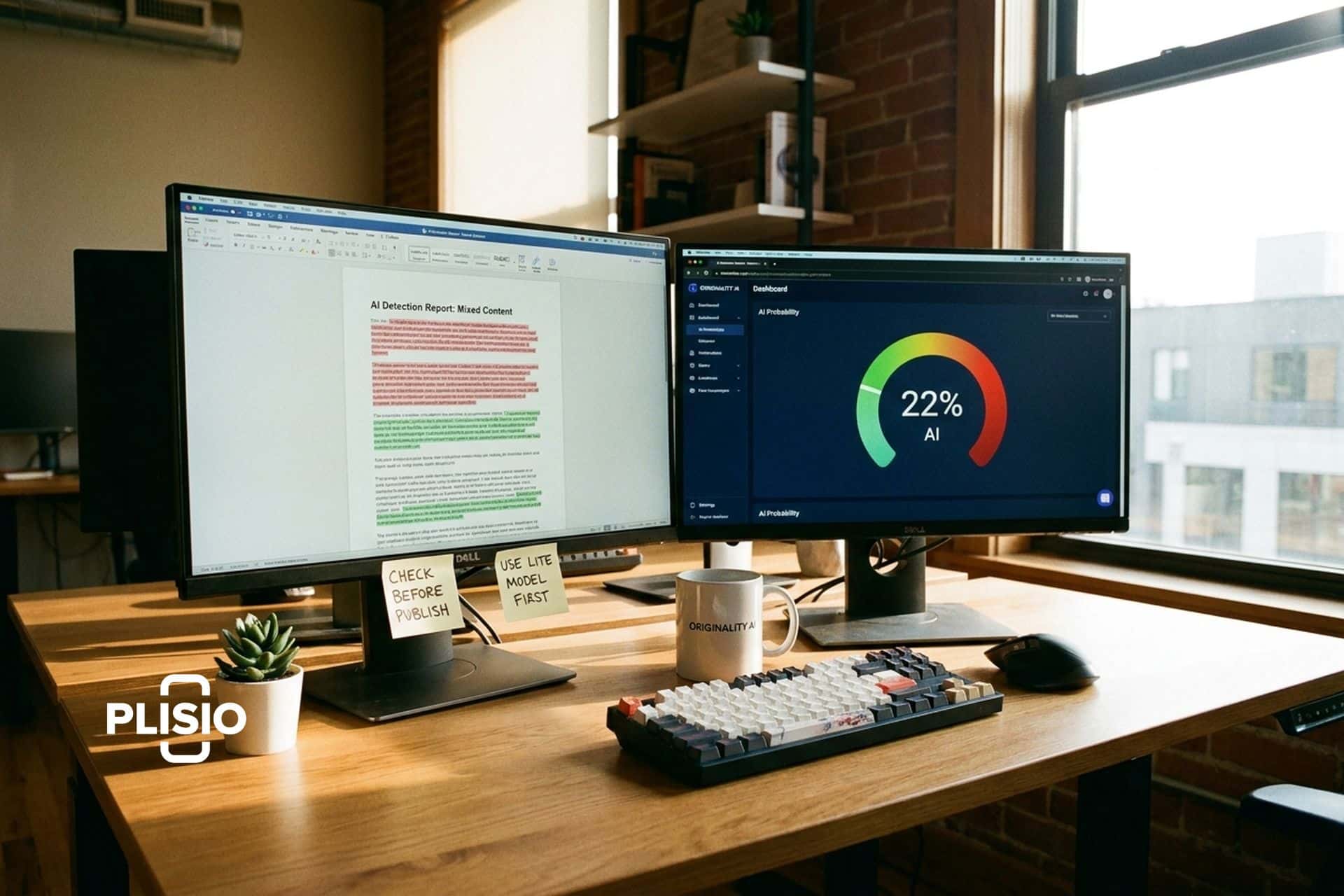
Three days before ChatGPT launched in November 2022, Jon Gillham shipped Originality AI. He had spent a decade running a content marketing agency and already knew what was coming: a flood of AI-generated text that would make it impossible to tell human writing from machine output. He built the ai detector before most people even knew they needed one.
Now Originality AI claims 2.5 million users. The New York Times, The Guardian, Reuters, and Forbes have covered it. Jon Gillham got mentioned on Last Week Tonight with John Oliver. The tool is used by SEO agencies, publishers, and educators to check for ai writing in everything from blog posts to student papers.
But here is the thing nobody tells you in the marketing: independent tests put the actual accuracy somewhere between 83% and 92%, not the 99% the company claims. The false positive rate on the Turbo model hits 5.7% in some tests, meaning roughly 1 in 17 human-written texts gets flagged as ai generated content. That is a real problem if you are a freelance writer whose client just ran your work through Originality and called you a fraud.
I tested the platform myself and dug into the accuracy data, pricing, and how it compares to every major ai content detector on the market. Here is what I found.
How the Originality AI detector works
Originality AI is a web-based platform that does four things: detect ai-generated text, check for plagiarism, analyze readability, and verify facts. You paste text into the checker, or scan a URL, and it returns a score from 0 to 100 telling you what percentage of the content was likely written by ai.
The ai detection technology uses trained classifier models built on transformer architecture, specifically fine-tuned versions of RoBERTa and DeBERTa. These models learned from millions of paired samples: human text from Reddit, news articles, academic papers, and fiction on one side, and ai text generated by ChatGPT, Claude, Gemini, Llama, and other ai writing tools on the other.
The detection looks at three things. Perplexity measures how predictable the word choices are. AI text tends to be very predictable, picking the most statistically likely next word. Human writing is messier, more surprising. Burstiness measures variation in sentence structure. Humans write in bursts, short sentences followed by long ones, simple ideas followed by complex arguments. AI tends to keep everything at the same level. The third factor is proprietary stylistic analysis that the company does not fully disclose.
The platform offers four detection model options:
| Model | Accuracy (claimed) | False positive rate | Best for |
|---|---|---|---|
| Lite 1.0.2 | 99% | 0.5% | Low false positives, general use |
| Turbo 3.0.2 | 99%+ | 1.5% | Humanizer bypass (97% detection rate) |
| Academic 0.0.5 | 99%+ | Under 1% | Student papers, STEM content |
| Multilingual 2.0.0 | 97.8% | 1.99% false negatives | 30 languages supported |
In January 2026, Originality added Deep Scan, a feature that does not just tell you text was flagged as ai but explains why. It acts like an ai tutor, pointing out the specific patterns that triggered the detection and suggesting how to improve the writing. That is a genuinely useful addition if you use ai tools as a starting point and want to humanize the output.
What the AI detection accuracy actually looks like
The company says 99%. Independent testers say something different. Both numbers matter.
Originality AI is a trained ai checker that performs differently depending on which ai model generated the text and which detection model you use. Here is what independent testing found:
| AI model tested | Detection rate |
|---|---|
| ChatGPT-4o | 95% |
| Claude 3.5 Sonnet | 91% |
| Gemini Pro | 89% |
| Llama 3 | 87% |
| GPT-5.2 (internal test) | 97-98% |
| Grok 4.1 Fast (internal test) | 97%+ |
Those numbers are strong. A 95% detection rate on ChatGPT-4o means Originality catches 19 out of 20 ai-generated samples. That is the best ai detection score among consumer-grade tools.
But detection rate is only half the story. The false positive rate is what keeps people up at night. When Originality says your human-written article was generated by ai, that is a false positive. Independent tests measured the false positive rate at 5.7% on the Turbo model. The Lite model is better at 0.5%. An academic study published in the Journal of Advances in Information Technology in January 2026 found 100% accuracy across all tested LLMs and human texts, but that was a controlled lab setting, not real-world content.
One more wrinkle: humanizer tools. Services like Humanize AI Pro, Undetectable AI, and StealthWriter rewrite ai text to evade detection. Humanize AI Pro bypasses Originality 98.9% of the time. Undetectable AI gets through 79%. The Turbo model was specifically built to catch humanized text and detects 97% of it, but the arms race between detection and evasion never stops.
No ai detector is perfect. That sentence matters more than any accuracy claim on any company's marketing page. Originality is the most sensitive consumer tool available, but sensitivity comes with a cost: more false positives than some competitors. If you need the absolute lowest false positive rate, GPTZero claims 0.24%. If you need the highest catch rate, Originality wins.
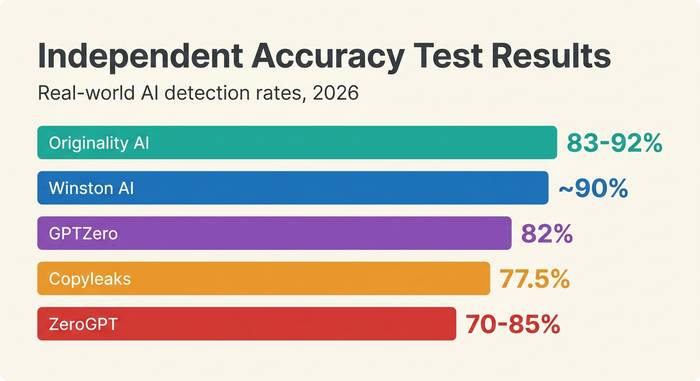
I ran a personal test. Took five articles I wrote entirely by hand, no ai assistance of any kind, and fed them through Originality's Turbo model. Three came back clean. One scored 12% ai. One scored 31% ai. The 31% result was a product review I wrote in a fairly structured format, introduction, features, pros, cons, verdict. Apparently writing in a predictable structure is enough to look like ai to a detection model. The Lite model scored the same article at 4%. Model choice matters.
For publishers and agencies, the practical advice is simple: use Lite for screening and Turbo only when you suspect deliberate ai use. Running everything through Turbo guarantees you will chase false positives. Use Lite as your default ai checker and escalate to Turbo when something smells off.
Originality AI pricing and credit system
Credits. Everything runs on credits. One credit equals 100 words. An ai-only scan costs 1 credit per 100 words. Adding plagiarism checking doubles it to 2 credits.
| Plan | Price | Credits | Words covered | Key feature |
|---|---|---|---|---|
| Pay-as-You-Go | $30 one-time | 3,000 | 300,000 words | Credits expire in 2 years |
| Pro | $14.95/month ($12.95 annual) | 2,000/month | 200,000 words/month | Full features, Chrome extension |
| Enterprise | $179/month ($136.58 annual) | 15,000/month | 1,500,000 words/month | API access, dedicated support |
There is no real free tier. You get 50 to 75 free credits by installing the Chrome extension. There is also a limited free option: 3 daily scans with a 300-word cap each. That is enough to test the ai checker tool but not enough for any real work.
The Pro plan at $14.95 per month covers 200,000 words. For a freelance writer or small content team scanning 10 to 20 articles per month, that is plenty. The Enterprise plan at $179 per month is built for agencies running ai detection across hundreds of client pages.
For most individual users, the Pay-as-You-Go option at $30 makes the most sense. You get 3,000 credits that last two years. No monthly commitment. Scan when you need to and forget about it when you do not.
How to use Originality AI step by step
The platform is straightforward. No learning curve.
1. Go to originality.ai. Create an account with email. No free trial signup is needed for the Pay-as-You-Go option.
2. Buy credits or choose a subscription plan. Pro starts at $14.95 per month.
3. To scan text: paste your content into the text box on the dashboard. Hit "Scan." Results appear in seconds.
4. To scan a URL: enter the page URL and Originality pulls the content automatically. Useful for auditing published articles.
5. To scan an entire website: use the full-site scanning feature. Enter your domain and the tool crawls every page, checking each for ai content. This is an Enterprise feature.
6. Review results. The ai score runs from 0 (fully human) to 100 (fully ai). Sentence-level highlighting shows exactly which parts triggered the detection. The ai detection scores break down by paragraph.
7. Use Deep Scan (new in January 2026) to understand why text was flagged. The ai tutor explains the patterns and suggests edits.
8. Export results as a report for clients or team members.
The Chrome extension works inside Google Docs. Highlight text, right-click, and scan without leaving your document. The WordPress plugin lets you check content directly in the editor before publishing.
Tips from my testing: scan content before and after editing. AI-written first drafts often score 90%+ on the ai detector. After a human rewrites the weak spots, the score drops. Track the improvement. Also, test with both the Lite and Turbo models. If Lite flags it but Turbo does not, the text is probably fine. If both flag it, something needs work.
One workflow that worked well for me: paste a draft, run the ai detection scan, note which sentences are highlighted, rewrite those specific sentences with more personal voice and varied structure, then rescan. Two rounds of this usually drops a 70% ai score below 20%. The sentence-level highlighting is what makes this practical. You do not have to guess which parts are triggering the ai detection scores. The tool shows you exactly where the ai-generated text patterns are strongest.
How Originality compares to other AI detectors
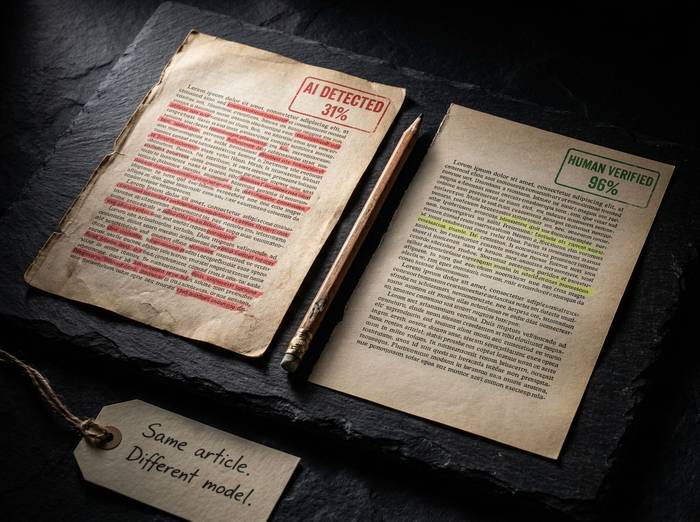
The ai detection tool market is crowded. Here is how the major players line up:
| Tool | Independent accuracy | False positive rate | Price | Best for |
|---|---|---|---|---|
| Originality AI | 83-92% | 0.5% (Lite) to 5.7% (Turbo) | $14.95/month | Publishers, SEO agencies |
| Turnitin | 76-98% | 3.8% | Institutional pricing | Universities, LMS integration |
| GPTZero | 82% | 0.24% (claimed) | Free + $10/month Pro | Students, ESL writers |
| Copyleaks | 77.5% | Low | $7.99/month | Multilingual (30+ languages) |
| Winston AI | ~90% (RAID) | Not reported | $12/month | Individual document review |
| ZeroGPT | 70-85% | 14-33% | Free | Budget option (least reliable) |
Originality AI is the most sensitive detector tool in the consumer market. It catches more ai-generated text than any competitor. The trade-off is false positives. If you are a publisher who would rather flag something questionable and review it manually, Originality is the right tool. If you are a student worried about getting wrongly accused, GPTZero's lower false positive rate might be safer.
Turnitin is in a different category. It is built for universities and integrates directly with learning management systems like Canvas, Blackboard, and Moodle. Individuals cannot buy Turnitin. If you are an educator, your institution probably already has it.
ZeroGPT is free and popular but the accuracy is significantly worse. A 14-33% false positive rate means it flags human-written content as ai between one in three and one in seven times. I would not trust it for anything that matters.
Originality stands out for one reason: it combines ai detection, plagiarism checking, readability analysis, fact checking, and full-site scanning in a single platform. No other tool does all five. Grammarly has a free ai detector but no plagiarism depth. Copyleaks does multilingual detection but lacks the SEO optimizer. Turnitin does academic detection and plagiarism but nothing else.
If you need a trusted ai checker that handles everything content-related and you would rather pay one subscription than three, Originality is the best ai content detector for that workflow. The fact checker alone, which generates citations in APA, MLA, Chicago, and IEEE formats, saves time that most people spend manually verifying claims. No other ai detector tool in this space offers that.