TronScan: what it is, how to use the TRON blockchain explorer, and why TRON handles more USDT than any other chain
If you have ever sent USDT to someone, there is a good chance the transaction went through TRON. Not Ethereum. Not Solana. TRON. That surprises people because TRON does not get the same media attention as the bigger-name blockchains, but it quietly became the dominant network for stablecoin transfers. And TronScan is how you track all of it.
TronScan is the official blockchain explorer for the TRON network. It launched in 2018 and does for TRON what Etherscan does for Ethereum or PolygonScan does for Polygon. You paste a transaction hash, a wallet address, or a contract address into the search bar and it shows you what happened. But TronScan goes further than a typical explorer. It also works as a web wallet, a staking interface, a governance voting tool, and a token creation platform. Everything in one place.
The TRON network itself is interesting because it works differently from Ethereum in ways that matter to everyday users. Instead of paying gas fees for every transaction, TRON uses an energy and bandwidth system where you can stake TRX (the native token) to get free transactions. That alone makes it the preferred chain for people sending USDT regularly, because the transfers cost essentially nothing.
I am going to walk through what TronScan does, how TRON's resource model works (because it confuses people coming from Ethereum), how to vote for Super Representatives, and why TRON's position as the stablecoin highway matters.
How TronScan works: the basics
Go to tronscan.org. No account needed. The homepage already shows you live data: latest blocks scrolling by, recent transactions, TRX price, total accounts. Search bar at the top takes transaction hashes, wallet addresses, contract addresses, token names.
Looking up a transaction
Copy a transaction hash. Paste it in. You see everything: confirmed or pending, block number, timestamp, who sent what to whom, how much, and what type of transaction it was (plain TRX, TRC-20 token, smart contract call).
One thing I like about checking TRON transactions: by the time you finish pasting the hash and hitting enter, the transaction is already confirmed. Three-second block time. Compare that to waiting 12 seconds on Ethereum or wondering whether your Bitcoin transaction will confirm in the next 10 minutes or the next hour.
Checking a wallet
Paste a TRON address (starts with T). You get the TRX balance, all TRC-20 tokens, any NFTs, the full transaction history, plus something Etherscan does not show: your energy and bandwidth status. More on that in a second.
The tabs split activity into Transactions, Transfers, Internal Transactions, and Token Transfers. If you are like most TRON users and you are mainly tracking USDT, go straight to Token Transfers. That is where TRC-20 movements live.
Smart contract analysis
Search a contract address and you get the code (if the developer verified it), the transaction history, who created it, and any audit certs. TronScan has a token reputation system I actually rely on. It rates tokens: "OK" means they passed basic checks. No rating? Be careful. I always check this before touching a new TRC-20 token. TRON has its share of scam tokens just like every other chain, and this is the fastest way to catch the obvious ones.
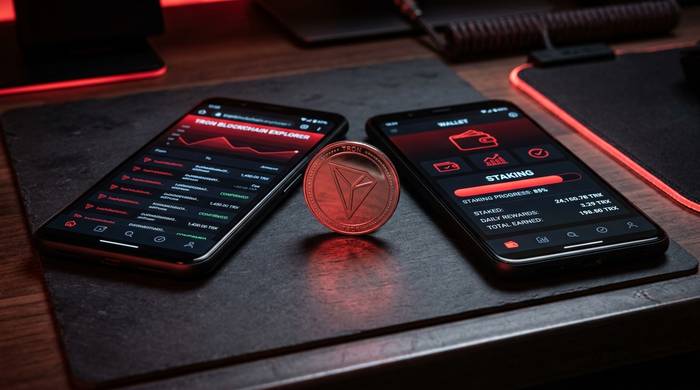
TRON's energy and bandwidth system: why it is different from gas
This tripped me up when I first started using TRON, and I have seen it confuse almost everyone who comes from Ethereum.
On Ethereum you pay gas. Period. Every transaction costs ETH. The price changes based on demand. Busy day? Your $10 swap costs $47 in gas. On TRON, the entire model is different.
TRON runs on two resources: bandwidth and energy.
Bandwidth is consumed by every transaction on TRON. It covers the basic cost of broadcasting a transaction to the network. You get a daily free bandwidth allowance just for having a TRON account. Simple TRX transfers usually fall within this free allowance, making them literally free to send.
Energy is consumed by smart contract interactions, which includes TRC-20 token transfers (like sending USDT). Energy is not free, but you can get it by staking (freezing) TRX. The more TRX you stake, the more energy you earn daily, and the more token transfers you can do without paying fees.
If you run out of bandwidth or energy, TRON burns a small amount of TRX from your account to cover the transaction. The fees are still tiny compared to Ethereum. A USDT transfer on TRON typically costs a fraction of a cent.
| Resource | What it covers | How to get it | Runs out? |
|---|---|---|---|
| Bandwidth | All transactions (basic cost) | Free daily allowance + staking TRX | Yes, then TRX is burned |
| Energy | Smart contract calls (TRC-20 transfers) | Staking TRX | Yes, then TRX is burned |
This is why TRON became the default for USDT transfers. Tether (USDT) is the most-used stablecoin in the world, and TRON handles more USDT volume than any other blockchain. For someone sending $500 in USDT to a friend or paying a freelancer overseas, the choice between paying $0.001 on TRON versus $5-20 on Ethereum is not a difficult one.
TronScan shows your energy and bandwidth balance on your wallet page. You can see exactly how much you have left, when it regenerates, and how much TRX you need to stake to cover your typical transaction load.
Staking and voting for Super Representatives on TronScan
TRON does not work like Ethereum when it comes to who secures the network. There are no thousands of independent validators. There are exactly 27 Super Representatives, and TRX holders choose who those 27 are through voting. Think of it like an election that runs continuously.
Here is how I vote on TronScan. I stake some TRX, which gives me TRON Power: one TRX staked equals one vote. Then I go to the governance section, look through the list of candidates, and pick who I think will do a good job. I usually split my votes across three or four SRs rather than putting everything on one.
Why bother? Two reasons. First, SRs decide things like block rewards and protocol upgrades. They run the network. Second, most SRs share block rewards with the people who voted for them. I have been getting between 4% and 6% APY on my staked TRX, which is not life-changing money but it is better than the 0% my TRX would earn sitting in a wallet doing nothing.
TronScan shows you everything you need to evaluate an SR before voting: total votes, blocks produced, reward sharing history. I learned the hard way to check that last one. Some SRs advertise high returns and then do not actually distribute them.
TronScan features most people miss
Here is where TronScan surprised me. Most block explorers are basically read-only search engines. TronScan is that plus a wallet plus a governance tool plus a token factory.
The built-in web wallet lets you store TRX and TRC-20 tokens, send transactions, and interact with smart contracts directly from TronScan. You can connect TronLink (the main TRON wallet browser extension) or import a wallet with a private key. This means TronScan is not just an explorer. It is also your gateway to DeFi, token creation, and governance participation.
The token creation tool lets you deploy your own TRC-10 or TRC-20 token through a graphical interface without writing code. TRC-10 tokens are native to the TRON protocol and do not require a smart contract. TRC-20 tokens work like Ethereum's ERC-20 standard and require a contract deployment. Both options are available through TronScan's UI.
The TRON Ecosystem directory links to DeFi protocols, NFT marketplaces, storage platforms, and other applications built on TRON. If you want to know what is actually running on the network, this is a good starting point.
The data analytics section provides historical charts for daily transactions, unique accounts, energy consumption, and TRX staking statistics. This is useful for understanding network trends and whether TRON's usage is growing or declining.
| Feature | What it does | Unique to TronScan? |
|---|---|---|
| Transaction lookup | Search any tx by hash | No (standard explorer feature) |
| Wallet explorer | View balances and history | No |
| Built-in wallet | Store, send, receive TRX/tokens | Yes (most explorers are read-only) |
| Energy/bandwidth tracker | See resource status and regeneration | Yes (TRON-specific resource model) |
| Super Representative voting | Stake TRX and vote for validators | Yes (DPoS governance) |
| Token creation | Deploy TRC-10/20 tokens via UI | Yes (most require coding) |
| Contract verification | Read/write smart contracts | No |
| Ecosystem directory | Browse TRON dApps | Partially (some explorers have this) |
| Token reputation system | Safety ratings for tokens | Partially (Etherscan has similar) |
TRON network by the numbers: what TronScan shows you about the chain
TronScan's analytics section gives you a window into TRON's network health. Here are the numbers that matter:
| Metric | Value |
|---|---|
| Total accounts | 373+ million (March 2026) |
| Cumulative transactions | 13+ billion |
| Daily transactions | ~11 million |
| Daily transfer volume | $23+ billion |
| Block time | ~3 seconds |
| USDT on TRON | Largest volume of any chain |
| TRX price | ~$0.31 (market cap ~$30B, rank #8 on CMC) |
| Super Representatives | 27 active, hundreds of candidates |
| Average transaction fee | Under $0.01 (often free) |
| Monthly transactions ATH | 323 million (January 2026) |
| DApps on TRON | 1,900+ |
| Largest DeFi protocol | JustLend DAO ($3.7B TVL) |
TRON's numbers are dominated by USDT transfers. The network processes more Tether volume than Ethereum, Solana, and every other chain combined. That single statistic explains why TRON remains relevant despite not getting the developer hype that Ethereum L2s or Solana receive. It found its niche in cross-border payments and stablecoin transfers, and it dominates that niche.
The network runs on Delegated Proof-of-Stake with 27 Super Representatives producing blocks. It is more centralized than Ethereum's thousands of validators, which is a trade-off TRON made for speed and low costs. Whether that trade-off is acceptable depends on what you prioritize: if you care about decentralization above all, TRON is not your chain. If you care about sending money cheaply and quickly, it is hard to beat.

Interestingly, TronScan's heaviest traffic comes from Ukraine, Russia, and Turkey, which tells you exactly who TRON serves best: people in emerging markets who need cheap cross-border transfers.
Justin Sun, TRON's founder, remains one of the most controversial figures in crypto. He studied at Peking University and UPenn, worked at Ripple Labs, bought BitTorrent for $140 million, served as Grenada's representative to the WTO, faced SEC charges, and bought a $6 million banana artwork. None of that changes the fact that TRON's network processes real volume from real users. The technology works even when the founder generates controversy.
TronScan vs Etherscan: what is different
If you are used to Etherscan, here is what changes when you switch to TronScan:
| Aspect | TronScan (TRON) | Etherscan (Ethereum) |
|---|---|---|
| Built-in wallet | Yes | No (read-only) |
| Gas/resource model | Energy + bandwidth (can be free) | Gas (always costs ETH) |
| Staking/voting | Directly on the explorer | Not on Etherscan |
| Block time | ~3 seconds | ~12 seconds |
| Typical transfer fee | Under $0.01 (often free) | $1-$50+ |
| Dominant stablecoin | USDT (largest volume globally) | USDC + USDT |
| Token creation | Via UI on TronScan | Requires coding + deployment |
| Consensus display | Super Representative votes | Validator staking |
| Built by | TRON Foundation/community | Etherscan team (independent) |
The biggest practical difference: TronScan is a wallet and an explorer in one. Etherscan is read-only. If you want to send tokens or vote on Etherscan, you need a separate wallet. On TronScan, you can do everything from a single interface.
The resource model difference is the one that matters most to everyday users. I have watched people switch from Ethereum to TRON for USDT transfers and never look back, simply because paying $0.001 versus $10 for the same transaction is not even a real choice. TronScan makes that difference visible: you can see your energy regenerating in real time, check how much bandwidth you have left, and calculate exactly how many free transactions you get per day based on your staked amount.
One thing TronScan does not have that I wish it did: a proper marketplace aggregator like Etherscan's multichain portfolio view. You can see your TRON holdings, but if you also have assets on Ethereum or Polygon, you need separate explorers for those. The Etherscan team solved this problem by building 50+ chain explorers under one API. TronScan is a standalone product with no sister sites on other chains.