LensGo AI video generator: turn text and images into anime, cartoons, and styled video
A marketing manager needs 30 social media clips this week. A YouTube creator wants their talking-head video restyled into anime. A small e-commerce brand needs product animations but their video budget is zero. Three different problems, one answer that did not exist two years ago: type a prompt, pick a style, let AI generate it.
LensGo AI is one of the tools filling that gap. It takes text descriptions, still photographs, or existing video footage and transforms them into styled visual content. Anime conversions, cartoon effects, 3D renders, painterly styles, cinematic looks. The platform launched with a focus on style transfer that competitors like Runway and Pika were not prioritizing, and it carved out a space between full-featured video generators and simple image editors.
I spent a week running prompts through LensGo and comparing results against four other tools. The style transfer is where it shines. The text-to-video is functional but not best in class. The custom model training is a feature most competitors do not offer at this price point. Here is the full breakdown.
What LensGo AI is and what it does
LensGo AI is a browser-based ai tool for generating and transforming images and videos using artificial intelligence. No software to install. No GPU required on your end. Everything runs in the cloud.
The platform offers six core functions:
Text-to-image. Write a description, pick a style, get an image. "A samurai standing on a cliff at sunset, anime style, dramatic lighting." LensGo generates it in about 15-30 seconds. The results lean toward stylized content rather than photorealism. If you want anime, cartoon, 3D illustration, or painterly looks, LensGo handles those well. If you need a photorealistic stock image, Midjourney or DALL-E 3 will serve you better.
Image-to-video. Upload a still photo and LensGo animates it. A landscape gets gentle camera movement. A character portrait gets subtle breathing and eye movement. A product shot gets a slow rotation or zoom. The animations are short (2-4 seconds typically) but clean enough for social media loops.
Text-to-video. Describe a scene in text and get a video clip back. The quality is decent for stylized content and social media use. Complex prompts with multiple characters or rapid motion produce mixed results, same as every other tool in this space.
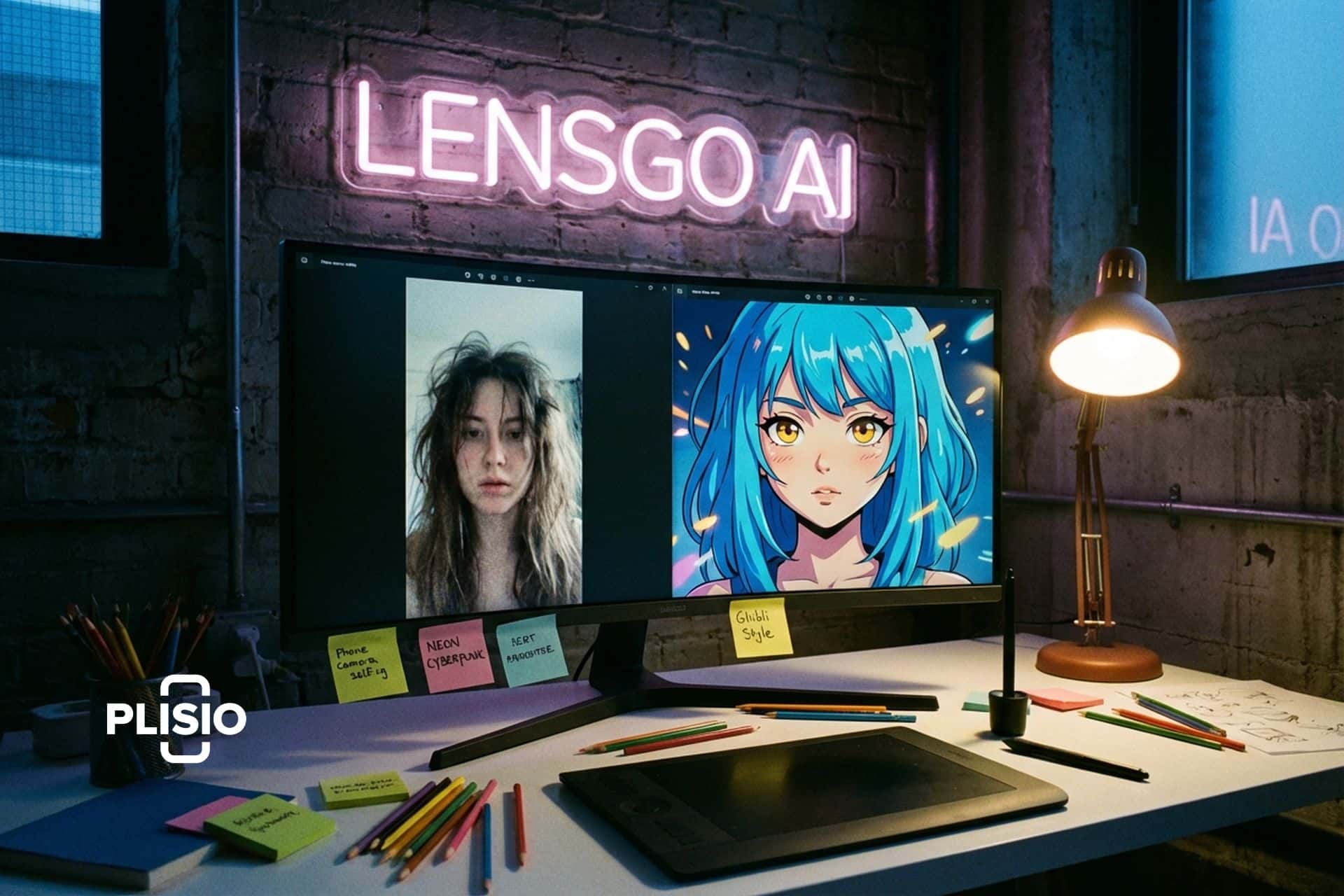
Video style transfer. This is LensGo's strongest feature. Upload an existing video clip and apply a completely different visual style. Turn a phone camera clip of yourself into anime. Transform a product demo into a watercolor painting. Make a real-world walking video look like it was shot inside a video game. You can use lensgo ai to restyle footage with one reference image. Pick a style you like, upload it as a reference, and the AI applies that aesthetic across every frame.
Image-to-image editing. Modify existing images by changing styles, adding elements, or adjusting the visual approach. Useful for iterating on designs without starting from scratch.
Custom AI model training. Train your own AI model on a set of images. If you have 20 photos of a specific product, character, or art style, LensGo can learn from them and generate new content in that exact style. This feature is rare at LensGo's price point. Most platforms that offer custom training charge $50-100 per month or more. LensGo includes it starting from the Standard plan at $6 per month.
| LensGo AI feature | What it does | Best for |
|---|---|---|
| Text-to-image | Generate images from text prompts | Social media graphics, concept art |
| Image-to-video | Animate still photos | Product displays, social loops |
| Text-to-video | Generate video from text | Short content, storyboarding |
| Video style transfer | Restyle existing footage | Anime/cartoon conversion, creative content |
| Image-to-image | Edit and transform existing images | Design iteration, style changes |
| Custom model training | Train AI on your own images | Brand-specific content, consistent characters |
How to use LensGo AI: step by step
Getting started takes about 3 minutes. Go to lensgo.ai and create an account. You can sign up with Google or email. The free plan gives you 50 daily points to experiment with.
Pick your tool from the dashboard. For text-to-image, type a detailed prompt. Specificity matters. "Dog in a field" gives you something generic. "Golden retriever puppy running through lavender field at golden hour, Studio Ghibli art style, soft watercolor edges" gives you something worth posting.
For video style transfer, upload your video clip (up to 30 seconds on paid plans) and choose a style. You can pick from the preset library (anime, cartoon, cyberpunk, oil painting, sketch, pixel art, and dozens more) or upload a single reference image to use as the style source. The AI analyzes the reference and applies that visual language to your footage.
For custom model training, upload 10-20 images that represent the style or subject you want to teach the AI. Wait 15-30 minutes for training to complete. Then use lensgo ai to generate new images and videos in that learned style. This is powerful for brands that need consistent visual identity across hundreds of pieces of content.
The credit system works like this: each generation costs a certain number of points depending on the tool and output complexity. Free users get 50 points daily. Paid plans give 1,000 to 10,000 points monthly with no daily cap.
LensGo AI pricing: what each plan gets you
| Plan | Price | Points | Key features |
|---|---|---|---|
| Free | $0 | 50/day | Basic generation, watermarks, limited styles |
| Standard | $6/month | 1,000/month | 30s video transforms, 3 model trainings/month |
| Pro | $22/month | 4,000/month | Longer videos, more training, priority queue |
| Mega | $49/month | 10,000/month | Full access, fastest processing, commercial use |
Annual billing drops the price by about 20%. For what you get, the Standard plan at $6 is remarkably cheap. Three custom model trainings per month and 1,000 generation credits? Midjourney charges $10 per month for images only with no video capability at all. Leonardo AI charges $12 for a comparable feature set. LensGo undercuts both while adding video.
The free plan is genuinely useful for testing. 50 daily credits is enough to generate 5-10 images or 2-3 short videos. You get watermarks on the output but can still judge quality before paying.
Where LensGo fits against the competition
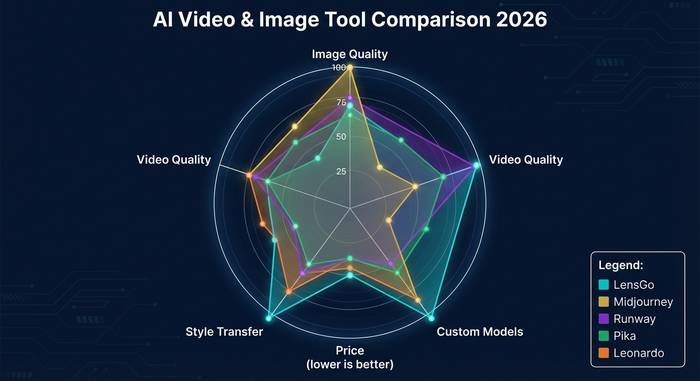
The ai video and ai image generator space has gotten brutal. Here is how LensGo compares to the tools people actually weigh it against:
| Tool | Best at | Price range | Custom models | Video style transfer |
|---|---|---|---|---|
| LensGo AI | Style transfer, anime, custom models | $0-49/mo | Yes (from $6/mo) | Yes (core feature) |
| Midjourney | Photorealistic images | $10-60/mo | No | No |
| Runway Gen-3 | Professional video editing | $12-76/mo | Limited | Basic |
| Pika Labs | Text-to-video simplicity | $8-58/mo | No | Limited |
| Leonardo AI | Versatile image generation | $12-60/mo | Yes | Limited |
| Haiper AI | Quick social media clips | $0-50/mo | No | Yes (basic) |
| Kling AI | Motion quality, longer clips | $5-60/mo | No | No |
LensGo is not the best at any single thing. It will not beat Midjourney on image quality. It will not beat Runway on video editing depth. It will not beat Kling on motion physics. But it does something none of them do well: combine affordable custom model training with video style transfer in one platform.
For creators who want to build a consistent visual brand across images and video without juggling three separate tools and three separate subscriptions, LensGo makes sense. The style transfer feature alone is worth testing. Nobody else does anime conversion from real video as smoothly at this price.
One more edge worth mentioning: the custom model training at $6 per month opens a door that used to require technical knowledge and expensive compute. A small clothing brand can train a model on their product photos and generate unlimited styled content that all looks consistent. A webcomic artist can train on their existing panels and generate new backgrounds, props, and character poses in their exact art style. The cost to build a consistent AI content pipeline used to start at $50-100 per month across multiple tools. LensGo compressed that into one $6 subscription. That pricing will not last forever as the company scales, but right now it is the best value play in this category.
Who actually benefits from using LensGo AI
Social media managers running accounts for multiple brands need constant fresh visual content. Creating 30-50 pieces per week from scratch is brutal. LensGo lets you take a handful of base clips and restyle them into entirely different aesthetics. One product video becomes five social posts: anime version, watercolor version, cyberpunk version, sketch version, 3D render version. Different platforms get different looks from the same source footage.
YouTube and TikTok creators use lensgo for B-roll and transitions. Shoot your main content with a camera, then use LensGo to generate stylized transition clips, animated intros, or visual metaphors for abstract topics you are discussing. A finance channel talking about market volatility can generate a quick visual of a stormy ocean without buying stock footage.
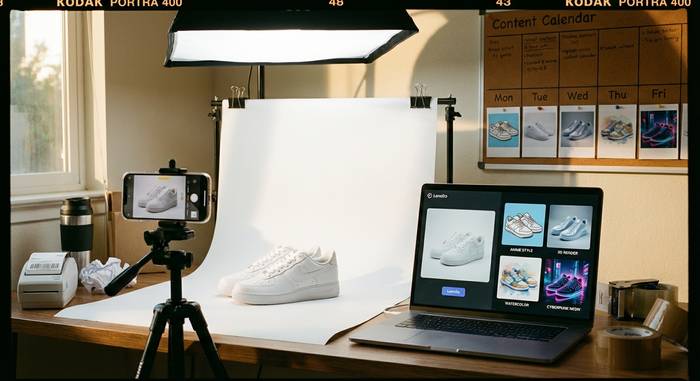
E-commerce sellers generate product animations from still product photos. Upload a white-background product shot, LensGo animates it with a slow zoom and rotation. That 3-second clip performs better in paid ads than a static image on every platform.
Marketing agencies prototype campaign visuals in minutes. Instead of spending 3 days on a pitch deck with placeholder images, generate actual visual concepts that show the client what the final product could look like. Some agencies train custom LensGo models on a client's brand imagery and produce dozens of variations in an afternoon.
Students and educators create visual aids. A history lesson about ancient Rome gets AI-generated visuals that look like period-appropriate artwork. A biology course gets animated diagrams generated from text descriptions. The free plan covers most educational needs.
Artists and illustrators use lensgo ai as a brainstorming partner. Generate 20 variations of an idea in 5 minutes, pick the one that sparks something, then create the real artwork by hand. Nobody is replacing human creativity here. They are accelerating the messy exploratory phase that every creative project starts with.
Freelancers figured this out fast. Fiverr and Upwork are full of "AI-assisted video styling" gigs now. The workflow: take client footage, run it through LensGo, do manual cleanup and color correction, deliver a finished product. The rates undercut traditional motion graphics studios by 70-80%. Two years ago this job category did not exist. Now it is one of the busiest growth areas in freelance creative work.
Real estate professionals generate walkthrough animations from floor plans and still photos. Podcast hosts create animated visual versions of audio episodes for YouTube. Wedding photographers offer "anime wedding highlights" as an add-on package. Every industry that produces visual content is finding a use for these tools, and the ones that learn the prompting and model training skills early get the advantage.
The limitations: where LensGo falls short
No point pretending this tool is perfect. Here is where it struggles.
Photorealism is not its strength. If you need output that looks like a real photograph, LensGo is not the right choice. The model favors stylized output: anime, cartoon, illustration, painterly. Midjourney and Flux crush it on photorealistic generation.
Video length is limited. Free users get very short clips. Even the Mega plan caps at manageable but not cinematic lengths. You will not produce a 60-second product commercial from a single prompt. You can extend clips by chaining outputs, but quality degrades with each extension.
Complex scenes break down. Multiple characters interacting, rapid motion, intricate backgrounds with many moving elements. These are hard for every AI video tool in 2026, and LensGo is no exception. Simple scenes and single subjects work best.
Processing can be slow during peak hours. The free tier runs on shared resources. Paid plans get priority, but even Pro users report occasional 2-3 minute waits for video generation during busy periods.
The learning curve for custom model training is real. The interface is straightforward, but getting good results from a custom model requires understanding what makes a good training dataset. Twenty random phone photos of a product will produce worse results than twenty carefully shot, well-lit, consistent-angle photos.
AI-generated content still carries ethical weight. Style transfer that makes someone look like an anime character is fun. Style transfer that alters someone's appearance without consent is not. LensGo follows content moderation guidelines but the responsibility ultimately falls on the user.
The ai image and ai video generation market is growing at something like 27% per year. By 2028, the AI content creation sector might pass $10 billion. LensGo sits in the middle tier: not the cheapest free tool, not the $200-per-month enterprise product. The real question for anyone considering it is whether to invest time learning this specific platform or wait for the market to consolidate. My take? Learn the prompting and model training skills now on whatever tool you can afford. Those skills carry over to any platform. The specific tool matters less than understanding how to communicate with AI generators.
One more thing worth noting: LensGo supports commercial use on paid plans. Content you generate on Standard, Pro, or Mega plans can be used in client work, ads, and published content without additional licensing. The free tier output carries watermarks and more restrictive terms. Always check the current terms of service on lensgo.ai before using generated content for commercial projects.