Ledger Wallet 2026 Review: Nano, Flex, Stax & Crypto Security
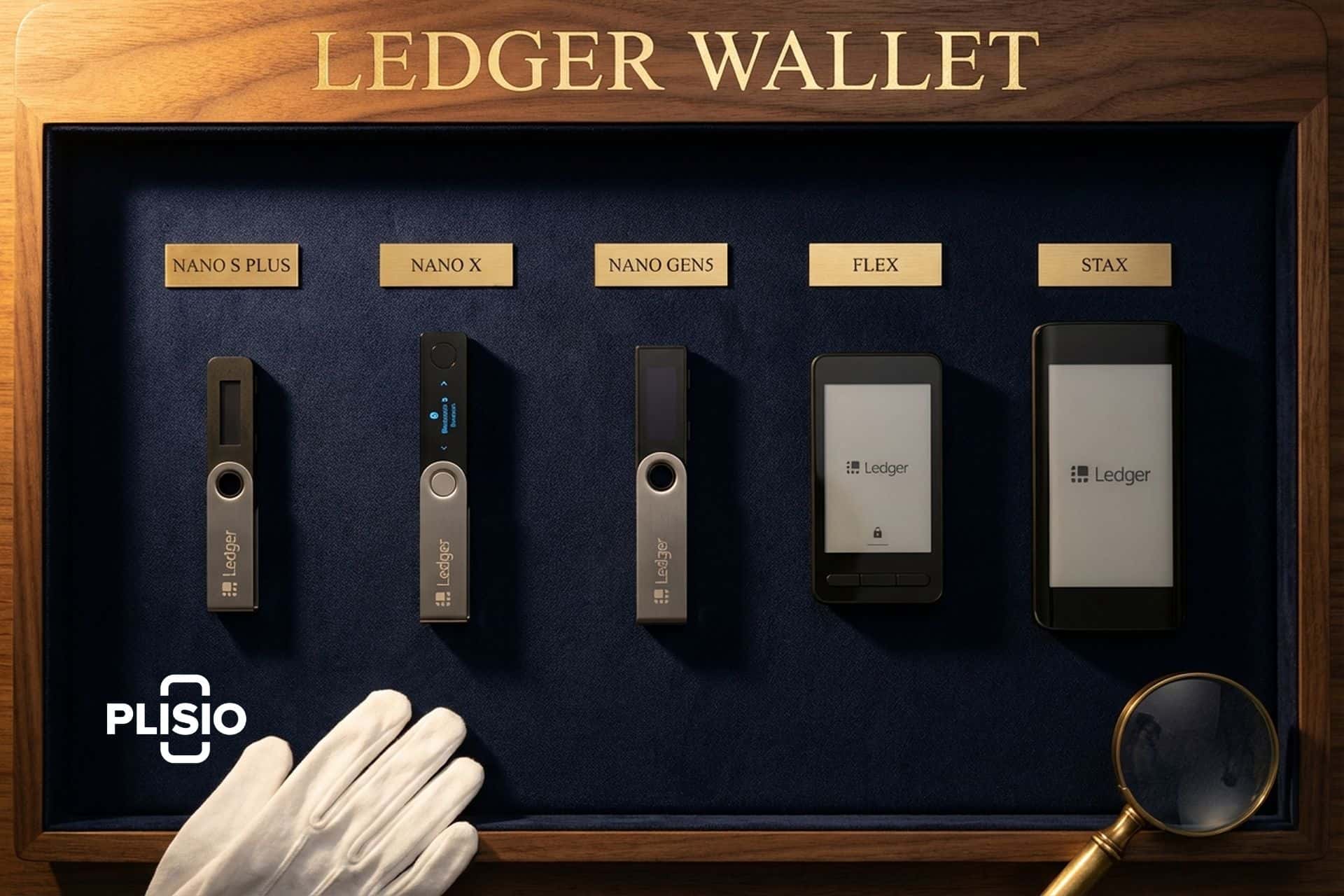
If you have been shopping for a Ledger wallet in the past six months, you have probably noticed the lineup looks different than the one in every old YouTube tutorial. The Nano X is still there. So is the Nano S Plus. But next to them now sit a mid-range touchscreen called Flex, a curved E Ink flagship called Stax that was designed by the guy who built the iPod, and a newer Nano Gen5 that quietly entered the store in late 2025. The company itself has sold over seven million devices, claims to secure roughly 20% of the world's crypto assets, and is reportedly eyeing a New York listing at a $1.3 to $1.5 billion valuation.
This review is a complete 2026 walk-through of every current Ledger wallet. It covers what each model costs, which Secure Element chip sits inside, who each one is actually built for, the real story behind Ledger Live, the Recover controversy, the past security incidents (Connect Kit, 2020 data breach) that still color the debate, and how Ledger stacks up against Trezor. The goal is to let anyone with $79 to $399 and a bit of patience pick the right device on the first try.
What Is a Ledger Wallet and Why Use One?
Think of a Ledger wallet as a tiny appliance with one job. It holds your crypto private keys inside a sealed security chip, it stays offline, and it only signs a transaction when you are standing in front of it and physically pressing a button. Those keys never come off the device, not even when you plug it into a computer that might be running malware. That is the actual difference between a hardware wallet and a hot wallet on your phone, a browser extension, or an exchange account. With a Ledger, the path from the internet to your money is literally cut.
The argument for owning one is louder in 2026 than it has been for a while. Chainalysis clocked 2025 crypto theft at $3.4 billion, a record, with February's Bybit hit alone eating $1.5 billion of that. Out of everything stolen, personal wallet compromises ran up 158,000 separate incidents, reached roughly 80,000 victims, and drained about $713 million between them. Almost none of those people were using a hardware wallet the right way. They were keeping seeds on phones, pasting them into copycat sites, or relying on exchange accounts that got popped. A Ledger is, honestly, one of the simplest ways to securely manage digital assets at home, buy a bit of peace of mind, and stop worrying every time the crypto press runs another "hack" headline.
| Incident | Year | Loss | What it actually was |
|---|---|---|---|
| July 2020 data breach | 2020 | $0 funds (but ~272K PII records exposed) | E-commerce database leak, fueled years of phishing |
| Connect Kit supply-chain attack | Dec 2023 | ~$600,000 | Malicious NPM library, reimbursed in full |
| LSB-021 firmware bug | 2024–25 | $0 (patched) | Device-bricking reset handler, fixed by Ledger Donjon |
| Bybit exchange hack (context, not Ledger) | Feb 2025 | $1.5B | Shows why a cold wallet beats exchange custody |
Sources: Ledger, CoinDesk, Bloomberg, Chainalysis, Ledger Donjon.
Ledger was founded in Paris in 2014, and its entire business is built around solving exactly that problem for a mainstream audience. The company has shipped more than 7 million Ledger hardware wallet units to over 200 countries, holds roughly 40% of the global hardware wallet market, and generated $70.9 million in revenue in 2024, up from $36.7 million the year before. It is not a niche toy any more, and it has a global community of retail users, custodians, and serious long-term holders behind it. It is one of two hardware wallet brands most professional custodians and regular retail users actually recognize.
Ledger Nano S Plus: Entry-Level Crypto Wallet
Nano S Plus is the cheapest Ledger you can currently buy, and for most first-time buyers it is also the right pick. Price is $79, the thing weighs about 21 grams, and it runs the exact same Ledger Live app as every other Ledger out there. Inside it pairs a standard microcontroller with the ST33K1M5 Secure Element chip at Common Criteria EAL6+, which sits at the top of what consumer-grade smart-card chips offer today.
Feature-wise, the Nano S Plus gives you a small monochrome OLED screen, two physical buttons to navigate menus, a USB-C cable, and no Bluetooth. That last point is deliberate. For users who never want a radio on a device holding their keys, the Nano S Plus is the right choice for reasons that are more philosophical than technical. It installs up to 100 wallet apps simultaneously, so there is plenty of room for Bitcoin, Ethereum, a dozen L1 alts, and a handful of obscure tokens.
The trade-off is that the screen is small and navigating long addresses requires a lot of scrolling. If you plan to verify hundreds of transactions per week, the touchscreen models will save you wrist pain. If you are a beginner buying your first hardware wallet to park Bitcoin for a few years, the Nano S Plus is the sensible starting point and easily the best price-per-security in the current Ledger catalogue.
Ledger Nano X: Bluetooth Crypto Daily Driver
Nano X is the slightly older sibling in the family, and its trick is Bluetooth. At $149 it costs about twice as much as the Nano S Plus, and the thing you pay for is being able to pair the device with a phone over Bluetooth LE and run the whole Ledger Live mobile app without cables. If you want to use crypto daily on the move, sending coins, checking balances, or poking at DeFi from a phone instead of dragging out a laptop, Nano X is still the most convenient Ledger you can buy.
One quiet drawback worth knowing about before you pull the trigger in 2026. The Nano X runs on an older ST33J2M0 Secure Element at EAL5+, one step down from the EAL6+ ST33K1M5 that the Nano S Plus, Flex, and Stax all share. Ledger's security people will tell you EAL5+ is still very secure, and no publicly-known attack has ever gone through the Secure Element itself on a Nano X. If you are picking a brand-new device this year and the price gap is small, the newer chip is the more future-proof call.
Bluetooth raised eyebrows when the Nano X first shipped. The explanation is actually straightforward. Private key material never leaves the Secure Element, so nothing sensitive travels over the radio. The Bluetooth link just shuttles public data back and forth, and every single transaction still needs a physical press on the device button to go through. Six years on the market, millions of units out there, zero disclosed radio exploits. For an industry where half the critiques are theoretical, that is about as solid as track records get.
Ledger Flex: The 2024 Mid-Range Touchscreen
Flex shipped on July 26, 2024 at $249 and slots into the middle of the lineup as the touchscreen option most people should actually care about. It was the first Ledger to put a proper E Ink touchscreen on a crypto device at a price that does not require you to sit with the decision for a week. The screen is a 2.84-inch flat E Ink panel running 600x480 pixels, sharp enough to read a full Bitcoin or XRP address without squinting, and big enough to make moving around your accounts feel like a real app instead of a button-mashing exercise.
Guts-wise, Flex shares the same ST33K1M5 Secure Element (EAL6+) that sits inside the Stax and the Nano S Plus. It handles Bluetooth 5.2, NFC, USB-C, and Qi wireless charging. The E Ink display deserves one paragraph of explanation on its own because it is a genuine upgrade and not a marketing line. E Ink pulls almost zero power while showing a static image. That means your Flex can hold a receiving address on its screen for an hour (while you double-check it against another device) without nuking the battery, and in direct sunlight, the screen is actually more readable than any OLED Ledger ever shipped.
If you want a touchscreen Ledger in 2026 and you do not specifically need the jewelry-grade Stax on your desk, Flex is the right answer and it is not really close. It is the device I would put in a first-time touchscreen buyer's hand without hesitation. Cheaper than Stax, better than the Nano X at actual daily use, the same Secure Element as the top model, and the E Ink display just makes every single interaction less painful.
Ledger Stax: E Ink Flagship Signer
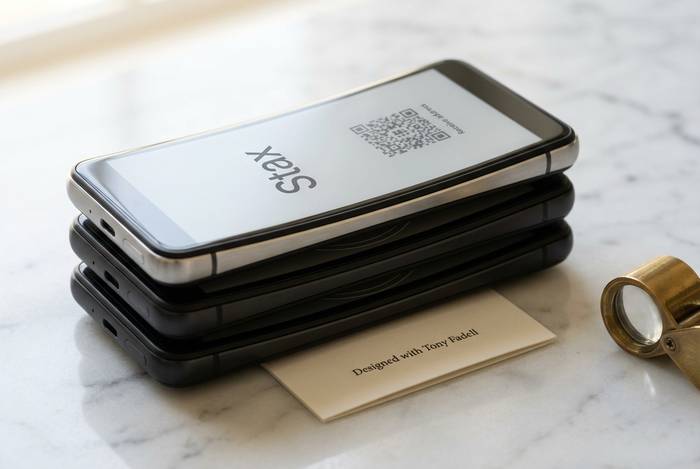
Stax is the flagship Ledger signer. It retails for $399, shipping started in May 2024 after a long delay, and it is Ledger's most ambitious hardware ever. The headline feature is the world's first curved E Ink touchscreen on a crypto device, 3.7 inches, 16 shades of gray, wrapping around the top edge of the case. The body is designed to be stackable, with magnets on the top and bottom so Stax devices clip together like little black bricks.
The Stax was also the first mainstream hardware wallet led by a consumer-product veteran who had not built crypto before. Tony Fadell, the former Apple engineer best known as the creator of the original iPod, co-designed it. The industrial design shows. It feels more like an Apple accessory than a crypto gadget, which is either exactly what the category needed or a weird $399 status symbol depending on how you look at it.
Functionally, Stax gives you the same ST33K1M5 Secure Element, Bluetooth 5.2, NFC, USB-C, and Qi wireless charging as the Flex. The difference is the bigger screen, the curved edge, the heavier metal body, and the magnetic stack. If you are buying one because you already know you want the nicest Ledger ever made, Stax is the answer and you already knew that before reading this section. If you are buying your first hardware wallet, Stax is overkill and Flex will do everything the Stax does for $150 less.
| Model | Price | Screen | Secure Element | Connectivity |
|---|---|---|---|---|
| Ledger Nano S Plus | $79 | Monochrome OLED, 2 buttons | ST33K1M5, EAL6+ | USB-C |
| Ledger Nano X | $149 | Monochrome OLED, 2 buttons | ST33J2M0, EAL5+ | USB-C, Bluetooth LE |
| Ledger Nano Gen5 | $179 | 1.1" screen (new 2025) | ST33K1M5, EAL6+ | USB-C |
| Ledger Flex | $249 | 2.84" E Ink touchscreen | ST33K1M5, EAL6+ | USB-C, BT 5.2, NFC, Qi |
| Ledger Stax | $399 | 3.7" curved E Ink touchscreen | ST33K1M5, EAL6+ | USB-C, BT 5.2, NFC, Qi |
Sources: Ledger shop, CNBC, TechCrunch, BusinessWire, Crypto Valley Journal (April 2026 prices).
Ledger Live App and the Crypto Wallet Setup
Every Ledger device in the 2026 lineup, from the Nano S Plus on up, leans on exactly the same software stack: Ledger Live, the desktop and mobile app. Ledger Live is where you actually do everything. You install wallet apps onto the hardware, look at balances, push transactions out, buy crypto through MoonPay and other on-ramps, stake proof-of-stake coins, peek at NFTs you own, and poke around DeFi protocols through partner integrations. Picture the hardware as the vault itself and Ledger Live as the bank lobby you walk through to actually get in and out.
Setup is the same for every model and takes about fifteen minutes. Plug the device into a computer or phone, download Ledger Live directly from ledger.com (never from a search engine result, because phishing clones are a constant problem), follow the on-screen setup, pick a PIN, and write down the 24 words of the recovery phrase the device generates. The recovery phrase is the only thing that can restore your wallet if the device is lost or broken, and it is also the only thing a thief needs to drain you. Write it on paper, store it somewhere your house would not burn down with it, and never, ever photograph it or type it into a computer.
Ledger Live speaks more than 500 cryptocurrencies natively and an additional ~5,000 through third-party integrations like MetaMask, Rabby, and Electrum. The device always signs transactions on the Secure Element itself, even when you are going through a third-party front end that asks you to sign a smart contract or swap between local currencies through a partner on-ramp. Ledger Live also surfaces discover-style DApps, staking service providers, and simple swap flows in one place, which gives a beginner something closer to full control over a crypto portfolio than any custodial account can offer. The keys never touch your laptop, even if Ledger Live is not the app you actually prefer to use day to day.
Ledger Security: Secure Element and Recover
Every Ledger device pairs a general-purpose microcontroller with a dedicated Secure Element chip. On current-generation models, that chip is the ST33K1M5 from STMicroelectronics, certified to Common Criteria EAL6+. The chip handles every operation involving the private keys: generation, storage, signing. It is the same class of chip used in bank cards and e-passports, and its firmware is certified by the French cybersecurity agency (ANSSI).
The Ledger Recover subscription, launched in late 2023 at $9.99 per month, is the part people argue about. Recover splits your encrypted seed into three shards held by Ledger, Coincover, and EscrowTech, and recovers them if you lose the device and can pass an ID check with any two of the three. The service is fully opt-in, requires government ID, and is useless if you never enable it. Community backlash came not from the price but from the realization that a firmware path existed to export seed shards at all. Ledger had to publish detailed architecture diagrams and clarify that participation is strictly opt-in to calm the debate.
For a buyer in 2026 the honest answer is: Recover is fine for users who are genuinely afraid of losing their recovery phrase and do not mind trusting three custodians with ID-verified access. It is not fine for users whose threat model includes subpoena risk or who just prefer not to KYC their backup. The default should still be a paper seed phrase (or better, a metal backup plate), and you simply do not enable Recover unless you have thought about it carefully.
Ledger vs Trezor: Which Crypto Wallet to Buy
Ledger and Trezor together control over 70% of the global hardware wallet market, split roughly 40% to Ledger and 30% to Trezor by recent estimates. The choice between them is less about which is safer (both are genuinely secure under normal use) and more about which trade-offs you prefer. Ledger uses a closed-source Secure Element under NDA and a more polished app, including Bluetooth and E Ink touchscreens on the top models. Trezor is fully open source from firmware to the Safe 7's new TROPIC01 secure element, and has historically been more minimalist.
If "I can read every line of code that touches my money" matters a lot to you, pick Trezor. The fully open stack is a real philosophical difference and for a certain kind of user it is the whole game. If you care more about a smooth app, a touchscreen, Bluetooth convenience, or an industrial design that does not look like a 2014 Kickstarter reward, Ledger is the stronger option and the Flex in particular sits at a sweet spot that Trezor currently does not match on price.
Practically, either brand will keep your coins safe if you set up the device correctly and follow good seed-phrase hygiene. The vast majority of users who lose money on "hardware wallet" incidents actually lose it through phishing or seed-exposure mistakes that have nothing to do with the device. The brand you pick matters much less than whether you treat the recovery phrase like the only key to your house.
Storing XRP, Bitcoin and Beyond on Ledger
Coin support is where Ledger has always been strong. Ledger Live natively handles 500+ assets, and the device itself (through third-party integrations and wallet apps) gives access to around 5,500 cryptocurrencies in total. That includes every major Layer 1 (Bitcoin, Ethereum, Solana, Cardano, Polkadot, Cosmos, Tron, Tezos), all major ERC-20 tokens, most SPL tokens, a broad set of L2 networks (Arbitrum, Optimism, Base), and native support for proof-of-stake staking on several chains directly from the Ledger Live interface.
XRP in particular is a well-supported case. XRP holders have been using Ledger devices for years, and Ledger Live handles XRP send, receive, and destination tags natively without any extra plugins. If you are holding XRP on an exchange right now, any current Ledger device (from the Nano S Plus upward) will do the job, and the setup is identical to Bitcoin or Ethereum. You create an XRP account inside Ledger Live, verify the receiving address on the device screen, and transfer off the exchange.
NFTs on Ethereum and Polygon, DApp access through MetaMask with optional MEV protection enabled on swaps, direct exchanges through Ledger Live's integrated partners, and hardware-enforced transaction signing make Ledger a genuinely practical daily-use device for anyone who does more than just buy and hold. For users who only ever touch Bitcoin, a Nano S Plus is fine. For users who bounce through DeFi and NFTs, the Flex or Stax earn their price in ergonomics alone.
Past Hacks and Controversies Around Ledger
Worth being straight about this, because a review that skips over the messy parts is basically marketing. Ledger's most famous incident goes back to July 2020, when an attacker pulled roughly a million customer emails out of the e-commerce database along with around 272,000 detailed records, including people's full names, home addresses, and phone numbers. The fallout ran for years: waves of targeted phishing, SIM-swap attempts, and in one particularly nasty twist, physical "replacement device" scams where tampered hardware got mailed straight to doxxed customers. No private keys or funds were touched by the breach itself, which is the critical line to draw, but the damage to user trust was real and some of those people are still getting scam emails in 2026.
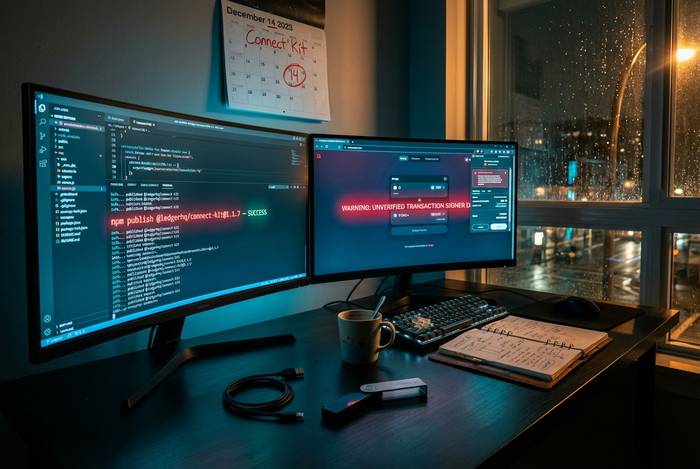
Incident number two was the Connect Kit exploit on December 14, 2023. A supply-chain attack on Ledger's NPM Connect Kit library (the small piece of code that lets decentralized apps communicate with Ledger devices) traced back to a phished former-employee account that still had publishing rights. Roughly $600,000 got drained from DeFi users before the malicious library was spotted and swapped out. Ledger ended up reimbursing every affected user out of pocket and moved Connect Kit governance under stricter signing rules afterwards. It was a genuine failure, and at the same time it was handled about as cleanly as a supply-chain breach can be.
The third one is more recent and much smaller in impact. LSB-021, disclosed by Ledger's own internal Donjon security team in 2024, was a firmware update flaw that could brick affected devices through an unvalidated reset handler. Fixes shipped in Nano X firmware 2.4.2 and newer, Flex 1.2.2 and newer, and Stax 1.6.2 and newer. Nobody lost funds. Every Ledger buyer should just be on the latest firmware by habit anyway. The fact that Ledger's own team found the bug and published it openly is, in an awkward way, one of the stronger arguments for buying their hardware.