Proxifier in 2026 : Proxy Client Setup, Alternatives, and Traffic Rules
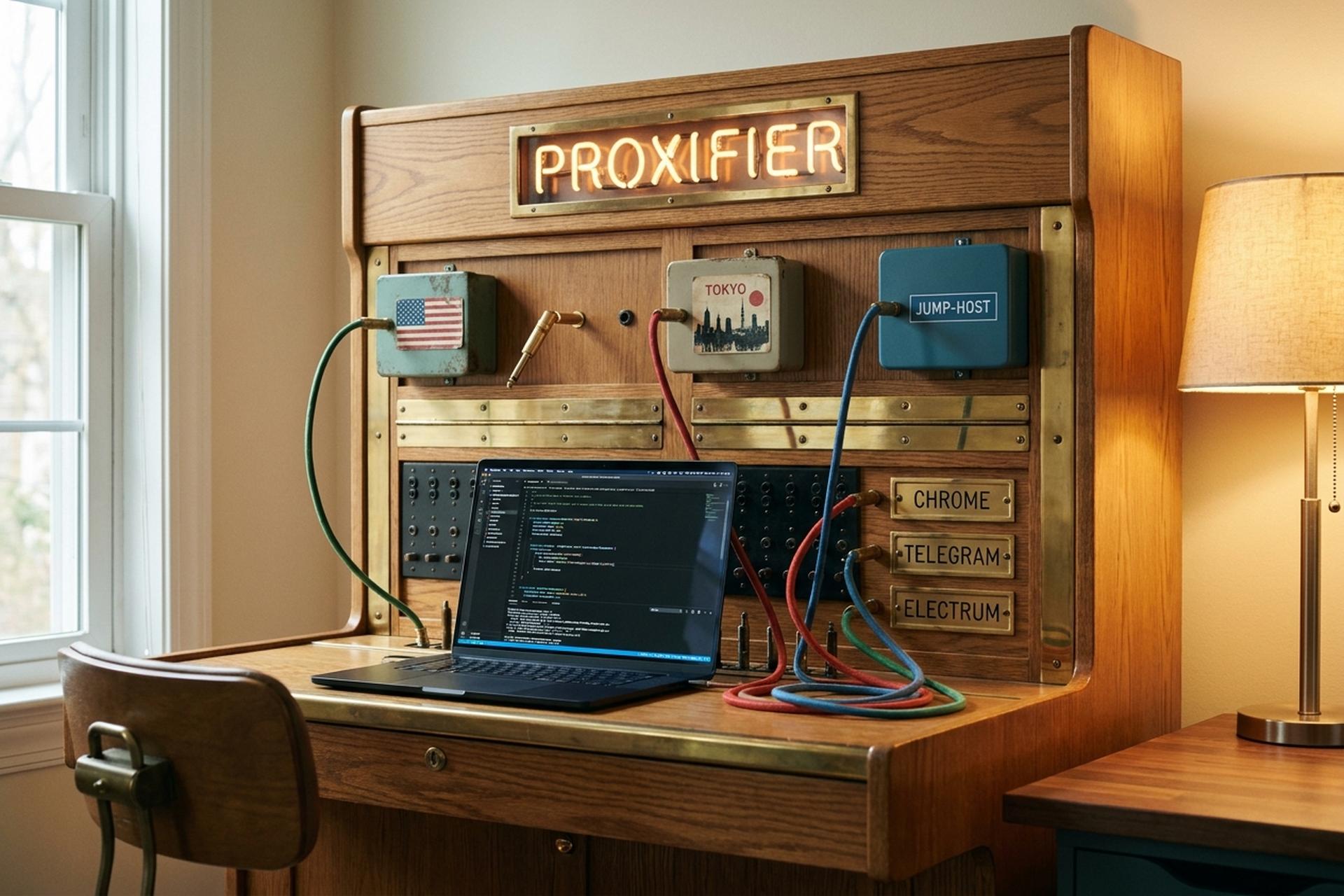
A surprising number of desktop applications quietly pretend your system proxy settings do not exist. Telegram. Most IRC clients. BitTorrent. A handful of crypto wallets. A long, embarrassing list of older games. They open raw sockets and route around whatever you configured in Windows or macOS, and there is nothing you can do about it from the OS side. Proxifier, sold by a small Russian-Australian outfit called Initex since 2004, exists for exactly this reason. It is not a VPN. It is not a privacy product. It is a routing layer that forces every application on the machine, whether it speaks proxy or not, to hand its traffic to a proxy server of your choosing.
Initex still ships the product on a normal release cadence. Proxifier 4.14 for Windows landed on April 23, 2025. The macOS line moved to 3.15 in September. The Android client hit 1.18 the same month as the Windows release. The v4 line added IPv6 endpoints, remote hostnames resolution through the proxy, and full SSH-tunnel compatibility for any SOCKS5 proxy you point it at. Buying it is old-fashioned: download the installer from the official site, click Buy, pay $39.95 once, and the license is yours for life. No subscription. In 2026 that pricing model is rarer than the product itself. The rest of this guide covers what Proxifier actually does under the hood, how to set it up for the four scenarios people actually use it for, how it stacks up against the free and open-source competition, and the privacy and crypto angles worth thinking about before sending your internet traffic through somebody else's server.
What Proxifier is and why it matters for applications
Strip the marketing copy off Proxifier and what you get is a small network client that grabs outbound connections from any application on the host and shoves them through a SOCKS4, SOCKS4a, SOCKS5, or HTTPS proxy of your choosing. Native C++, about four megabytes, no third-party junk, runs without admin rights once installed. That is the whole product.
The interesting bit is per-application rules. You decide which program talks to which proxy. Chrome through a US residential exit. The corporate VPN client through a SOCKS5 jump host. One Telegram instance through Tokyo. Everything else stays direct. None of this is rocket science, but try doing it cleanly with Windows' native proxy settings and you will be there a while.
A system-wide VPN is the obvious alternative, and it is too coarse for most of these jobs. VPN encrypts and tunnels every byte regardless of context. Proxifier picks. That distinction is the whole reason the product exists, and it is the part most "what is Proxifier" guides flatten into something less useful.
How Proxifier routes traffic for network applications
The Windows build hooks the Winsock layer with a Layered Service Provider plus a kernel-mode network filter. Every outbound TCP connection gets caught before it reaches the adapter. The rule engine then asks three questions: which executable, which destination, which port? If a rule matches, Proxifier forwards the connection to the chosen proxy. If nothing matches, it passes through clean. Mac and Android builds do the equivalent at their respective OS networking primitives, which is why Initex ships separate native binaries instead of one cross-platform shell.
A few features punch above their weight in practice.
DNS via proxy. Hostname lookups go through the proxy server, not your local resolver. Most "SOCKS5 leak" stories start with a DNS step the user forgot about, so this is the unsexy default that actually saves people. Worth checking once after install and never thinking about again.
Proxy chains add proxy redundancy. Pick three proxies, mix HTTPS with SOCKS5 with another SOCKS5, set the chain type to load balancing, and the rule rotates across the pool with automatic failover when an exit dies. Residential-proxy testers and scrapers live in this menu. The flexible rule engine handles IPv6 endpoints, NTLM authentication for corporate proxies, and XML config export, which matters when you have to push the same profile to forty machines.
An encrypted-tunnel option wraps non-SSL application traffic in TLS as it travels to the proxy. Not end-to-end encryption; the proxy still terminates and reads the plaintext, but a passive observer between your machine and the proxy is shut out. A desktop crypto wallet that speaks cleartext to its node graduates from "anyone on the path can read this" to something closer to an HTTPS-grade hop.
Setting up Proxifier: a four-scenario app walkthrough
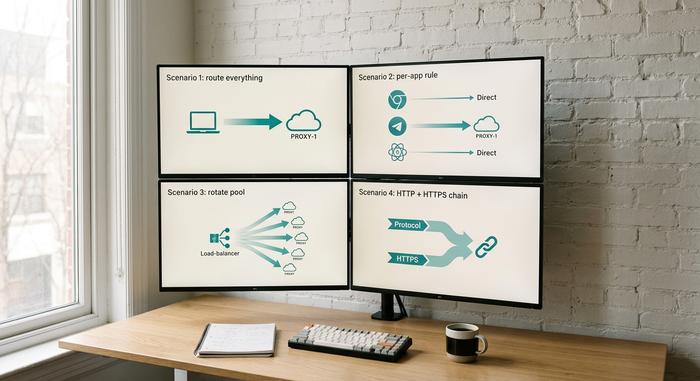
Most readers show up with one of four problems. The base flow is identical for all of them. Open Profile, then Proxy Servers. Click Add. Type the address, port, protocol, credentials. Decide if this proxy should be the default for every application or scoped to specific rules. Click OK. Done.
One thing that bites everyone: kill any active VPN first. Two redirection layers brawling over the same socket is the single most common reason "Proxifier doesn't work" lands in the Initex support inbox, and Oxylabs flags it in their own integration docs. After the proxy is added, run Proxifier's built-in proxy checker against each entry point. It confirms availability, latency, and whether DNS quietly leaks back to your local resolver. Then visit ipinfo.io for a sanity check on the exit address before you trust the setup with anything that depends on geography.
Scenario 1 — route everything through one proxy. Add the proxy in the Proxy Servers list and tick "use this proxy as default". From that point Proxifier intercepts every outbound connection from every application on the system unless a more specific rule says otherwise. This is the closest the product gets to acting like a VPN, and it is the simplest test case to start with.
Scenario 2 — route only one application. Open Profile → Proxification Rules and add a rule. Pick the executable (chrome.exe, telegram.exe, electrum.exe) and assign it to a specific proxy or chain. Keep the default rule set to "Direct" so other applications continue to bypass the proxy entirely. This is the configuration corporate users land on when they need exactly one tool to traverse a network jump host while everything else stays on the local connection.
Scenario 3 — rotate across a pool of proxies. Import a list of proxies, then under Profile → Proxy Servers create a new chain. Set the chain type to Load Balancing rather than Strict or Random, and assign the chain (not a single proxy) to the rule that matches your target application. Proxifier will rotate through the chain on each new connection, with automatic failover if a proxy in the pool dies. I keep coming back to this configuration for residential-proxy testing. It is the one place a paid GUI tool clearly beats a Bash script.
Scenario 4 — mix HTTP and HTTPS endpoints. Plain HTTP CONNECT proxies are not enabled in the default profile because they are insecure for arbitrary TCP. To use them, go to Profile → Advanced → HTTP Proxy Servers and enable the option there. Once enabled, HTTP proxies appear in the regular Proxy Servers list and can be chained alongside SOCKS5 and HTTPS endpoints in the same rule.
Proxifier alternatives: free and paid programs
The alternatives map has shifted a lot since most "Proxifier vs X" articles got written. ProxyCap, the historical paid competitor on Windows and macOS, was discontinued by Proxylabs in 2025 and replaced by a different product called NetDetour. The old ProxyCap order page redirects now, and head-to-head reviews comparing the two are stale. So the realistic 2026 shortlist looks like this.
ProxyChains-NG is the open-source standard on Linux, BSD, macOS, and Haiku. Current release is 4.17, shipped January 21, 2024, GPL-2.0, maintained by rofl0r as a continuation of the original ProxyChains. The mechanism is LD_PRELOAD: it hooks socket calls in dynamically linked binaries before they hit the kernel. Supports SOCKS4, SOCKS4a, SOCKS5, HTTP CONNECT, with random, strict, or dynamic chain modes, and remote DNS so your hostname lookups travel through the proxy. CLI only. Config lives at /etc/proxychains.conf, and you launch each application through a wrapper command. No GUI. No Windows build. If you live in a terminal, this is what you want.
ProxiFyre is a different beast: Windows-only, open-source, 1.3k GitHub stars, AGPL-3.0. It plugs the single biggest hole in Proxifier itself, which is native UDP redirection. Modern browsers do QUIC over UDP and there is no way to push that through Proxifier; ProxiFyre handles QUIC over SOCKS just fine. It also runs as a Windows Service, juggles several SOCKS5 instances at once, and supports process exclusion and LAN bypass. The trade-off is friction: JSON config files instead of a GUI, no protocol-mixing chains. For the UDP edge case, it wins on structure.
SocksCap64 still circulates as the free Windows alternative. The last meaningful release was 2017 and it has not kept up with newer Windows network stacks. Use it if you cannot pay and cannot tolerate ProxiFyre's config-file workflow, but expect things to be flaky.
Shadowsocks, V2Ray, and Clash sit in a different category from the rest. They are protocol-level circumvention clients with their own ciphers, designed for hostile networks rather than per-app routing. Where they overlap with Proxifier is at the local SOCKS5 endpoint they expose: point Proxifier or ProxyChains at that local port and the chain works as expected.
| Tool | OS | License | Latest | UI | SOCKS5 | HTTPS proxy | Mixed chains | DNS-through-proxy |
|---|---|---|---|---|---|---|---|---|
| Proxifier | Windows, macOS, Android | Paid, perpetual $39.95 | Win 4.14 / Mac 3.15 (2025) | GUI | Yes | Yes | Yes | Yes (all protocols) |
| ProxyChains-NG | Linux, BSD, macOS, Haiku | Free, GPL-2.0 | 4.17 (Jan 2024) | CLI | Yes | HTTP CONNECT only | Yes | Yes (remote DNS) |
| ProxiFyre | Windows | Free, AGPL-3.0 | Active 2025-2026 | JSON config | Yes (incl. UDP) | No | Limited | Yes |
| SocksCap64 | Windows | Free | 2017, unmaintained | GUI | Yes | No | Limited | Partial |
| ProxyCap (legacy) | Windows, macOS | Discontinued | Migrated to NetDetour | GUI | Yes | Yes | Yes | Yes |
I am not convinced Proxifier is the right pick if you are on Linux and comfortable with a config file. ProxyChains-NG covers the same ground for free. On Windows, the open-source competition is now real but rough; Proxifier still wins on polish and support, which is why its perpetual license still sells.
Proxifier vs VPN: a feature comparison
People confuse these tools constantly. A VPN encrypts your whole traffic stream and shoves it down a tunnel to a server somewhere. The server decrypts, and your packets exit there. Everything goes through. No exceptions, unless you fiddle with split tunneling.
Proxifier works nothing like that. It does not encrypt. It does not tunnel. What it does, structurally, is point individual applications at a proxy IP and let the operating system handle the rest. If your proxy happens to speak HTTPS, fine, the hop is encrypted. Plain SOCKS5? Not encrypted. The product was never sold as a privacy tool, and treating it like one will burn you.
Pick Proxifier for per-app routing. Pick a VPN for blanket privacy. The boring answer.
A few real cases. You want Chrome to look like it is in São Paulo while your work email stays on the home IP — that is Proxifier. You want everything off your laptop to look like it is in Berlin during a trip to Beijing — that is a VPN. You are doing residential-proxy QA across 40 endpoints — Proxifier, hands down, because no VPN exposes that interface. You are sitting in a hotel lobby on hostile Wi-Fi — VPN, because Proxifier alone does nothing about the Wi-Fi.
Stack them together when you need both. A VPN underneath, Proxifier on top, and the per-app rules ride inside the encrypted pipe. QA teams do this all day.

Proxifier and crypto: proxy server access and ToS
Plisio readers will reasonably ask if Proxifier solves the "my exchange is blocked in my country" problem. Technically, yes. Practically, the consequences are real and worth a paragraph.
Chainalysis put numbers on the macro side in its March 2026 Crypto Crime Report. Sanctioned entities pushed roughly $104 billion in crypto during 2025, a 694% jump year over year. Overall illicit on-chain volume hit $154 billion. Iran-linked IRGC networks alone moved north of $3 billion. That is the backdrop compliance teams at exchanges have been ordered to react to, and they have done so with appetite.
At the account level, every major centralized exchange has written rules forbidding location masking into their terms of service. Binance and Kraken are explicit. Detection in 2026 is no longer just an IP block list; it stacks IP analytics on top of device fingerprinting, browser entropy, and behavioral patterns. The same machinery that flags a hacker poking around the API surface flags ordinary users redirecting through a SOCKS or HTTPS proxy. Enforcement, when it lands, comes as account freezes, forced re-KYC with document re-uploads, withdrawal holds while a review crawls forward, and outright permanent bans for repeats. From the detection side, SOCKS5 redirection through Proxifier looks indistinguishable from a VPN. There is no "stealthier" version of this in 2026.
The legitimate use cases for Proxifier are completely unaffected. A corporate VoIP client forced through the company's mandated SOCKS5 jump host. A QA team checking a site's geo-targeted layout from twelve countries. A residential-proxy pool feeding an ad-fraud detection tool. A torrent client routed through a paid proxy to keep that traffic off the home IP. Those workloads pay Proxifier's bills, and none of them have anything to do with sanctions evasion.
Risks, limits, and built-in proxy alternatives
No native UDP redirection. Big one. QUIC, WebRTC voice, plenty of game protocols slip out around the proxy entirely. ProxiFyre or an application-level SOCKS-aware client closes that gap, but Proxifier itself does not. The encrypted-tunnel mode also is not end-to-end; the proxy terminates the TLS and sees plaintext after that. Per-app rules drift over time as executables move during updates, so the rule set needs babying. Performance dips slightly when long chains fail over across regions. And for the simplest cases (one browser, one proxy) Firefox's built-in proxy configuration or Chrome's command-line flags handle it without extra software. Those are the limitations to weigh before paying for Proxifier instead of reaching for a free alternative.
| Market metric (2025) | Value | Source |
|---|---|---|
| Residential proxy server market size | $122M (projected $148M by 2030, 3.98% CAGR) | Mordor Intelligence, 2025 |
| Bright Data ARR (Nov 2025) | $300M+ | Bright Data |
| Top 4 residential pool sizes | 175M / 155M / 150M / 115M IPs | Proxyway 2025 |
| Median residential proxy GB price | $2–$4 (down 50–70% in two years) | Proxyway 2025 |
| Sanctioned crypto flows (2025) | $104B (+694% YoY) | Chainalysis 2026 |