Cold crypto wallet: what it is, why you need one, and which to buy in 2026
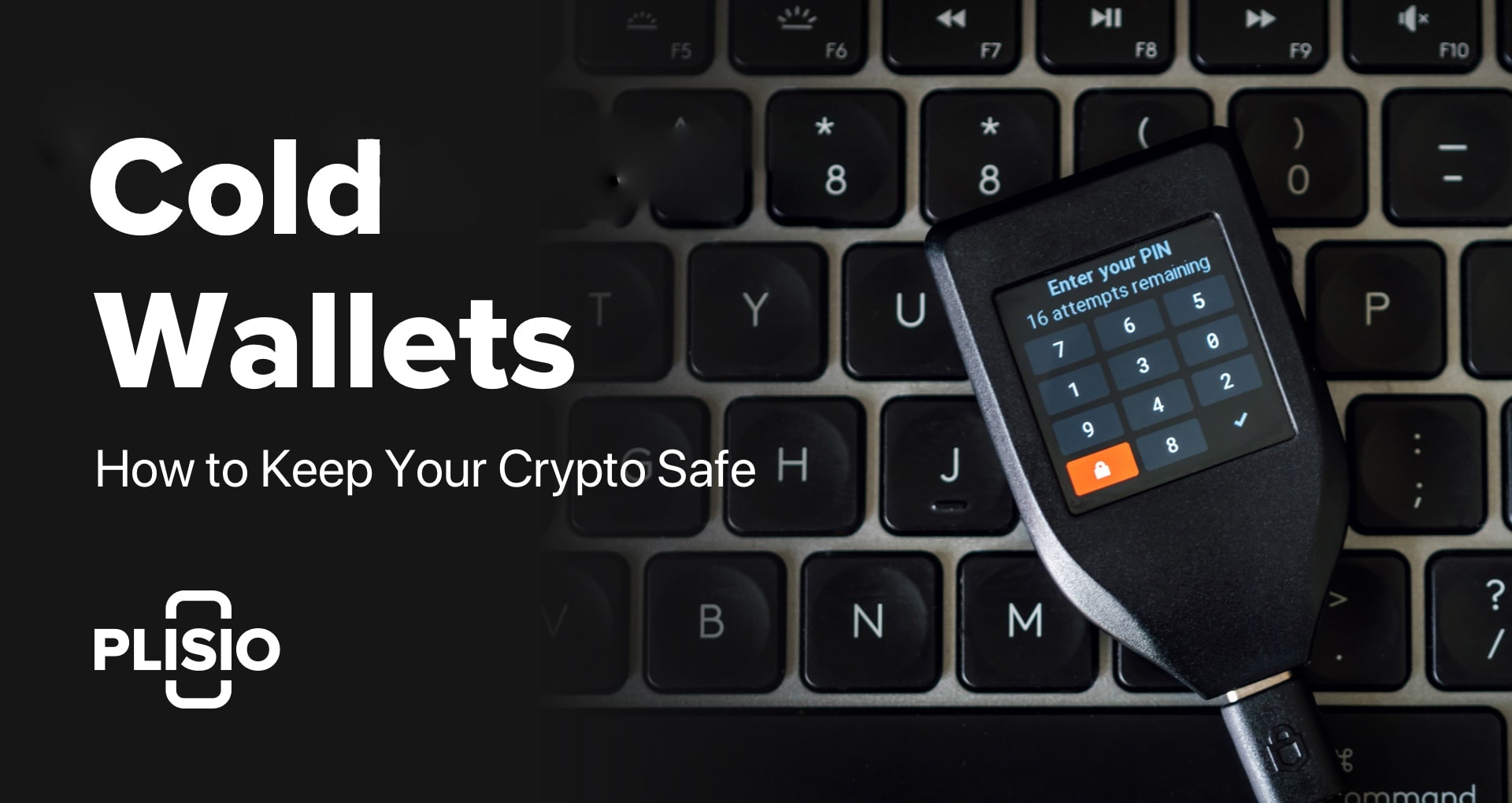
February 2025. Bybit loses $1.5 billion from a hot wallet. One hack, one afternoon, gone. Not the first time, will not be the last. Mt. Gox, FTX, WazirX, Atomic Wallet — the graveyard of "we'll keep your crypto safe for you" keeps growing. The lesson has not changed since 2014: if your keys live on something connected to the internet, they are one exploit away from someone else's pocket.
A cold crypto wallet is the fix. Dead simple concept. Your private keys live on a physical device that never touches the internet. No remote hacker can reach what is not online. The idea has been around since Bitcoin's early years, but the hardware in 2026 is in a different league. You can spend $55 on an NFC card you tap with your phone, or $400 on a device with post-quantum cryptography and a graphene backup plate that survives a house fire. Depends on how much crypto you hold and how badly the world scares you.
What is a cold crypto wallet, exactly?
Strip away the marketing and a cold wallet is just a device that holds your private keys in a place the internet cannot reach. Private keys are the proof of ownership for your crypto. Whoever holds them controls the funds. Full stop. A cold wallet generates these keys inside a tamper-resistant chip and keeps them there forever.
Want to send crypto from a cold wallet? Your phone builds the transaction details. The wallet device receives them, signs everything inside the chip, and hands back the signed result. Phone broadcasts it to the network. Keys never left the chip. They never saw a browser, never touched WiFi, never existed anywhere a remote attacker could grab them.
Hot wallets are the opposite of all that. MetaMask, Trust Wallet, exchange accounts — keys sitting on devices connected to the internet 24/7. Quick and easy? Absolutely. Risky? Ask anyone who kept their life savings on FTX. "Not your keys, not your coins" used to sound like paranoia. After watching $8 billion disappear overnight, it sounds like common sense.
Cold wallet vs hot wallet
| Cold wallet | Hot wallet | |
|---|---|---|
| Keys stored | Offline, in secure hardware | On phone/computer/server |
| Internet connection | Only when signing transactions | Always connected |
| Security | High (immune to remote attacks) | Lower (exposed to malware, phishing) |
| Convenience | Requires physical device for every transaction | Instant access, one click |
| Cost | $49-$399 | Usually free |
| Best for | Long-term holding, large amounts | Daily trading, small amounts, DeFi |
| Risk | Physical loss or damage | Hacking, exchange collapse |
The rule of thumb most people in crypto follow: keep your trading stack in a hot wallet, keep everything else cold.
How cold wallets actually work
Three parts matter here. Once you get these, choosing a wallet gets much easier.
The chip. Your credit card has a tamper-resistant chip. So does your passport. Cold wallets use the same idea, called a secure element (SE). Keys get born inside that chip and they never leave. Try cracking the case open? The SE is built to wipe itself or scramble everything under physical attack. Not foolproof, but close. Chips get rated on a scale called EAL, from 1 (basically nothing) to 7 (military grade). Most reputable wallets land at EAL5+ or EAL6+. One outlier, the NGRAVE Zero, scored EAL7. Only device in the industry with that certification.
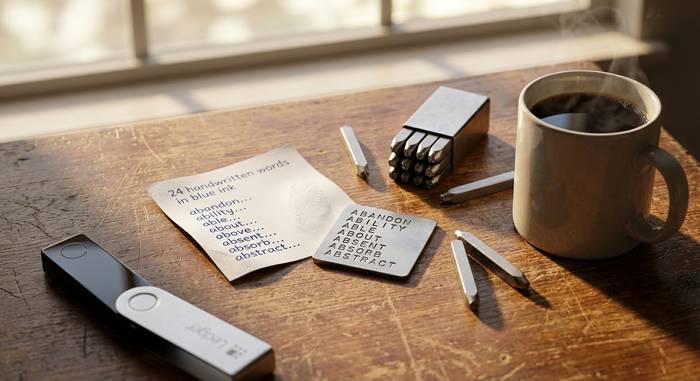
The seed phrase. Power on a new cold wallet and it gives you 12 or 24 random English words. That phrase IS the wallet. The device is just a container. Lose it, break it, drop it in the ocean — buy a new one, enter those words, and your funds reappear. The phrase is the master key. Which is why so many people blow it by screenshotting the words and sticking them in iCloud or Google Photos. Hackers run scripts that scan cloud storage for anything that looks like a seed phrase. Do not be that person. Paper in a fireproof safe. Metal stamp if you want to be thorough. Two copies, two locations.
The signing flow. Say you want to move 0.5 BTC. Open the companion app on your phone. It creates the transaction and sends the unsigned data to your cold wallet via USB, Bluetooth, NFC, or QR. The wallet's chip signs it. Sends the signed version back. Your phone pushes it to the blockchain. Private keys stayed locked inside the chip throughout. The whole security model rests on that separation.
Best cold crypto wallets in 2026
I went through what is actually shipping and reviewed by real users as of March 2026. Some names you might remember from older lists (KeepKey, Archos Safe-T Mini, Cobo Vault Pro) are discontinued or impossible to find. Forget those. Here is what is worth spending money on today.
Tangem — best overall value
Forget USB sticks and boxes. Tangem is just a set of NFC cards. Think hotel keycard. Hold it against your phone, open the app, you are managing your crypto. The wild part: no seed phrase. Your backup is a second card. If card one gets lost, card two still works. For a lot of people, ditching the 24-word anxiety is the whole selling point.
- Price: from $54.90 (2-card set)
- Security: EAL6+ chip
- Supports: 16,000+ tokens across 61 blockchains
- Air-gapped: yes (NFC only, no persistent connection)
- Downside: requires NFC-enabled phone, no screen to verify transactions on-device
Tangem is what I would hand to someone who has never used a hardware wallet before. Tap, confirm, done. The lack of a seed phrase is either its best feature or its worst, depending on how you feel about trusting physical cards as your only backup.
Ledger Nano X — the default recommendation
If cold wallets had a Honda Civic, this would be it. Boring? Maybe. Reliable? Years of track record say yes. Bluetooth pairs with the Ledger Live app on your phone. Coin support is enormous. Ledger has been making these since 2014, and the Nano X is the sweet spot between the entry-level Nano S Plus at $79 and the bougie Stax at $399 with its curved touchscreen that looks like a tiny smartphone.
- Price: $149
- Security: EAL5+ to EAL6+ chip (varies by model)
- Supports: 5,500+ tokens
- Connection: Bluetooth + USB-C
- Downside: closed-source firmware, Ledger's 2023 data breach shook confidence
Now, the elephant in the room. In 2023, a Ledger employee got phished, and attackers injected bad code into the Ledger Connect Kit library. No hardware wallet funds were stolen, but the PR damage was real. Ledger ran security audits and made transparency pledges. I still think the hardware is solid. But if you are the type who reads "closed-source firmware" and gets nervous, Trezor's open source approach might let you sleep better.
Trezor Safe 3 — best budget pick
The open source purist's choice. Trezor publishes every line of firmware code for anyone to audit. Earlier models caught criticism for missing a proper secure element chip. The Safe 3 fixed that with an EAL6+ chip, which closes the hardware gap with Ledger while keeping the transparency advantage intact.
- Price: $79
- Security: EAL6+ chip, fully open-source
- Supports: 7,000+ tokens
- Connection: USB-C
- Downside: no Bluetooth, plastic build scratches easily
If you care about verifiable security more than Bluetooth convenience, the Safe 3 is the move. Open source means researchers can (and do) audit the code. That matters.
Coldcard — for Bitcoin maximalists
Bitcoin only. That is it. No Ethereum, no altcoins, no apologies. Coldcard talks to the outside world through a microSD card, not USB or Bluetooth. Plug the SD into your computer, never the wallet itself. And if someone steals it and guesses your PIN wrong 13 times? The "brick pin" nukes everything on the device.
- Price: $157.94 (Mk4)
- Security: dual secure elements, fully open-source
- Supports: Bitcoin only
- Air-gapped: yes (microSD + QR)
- Downside: Bitcoin only, steep learning curve
This is not a beginner wallet. It is for people who run their own Bitcoin node and want maximum paranoia. If that is you, nothing else comes close.
NGRAVE Zero — maximum security certification
The paranoia king. Only cold wallet carrying an EAL7 security rating, which is as high as the scale goes. Seed phrase generation uses the device's light sensor, a random photo you snap with the built-in camera, plus internal entropy. No USB. No Bluetooth. No WiFi. Talks to your phone through QR codes and nothing else. You can also spend an extra $100 on a graphene backup plate that laughs at house fires and floods.
- Price: $398
- Security: EAL7 (highest possible), air-gapped
- Supports: 15+ blockchains
- Connection: QR code only (no USB, no Bluetooth, no WiFi)
- Downside: expensive, limited coin support compared to Ledger/Trezor
For serious long-term cold storage of large holdings, the NGRAVE Zero is the most paranoid option money can buy. The graphene backup plate surviving a house fire is not a hypothetical selling point for some people.
Ellipal Titan — rugged air-gapped option
All metal, built like a tank, zero internet connectivity. If someone tries to pry open the case, tamper detection kicks in and wipes everything. Sits between Coldcard's Bitcoin-only tunnel vision and Ledger's "support everything" strategy.
- Price: $169 (Titan 2.0)
- Security: EAL5+ chip, anti-tamper
- Supports: 10,000+ tokens, 51 blockchains
- Air-gapped: yes (QR code only)
- Downside: larger than most hardware wallets, touchscreen responsiveness is mediocre
Quick comparison
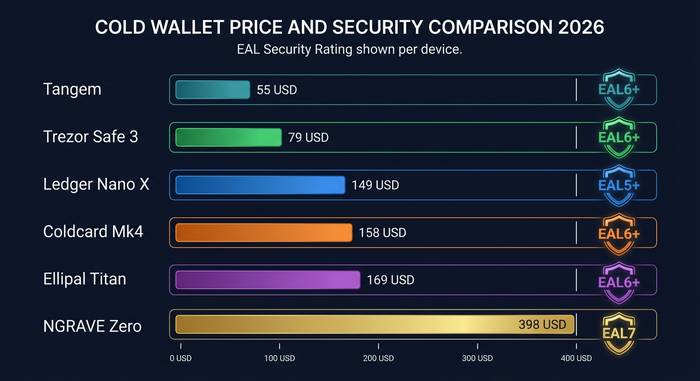
| Wallet | Price | Security | Coins | Connection | Open source |
|---|---|---|---|---|---|
| Tangem | $55 | EAL6+ | 16,000+ | NFC | Partial |
| Ledger Nano X | $149 | EAL5+/6+ | 5,500+ | Bluetooth + USB | No |
| Trezor Safe 3 | $79 | EAL6+ | 7,000+ | USB-C | Yes |
| Coldcard Mk4 | $158 | Dual SE | BTC only | microSD + QR | Yes |
| NGRAVE Zero | $398 | EAL7 | 15+ chains | QR only | Partial |
| Ellipal Titan 2.0 | $169 | EAL5+ | 10,000+ | QR only | No |
Setting up a cold wallet: the basics
Details vary between brands, but the basic flow is the same everywhere.
1. Buy directly from the manufacturer. Never from random Amazon sellers or eBay. Tampered devices are a real attack vector.
2. Unbox and check tamper-evident seals. If anything looks opened, return it.
3. Connect to the official companion app (Ledger Live, Trezor Suite, Tangem app, etc).
4. Initialize the device. It generates your seed phrase. Write it down on paper or metal. Two copies, two locations.
5. Set your PIN. Make it something you will remember but nobody could guess.
6. Install the apps for the blockchains you use (Ledger/Trezor require this).
7. Transfer a small test amount first. Verify it arrived. Then move the rest.
The whole process takes 15-20 minutes. The hardest part is resisting the urge to take a screenshot of your seed phrase.
When you do NOT need a cold wallet
Real talk: not everybody needs one. Holding $200 on Coinbase? A hardware wallet costs half your stack. That is silly. The usual advice: think about cold storage when your holdings pass $1,000 or $2,000, or whenever losing the amount would actually ruin your week. Below that? A reputable exchange with 2FA is probably fine.
Active DeFi users face a tradeoff. Cold wallets protect your keys but add friction to every transaction. If you are farming yields or swapping tokens daily, the constant connect-sign-disconnect cycle gets tedious. Many DeFi-heavy users keep a small hot wallet for daily activity and sweep profits to cold storage periodically.
Can the IRS see your cold wallet?
Not directly, no. A cold wallet has no account, no registration, no name on it. You cannot look up a Ledger serial number and find someone's balance. The IRS does not have a magic Trezor scanner.
But. If you bought crypto on Coinbase or Kraken (both require KYC), transferred it to your cold wallet, that exchange has a record of the withdrawal address. On transparent chains like Bitcoin and Ethereum, chain analysis firms like Chainalysis can follow the money from exchange to wallet. So while the IRS cannot peek inside your cold wallet, they can absolutely see the on-ramp that led to it. That is worth knowing if you are doing your own taxes.
Monero and other privacy coins are a different story, but that is a separate article.