What Is My IP Address? A Plain-English Guide for 2026
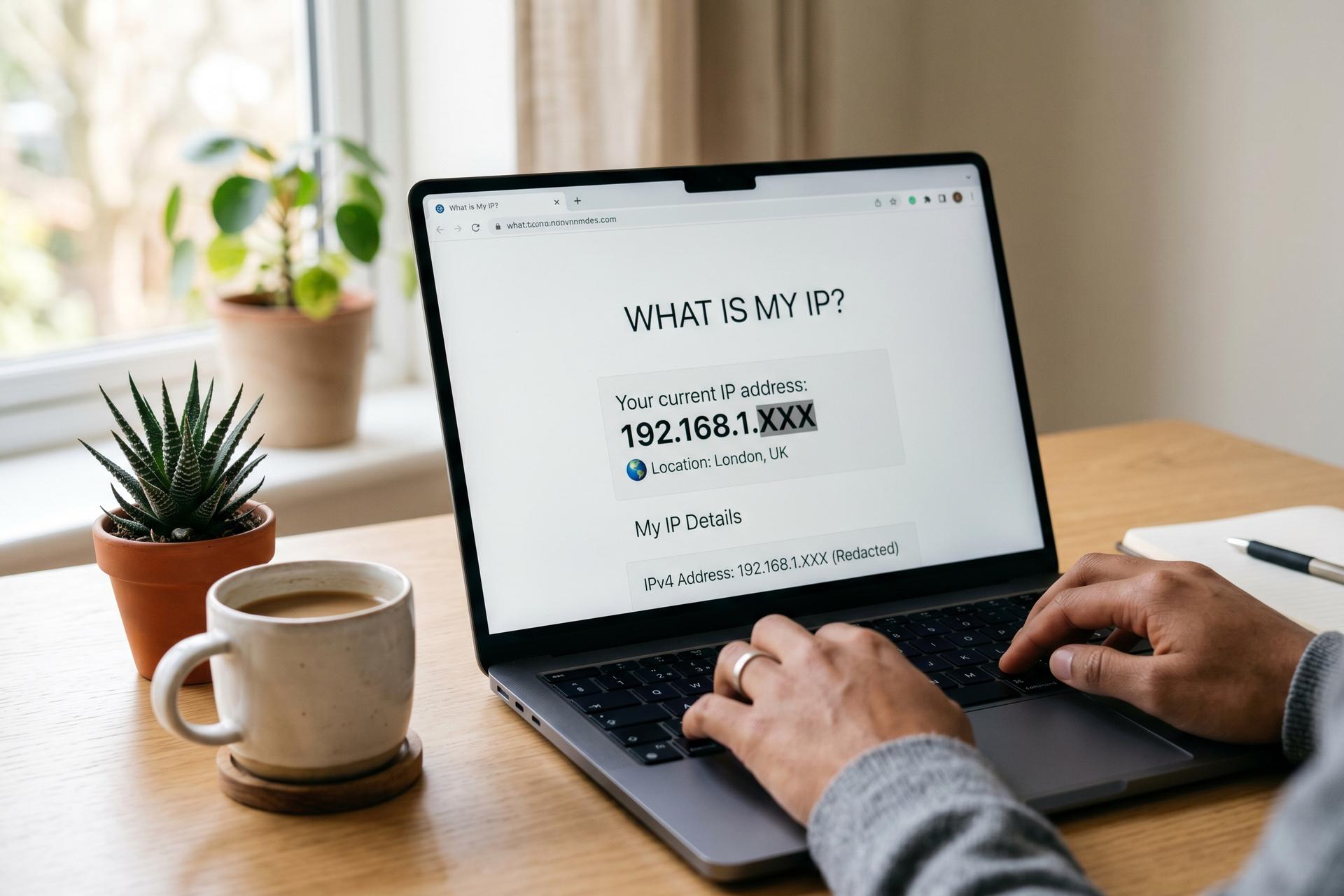
Your IP address is the closest thing the internet has to a return address. Every device that connects needs one. Every page request carries it. Every server logs it. That's why "what is my IP" still gets typed millions of times a day — people want to see the number and find out what it actually tells the rest of the internet about them. Quiet milestone in March 2026: Google's measured share of users reaching it over IPv6 crossed 50% for the first time, after decades of slow climb. The basic question didn't change with it. This guide walks through how to find your IP on any device, what the difference is between the IP your router hands you and the one the world sees, how IPv4 and IPv6 differ, what your IP really reveals, and what a VPN actually hides.
How to find your IP address right now
Every device has two IPs. The first — your public IP address — is what the rest of the internet sees. The second is whatever your router stuck on your laptop or phone for the local network. Most people who Google "what is my IP" want the public one. Sometimes they want both.
Quickest way to see your public IP: open any browser-based "what is my IP" page, or run `curl ifconfig.me` in a terminal. You get back the address your internet service provider gave to the line entering your home — the same one every outgoing connection from your devices uses to connect to the internet. The router admin page (usually 192.168.0.1 or 192.168.1.1) lists the same number under Status or WAN. Most browser tools also throw in an IP location guess next to it — usually a city, sometimes a ZIP, often wrong by a few miles, occasionally wrong by a country if you're on mobile data.
| OS / device | How to check your IP |
|---|---|
| Windows 10/11 | Command Prompt → `ipconfig` (look for IPv4 / IPv6 under your active adapter) |
| macOS | System Settings → Network → adapter → Details → TCP/IP |
| Linux | `ip addr show` or `hostname -I` |
| iOS | Settings → Wi-Fi → tap the ⓘ next to your network |
| Android | Settings → About phone → Status → IP address |
| Router admin | 192.168.0.1 or 192.168.1.1 → Status / Network → WAN IP |
So every gadget on the network carries two IPs at once. One stays inside the house. The other goes out with every page request and every chat message, shared by the whole household. The world only ever sees the second one.

Public vs private IP addresses — what they are and why both exist
Your internet service provider assigns one public internet protocol address to your line. That's the address the world sees. Inside the house, the router hands out separate private IPs to every device — laptop, phone, smart speaker, that one printer you haven't powered down since 2019. Those private IPs are used inside the home or office network only, never on the public internet. The reason both exist is mathematical: there are far more devices than IPv4 has addresses, so households share a single public IP across all gadgets, with the router translating in and out through Network Address Translation (NAT).
The analogy that actually sticks: the public IP is the apartment building's street address. The private IPs are the flat numbers inside. The mail carrier only needs the street; the building manager handles which flat each parcel goes to. Your router is the building manager. Bit of a grumpy one, but reliable.
Three blocks of private addresses, set aside in RFC 1918 back in February 1996 and untouched ever since, cover the inside of pretty much every network alive today.
| Range | CIDR | Where you'll see it |
|---|---|---|
| 10.0.0.0 – 10.255.255.255 | 10.0.0.0/8 | Corporate networks, some ISPs |
| 172.16.0.0 – 172.31.255.255 | 172.16.0.0/12 | Less common, mid-size networks |
| 192.168.0.0 – 192.168.255.255 | 192.168.0.0/16 | Almost every home router |
Mobile carriers pushed NAT further. With Carrier-Grade NAT (CGNAT), an ISP-level router shares one public IPv4 address across many subscribers — sometimes hundreds, sometimes thousands. Cloudflare studied this between December 2024 and January 2025 and found a side effect: CGNAT IPs get rate-limited or challenged by anti-abuse systems roughly three times as often as non-CGNAT IPs. The reason is simple: one address carries the noise of every user behind it. If a captcha appears every time you load a site on mobile, CGNAT is usually the culprit, not anything you did. Every device connected through that carrier shares one identifier with strangers.
IPv4 vs IPv6 — what changed and what it means for you
IPv4 (also called IP version 4, or just version 4) is the older format and the one most people picture. 32 bits, written as four blocks of 0 to 255. Something like 203.0.113.45. About 4.3 billion combinations, which sounded infinite in 1981 and now feels embarrassingly tight. Every Regional Internet Registry has burned through its free pool — ARIN ran out in September 2015, RIPE NCC declared exhaustion on 25 November 2019, LACNIC finished in 2020. The leftover IPv4 transfer market, where old blocks change hands like used cars, traded at $35 to $60 per address through early and mid 2025.
IPv6 (IP version 6, or version 6) is the longer-format replacement. 128 bits, written in hex across eight chunks, looking like `2001:0db8:85a3:0000:0000:8a2e:0370:7334`. The number of unique IPv6 addresses sits around 3.4 × 10³⁸ — enough for every grain of sand on Earth to run its own little server with room to spare.
| IPv4 | IPv6 | |
|---|---|---|
| Bits | 32 | 128 |
| Format | Four decimal blocks (0–255) | Eight hexadecimal blocks |
| Total | ~4.3 billion | ~3.4 × 10³⁸ |
| Sample | 203.0.113.45 | 2001:0db8::8a2e:0370:7334 |
Took decades for the curve to actually bend. On 28 March 2026, Google measured its global share of users who connect to the internet over IPv6 hitting 50% for the first time. The APNIC region (Asia-Pacific, 56 economies in total) had crossed the same line back in April 2025. France leads big economies at about 86% by Google's count. China sits under 5% on the same chart even with heavy state push. Most of this is invisible at the user end — the operating system quietly picks IPv4 or IPv6 per destination, and you'll never really know which served the page you're reading now.
What your IP address can reveal about you
Honest answer: less than people fear, more than people think. The IP address allows IP geolocation lookups against a commercial or public database: your approximate location, your ISP, and the rough shape of your online activity. It does not point at your front door. Treat it as a digital home address that names the building, not the apartment.
MaxMind, the dominant commercial geolocation provider, publishes its own accuracy numbers. Country-level: about 99.8%. US state-level: ~80%. City-level inside a 50 km radius: closer to 66%. Mobile and VPN IPs are flagged as less accurate, sometimes wildly. Other databases land in similar tiers. The "approximate location" you see on a "what is my IP" page is a lookup, not a fact your device gave away.
What an IP reveals past geography depends on what travels with it. HTTP headers tag along on every request: User-Agent, Accept-Language, Referer, Client Hints. Even your ISP, the third party with the widest view, sees connection metadata (destinations, timing, volume) without needing the page content. Trackers stitch that into ad profiles for third parties.
European courts have been busy on what this means legally. The CJEU's IAB Europe ruling in March 2024 confirmed that an IAB TC String combined with an IP counts as personal data. In SRB v. EDPS, decided on 4 September 2025, the same court narrowed the rule: pseudonymous data such as an IP is personal data under GDPR only when re-identification is "reasonably likely" for the recipient. For whoever logged the IP first, that bar is almost always met.
Hiding or changing your IP — VPN, proxy, Tor, and their limits
A virtual private network, or VPN, routes your internet traffic through an encrypted tunnel to a VPN server somewhere else, then out to the public internet from that server's IP. Websites see the VPN server's address, not yours. People use a VPN to hide your IP address, to change your IP address, and to shift your apparent virtual location. The VPN routes your internet traffic before it ever reaches the ISP, so the ISP only sees encrypted bytes going to the VPN — not where they're going next. Online privacy is the usual motive, and the tunnel changes your IP from the moment it's up.
A proxy server does something similar but typically per-app — the browser routes through the proxy, other apps don't. The Tor browser adds three relay hops so no single server knows both your real IP and your destination. Each tool hides the origin IP at a different cost in speed and ease.
None of these are magic. WebRTC, a JavaScript API for video calls, stays enabled by default in Chrome, Firefox, Edge and Opera in 2025, and can expose the local and public IP through JavaScript even with a VPN running, unless explicitly blocked. DNS queries leak when the VPN client doesn't enforce its own resolver. Login cookies still identify you to whatever you're already signed into. An independent audit of 74 commercial VPNs flagged at least 15 (around 21.6%) leaking IP, DNS, or WebRTC under at least one test. Academic work has reported up to 23% of VPN apps leaking DNS in specific conditions. Pick a VPN service with a clean audit, run a leak test on browserleaks.com after connecting, and treat any free VPN with extra suspicion. To protect your IP address consistently (and to learn more about IP addresses than a single article can cover), pair the VPN with a privacy-focused browser, a no-log resolver, and an honest look at which sites you stay signed into. The protection from a VPN or proxy is real but conditional. A dedicated IP from your provider helps when a shared exit keeps getting flagged.
Real risks tied to your IP, in 2025-2026
Most days, the practical risks tied to your IP are mild. Targeted advertising by third parties, content geo-blocking, the occasional captcha. Checking your IP address against a known leak corpus is a sensible quarterly habit, especially on public Wi-Fi networks where any number of devices share the same exit. The notable exceptions in the past two years came from breaches and scraping, not from active attacks.
In October 2025, Discord disclosed a third-party support-vendor (Zendesk) breach that exposed usernames, real names, emails, partial billing data, IP addresses, and even government IDs uploaded for age verification. That combination of identity documents alongside the IP is exactly what makes IP-as-PII a legal headache and a doxxing risk in practice. A year earlier, in April 2024, the operator running spy.pet scraped four billion public Discord messages across more than 14,000 servers, profiling some 628 million users. The site was eventually seized. The lesson stuck: voluntary platform metadata plus the IP collection already happening behind the scenes adds up.
The shared-IP problem is more mundane and more common. On CGNAT, one user's bad behaviour can rate-limit or block an IP shared by hundreds. Cloudflare's 2024–2025 measurements put the penalty at roughly three times non-CGNAT rates across its anti-abuse systems. If you keep getting flagged, the IP is probably shared, not flagged at you specifically.
Static vs dynamic IPs, and why yours keeps changing
Most home connections run on a dynamic IP, leased over DHCP. The same address may stick around for days, or it may swap on every reboot — depends entirely on the ISP. A static IP is a fixed address tied to one subscriber, usually sold as an extra (think $5 to $20 a month), and only really matters if you self-host something, run a business VPN, or use services that whitelist by IP. With dynamic ones, a fresh address can show up without warning. Which is why blocking by IP is such a clumsy moderation tool: the address banned yesterday probably belongs to someone else by Friday, and yesterday's offender is already three IPs deep into the next neighbourhood.