PixVerse AI Video Generator: Free Cinematic AI Video Creation
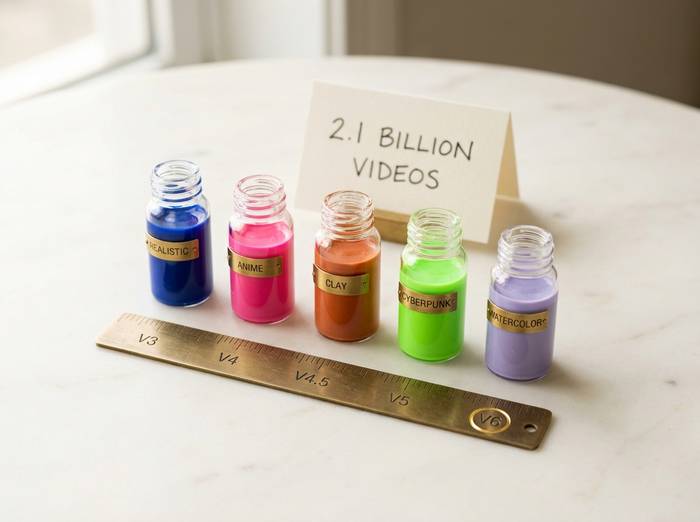
Two billion videos. That number still catches me off guard. PixVerse AI hit 2.1 billion generated clips and 100 million users across 175 countries by early 2026. Sixteen million people use it every month. The company behind it, AIsphere, was founded in April 2023. Three years later they closed a $300 million Series C at unicorn valuation. The founder, Wang Changhu, spent years at Microsoft Research and ByteDance before building this.
Why the growth? V6, the current model, does something no competitor matches at this price: it generates video and audio in a single pass. Background music, sound effects, dialogue. One prompt, one output, ready to post. Add 20 cinematic camera controls and a 15-second clip limit (up from 5-8 seconds in earlier versions) and you have a tool that is genuinely useful for social media creators, not just a novelty.
But PixVerse is not Hailuo or Veo. The physics are weaker. Photorealism lags behind. Credits burn fast when you are experimenting. Below is what it actually does, what it costs, and where it falls short.
How PixVerse AI Video Generation Works
Open pixverse.ai. No app to download. Browser-based. Three ways in.
Text-to-video. Describe the scene: "A skateboarder doing a kickflip off a concrete ledge in golden hour light, slow motion, camera tracking low from the side." The model reads your text prompt, generates frames, adds motion and camera movement, and delivers an MP4. The more specific you write, the better the output. Vague prompts produce vague video and image content that goes straight to the trash.
Image to video. Upload a still (JPG, PNG, up to 10MB). A portrait blinks. A landscape gets wind. A product shot rotates. The AI animates your image while preserving composition. High-quality output depends heavily on input image quality.
Character-to-video. Upload a character reference. PixVerse keeps that face and clothing consistent across multiple scenes. Useful for serialized content, brand mascots, or any creator building a visual identity around a recurring character.
Thirty to sixty seconds per generation. MP4 at up to 1080p, 30 FPS. V6 goes up to 15 seconds per clip (older models capped at 5-8). Aspect ratios cover everything: 16:9 for YouTube, 9:16 for TikTok and Reels, 1:1 for Instagram, plus 4:3, 3:4, and 21:9 for cinematic widescreen. A public gallery lets you browse what other creators have made and reverse-engineer their prompts. The platform also offers video extension (stretch an existing clip longer), transition generation (smooth visual bridges between two scenes), restyle (apply a completely different visual style to existing footage), and fusion (combine multiple reference images into a single output). V6 added end-frame control, meaning you can specify both the starting and ending state of a clip, which gives you much tighter narrative control than open-ended generation. The mobile app has 67 million downloads with a 4.47-star rating across 4.3 million reviews, so a large chunk of users are creating content directly from their phones.
| Spec | PixVerse V6 |
|---|---|
| Resolution | 360p, 540p, 720p, 1080p |
| Duration | Up to 15 seconds (V6) |
| FPS | 30 |
| Format | MP4 |
| Generation time | 30-60 seconds |
| Input | Text, image, or character reference |
| Aspect ratios | 16:9, 9:16, 1:1, 4:3, 3:4 |
What Makes PixVerse V6 Different from Earlier Versions
PixVerse has iterated fast. V2 was the first public release. V2.5 added speed improvements. V3 and V3.5 pushed output quality higher. V4 brought cinematic camera controls and better physics. Now V6 takes several features that used to require separate tools and rolls them into one pass.
The biggest addition in V6 is native audio. Previous versions generated silent video. You had to add music and sound effects separately in an editor. V6 produces audio and video together. Background music, sound effects, and dialogue come out of the same generation pipeline. One prompt, one output, video plus sound. For creators who want to post directly to social media without opening Premiere or CapCut, that is a real time saver.
Camera control is the second major upgrade. V6 offers 20-plus cinematic lens controls: focal length, aperture, depth of field, lens distortion, chromatic aberration, vignetting. Movement options include push, pull, pan, tilt, tracking, and follow shots. You describe the camera movement in your text prompt and the model executes it. This is where PixVerse starts feeling less like a toy and more like a previsualization tool for actual filmmaking.
There is also R1, a separate model that made headlines in January 2026. It is the first real-time video generation model: you type prompts into a continuous stream and the AI generates video in real-time, infinitely. Shared worlds where multiple users submit prompts into a common live feed. Personalized avatars from 1-3 photos. This is experimental, closer to a tech demo than a production tool, but it signals where AI video generation is heading.
Multi-shot storytelling is the third big V6 feature. You can generate sequences of connected scenes with transitions, and the model maintains character consistency across them. A character who appears in shot one looks the same in shot three. Hair, clothing, face. This was a persistent weakness in earlier versions and in most competing tools.
Visual style variety is broad. PixVerse handles photorealistic footage, anime, 3D animation, clay style, comic style, and cyberpunk. Style template options let you apply a look with one click instead of engineering it through the prompt. The animation quality for anime specifically is one of the things users praise most about PixVerse. In user tests and community reviews, PixVerse consistently ranks above Runway and Pika for stylized and non-photorealistic output.
PixVerse AI Pricing and Subscription Model
PixVerse runs on a credit system. Every video generation costs credits, with the amount depending on resolution and features used.
| Plan | Monthly price | Credits | Max resolution |
|---|---|---|---|
| Free | $0 | 90 initial + 60 daily | 540p |
| Standard | $10/mo ($8 annual) | 1,200 | 720p |
| Pro | $30/mo ($24 annual) | 6,000 | 1080p |
| Premium | $48/mo | 15,000 | 1080p |
| Ultra | $149/mo | 25,000 | 1080p |
The free AI tier gives you 90 credits at signup plus 60 daily. The free plan has a watermark and caps resolution at 540p. Paid plans remove the watermark and unlock higher resolution. The Pro plan at $30 per month with 6,000 credits is where most regular creators land.
Paid plans unlock more credits, higher resolution, and priority generation. The Pro plan at $59 per month with 1,000 credits is aimed at agencies and daily-use creators. Annual plans save roughly 40%.
For developers, PixVerse offers API access through platforms like fal.ai. The API pricing is per-second of generated video:
| Resolution | Cost per second (video only) | Cost per second (with audio) |
|---|---|---|
| 360p | $0.025 | $0.035 |
| 540p | $0.035 | $0.045 |
| 720p | $0.045 | $0.060 |
| 1080p | $0.090 | $0.115 |
At those rates, $1 gets you about 11 seconds of 1080p video or 40 seconds of 360p. The API is REST-based with Python and JavaScript SDKs. Serverless infrastructure means you pay per second with no minimums and no GPU management.
Using PixVerse AI: Prompts, Effects, and Best Practices
Prompts make or break your results. "A cat sitting on a couch" gets you something generic. "A fluffy orange tabby on a worn leather couch in a dimly lit apartment, rain on the window behind, warm lamp light from the left, slow push-in camera movement, shallow depth of field." That gets you something you would post. The difference is entirely in the detail you feed the model. Using pixverse effectively means learning to write prompts that include subject, action, camera, lighting, and mood.
Built-in effects and template presets handle the viral stuff. Hugging videos. Object-to-robot transformations. Body morphing. Squish-it effects. One click, upload a photo, done. These are calibrated for TikTok and Reels and account for a lot of the platform's social media traction.
Lip-sync landed in July 2025 with synchronization across English, Chinese, French, and Japanese. It matches mouth movement to audio input. Decent for short clips. Not at the level of HeyGen or Synthesia for longer talking-head content.
For production workflows: export to Adobe Premiere, After Effects, and Canva. PixVerse also ships a CLI tool for developers who want to generate ai videos and images from the terminal. Batch processing, automated creative workflows, CI/CD pipelines for content teams. A Discord community runs alongside with active prompt sharing and feature requests.
PixVerse AI vs Hailuo AI, Runway, and Kling
The AI video generator market is crowded. Here is where PixVerse sits relative to the competition.
| Feature | PixVerse V6 | Hailuo 02 | Runway Gen-4 | Kling AI 3.0 | Pika 2.0 |
|---|---|---|---|---|---|
| Max duration | 15 sec | 10 sec | 10+ sec | 3 min | 8 sec |
| Max resolution | 1080p | 1080p | 4K | 1080p | 1080p |
| Native audio | Yes | No | No | Limited | No |
| Lip-sync | Basic | No | No | Yes (strong) | No |
| Physics quality | Good | Excellent | Good | Excellent | Moderate |
| Face quality | Good | Best-in-class | Good | Very good | Moderate |
| Free tier | 20 credits | 10/day | 125 credits | Free tier | Free tier |
| No watermark (free) | Yes | No | No | No | No |
| Starting paid | $15/mo | $9.99/mo | $12/mo | ~$5/mo | Free |
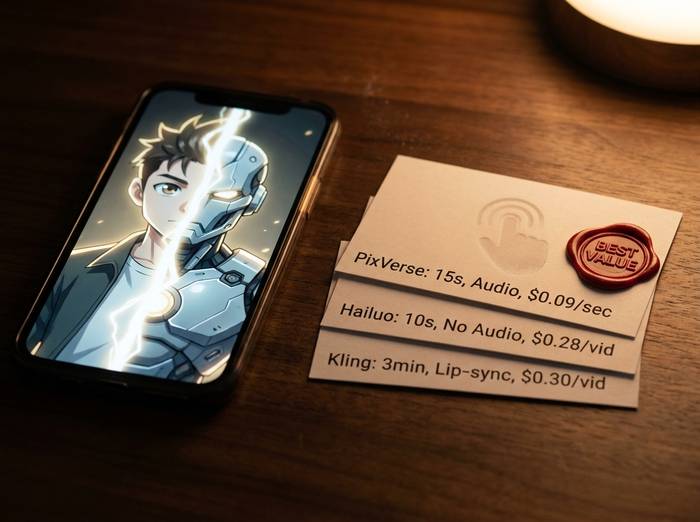
| API pricing (1080p) | $0.09/sec | $0.28/video | $0.50-1/sec | ~$0.30/video | Freemium |
| Camera controls | 20+ lens options | Natural language | Limited | Limited | Limited |
| Anime quality | Excellent | Good | Moderate | Good | Good |
PixVerse's advantages are clear in three areas. First, native audio generation. Nobody else produces video and sound in one pass at this price point. Second, the no-watermark free tier. That matters for creators who want to test before committing money. Third, anime and stylized content. PixVerse handles non-photorealistic styles better than most competitors.
Where PixVerse falls short: physics simulation and facial realism. Hailuo 02's NCR architecture produces more convincing object interactions and micro-expressions. Kling AI generates clips up to 3 minutes, which is an enormous advantage for narrative content. Runway Gen-4 outputs at 4K for professional production.
The best ai video generator depends on what you need. For social media clips with sound and style variety, PixVerse is the strongest pick. For cinematic realism and facial micro-expressions, Hailuo wins. For long-form narrative (up to 3 minutes), Kling wins. For premium 4K production, Runway or Google Veo.
Worth noting: PixVerse got a 4.6 out of 5 rating from fritz.ai after 20 hours of hands-on testing. The reviewer called it "one of the fastest-growing AI video tools on the market." The rendering speed is a consistent advantage. Thirty to sixty seconds per clip, while Hailuo takes 30-90 seconds and Runway can run 1-5 minutes. When you are iterating on prompts and burning through credits to find the right visual, that speed difference adds up fast.
The competitive landscape shifted in March 2026 when OpenAI shut down Sora. That removed the highest-profile competitor and sent users looking for alternatives. PixVerse, Hailuo, Kling, and Veo all picked up users from the Sora exodus. PixVerse's free tier with no watermark made it an obvious first stop for people testing new tools.
Limitations and What PixVerse Gets Wrong
Fifteen seconds. That is the V6 ceiling. Older models capped at 5-8. For TikTok hooks and Reels teasers, 15 seconds works. For anything with a narrative arc, you are stitching clips together and hoping the model keeps characters and colors consistent across cuts. Sometimes it does. Often it drifts.
Prompt lottery. Same words, two generations, two completely different quality levels. You write a great prompt and get a mediocre clip. Try again and it looks stunning. This is not unique to PixVerse (Hailuo and Pika have the same problem) but it means burning credits on duds. When each generation costs money, that inconsistency stings.
Audio is early. V6 generates sound in the same pass, which is impressive as a feature. The actual quality is mixed. Background music: fine. Sound effects: recognizable. Dialogue: thin. Lip-sync (added July 2025 with English, Chinese, French, Japanese support) works for simple talking heads. Multi-speaker scenes break it. If audio matters to your project, budget time for post-production replacement.
No editing timeline. No undo. What the model produces is what you get. An artifact at second four of a 10-second clip? Regenerate the whole thing. That makes PixVerse a prompt-iterate-regenerate loop, not a precision tool. Good for exploration. Frustrating for deadline work.
Content moderation exists. Violence and explicit content are blocked. AIsphere has R&D in Beijing, so some Chinese content compliance applies, but the global HQ in Singapore and the US office create a slightly different regulatory profile than pure-Chinese tools like Hailuo or Kling. Specific moderation rules are not published in detail. Customer support has been flagged by Trustpilot reviewers as slow to respond.
Commercial licensing comes with paid plans. Generated video content can go into ads, client work, social campaigns. That is clearer than some competitors. The integration with Premiere, After Effects, and Canva means clips slot into existing creative workflows without friction.
From V2 to V6 in under two years. Each version pushed output quality, speed, and features forward. The $415 million in funding and unicorn status mean the pace should continue.
Here is the version history if you want to track what changed when:
| Version | Date | What changed |
|---|---|---|
| V3 | 2024 | Multiple styles (anime, realistic, clay, 3D) |
| V4 | Early 2025 | Reduced AI artifacts, better color accuracy |
| V4.5 | May 2025 | 20+ camera controls, multi-image fusion |
| V5 | Aug 2025 | Natural motion, sharper resolution, Agent feature |
| V5.5 | Late 2025 | Multi-shot storytelling with transitions |
| V5.6 | Jan 2026 | End-frame control, 40% fewer artifacts, native audio sync |
| V6 | Mar 2026 | 15s 1080p, built-in audio, multi-shot engine |
| R1 | Jan 2026 | First real-time interactive video generation |
The R1 model deserves its own mention. It is the first real-time world model for video generation: infinite continuous streaming, multiple users submitting prompts into a shared live feed, personalized avatars from a few photos. This is experimental. Not production-ready for most use cases. But it is the clearest signal of where AI video generation is heading, and PixVerse got there before anyone else.
Whether PixVerse catches Hailuo or Runway on photorealism is the open question. On stylized content, native audio, and iteration speed, it is already ahead.