Skynova Review 2026: Features, Pricing & Verdict
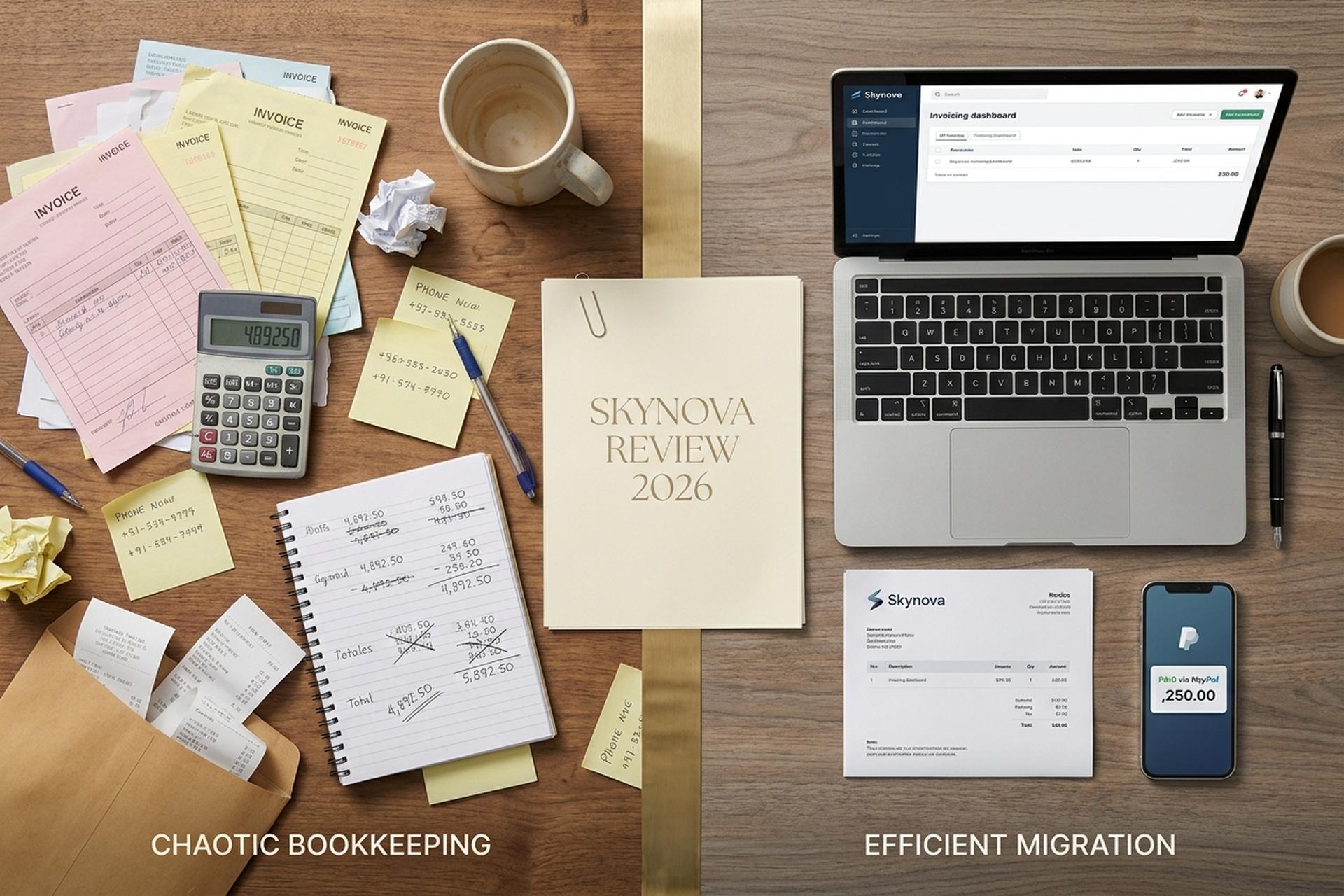
Most invoicing SaaS charges per user, per month, with a credit-card processor baked in by default. Skynova does almost the opposite. The Pro plan costs a flat $22 a month regardless of team size, the free tier has no expiration date, and the only payment processor wired into the platform out of the box is PayPal. That trio of decisions tells you almost everything about who Skynova is for, and who should keep looking. I spent a few weeks running it alongside FreshBooks and Wave to see what the experience is really like in 2026, and the picture is sharper than the marketing makes it look.
This review walks through what Skynova actually does, what it costs, who its real audience is, where its limits are obvious, why the public review scores split so dramatically across platforms, and where it sits next to QuickBooks, FreshBooks, Wave, Zoho, Square, and Xero. The verdict is at the bottom.
What Skynova is and who actually uses it
Skynova is a cloud-based invoicing and lightweight accounting software for very small businesses. The same parent company runs Aynax, the older brand many longtime users still recognise. The product is deliberately narrow: send invoices, send estimates, capture receipts, track expenses, manage a small customer list, generate basic reports. That is the entire surface area. It is not trying to be QuickBooks. It is not trying to be NetSuite. It is trying to be the tool a one-person consultancy or a five-person plumbing outfit can sign up for at 9 a.m. and use to send a real invoice before lunch.
The audience profile shows up clearly in the design choices. Skynova runs entirely in the browser, with one exception: a receipt-scanner iOS app that lets you photograph paper receipts and dump them into expense tracking. There is no full iOS or Android invoicing app. There is no mobile-native dashboard. If you are someone who genuinely runs the back office from a phone, the platform will frustrate you within a week. If you are someone who handles bookkeeping at a desk on a laptop, the browser-only approach is a non-issue, and arguably a small mercy because it eliminates the constant app-update churn that other tools impose.
The pricing model also tells you who is being served. Skynova charges one flat fee for Pro regardless of how many people in your shop use it. Most SaaS in this category charges per seat, which can mean a sole proprietor pays $22 a month while a five-person agency pays $110 a month for the same software. Skynova structurally rejects that math. The team is betting that flat-rate predictability matters more than feature richness for its target user. For the right kind of small business, that bet is correct. For anyone planning rapid growth or running payroll, it is the wrong tool from day one.
Free tier exists with no time limit, which is rare. It gives you unlimited invoices with a small Skynova watermark, plus restricted templates and storage. That is enough to test the product properly without forking over a card, and unusual in a category where "free trial" usually means fourteen days and a forced cancellation reminder on day twelve.

Skynova pricing in 2026: free vs Pro plans
The two-tier pricing is part of the appeal. Free is $0 forever and Pro is $22 a month flat — a subscription with no per-seat upcharge. There is no hidden enterprise tier, no per-seat upcharge, no usage-based metering on top. Pro comes with a 21-day free trial that does not require a credit card up front, and the company offers a 30-day money-back guarantee after that if you change your mind.
| Plan | Price (2026) | Best for | Key limit |
|---|---|---|---|
| Free | $0 / month forever | Trying the tool, occasional invoicing | Watermark on PDFs, limited storage, restricted templates |
| Pro | $22 / month, flat | Active sole proprietors and small teams | PayPal-only processing, browser-only invoicing |
The unusual word in that table is "flat." Skynova's Pro plan does not scale with users or invoice volume. A three-person agency pays the same $22 as a one-person freelancer. Compare that to FreshBooks Lite at $23 a month for one user, which jumps as soon as you add a collaborator, and the value calculation tilts depending on team size.
Skynova invoice features and expense tracking
The features that do ship work the way you expect, which is more than can be said for a lot of small-SaaS competitors. The invoice module supports unlimited invoices on Pro, recurring schedules, custom logos, several stock templates, email delivery, and automated payment reminders that go out on a schedule you set. Estimates, receipts, and purchase orders use the same underlying engine and can be converted into invoices in two clicks.
Expense tracking sits next to invoicing as a near-equal feature, with categories, attachable receipt images, and a running total per category. The receipt-scanner iOS app, the one mobile piece of Skynova that exists at all, feeds directly into this module. Customer management is closer to a contact book with notes than a full CRM, but for a sub-five-person service business that is usually all that is needed.
Reporting is the weakest of the standard features. You can pull a simple profit and loss, an expense breakdown by category, and a customer balance summary. None of these will satisfy an accountant who wants depreciation schedules, custom date-range analysis, or class tracking; for that workflow Skynova is the wrong tool. What automation does exist is sensible: recurring invoices send themselves, payment reminders fire on day three and day seven by default, and the system gives you a real-time alert the moment a customer opens an invoice in their email — a small detail that helps businesses get paid faster.
Where Skynova falls short: software gaps, interface limits
The honest review section. Skynova has several structural limits, some annoying, one of them serious enough to disqualify the platform for a large group of would-be users.
The serious one is payments. Skynova accepts PayPal as the only built-in payment processor. There is no Stripe integration, no Square integration, no direct credit-card processing inside Skynova itself, and no ACH bank pull — which means online payments beyond PayPal require a separate account. If a customer wants to pay you with a credit card and you do not already run a separate Stripe or Square account, the most common path is for the customer to use PayPal Guest Checkout, which works but feels dated and confuses a meaningful share of clients in 2026. Wave bakes Stripe in for free. FreshBooks bakes both Stripe and ACH in. Skynova does not. This single limitation is the most common reason buyers churn out within their first ninety days.
The mobile experience is the next gap. The only Skynova app in the App Store is a receipt scanner. There is no iOS invoicing app and no Android app at all. Everything else runs in a mobile browser, which works but is a noticeably worse experience than FreshBooks or QuickBooks Online's native apps. If you genuinely send invoices from your phone, this matters; if you do not, it is irrelevant.
Third-party integrations are also limited. Skynova does not expose a Zapier-grade ecosystem or open API. You will not be wiring it into your CRM, your ecommerce store, your project management tool, or your bank feed in any meaningful way. The interface itself is clean and functional, but feels a generation behind the AI-augmented, dashboard-rich tools competitors have shipped in the last eighteen months. It is not enterprise-grade infrastructure and does not pretend to be.
Customer support is email-based on the basic tier, and the response-time complaints on PissedConsumer and SiteJabber are real even if they over-represent the unhappy minority. None of these limits is a deal-breaker on its own. The PayPal-only payment processing is the one that quietly defines who Skynova can serve.
Skynova review scores and why they split so hard
The public review picture for Skynova is fascinating because the same product gets wildly different scores depending on the platform.
Shopper Approved, which only collects feedback from verified buyers, shows Skynova at 4.7 out of 5 with over 3,400 reviews. That is a genuinely high score backed by a large sample. SiteJabber, which leans toward complaint-driven submissions, shows the same product at 2.1 out of 5 with 36 reviews. PissedConsumer also skews sharply negative. The aggregate ZoftwareHub score sits in the middle around 4 stars.
That split looks contradictory until you read the actual review text. The Shopper Approved buyers are the target audience: solo operators, small service businesses, people who needed unlimited invoicing for a flat fee and got it without drama. The SiteJabber complainants are almost always users who hit the structural ceiling — PayPal-only payments, weak reporting, missing integrations — and felt the limits arrive faster than the marketing implied. Both groups are correct about their experience. Skynova does its narrow job very well and falls over hard the moment you ask it to do something just outside that scope.
Skynova vs QuickBooks, FreshBooks, Wave & Zoho
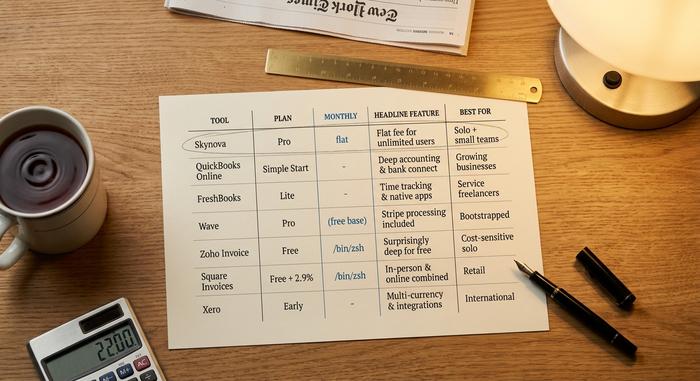
Where Skynova sits against the main alternatives, with May 2026 pricing.
| Tool | Plan | Monthly (USD) | Headline feature | Best for |
|---|---|---|---|---|
| Skynova | Pro | $22 flat | Flat fee for unlimited users | Solo + small teams, PayPal customers |
| QuickBooks Online | Simple Start | $38 | Deep accounting, bank connect | Growing businesses, tax handoff |
| FreshBooks | Lite | $23 | Time tracking, native apps | Service freelancers, billable hours |
| Wave | Pro | $19 (free base) | Stripe processing included | Bootstrapped, payments-first |
| Zoho Invoice | Free | $0 | Surprisingly deep for free | Cost-sensitive solo |
| Square Invoices | Free + 2.9% per txn | Free | In-person + online combined | Retail, mobile services |
| Xero | Early | $25 | Multi-currency, integrations | International freelancers |
Skynova wins on flat-rate predictability and on the free tier having no expiration. QuickBooks wins on depth and accountant-friendliness. FreshBooks wins on user experience and time tracking. Wave wins outright if you need credit-card processing without paying a monthly fee. Zoho Invoice wins for anyone running on zero budget. Square wins for businesses that take payments in person. Xero wins for cross-border freelance work. None of these tools is universally better; they sit in different points on the same map.
Skynova plus crypto invoicing via Plisio
Skynova does not handle cryptocurrency invoicing natively. For most small businesses that does not matter. For the growing slice that does take crypto from clients, particularly international freelancers, web3 contractors, and privacy-aware service providers operating across borders, a separate tool is needed. Chainalysis's 2025 Global Adoption Index reported North American crypto activity up 49% year over year, and stablecoins moved roughly $28 trillion in real economic volume during 2025, on a 133% compound growth rate since 2023. Those are not edge-case numbers anymore. Plisio, a dedicated crypto-invoice gateway, plugs the gap for SMBs that want to add Bitcoin, Ethereum, USDT, and USDC as accepted methods alongside whatever Skynova or its alternatives already handle. The user issues a regular crypto-priced invoice through Plisio, the customer pays in their chosen coin, and the settlement automatically converts to a stable currency if that is preferred. Worth knowing the option exists, not worth switching for unless crypto is a real part of your client mix.
Verdict: when to buy Skynova and when to skip
Buy Skynova if you are a solo operator or a sub-five-person team, most of your clients are comfortable paying via PayPal, you value flat-rate pricing predictability over feature breadth, you handle bookkeeping at a desk rather than from a phone, and you do not anticipate needing payroll, multi-entity accounting, or deep reporting within the next year. For that buyer the product is genuinely good and the flat-rate model is hard to beat.
Skip Skynova if you need Stripe or Square processing inside your invoicing tool, native iOS or Android invoicing apps, deep accounting reports, multi-currency support, payroll integration, deeper third-party connections, or enterprise-grade audit trails. Pick FreshBooks or Wave for credit-card-first invoicing, QuickBooks Online for accounting depth, Zoho Invoice for zero-cost simplicity, Square for in-person businesses, or Xero for international work. Each of those is a sharper fit for its respective use case, and choosing one of them over Skynova will save you the eventual migration headache when the platform's quiet limits start to bite.