Best SaaS Payment Solutions
Most payment tools are built for one-time checkouts. That model breaks fast when your product runs on subscriptions. Saas payment solutions cover the full stack: recurring billing, trial management, failed payment recovery, and multi-currency invoicing, all running automatically without your team touching every transaction.
Choosing the wrong one doesn't just cost fees. It costs engineering time, customer experience, and revenue that's silently leaking through failed renewal charges.
This guide covers how SaaS payments work, the billing models you need to understand, and how the leading saas payment solutions compare.
What Are SaaS Payment Solutions?
Take a standard payment processor and it handles one thing: getting a card charge approved. A SaaS payment solution does that plus the recurring layer — billing schedules, subscription state, trial periods, plan upgrades, mid-cycle prorations, and what happens when a customer's card gets declined on their sixth renewal. All of that needs to work without anyone manually intervening.
About 70% of business apps today run on a SaaS model. The billing complexity of saas payments compounds as your customer base grows — what's manageable at 100 customers becomes a real operational problem at 1,000.
A full SaaS billing stack breaks down into three layers:
- Payment gateway: Connects to card networks (Visa, Mastercard, Amex) and authorizes transactions in real time
- Billing engine: Manages invoicing schedules, prorations, tax calculations, and subscription state changes
- Subscription management layer: Handles customer lifecycle events — trials, pauses, cancellations, and plan upgrades or downgrades
Some products cover all three. Others own one layer well and integrate with tools for the rest. Every saas business needs to understand which layer they're actually buying before they sign anything.
How SaaS Payment Processing Works
When a customer checks out on your pricing page, a chain of events fires across multiple systems. Understanding the full payment process helps you know where things break and what your billing stack needs to handle.
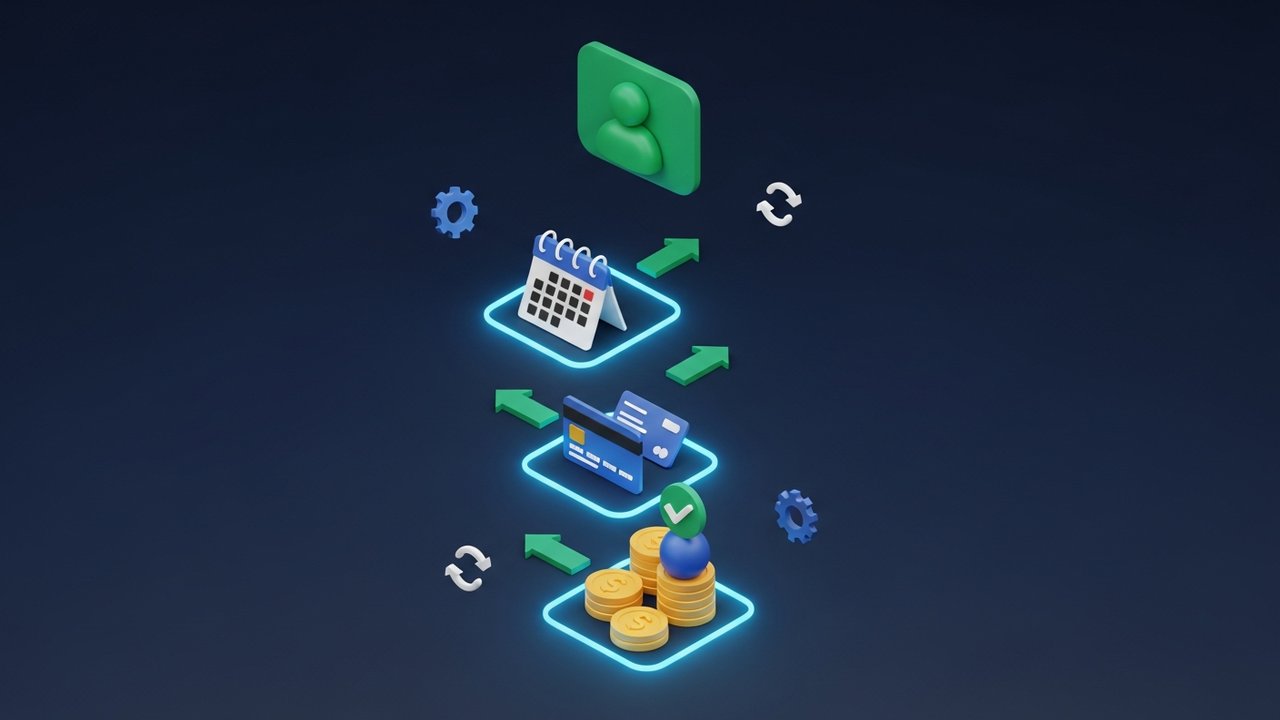
The subscription payment process from checkout to renewal:
- Customer submits payment details — typically a credit card, debit card, or digital wallet.
- Your payment gateway tokenizes the card and sends an authorization request to the card network.
- The card network routes the request to the card issuer (customer's bank), which approves or declines.
- On approval, the billing engine records the subscription and schedules the first renewal date.
- Webhooks fire to your application notifying it the subscription is active, so it can provision access.
- On the renewal date, the billing system charges the stored payment method automatically — no customer action needed.
- If the charge fails, dunning logic activates, retrying on a defined schedule and sending recovery notifications.
Most SaaS companies lose revenue here without realizing it. A failed recurring payment doesn't always mean the customer churned intentionally. Card expirations, temporary holds, and insufficient funds are all recoverable with the right retry strategy. For any saas business, smart dunning is one of the highest-ROI features in the billing stack.
SaaS Billing Models: Subscriptions, Usage, and Flat Fees
The billing model you run determines the complexity your payment stack needs to support. Not every saas billing platform handles every model equally well.
| Billing Model | How It Works | Best For | Main Challenge |
|---|---|---|---|
| Flat-rate subscription | Fixed monthly or annual fee | Simple tools, early-stage products | Less flexible; adoption dropped from 29% to 22% |
| Per-seat pricing | Charge per user or license | CRMs, team collaboration tools | Customers cap seats; usage down from 21% to 15% |
| Usage-based billing | Charge per unit consumed (API calls, GB, events) | Infrastructure, AI APIs, data platforms | Unpredictable revenue; requires metered billing |
| Hybrid | Base fee plus usage overage | Enterprise SaaS | Needs metered billing and proration support |
| One-time license | Single payment for perpetual access | Plugins, professional tools | No recurring revenue; hard to grow MRR |
Flat-rate and per-seat pricing are both losing ground. Usage-based billing is growing because it aligns cost directly with value — customers pay more when they use more, and they're less likely to churn when usage dips. Your saas payment gateway needs to support the model you actually run, and ideally let you change pricing without rebuilding your billing infrastructure.
Key Features to Look For in a SaaS Payment Solution
The payment options a customer prefers should never be the reason they don't convert. Beyond basic card acceptance, a solid SaaS payment solution needs:
- Recurring billing engine: Automatic charge scheduling with configurable intervals — monthly, annual, or custom cadences
- Smart dunning: Automated retry logic that varies timing and uses card network intelligence to maximize recovery on failed recurring payments
- Multi-currency support: Customers pay in their local currency; the billing system handles exchange rate conversion and reporting
- PCI DSS compliance: The provider handles raw card data in a compliant environment — your team never touches card numbers
- Tax automation: VAT, GST, and sales tax calculation varies by country and state; at scale, manual handling creates both errors and legal exposure
- Proration logic: When a customer upgrades mid-cycle, the billing engine calculates the partial-period difference automatically
- Revenue reporting: MRR, ARR, churn rate, and net revenue retention should come from the billing system directly, not from manual spreadsheet work
- Webhook events: Real-time notifications for every billing event — payment succeeded, payment failed, subscription canceled, trial ending — so your app can respond immediately
- Checkout customization: Embedded payment forms, hosted pages, one-click renewal, and saved payment methods reduce friction at every touchpoint
- Integration ecosystem: Connectors for your CRM, accounting software (QuickBooks, Xero), and customer success platforms keep data in sync
Manual invoicing costs an average of $171,000 per year in staff time alone (Payments Canada). Automating billing through the right saas payment processing platform recovers that cost quickly. The payment options you support also directly affect conversion — a customer who can't pay their preferred way simply won't convert.
Best SaaS Payment Solutions Compared
No single platform wins across every use case. Here's how the leading saas payment solutions stack up:
| Solution | Transaction Fee | Best For | Key Limitation |
|---|---|---|---|
| Stripe Billing | 2.9% + $0.30 (plus 0.5–0.8% for subscriptions) | Developer teams, flexible billing models | Subscription logic needs engineering setup |
| Paddle | 5% + $0.50/checkout | Avoiding global tax complexity | Higher fees; less checkout control |
| Chargebee | Free to $250K, then 0.75% | Subscription lifecycle management at scale | Not a gateway — requires Stripe or Braintree |
| Recurly | Custom enterprise pricing | High-volume subscription recovery | Pricing opaque; heavy for early-stage |
| Braintree | 2.59% + $0.49 | PayPal/Venmo acceptance, US focus | Weaker subscription tooling than Stripe |
Stripe is where most SaaS companies start, for understandable reasons — the billing product is solid, the API docs are actually good, and recurring payments, trials, and usage-based metering all work natively. The catch is that none of it is turnkey. Getting your subscription flows set up the way you need them requires real engineering investment.
Paddle works differently. Instead of being a gateway you connect to, it becomes the legal seller of your software, handling VAT across the EU, sales tax across US states, and compliance in the UK. That shifts a massive administrative burden off your plate. The fee is higher, but for a small team, outsourcing tax liability often costs less than hiring someone to manage it.
When your subscription operations have gotten complicated enough that Stripe's native billing feels limiting, Chargebee is the standard upgrade. It layers on top of Stripe or Braintree and adds dunning campaigns, MRR dashboards with cohort analysis, pause/resume flows, and revenue recovery analytics.
Recurly targets SaaS companies with high transaction volume and sophisticated billing requirements: A/B testing on pricing pages, deep dunning analytics, enterprise-level revenue recovery. Makes sense above $1M ARR when payment failures are a measurable revenue leak, not before.
Subscription Management and Dunning in SaaS
Subscription management is everything that happens between a customer signing up and canceling. Upgrades, downgrades, pauses, usage tracking, payment failure handling — most SaaS companies underinvest here until churn becomes impossible to ignore.
Dunning is the automated process of recovering failed saas payments. The industry norm is losing 5–10% of revenue to involuntary churn: customers who never intended to cancel. A card expired. A bank flagged a hold. That's recoverable — if your billing system actually tries.
Two approaches exist, with a significant gap between them:
- Passive dunning: Fixed retry schedule (day 1, 3, 7) and wait. Most billing systems do this by default. It catches some failures but leaves a lot on the table.
- Active dunning: Automatic retries plus targeted email sequences asking customers to update their payment details. Measurably better recovery rates in practice.
Companies that automate billing and dunning see 25% improvement in cash flow and 35% higher payment recovery rates (Regpack data). A 10% retention improvement delivers roughly 30% more company value over time. For saas payments specifically, building in active dunning from the start beats retrofitting it later — and it's one of the higher-leverage decisions a growing saas business makes.
Smart retry timing adds another layer. Card issuers authorize at different rates depending on the day and time. Billing platforms with network-level data recover payments that fixed schedules miss.
How to Choose a SaaS Payment Gateway
Stage and billing model matter more than any feature checklist.
If you're under $50K MRR, pick Stripe or Braintree and move on. Engineering complexity at this point is the enemy. Both handle basic recurring payment support well enough, and speed to market is what counts.
Once you're in the $50K–$500K MRR range, the gap between gateway-native saas payments infrastructure and dedicated subscription tools becomes expensive. That's when layering Chargebee or Recurly on top of your existing setup starts paying off — dunning campaigns and cohort-level churn tracking generate real, measurable revenue at this scale.
Past $500K MRR, decisions get more specific. Global tax compliance is the pain point? Paddle's merchant of record model is worth the higher fee. Running metered pricing? You probably need dedicated usage billing infrastructure rather than forcing a subscription tool to handle it.
Before signing with any saas payment gateway, get clear answers on these:
- Does it support your actual billing model — flat-rate, usage-based, hybrid?
- What's the automatic retry schedule for failed recurring billing?
- How are payment disputes and chargebacks handled, and who carries the liability?
- Is VAT and GST automatically calculated for your key markets?
- What payment options do your customers actually use beyond credit cards — digital wallets, bank transfers, local methods?
- Can you accept crypto payments for customers in markets with limited card access?
The crypto question matters more than many SaaS teams realize. Globally distributed user bases, developer audiences, and customers in regions with low card penetration or high FX costs are all cases where traditional card rails add friction. Crypto removes chargebacks, cuts FX conversion costs, and settles instantly across borders. SaaS companies with international exposure can add crypto through Plisio, which supports multi-currency crypto invoicing with real-time payment confirmations, a practical complement to card-based global payment infrastructure.