How to send a POST request with curl: complete reference

Roughly twenty billion installations of curl run somewhere in the world right now. That number comes from the tool's creator, Daniel Stenberg, who maintains it almost single-handedly. curl ships inside routers, cars, satellites, smart TVs, the Linux servers that hold up most of the public web, and every major LLM runtime. Of all the HTTP verbs those installations push around, POST does the heavy lifting. A curl POST is how most developers test, debug, or integrate with an API for the first time.
Postman's 2025 State of the API Report puts REST at 93% adoption. 82% of organisations now operate at least partly API-first. POST is the verb you reach for whenever you create, submit, or transmit data to a server. AI workloads accelerated that trend further. API traffic attributed to AI usage grew 73% in 2024 (Postman, 2024), and every LLM provider's documentation now opens with a curl POST snippet as the canonical "first call."
This reference walks through every shape a POST request using curl can take, from the one-line minimum to a working call against a real crypto payment API. Aim: something you can paste from, not just read. Sending data to a server for the first time or rebuilding a webhook handler at 2 a.m., the patterns below cover what you actually need.
The table below is the short version. Flag-and-purpose cheat sheet covering the curl command-line options used most often when sending POST requests. Each is unpacked in the sections that follow.
| Flag | What it does | When you reach for it |
|---|---|---|
| `-X POST`, `--request POST` | Forces the HTTP request method to POST | Explicit method, or unusual verbs |
| `-d`, `--data` | Sends data in the request body, sets POST automatically | Form fields, inline JSON, simple payloads |
| `--data-binary` | Sends file or binary data without stripping newlines | File uploads, large JSON, raw binary data |
| `--data-urlencode` | URL-encodes the value before sending | Values with spaces or special characters |
| `--json` | Sends data with `Content-Type: application/json` and `Accept: application/json` | curl 7.82.0 or newer, JSON APIs |
| `-H`, `--header` | Adds a custom HTTP header | Content-Type, Authorization, API keys |
| `-F`, `--form` | Sends multipart/form-data with form fields or files | File uploads, HTML-style forms |
| `-u`, `--user` | Sends HTTP Basic authentication credentials | Legacy APIs, simple username-password auth |
| `-i`, `--include` | Includes response headers in the output | Inspecting server responses |
| `-v`, `--verbose` | Prints the full request and response, headers included | Debugging a failing POST request |
Understanding the curl POST request and HTTP method
A curl POST request is an HTTP POST request, dispatched with the POST method, fired from the command line. The curl tool itself describes its job as "transferring data" across more than two dozen protocols, of which HTTP is just one. POST means: here is some data, do something with it. Payload goes in the request body, never in the URL. That property is why POST handles resource creation, form submissions, and anything carrying credentials. GET parks data in the query string, visible to every proxy and every browser history. POST does not.
Most tutorials skip a small but useful detail. Pass `-d` and curl auto-switches to POST. The explicit `-X POST`, which specifies a custom request method to use, is optional. Many examples still include it because reading `-X POST` next to a payload makes the intent obvious at a glance.
PUT and POST get confused often enough that it is worth being concrete. PUT replaces a resource at a known location. POST creates a new one or sends data to be processed at a generic endpoint.

Basic curl POST syntax and the -d flag in practice
The minimum curl POST is one line:
```
curl -d "username=arya&age=16" https://api.example.com/users
```
That is it. POST request, form-urlencoded body, no fuss. `-d` is doing triple duty: it stuffs the payload into the request body, flips the request method to POST, and tacks on `Content-Type: application/x-www-form-urlencoded` as the default header. I usually paste the slightly more verbose form anyway, because the POST intent reads better in a code review:
```
curl -X POST -d "username=arya&age=16" https://api.example.com/users
```
Same bytes on the wire. Same request arguments. Use whichever your team finds easier to scan. The `-d` flag is the workhorse used to send data to a server from the command line, and it handles ninety percent of what a backend developer ever throws at curl: shell calls, webhook tests, Makefile targets, GitHub Actions steps.
Three close cousins of `-d`. `--data-binary` keeps your bytes intact; vanilla `-d` strips newlines and will mangle a binary payload. `--data-urlencode` percent-encodes for you: `--data-urlencode "name=I am Daniel"` arrives as `name=I%20am%20Daniel`. `--data-raw` is the escape hatch when a value starts with `@` and curl should not read a file. Multiple `-d` flags join with `&`. Fine for forms. Never for JSON.
One last gotcha: quoting. Single quotes around the payload stop the shell interpreting `$` or backslashes. Forget them and you spend 2 a.m. asking why half your POST data is missing.
These details matter because curl itself is one of the most heavily tested HTTP clients on the planet. Stenberg's December 2025 retrospective tallied eight releases that year. Nine CVEs, all rated low or medium. 2,179 active test cases, 232 more than twelve months earlier. Release 8.11.1, December 2024, patched CVE-2024-11053 (a netrc-and-redirect credential leak). The current stable as of late April 2026 is curl 8.20.0. Anyone stuck below 7.82.0 still has no `--json` flag and falls back to the older three-flag pattern.
Sending JSON data with curl using --json or -H
JSON is the lingua franca of REST APIs in 2026. Two ways to POST it with curl. Which one to use depends entirely on the curl version sitting on the machine.
Classic three-flag pattern, works everywhere from CentOS 6 onwards:
```
curl -X POST \
-H "Content-Type: application/json" \
-d '{"title":"Tea","quantity":2}' \
https://api.example.com/orders
```
Modern shorthand, available since curl 7.82.0 (March 2022):
```
curl --json '{"title":"Tea","quantity":2}' https://api.example.com/orders
```
The `--json` flag does three things. Sets `Content-Type: application/json`. Sets `Accept: application/json`. Sends the body. It composes too: pass `--json` more than once, the payloads concatenate. Useful when piping JSON chunks into a streaming endpoint.
For JSON payloads stored in a file, prefix the file path with `@`. Posting data from a file becomes the standard pattern once the JSON object is too large to paste inline, or once it lives in version control, or once another script generates it:
```
curl -X POST -H "Content-Type: application/json" -d @order.json https://api.example.com/orders
curl --json @order.json https://api.example.com/orders
```
The second pattern reads the data from a file named `order.json` and sends it with all the right headers. For large or potentially-binary JSON content, `--data-binary @file.json` is the safer option. It does not strip newlines, does not interpret special characters, and sends raw binary data to an endpoint that expects bytes rather than form fields. A third pattern reads the data from stdin via `-d @-`. Handy when piping output from another command straight into a curl POST.
The table below maps the four common JSON shapes against a single endpoint:
| Pattern | Command | When to use |
|---|---|---|
| Inline, classic | `-X POST -H "Content-Type: application/json" -d '{"k":"v"}'` | Maximum compatibility, any curl version |
| Inline, modern | `--json '{"k":"v"}'` | curl 7.82.0 or newer, cleanest syntax |
| From file, safe | `-X POST -H "..." -d @payload.json` | Payload kept in version control |
| From file, binary-safe | `-X POST -H "..." --data-binary @payload.json` | Large files, payloads with newlines |
This matters more than it used to. Every major LLM provider — OpenAI, Anthropic, Mistral, Google — opens its API docs with a curl POST example using exactly this shape. AI-driven traffic added 73% to overall API call volume in 2024 (Postman). curl is now the canonical reference for "how do I call this endpoint."
Content-Type, headers, and what curl assumes
Most "415 Unsupported Media Type" replies come down to one missing header. With `-d`, curl quietly stamps your request `Content-Type: application/x-www-form-urlencoded`. Send a JSON body without `-H "Content-Type: application/json"` or `--json`, and you get back 415. No warning, just the rejection.
Other metadata rides along with the body too: Content-Length, the Authorization header, X-Request-Id for tracing. Getting that metadata right is half of any API integration. The JSON object itself is the easy half.
`-H` adds custom headers. Repeat as needed. Header names are case-insensitive; values are not. Fastest way to debug a misconfigured POST: run it with `-v` once, read the request line, diff against the API docs. Eight times out of ten the bug surfaces in seconds.
Two more notes. Content-Length is auto-set by curl from the body size; you rarely override it. `Accept: application/json` is what tells the server to reply in JSON rather than HTML. Add another `-H` for that, or use `--json`, which sets Content-Type and Accept together.
Form data and file uploads with curl POST -F
For HTML-style form data with files, the right flag is `-F`. It produces a `multipart/form-data` request. Different content type from the form-urlencoded one `-d` defaults to. Different mental model. One-paragraph tutorials conflate the two often enough that it causes real bugs.
`-F` once per field. Plain form field:
```
curl -F "name=Arya" https://api.example.com/submit
```
A file upload:
```
curl -F "file=@/path/to/image.png" https://api.example.com/upload
```
The `@` prefix tells curl to read the file from disk and include its contents in the request body. curl auto-detects the MIME type from the file name; override it explicitly when needed:
```
curl -F "[email protected];type=image/png" https://api.example.com/upload
```
Multiple `-F` flags pack multiple fields or files into one request:
```
curl -F "title=Holiday" -F "[email protected]" -F "[email protected]" https://api.example.com/album
```
For raw file contents without the multipart wrapper, a common need when posting a JSON file or a binary blob to a streaming endpoint, use `--data-binary @file.bin` instead. That sends the file bytes as the request body verbatim, with whatever Content-Type you set explicitly.
Authentication in curl POST: basic, bearer, API keys
Three auth shapes cover almost every REST API in 2026. Basic auth (username plus password, base64-encoded into a header):
```
curl -u "myuser:mypass" -X POST -d "..." https://api.example.com/login
```
Bearer tokens, used by most modern APIs including every OAuth-issued credential, ride on a custom Authorization header:
```
curl -H "Authorization: Bearer $TOKEN" --json '{"q":"hello"}' https://api.example.com/query
```
API keys typically live in a service-specific header:
```
curl -H "X-API-Key: $PLISIO_KEY" --json @invoice.json https://api.plisio.net/api/v1/invoices/new
```
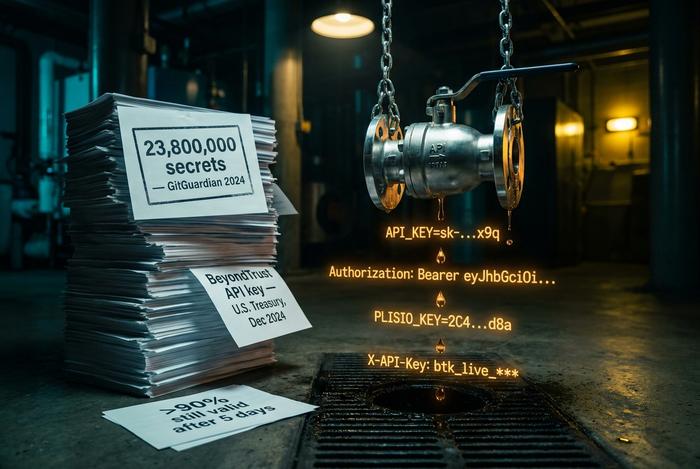
Credential from an environment variable or a secret manager, never typed inline. Why? GitGuardian's 2025 State of Secrets Sprawl counted 23.8 million new secrets leaked to public GitHub during 2024. A 25% jump over 2023. More than 90% of them stayed valid five days after exposure. Inline credentials in curl scripts are a leading source of those leaks. Security section below covers the workflow.
Real-world curl POST example: Plisio payment API
Reference docs without a real example are theory. The curl POST below mints a crypto payment invoice via Plisio's REST API. Plisio charges 0.5% flat; card processors typically 2-4%. Plisio supports thirty-plus cryptocurrencies and ships integrations for nineteen e-commerce platforms.
Why crypto APIs work as practice targets. Stablecoins moved roughly $28 trillion in real economic volume during 2025. Chainalysis pegged the growth at 133% CAGR since 2023. The crypto payment gateway market hovered near $2 billion in 2025, on track for $2.39 billion in 2026 (per The Business Research Company). BitPay, Coinbase Commerce, Plisio: pick any one. The first integration step with any modern gateway is almost always a curl POST.
The minimal call to create a new invoice:
```
curl -X POST https://api.plisio.net/api/v1/invoices/new \
-H "Content-Type: application/json" \
-H "Authorization: Bearer $PLISIO_API_KEY" \
-d '{
"source_currency": "USD",
"source_amount": 49.99,
"order_number": "INV-1042",
"currency": "BTC",
"email": "[email protected]",
"order_name": "Annual subscription"
}'
```
A successful call returns HTTP 201. The response body is a JSON object: a generated invoice ID, an `invoice_url` the customer pays at, a destination wallet address, an expiration timestamp. Pipe it through `jq` to pull out whichever field you need next:
```
... | jq '.data.invoice_url'
```
That is the whole pattern. Swap the endpoint, swap the payload, and the shape carries straight over to a BitPay charge, a Coinbase Commerce checkout, or a Stripe payment intent. The flags do not change; only the JSON does.
Debugging a curl POST request: -v, --trace, errors
A failed POST is a debugging puzzle. Retry-blindly is the worst move. Four options on the command line cover most of what you need.
`-v` prints the request line, every request header, and the response status. That is the first flag you reach for. `--trace-ascii -` is the bigger hammer: it dumps the whole conversation, body of a POST included, to standard output. Use `curl -i` to inline the response headers above the body. And `-w "%{http_code}\n"` writes just the HTTP status code, useful when scripting CI checks against an API.
About the status codes you will see most often. 400: the server parsed your request but rejected the payload. 401: missing or invalid auth header. 415: wrong Content-Type. 500: the server crashed on your input. Each one rules out a specific layer, which is half the value of running `-v` on the first failure.
curl POST security: API keys, secrets, and leaks
Every reference skips this section. Every incident postmortem mentions it. December 2024: the U.S. Treasury Department breach traced back to a leaked BeyondTrust API key. Exactly the kind of credential that lives inside `-H "Authorization: Bearer ..."` headers in production scripts.
The defense is unglamorous. Read tokens from environment variables. Store them in a secret manager such as AWS Secrets Manager, HashiCorp Vault, or the 1Password CLI. Keep a pre-commit hook running `gitleaks` or `trufflehog`. Rotate any token that ever lived in shell history. None of this is exciting. All of it works. Applying it across every curl POST request you ship is the single most consequential habit a backend developer can build in 2026.