QuillBot AI Writing Assistant Review: Paraphraser & AI Detector
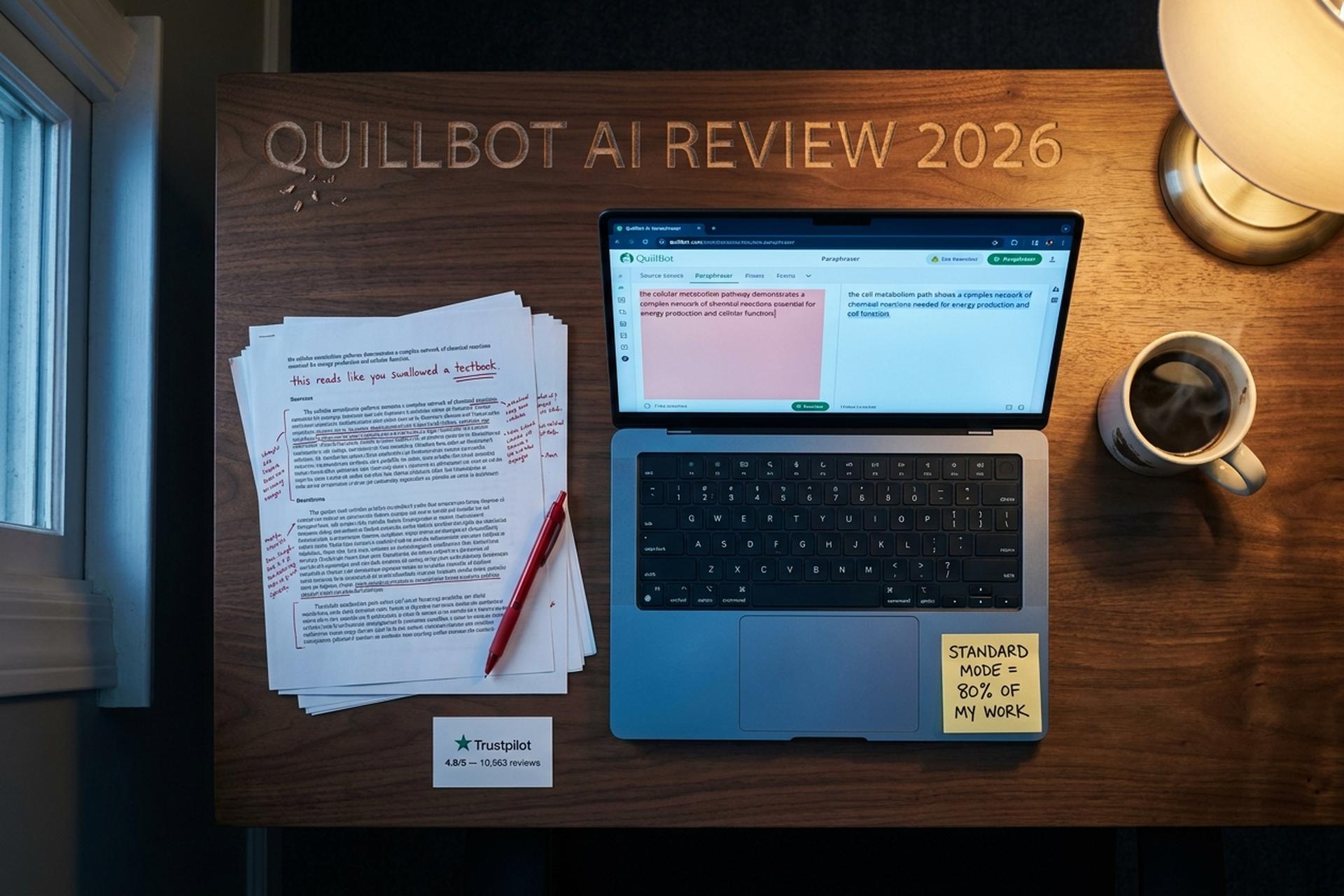
My grad school thesis advisor once handed back a draft with a note that said "this paragraph reads like you swallowed a textbook and regurgitated it." She was right. I'd been paraphrasing research papers by hand and doing a terrible job. A classmate told me about QuillBot. I pasted the offending paragraph in, hit Standard mode, and got back something that said the same thing but actually sounded like a human being wrote it. My advisor approved the next draft without comments.
That was 2021. I've been using QuillBot AI on and off ever since, and my relationship with it is complicated. It's genuinely good at what it does. It's also made me lazier as a writer. And the debate about whether it's a study tool or a cheating tool keeps getting louder every year.
Backstory: QuillBot launched in 2017 out of the University of Illinois. Three co-founders. Rohan Gupta, Anil Jason, David Silin. Course Hero bought it in 2021. The parent company rebranded to Learneo. Later raised a $380 million Series C at a $3.6 billion valuation. The platform now has 75 million registered users. About 25 million monthly actives. Not a niche tool. Infrastructure.
On Trustpilot, it sits at a 4.8 out of 5 across 10,563 reviews, with 87% five stars. I've never seen a writing assistant rated that high. Grammarly sits at 4.5. ChatGPT at 3.5. Those numbers made me curious enough to dig deeper into what people love and hate about it.
What QuillBot AI Does and Why People Use It
At its core, QuillBot takes text you give it and rewrites it differently. That's the whole product. Everything else got bolted on later. Grammar checker. Summarizer. Plagiarism checker. AI detector. Citations. QuillBot is one of the most widely deployed AI writing tools out there right now. The company keeps adding features. The 2026 pitch is closer to "smarter AI writing assistant" than "paraphrase tool."
The core jobs people use QuillBot for:
- Rewriting research material into their own words
- Polishing emails and reports for tone
- Fixing grammar in real time using the browser extension
- Checking text for plagiarism before submission
- Running drafts through QuillBot's AI detector to see if anything will get flagged for AI
- Summarizing long documents into a few paragraphs
It's not built to create content from a blank prompt. ChatGPT does that. QuillBot needs input. You feed it human writing or AI-generated writing, and it reshapes it into something cleaner. That distinction matters because it shapes how the tool behaves and who it works for.
QuillBot AI Paraphraser and Paraphrase Modes
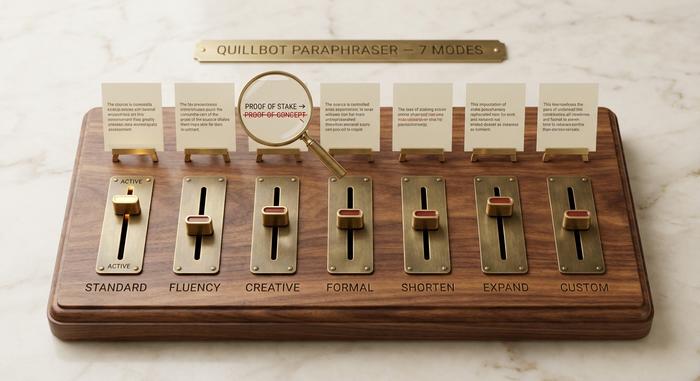
The paraphraser has seven modes. I have opinions about all of them, and the differences are real, not marketing.
Standard is where I live 80% of the time. It changes enough to feel like a real rephrase without drifting from what you actually meant. I trust it. When I paste in a dense academic paragraph, Standard gives me something cleaner without inventing new meaning. This is the paraphrase tool people picture when they imagine "what QuillBot does."
Fluency barely touches your text. It fixes grammar and smooths rough spots, but the output reads almost identical to the input. I use this when I want to keep my voice but fix a few clunky sentences.
Creative scares me a little. Not because it's bad, but because it changes things I did not want changed. I once paraphrased a paragraph about blockchain consensus and it turned "proof of stake" into "proof of concept." Those are not synonyms. Those are completely different things. I learned to read Creative output word by word. It can produce beautiful writing and it can produce factual errors with equal confidence.
Formal is great for turning casual drafts into professional emails. I used it last week to convert a Slack message I'd written while annoyed into something I could actually send to a client. Saved me from myself.
Shorten is honest about what it does. It cuts. Sometimes too aggressively. I use it when I'm 200 words over a limit and don't want to decide what to cut.
Expand does the opposite, and I trust it less. When it adds words, it sometimes adds words that dilute the point rather than strengthen it. Padding disguised as elaboration.
Custom is newer. You describe the tone you want and it tries to match it. Interesting concept, mixed execution so far.
The NLP models underneath learn from you. Reject a suggested synonym or undo a change, and QuillBot remembers. After about a week of daily use, mine started predicting my preferences. Suggestions got better. That feedback loop is one of the reasons people stick with it. QuillBot makes the small decisions so you focus on the big ones. That's the actual product. Not the modes themselves.
QuillBot AI Grammar Checker and Grammar Tools
The grammar checker is QuillBot's second-most-used feature after the paraphraser. It runs on the same platform but reads completely differently. The grammar checking engine looks for errors, suggests fixes, and inline-edits as you type.
In the free tier, you get basic grammar and spelling checks. Plus the option to fix grammar by writing in real time using the inline checker. Premium unlocks tone, clarity, and readability suggestions. Plus what QuillBot calls "advanced sentence-level edits," which catch awkward phrasing the basic checker misses. The result: better writing quality on the first review pass. QuillBot goes beyond basic autocorrect once you turn on the premium grammar features. The gap shows up most clearly on long, multi-clause sentences. The platform was built so you can refine your writing in the same tab where you draft it. No copy-paste between tools.
| Grammar feature | Free | Premium |
|---|---|---|
| Basic spell check | Yes | Yes |
| Comma and apostrophe fixes | Yes | Yes |
| Sentence-level rephrase suggestions | No | Yes |
| Tone analysis | No | Yes |
| Readability score | No | Yes |
| Vocabulary upgrade | No | Yes |
If you're using QuillBot only as a grammar checker, Grammarly is better. Grammarly's free tier is more generous and the suggestions are stronger on plain editing tasks. QuillBot's grammar tool is good, but its biggest strength is sitting next to the paraphraser. The two tools together cover the full edit-and-rewrite loop in one tab.
QuillBot AI Detection, AI Detector and AI Content Detection
This is the part I find darkly funny. QuillBot launched its own AI detector in July 2024. Which means the same company that helps students rewrite text now sells a tool to catch rewritten text. Yes, really.
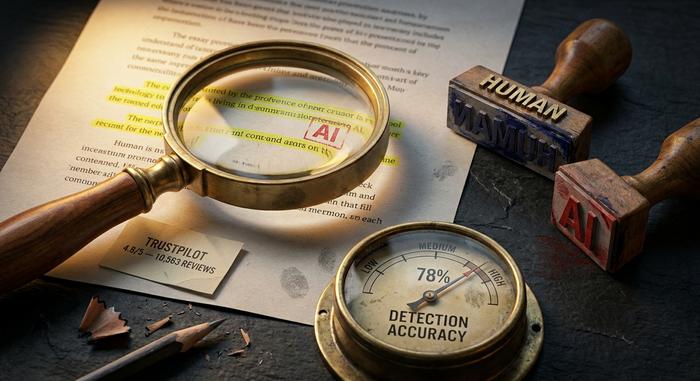
QuillBot's AI detector accepts pasted text. Returns a "likely AI" or "likely human" verdict, plus a percentage score. In independent testing, the advanced detector hits about 78% to 80% accuracy on AI content detection benchmarks. That's for content generated by AI tools like ChatGPT, Claude, and Gemini. GPTZero claims 99.5% on its marketing materials. Real-world tests usually peg both around 80% to 90% on clean samples. No AI detection tools are 100% accurate. Anyone telling you otherwise is selling something.
QuillBot's AI detector stands out for one reason: it's free. Up to 1,200 words per scan in the free tier, much more on Premium. Most advanced detectors charge from the first scan. That's pulled in a lot of student users who want to detect AI output in their own drafts before submission. You can run a full essay through it and see whether any section gets flagged for AI before a teacher ever sees the file.
The accuracy story is more nuanced than the marketing. I've seen QuillBot's AI detector flag my own hand-written paragraphs as "likely AI." That kind of false positive can cause real panic for a student about to submit a paper. If you absolutely need an answer, run the same text through GPTZero, Originality.ai, and Turnitin and treat the consensus as your verdict. No single detector is reliable enough to bet a grade on.
There's a meta-debate here too. QuillBot offers both the rewriting tool that strips AI signatures out of ai-generated content (whether it came from generative AI like ChatGPT or any AI writer) and the detector that tries to catch that exact pattern. AI generated text from one tool is fed into AI to help disguise it from another tool. The company is selling the lock and the key. That isn't a contradiction in business terms (different audiences, different products) but it's worth understanding before you pay for either.
AI Writing Assistant Features That Make Your Writing Better
Beyond paraphrase and grammar, QuillBot bundles several adjacent features under one subscription. None are best-in-class alone. Together they form a competent AI writing assistant. The pitch isn't "we replaced Grammarly." It's "you don't need three other tabs open." QuillBot is built around one idea. A writer's workspace should handle drafting, paraphrase, plagiarism, and detection in a single browser tab.
The summarizer takes a long article and returns a short version. I use it when a 40-page report lands in my inbox and I need the gist before I commit two hours to the full read. Not as good as Notebook LM for true synthesis. Fine for one-document compression. Helpful for academic writing when you're wading through journal articles every week.
The plagiarism checker scans 20 pages per month on Premium. It catches obvious copy-paste from indexed sources. It misses subtle rephrasing. Use Turnitin for thesis-defense level checks; use QuillBot's tool for a quick sanity scan before you hit submit. The check for plagiarism feature lives next to the paraphraser, which is convenient if you want to confirm your output isn't accidentally too close to the source.
The citation generator handles APA, MLA, Chicago, and Harvard formatting. It saves time. I still verify each citation against the source because no automated tool nails every edge case (especially for newer source types like podcasts and substacks).
QuillBot also offers an AI humanizer mode in our AI ecosystem (theirs, not mine) that takes text from any AI generation and runs it through paraphrasing layers to humanize AI text and reduce the chances it gets flagged for AI. Whether that's a feature or a problem depends on your job description. The humanizer mode is what makes the company's AI detector business so awkward to write about, and it's also why writing assistance from the same vendor as the detector creates an obvious conflict.
The keyboard feature, an AI keyboard for mobile, exists on iOS and Android. I tried it and uninstalled within a day. Phone writing is just miserable regardless of the tool. Serious writing happens at a computer.
There's also AI chat inside the platform now. A chat interface that helps you brainstorm, refine wording, or ask questions about your draft. Useful for short interactions. Not a real replacement for ChatGPT or Claude when you want a long conversation.
What's all this designed for? Make writing faster, improve writing on the margins, give a writer a single dashboard for the boring parts. As a smarter AI writing assistant package, it works. As a single-feature tool, every individual piece has a stronger competitor.
How QuillBot AI Improved My Writing Skills Over Time
This is the part nobody talks about honestly. Years of QuillBot use changed how I write. Some of it for the better.
It improved my writing skills in three specific ways. One, I see synonyms more naturally. Years of clicking through suggested rephrases trained my brain to notice when a sentence has the wrong word, even before I open the tool. Two, I write tighter first drafts because I know I'll run them through Shorten anyway. Three, I lean on simpler sentence structures because I've seen QuillBot mangle my fancy ones too many times. Most users who say they want to improve their writing skills with the tool stick around for these compounding effects, not the day-one rewrite quality.
It also made me lazier in two specific ways. I outsource judgment on word choice that I should be making myself. And I sometimes use Fluency to clean up sentences I should have written better the first time.
The honest answer to "did QuillBot improve my writing?" is yes and no. It improved my writing on the margin and reduced my willingness to do the hard part myself. Most users who say "QuillBot improved my writing" mean the same thing, even if they don't say the second half out loud.
Help with writing skills is the long-game pitch QuillBot makes (use it daily, get better at writing). It's true if you treat it as a teacher. False if you treat it as a substitute. The line between the two is thinner than the marketing wants to admit.
QuillBot Pricing: Free vs Premium for Real Use
I'll be blunt: the free version is designed to frustrate you into paying.
You get 125 words per paraphrase. That's not enough for a single paragraph in most academic contexts. You get two modes (Standard and Fluency). No plagiarism checker. No advanced grammar. The AI detector gives you 1,200 words per scan.
Premium is $8.33 a month on annual billing, which works out to $99.95 upfront. Monthly billing runs $19.95. Team plans for small groups go for about $7.50 per person per month. Sometimes as low as $2.91 per seat depending on the plan you pick. Getting started with QuillBot is simple. Sign up with email or Google. The dashboard loads. Start pasting text within a minute. Done with QuillBot for the day? Close the tab. No install, no plugin required, no offline workflow.
| Plan | Price | Word limit | Modes | Plagiarism check | AI detector |
|---|---|---|---|---|---|
| Free | $0 | 125 per paraphrase | 2 (Standard, Fluency) | No | 1,200 words |
| Premium (annual) | $8.33/mo billed yearly | Unlimited | 7 | 20 pages/month | Higher cap |
| Premium (monthly) | $19.95/mo | Unlimited | 7 | 20 pages/month | Higher cap |
| Team (3-5 seats) | ~$7.50/seat/mo | Unlimited | 7 | Yes | Higher cap |
Is it worth it? For me, yes. I use it several times a week. Unlimited paraphrasing across all seven modes saves me hours that I'd otherwise spend manually rewording research material. The plagiarism checker (20 pages per month) catches things I miss. For someone who writes once a month, probably not. The free version handles a quick paragraph fine if you can live with the 125-word limit.
The 125-word wall is the most effective upsell I've seen in any SaaS product. You paste something in, get excited about the result, and hit the limit mid-sentence. It's calculated. It works. Grammarly gives unlimited free grammar checking. Hemingway Editor is free for basic use. QuillBot's free tier is the stingiest of any writing tool I know.
Note: read the checkout page carefully. Some Trustpilot reviewers have been hit with $99.95 annual charges they thought were monthly subscriptions. The default toggle is annual.
QuillBot vs Grammarly, ChatGPT, and Wordtune
Different tools, different jobs. Lining them up side by side helps clarify when to reach for which.
| Tool | Core job | Price | Best at |
|---|---|---|---|
| QuillBot | Paraphrase + grammar + AI detect | $8.33/mo | Rewriting source material |
| Grammarly | Grammar + style edits | $12/mo | Polishing your own writing |
| ChatGPT (Plus) | Generate from prompt | $20/mo | First drafts, brainstorming |
| Wordtune | Paraphrase + suggestions | $9.99/mo | Inline rewrite suggestions |
| Jasper | Marketing copy at scale | $39/mo | Blog posts, landing pages |
| Hemingway Editor | Readability scoring | Free + $20 desktop | Tightening prose |
I run QuillBot and Grammarly side by side. Grammarly edits what I wrote. QuillBot rewrites what someone else wrote. I haven't found one that replaces the other.
Wordtune is the closest head-to-head match. Similar idea, similar price. I ran both for a month using the same source paragraphs. QuillBot's Creative mode produced more interesting output. Wordtune felt safer but blander. I stuck with QuillBot, though I know writers who went the other way and are happy with Wordtune.
ChatGPT generates content from nothing. QuillBot needs input. When my editor asks for a fresh article, ChatGPT helps me brainstorm and draft. When my editor asks for a synthesis of six research papers, QuillBot handles the paraphrasing better because it works with existing text.
Jasper at $39 is built for marketing teams churning out blog posts. If you're a student paraphrasing journal articles, $39 when $8.33 does the same job is burning money.
What QuillBot AI Doesn't Do Well
I already mentioned Creative mode changing facts. A few more honest gaps.
Spanish paraphrasing. My colleague Ana tried it and quit within two weeks. The output sounded like 2005-era Google Translate. If you're not writing in English, find a tool built for your language. Multilingual support has improved, but English remains the strongest by a wide margin.
The plagiarism checker catches obvious stuff but misses subtle rephrasing. Fine for a quick scan. Not fine for a thesis defense. Use Turnitin or Originality.ai for that.
The AI detector flags one in five texts incorrectly in my own informal testing. False positives on hand-written paragraphs are real and they cause panic.
Long documents. Anything past a couple thousand words and the paraphraser starts producing weird stylistic shifts mid-document. Better to chunk a long piece into shorter pieces, paraphrase, then stitch together.
Domain-specific accuracy. Medical, legal, and technical writing get the worst paraphrase results. The model substitutes terms that look semantically similar but mean different things in the field. Always read paraphrase output in technical contexts, never trust blind.
QuillBot Integrations and Workflow Setup
I tried every QuillBot integration and settled on two that I keep installed.
The Chrome extension changed how I do research. I read an article, highlight a paragraph, right-click, and QuillBot rewrites it in a popup without me leaving the page. Before this, I was copying text, opening a tab, pasting, paraphrasing, copying back, returning. Multiply that by 30 paragraphs in a research session and you lose an hour to tab-switching alone.
The Google Docs add-on is the other one. Highlight a clunky sentence in a draft, click, get a rewrite suggestion right in the document. No context switching. No breaking my flow.
I tried the mobile keyboard once and deleted it the same day.
What QuillBot doesn't have, and this matters for educators: it doesn't plug into Canvas, Moodle, or Google Classroom. GPTZero does. So QuillBot is a tool for writers, not a tool for the people checking writers. That distinction tells you something about who the product was built for.
Who Gets the Most Value From QuillBot AI
Non-native English speakers. This is the group where QuillBot AI is unambiguously a force for good. If you think in Korean, Mandarin, Hindi, or Spanish and write in English, your sentences might be grammatically correct but sound translated. Fluency mode takes that text and makes it sound like a native speaker wrote it. Multiple Trustpilot reviewers called it "life-changing" for ESL writing. I believe them. I've seen the before-and-after when helping international students with their papers.
Students genuinely trying to learn how to paraphrase. Used as a teaching tool rather than a shortcut, QuillBot shows you how the same idea can be expressed multiple ways. That's a real writing skill.
Content teams adapting material across channels. Take a blog post, paraphrase content for a newsletter version, then again for a social caption. Different voice for different platforms, same core message.
Business professionals turning casual drafts into polished emails. The Formal mode alone has saved me from sending at least five emails I would have regretted.
I talked to a friend who runs a content agency in Manila. Her team of 12 writers, most with English as a second language, runs every piece through QuillBot before it goes to clients. She said it cut revision rounds in half. The writers aren't using it to avoid writing. They're using it to close the gap between what they mean and how it sounds in English. That, to me, is the best use case for the tool. Not replacing thinking. Translating thinking into better sentences.