iphey: Browser Fingerprint Test for Crypto Setups
You can hide your IP address with a proxy and still have two accounts linked in seconds, because your browser quietly hands websites a dozen other signals. iphey.com is the free mirror that shows you exactly what those signals say about you. Run it and you see your setup the way an exchange or an airdrop checker sees it, which is why iphey has become a standard pre-flight check for anyone running more than one account.
This guide explains what iphey is, what it checks, how to read the verdict, and how to fix the red flags it raises. It is written for crypto users who pair an antidetect browser with a proxy, but the basics apply to anyone who cares about online privacy. The tool is neutral; how you use it is on you.
What Is iphey and How the Checker Works
iphey is a free, browser-based fingerprint checker. You open iphey.com in the browser you want to test, and it instantly reports what your browser reveals to the websites you visit. There is nothing to install and no account to create. It is widely believed to be connected to the antidetect vendor GoLogin, though the site itself names no company, so treat that as an informed guess rather than a fact.
The job of the tool is simple to state and harder to pass. Every browser leaks a set of details, and iphey checks whether those details tell a single, consistent story. A real person on a laptop in Berlin has a Berlin IP, a Berlin timezone, a matching language, and hardware that lines up with the operating system they claim to run. When those pieces agree, your digital fingerprint looks ordinary. When they contradict each other, you stand out, and standing out is the one thing a multi-account operator cannot afford. iphey turns that abstract risk into a plain readout you can act on.
This is why the tool sits next to an anti-detect browser in most workflows. People who run separate digital identities, from affiliate marketers to crypto airdrop hunters, need each profile to protect a distinct online identity, and they need a quick way to confirm it. A tool like iphey provides detailed browser details in one screen, showing exactly what your browser shares with websites, so checking a profile takes seconds rather than a manual audit of every setting.
What iphey Checks: Fingerprint, IP, and Leaks
iphey groups its results into readable blocks, so you do not need to be an engineer to use it. Each block answers one question: does this part of my browser match the story the rest of it tells?
Browser and software
This block reads your user agent, browser version, and language settings, then compares them against each other and against your apparent operating system. A user agent that claims Windows while other signals say macOS is a classic mismatch.
Location and IP
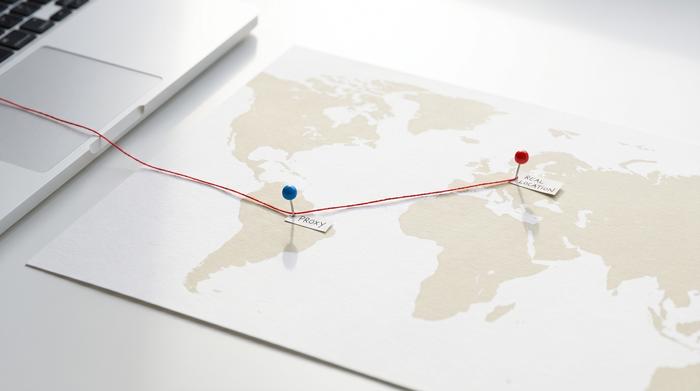
Here iphey shows your IP address, its geolocation, and whether the connection looks like a VPN or proxy or a clean residential line. It also checks your timezone against the IP country. A German proxy with a New York timezone is an instant tell.
Hardware and leaks
The last block covers screen resolution, WebGL and GPU data, and the two leaks that catch people out: WebRTC, which can expose your real IP behind a proxy, and DNS. This is where the technical fingerprint that no proxy can hide actually lives.
| iphey section | What it shows | Red flag |
|---|---|---|
| Browser / software | User agent, browser version, language | OS claim does not match other signals |
| Location / IP | IP address, geolocation, VPN/proxy status | Timezone or language vs IP country mismatch |
| Hardware | Screen resolution, WebGL, GPU | Hardware that contradicts the stated OS |
| Leaks | WebRTC, DNS | Real IP leaking past the proxy |
The point of all this is consistency, not secrecy. iphey is not hiding anything for you; it is showing you where your own setup gives itself away.
How to Read Your iphey Browser Fingerprint Test
The headline result is a single verdict, usually a green "Trustworthy" or a warning that something is off. Green does not mean invisible. It means your browser fingerprint test came back internally consistent, with no obvious contradictions between the signals iphey can see. That is necessary, but it is not the whole game.
A warning, by contrast, is a gift. It points you straight at the line item that fails, whether that is a leaking WebRTC address or a timezone that does not match your IP. Read iphey as a checklist of things to fix, not as a pass-or-fail grade on your anonymity. A profile can show green here and still get flagged by a platform that measures things iphey never tests. The verdict is a floor, not a ceiling.
When the result lands on caution rather than a hard fail, do not ignore it. A caution usually means one signal is slightly off, often a language or browser setting that drifted from the proxy region. Adjust that one value in the profile's browser settings and run the test again. The aim is a result that reads as a plausible, everyday user, not a perfect score, because a profile that looks too clean can be as suspicious as one that leaks.
iphey and Your Antidetect Browser and Proxy Setup
iphey only tells you the truth if you run it in the right place. Testing your everyday Chrome window proves nothing about a work profile. The check belongs inside the profile you actually use.
The standard workflow is short. Create a fresh profile in your antidetect browser, whether that is Dolphin Anty, Multilogin, or AdsPower. Attach the proxy you plan to use for that identity. Open iphey.com inside that profile, not in your normal browser. Read the flags, fix them in the profile or proxy settings, and run the test again until the story is clean. Only then do you let the profile touch an exchange or a campaign.
This loop is the whole reason iphey exists in a crypto toolkit. An antidetect browser spoofs the fingerprint and a proxy swaps the IP, but neither tool tells you whether the two agree. iphey is the referee that checks their work before money is on the line. Run it every time you build or change a profile, and run it again after any browser update, since a new browser version can quietly reintroduce a leak you already fixed.
If you manage multiple browser profiles, build the check into your routine rather than treating it as a one-off. A clean browser setup tends to rot over time as proxies expire, settings reset, and updates ship. A thirty-second iphey pass on each profile before a session is far cheaper than discovering a shared leak after a platform has already linked the accounts.

Fixing Red Flags: WebRTC, Proxy, and Timezone
When iphey flags a profile, it almost always comes down to one of three reasons, and all three are fixable in a few minutes.
WebRTC leaking your real IP
WebRTC is a browser feature for live audio and video, and it can reveal your true IP address even when a proxy is active. It is the single most common way a careful setup gets undone. The fix is to disable WebRTC or force it to report the proxy address, an option most antidetect browsers expose directly.
Timezone and language versus IP
If your proxy exits in Brazil but your browser still says Europe, iphey flags the mismatch. Set the profile timezone and language to match the proxy's region so the location story is consistent end to end.
User agent versus hardware
A user agent claiming one operating system while the Canvas or WebGL fingerprint reports another is a deeper tell. Keep the profile's declared browser and platform aligned with the hardware values the antidetect browser generates.
| Red flag | Why it happens | How to fix |
|---|---|---|
| WebRTC shows real IP | WebRTC bypasses the proxy | Disable WebRTC or bind it to the proxy IP |
| Timezone vs IP mismatch | Profile keeps your local timezone | Set timezone and language to the proxy region |
| User agent vs hardware | OS claim contradicts Canvas/WebGL | Align declared platform with generated hardware |
Fix these in order of severity. A WebRTC leak undoes everything else, so it goes first.
Why Crypto Users Run iphey Before Multi-Accounting
In crypto, an inconsistent fingerprint is not a minor nuisance; it is how a whole operation gets wiped out at once. Exchanges link accounts using a blend of browser fingerprint, IP address, and online activity such as login times and trading patterns. Coinbase, for example, is reported to detect related accounts and give users 15 days to close the extras before suspending all of them together. One leaked signal can connect identities you spent weeks keeping apart.
Airdrops raise the stakes further. Projects now hunt aggressively for Sybil accounts, meaning many identities run by one person. LayerZero's 2024 ZRO airdrop is the sharpest example: the project filtered out 803,093 addresses it judged to be Sybil, around 59 percent of the wallets it flagged. A farmer whose profiles all share a WebRTC leak or a timezone quirk hands a detector exactly the pattern it is looking for. iphey catches those cheap, repeated mistakes before they become a cluster on someone's dashboard.
It is just as important to know what iphey cannot do. Passing the test does not make you undetectable. Exchange anti-fraud systems and on-chain analysis read behavioral timing, funding trails, and wallet graphs that no browser checker can see. iphey clears the obvious leaks; it does not clear you. And none of this changes the basic fact that running multiple accounts breaks the terms of service of most major exchanges and airdrop programs. Whether any of it is legal depends on where you are and what you do.
iphey vs Pixelscan and Other Fingerprint Checkers
iphey is not the only checker, and serious users rarely rely on just one. Each tool looks at the problem from a slightly different angle, so running two or three gives a fuller picture.
iphey's strength is its clean, beginner-friendly verdict. Pixelscan digs deeper into bot-like consistency and scoring. BrowserLeaks is the most granular and technical, exposing nearly every value your browser shares. Whoer is the classic anonymity score. The EFF's Cover Your Tracks focuses on how trackable you are, reporting an average of around 18 bits of identifying information per browser, while AmIUnique runs an academic database of more than four million fingerprints across 57 parameters.
| Checker | Focus | Best for |
|---|---|---|
| iphey | Clean consistency verdict | Fast pre-flight check |
| Pixelscan | Bot and consistency scoring | Second opinion on a profile |
| BrowserLeaks | Granular technical detail | Deep manual debugging |
| EFF Cover Your Tracks | Tracker exposure | Understanding general privacy |
| AmIUnique | Academic uniqueness | Seeing how rare your setup is |
There is a reason no single checker is enough. Each one tests a different slice of the fingerprint, and a profile that looks spotless on iphey can still trip a value that only BrowserLeaks bothers to read. Detection sites also evolve at different speeds than the antidetect tools they measure, so a method that passes everywhere today may fail one checker next month. Treating the checkers as a panel rather than a single judge is simply more honest about how messy real fingerprints are.
Use iphey for the quick green light, then confirm a borderline profile against Pixelscan or BrowserLeaks before you trust it.
The Bottom Line on Using iphey Safely
iphey is a fast, free way to confirm that an antidetect browser and proxy actually agree before you risk an account or an airdrop on them. Its value is in catching the fixable leaks, the WebRTC bleed, the timezone mismatch, the hardware that does not line up, that get profiles linked. Its limit is just as real: a green verdict means consistent, not invisible, and it is one layer of online security rather than the whole of it, since the platforms you face measure far more than iphey can. Use it as the first step in building a profile, fix what it flags, and keep in mind that the rules and the risk are still yours to manage.