Vizard AI
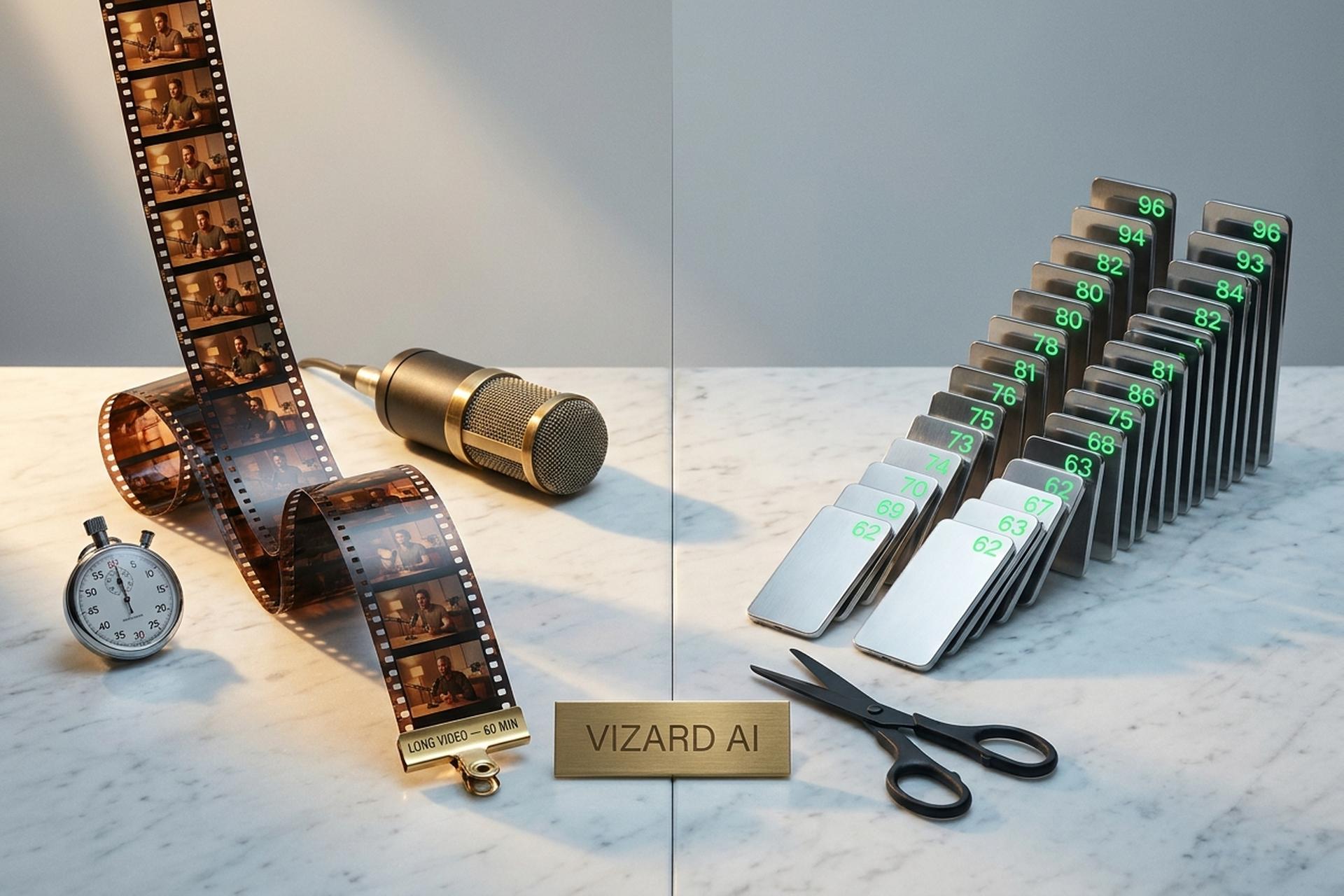
Every podcaster and every long-form YouTuber knows the drill. You record a solid 60-minute interview. The version your audience actually shares is the 45-second reel cut from minute 27. Cutting that clip by hand is slow, inconsistent, and the part of the job everyone hates. Vizard AI is one of the AI tools built to fix this. Feed it a long video, wait a few minutes, get social-ready short clips and viral shorts for TikTok, Instagram Reels, and YouTube Shorts. Content creation that used to eat an afternoon now fits in a coffee break.
What follows is a full Vizard AI review for April 2026. What it does. What it costs. Features that matter. Features that do not. How to actually use it, step by step. And an honest case against it. Numbers below come from vizard.ai and the current iOS app (version 1.2.2).
What Is Vizard AI and Who Is It For?
Vizard AI (vizard.ai) is an AI video editor and AI video clip maker built around one idea. Turn a long video into a pile of social-ready short clips with the least possible effort. It uses AI to transcribe audio, score moments, and create viral clips with AI and almost no manual work. Paste a YouTube link, drop in a Zoom recording, upload a podcast or a webinar, or send in a raw MP4. The AI engine scans audio and visuals, finds the viral moments, cuts short clips, burns in captions, reframes to 9:16 vertical, and hands you a draft you can publish the same day.
The company is Vizard, Corp. Delaware-incorporated, headquartered at 3101 Park Boulevard in Palo Alto. It was founded in 2021 by Gary Zhang with co-founders Chunwei Song and Qiumiao Chen. The public vizard.ai product launched on Product Hunt in August 2023. The "Vizard — AI Video Clip Maker" iOS app followed in late 2025. By April 2026 the homepage claims more than 10 million creators and businesses have used the product. Ratings sit at 4.7/5 on G2 (340 reviews) and 4.9/5 on Capterra (432 reviews). Customer logos include Google, Stanford, Ubisoft, Hopper, K12, and Morningstar.
Who actually uses Vizard AI? Podcasters, YouTubers, course creators, SaaS marketing teams, educators, agencies. If you regularly produce long-form video and you want short-form content out of it, Vizard is on the shortlist of AI tools worth testing. The pitch is short: turn any long video into 10+ viral short clips in one click. No timeline scrubbing. You review the suggested short clips, tweak captions and styling, publish.

How Does Vizard AI Work? The AI Engine Behind It
Under the hood, Vizard chains a handful of AI models. Speech-to-text runs first and transcribes the audio — speech detection drives everything downstream. A highlight model scores transcript sections on "virality potential" (emotional arcs, complete thoughts, quotable lines). A speaker-detection model picks the active face in frame. A reframing model crops to vertical while keeping the speaker centered. A caption renderer burns the transcript into a styled subtitle layer in your preferred language.
The virality score is the feature Vizard markets hardest. Every clip gets a 0-to-100 rating. Higher scores correlate with clips the model expects to perform well. Not magic. A weighted stack of signals: complete sentences, pacing, audio energy, hook strength at the start, and how self-contained the moment is. Treat it as a shortlist, not gospel.
Typical processing for a 45-minute YouTube video runs three to six minutes on a fast plan. Longer inputs take longer. The final video is ready to preview, tweak, and export in common clip lengths (under 30s, 30-60s, 60-90s) without leaving the browser.
Vizard AI Key Features in 2026
Vizard's feature list has grown every year. Eight capabilities do the heavy lifting in the 2026 release.
AI Clipping and Highlight Detection
The core of the product and a real time-saver — it is the feature most paid users credit with helping them save time on every episode. You upload your videos or paste a YouTube URL, and the AI clipping engine picks the best moments and cuts them into engaging clips. Each short video shows its viral score, runtime, and a transcript excerpt. You can sort by score, regenerate with different prompts, and discard what you do not want.
AI Speaker Detection and Auto-Reframing
Vizard detects who is speaking and crops the frame to keep that face centered. For a two-person podcast, it cuts between participants cleanly. This is the feature that turns raw footage into vertical clips that actually look like they were shot for mobile.
Dynamic AI Captions
Vizard AI supports captions in over 30 languages. Styles range from simple two-line subtitles to karaoke-highlight animations used by top creators on TikTok. You can brand them with your own font, color, and background pill. The caption layer is non-destructive, which means you edit text and style independently from the video timeline.
AI-Powered Social Media Captions and Hashtags
When you finish a short clip, Vizard suggests a title, an Instagram Reels caption, a TikTok hook, and a cluster of hashtags. Every suggestion is AI generated from the transcript and current platform trends. Not every line is usable, but the first pass removes the blank-page problem for content creators posting social content across multiple social media platforms every day.
AI-Generated Emojis and B-Roll Footage
The AI layer adds contextual emojis to captions at the right beats and suggests B-roll footage from a stock library when the speaker mentions a visual topic. It is off by default. Turn it on when you want the TikTok-native visual style.
Transcription and Translation
Vizard transcribes the full original video in 30+ input languages and can translate the subtitle track into 100+ target languages. You can also use it as a standalone tool to transcribe interviews you never plan to clip. A creator who records in English can create short videos and publish captioned shorts in Spanish, Portuguese, German, Japanese, Hindi, or Vietnamese without hiring a translator. Quality is strong for major European and East Asian languages. Arabic and other right-to-left scripts sometimes need manual correction. Output is shareable across any of the major social platforms.
Pre-Made Video Layouts and Screen Recording
Vizard ships pre-made templates for four short-form formats (9:16 TikToks and Reels, 1:1 Instagram feed, 4:5 Instagram portrait, 16:9 YouTube). A built-in screen recorder lets you capture demos, webinars, or talking-head videos without leaving the app, then feed them straight into the clipping pipeline.
Content Repurposing Workflow
For teams repurposing webinars, podcasts, and Zoom calls at scale, Vizard provides a workflow view that batches clips, manages approvals, and schedules posts to connected social accounts. This is where the Business plan earns its price. An official Zoom Marketplace app auto-detects Zoom recording layouts, and the public REST API (available from the Creator plan, not just Enterprise) is an unusual inclusion at this price point — Python, Java, Go, and cURL samples are in the docs, along with an n8n workflow template and a Claude Skills integration.
Vizard AI Pricing in April 2026
Pricing is where Vizard gets interesting. A credit-plus-upload-minute hybrid. A usable free tier. Two paid tiers for Creators and Business teams. A custom Enterprise plan for API-heavy customers. Annual billing cuts the per-month price roughly in half. Numbers below are vizard.ai list prices for April 2026.
| Plan | Annual (per mo) | Monthly | Upload min/mo | Max file | Export length | Resolution | Watermark |
|---|---|---|---|---|---|---|---|
| Free | $0 | $0 | 60 min (60 credits) | 1 GB | 10 min max | 720p | Yes |
| Creator | ~$14.50 | $29 | 600 min | 10 GB | Unlimited | 4K | No |
| Business | ~$19.50 | $39 | 600+ min per seat | 10 GB | Unlimited | 4K | No |
| Enterprise | Custom | Custom | 10,000+ min | Custom | Unlimited | 4K | No |
Free is the starter plan. 60 credits per month (roughly 60 minutes of input). A 1 GB file cap. A 10-minute maximum export at 720p. Watermark stamped on everything. Storage expires after three days. It is enough for basic video editing experiments before you commit. Creator drops the watermark, unlocks unlimited exports at 4K, allows six connected social accounts, adds scheduled posting and the Brand Kit, and opens the public REST API. Business is multi-seat. Shared workspace with custom fonts. Client access. Priority processing. Enterprise kicks in past 10,000 minutes per month and comes with a 99.99% uptime SLA.
Billing runs through Stripe. Credit and debit cards only. Vizard does not accept cryptocurrency directly as of April 2026. Student discounts of 10-20% show up through UNiDAYS and SheerID verification rather than on the public pricing page. Non-profit discounts are granted case-by-case through the help center. Promo codes for 50% off annual billing pop up for new users fairly often, and an evergreen 5% code floats around on coupon sites.
How to Use Vizard AI: A Step-by-Step Guide
Fifteen minutes is enough to go from zero to a published clip. Here is the path.
Step 1: Create an account and import your video
Sign up at vizard.ai with email or Google. On the dashboard, hit "New Project" and pick the import source. Upload a file (up to 10 GB and 10 hours on paid plans). Paste a YouTube URL. Connect Google Drive or Vimeo. Pull a recording via the Zoom Marketplace app. Webex and Microsoft Teams are not natively integrated, so export those recordings as MP4 first and upload. Pick the preferred language of the spoken content so the transcription engine picks the right model.
Step 2: Pick clip lengths and aspect ratios
Choose one or more target clip lengths (under 30s, 30-60s, 60-90s) and aspect ratios. 9:16 vertical for TikTok, Reels, and Shorts. 1:1 square. 4:5 portrait. 16:9 landscape. Add a short prompt if it helps — "focus on moments about AI risk" or "clips that explain the product" — the engine takes it as a steering hint.
Step 3: Let the AI analyze
Hit "Generate." Vizard transcribes, scores moments, and produces a grid of 10+ candidate shorts. A 1-hour podcast usually finishes in a few minutes on paid plans. Shorter inputs on the iOS app often wrap up in under 60 seconds.
Step 4: Edit and restyle
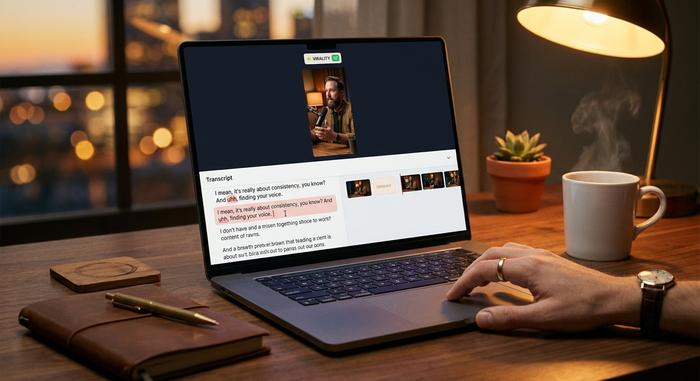
Open a clip in the editor. Adjust caption style. Add a hook text overlay. Fix a misheard word in the transcript. Trim the start or end. Swap the template. Vizard automatically updates the scene when you delete a word from the transcript, which is the party trick of the whole product. Add brand colors and your logo here. The editor is intentionally simple to use. If you want a frame-by-frame tool with multi-track audio, you are in the wrong product.
Step 5: Export or post
Export as MP4 up to 4K on Creator and above. Or schedule the final video straight to TikTok, YouTube, YouTube Shorts, Instagram Reels, Facebook, LinkedIn, or X — seven channels. API users get a JSON response with clip URLs. Agencies on Business get approval chains, workspace media libraries, and client access for each brand they manage.
Vizard AI vs Alternatives: Opus Clip, Klap, Submagic, Munch
Vizard is not alone in this category. Four other AI video editors compete for the same audience, and each fits a slightly different creator.
| Tool | Best for | Entry price (annual) | Signature feature |
|---|---|---|---|
| Vizard AI | Podcasters, repurposers, teams | ~$14.50/mo | 100+ translation languages + API on Creator |
| Opus Clip | Solo YouTubers | $29/mo | ClipAnything semantic search |
| Submagic | Caption design | $16/mo | Polished animated captions + emoji |
| Munch | Enterprise analytics + SEO | $49/mo | Semantic search, SEO headlines |
| Klap | Speed + AI dubbing | $29/mo Basic | AI dubbing in 29 languages |
| 2short.ai | YouTube-only, ultra-cheap | $9.90/mo | Cheapest option |
The honest positioning in 2026: Vizard wins on price per minute, language breadth, and the fact that the public API is included from the Creator tier instead of locked behind Enterprise. Opus Clip's ClipAnything is stronger when you need semantic filtering ("find every clip where someone mentions pricing"). Submagic is the pick if caption design is your hero feature. Klap's AI dubbing in 29 languages is ahead for creators chasing non-English audiences. Munch sits higher in the stack for enterprise marketing teams. For most independent creators, Vizard and Opus Clip are the two serious finalists; the decision often comes down to which editor interface you find less annoying after a week of use.
Vizard AI Pros and Cons: An Honest Review
Every tool has a shape. Here is the honest list.
Strengths
- Fast: users on G2 and Capterra report 10-30 clips from a 1-hour video in minutes, and the virality score filters noise faster than manual scrubbing.
- 30+ input languages and 100+ translation targets — a real competitive edge for international content creators.
- Text-based editing (delete a word from the transcript to delete the video) is easier for non-editors than a traditional timeline.
- Native YouTube URL import and an official Zoom Marketplace app save real time on repurposing webinars.
- Free tier is usable enough to evaluate the product before paying.
- Business plan handles agency workflows (approvals, Brand Kit, client access).
- Public REST API ships with the Creator plan, not just Enterprise.
Limitations
- AI clipping excels at talking-head content. It is weaker on highly visual formats (gameplay, travel vlogs, music performance) where the hook is not verbal.
- No multi-track audio, advanced VFX, or frame-level color grading. You will hit the ceiling for agency-grade finishing work fast.
- The Free tier's 720p cap, 10-minute export, 3-day storage, and watermark push most serious users to paid tiers quickly.
- Caption customization is shallower than Submagic's; AI B-roll is hit-or-miss.
- AI cuts sometimes land a second too early or too late, requiring manual trim.
- Arabic and other right-to-left subtitles need manual correction.
- Caption translation quality is good, not perfect. Always review before publishing in a language you do not speak.
- Native Webex, MS Teams, and Zapier integrations are missing. API users route around this.
- Credit math on the paid plans can be confusing; the real limits are somewhat buried in the help docs.
Common Use Cases for Vizard AI
Across 2025 and 2026 the user base has leaned into several high-value workflows.
Podcasters and interviewers are the largest group (Vizard has a dedicated "Video Podcasters" landing page). A weekly 60-minute show generates ten to twenty short clips per episode, enough to feed three social accounts for the whole week. YouTubers repurpose long-form videos into Shorts to capture the second-order traffic YouTube's short-form algorithm delivers. Course creators and educators cut lecture recordings into bite-sized explainer clips — Stanford and K12 show up on Vizard's customer logo wall for exactly this reason. SaaS marketing teams clip webinars, founder interviews, and customer calls into short video content for LinkedIn and X. Sales teams use Vizard to cut demo calls into reusable objection-handler clips that live in the company knowledge base.
Agencies often run Vizard as the first pass on every client's raw footage, then polish the top 20% of clips in CapCut or Adobe Premiere before publishing. Vizard is the user-friendly front end that produces the viral clips; CapCut or Premiere is the finishing shop where video ad assets get a final frame-level pass. Teams that want the clips to go viral still review every short by hand before posting.
Vizard AI and Crypto Payments: Where Plisio Fits
This is a niche point, but a useful one for creators and agencies who work across borders. Vizard bills subscriptions through Stripe — credit and debit cards only — and as of April 2026 it does not natively accept crypto. That is a gap for two groups.
First, SaaS tools like Vizard could integrate a crypto payment gateway such as Plisio to accept BTC, ETH, USDT, USDC, TRX, and other stablecoins alongside Stripe. That opens the door to markets where card penetration is lower (parts of LatAm, MENA, SEA) and where creators earn mostly in crypto.
Second, creators and agencies who earn in crypto (from Web3 clients, NFT communities, or DAOs) can use Plisio to receive client payments in stablecoins and convert to fiat to pay Vizard and other SaaS stacks. A typical setup: you sign a client contract priced in USD, invoice through Plisio for the USDT or USDC equivalent on Tron or Polygon, the client pays on chain, and Plisio settles to you in fiat or crypto. Card chargebacks disappear, cross-border fees drop from 3-5% to under 1%, and a US-based creator can accept payment from a client in Argentina or Kenya without a wire or a PayPal hold. Vizard is the production stack. Plisio is the revenue stack. Different problems, different tools.