AmIUnique: How Identifiable Is Your Browser Fingerprint
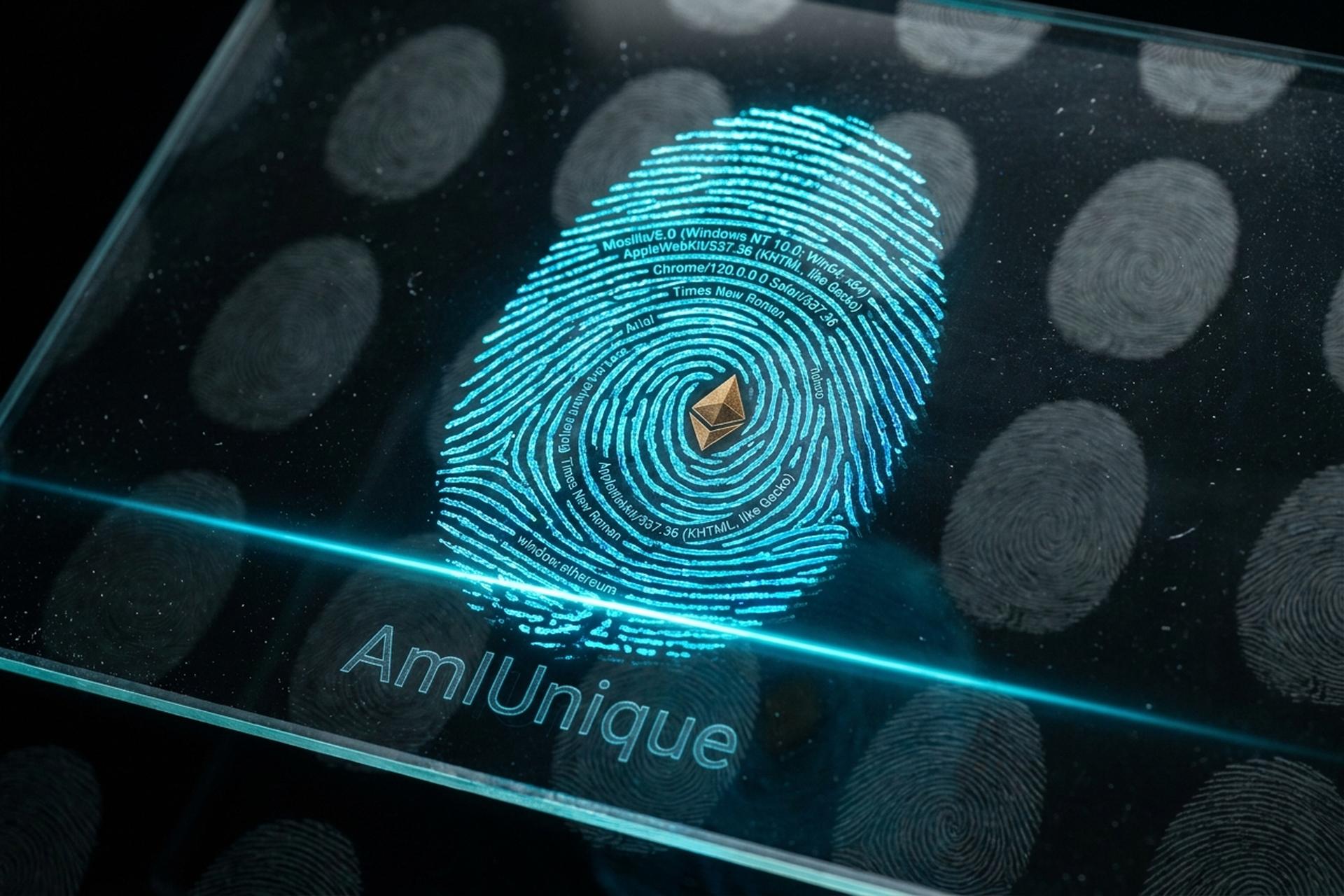
You can run a VPN, open a fresh wallet, browse in incognito, and never reuse an address. A website can still tell it is you. Visit AmIUnique, click one button, and most people get the same unsettling verdict: your browser is unique. Not rare. Unique, out of every browser in the project's dataset. That single fact is the quiet engine behind a lot of online tracking, and for anyone holding crypto it is more than an advertising nuisance. The same browser fingerprint that lets an ad network follow you can also tie a KYC-verified exchange login to the "anonymous" wallet you thought you kept separate. This is what AmIUnique measures, why your browser is so identifiable, and what actually helps.
How AmIUnique works and what it reads
Start with a correction that changes how you read the score. AmIUnique is not a privacy product. It will not protect you, and it is not selling anything. It is an academic project from researchers at Inria and CNRS in France, built to map how varied browser fingerprints really are and to give developers the data to design better defenses. Run the test on amiunique.org and you are donating a data point as much as checking your own.
The browser attributes it reads
The test runs JavaScript the moment the page loads. No permission prompt, no warning. It reads your user agent, which spells out your browser version and operating system. Then screen resolution and color depth, your timezone, language, installed fonts, plugins, and the HTTP headers your browser sends on every request. The heavy hitters are canvas and WebGL. The page quietly asks your browser to draw a hidden image, and the tiny ways your GPU and drivers render it come back as a near-signature.
How it scores your uniqueness
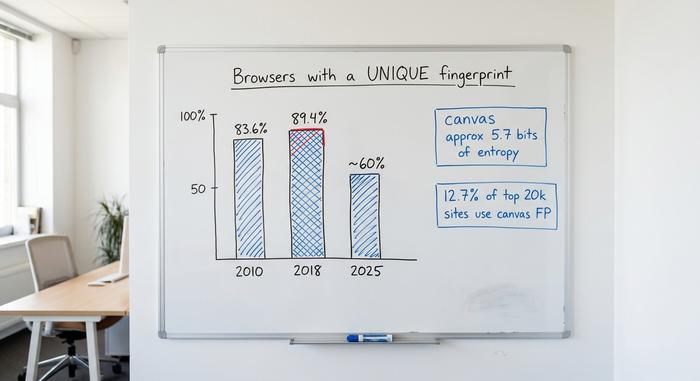
On their own, none of these values point to you. Millions of people run the same browser version. The power is in the stack. AmIUnique takes your full set of attributes, checks it against its dataset, and tells you how many other browsers match. Often the answer is zero. When Laperdrix and colleagues in 2018 studied 118,934 browsers, 89.4% of fingerprints were one of a kind. A 2025 study from Google and MIT researchers, using a different method on an 8,400-person panel, landed lower, near 60% of US users fully unique. Defenses have improved since then. Most people are still unique. And uniqueness only turns into tracking when the fingerprint holds steady, which is what lets a site recognize you on a later visit.
Check your browser fingerprint with AmIUnique
The check itself takes seconds. Go to amiunique.org, run the fingerprinting test, and read two things: the similarity ratio (how many browsers share your fingerprint) and the attribute table showing which values are rare. Do not stop at one tool. The EFF's Cover Your Tracks and BrowserLeaks run similar tests with different datasets, and comparing them gives a fuller picture. Treat "unique" as information, not a sentence. It tells you how exposed you are, not that you are already being followed everywhere.
Why a browser fingerprint can identify you
Uniqueness is really an entropy problem. Every attribute your browser reveals carries a few bits of identifying information, and once you stack enough of them, the odds that anyone else matches drop to near zero. No cookie required, and clearing your cookies changes nothing. Delete everything, start a fresh session, and the same attributes reassemble the same identifier. That persistence without any stored file is what makes fingerprinting so hard to shake.
The numbers have been consistent for over a decade. In the EFF's 2010 Panopticlick study, 83.6% of browsers were uniquely identifiable, carrying at least 18.1 bits of entropy, which works out to roughly a 1-in-286,777 chance of sharing your fingerprint. Canvas rendering alone can contribute around 5.7 bits. The table below shows where the entropy comes from.
| Attribute | What it reveals | Identifying power |
|---|---|---|
| Canvas / WebGL | GPU and driver quirks via a rendered image | High (~5.7 bits from canvas) |
| Installed fonts | Software, language packs, OS | High |
| User agent | Browser version, operating system | Medium |
| Screen resolution + color depth | Display and device class | Medium |
| Timezone + language | Rough location, locale | Low to medium |
| Plugins + HTTP headers | Configuration details | Low, but additive |
Why browser fingerprinting keeps growing
Why is this getting worse instead of better? Cookies, of all things. For two decades online tracking ran on third-party cookies, and now they are dying. Safari and Firefox block them by default, and the ad industry needed a replacement that does not live in storage you can wipe. Fingerprinting was the answer. The numbers show how fast it took over. A 2025 study from UC San Diego found canvas fingerprinting on 12.7% of the top 20,000 websites. A separate 2025 study counted fingerprinting scripts on more than a third of the top 500 US sites, and showed, for the first time, that they drive cross-site tracking and not just fraud checks.
The logic is hard to argue with if you sell ads. A cookie is a file you can delete. A fingerprint is closer to something you are. Nothing to store, no banner to click, no reset button for the user to find. That is also why regulators have started treating it as tracking that needs consent. Cookies are leaving. Fingerprinting is filling the gap. Tools like AmIUnique stay useful precisely because they put a hard number on what you are leaking.
Browser fingerprint and crypto online privacy
For most people, fingerprinting means ads that follow them around. For crypto users, the stakes are different. Your digital fingerprint can link the exchange where you passed KYC with your real name to the wallet session you assumed was private. That is not advertising. That is deanonymization.
Your wallet is a passive flag
Here is the part that should bother any crypto user. When you install MetaMask or almost any EVM wallet, it injects a JavaScript object called window.ethereum into every page you visit. Any site can quietly check for it. In a 2023 USENIX Security study, researchers crawled about 96,905 sites and found 1,099 of them already probing for crypto wallet data, with window.ethereum the single most-checked object, queried by 210 scripts. More than half of those checks came through third-party scripts, meaning a tracker, not the site you were on.
Linking a fingerprint to your real identity
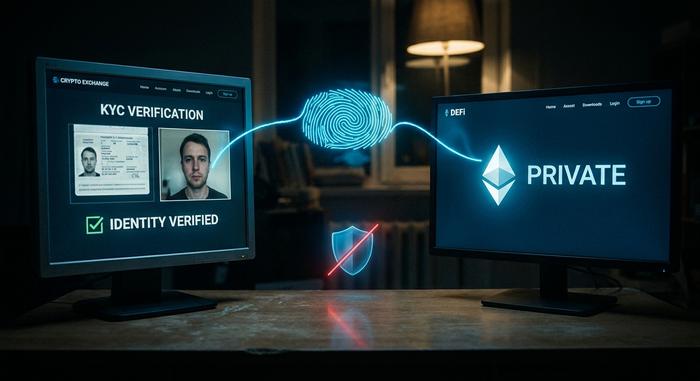
On its own, knowing you have a wallet is a flag. Combined with a stable fingerprint, it becomes a bridge. If the same fingerprint shows up while you log into a KYC exchange and again while you connect a wallet to a DeFi app, those two sessions can be correlated, even across a VPN, even on different IP addresses. The exchange knows your name. The link does the rest.
Picture the everyday version. You verify your identity on a major exchange from your laptop, then later open a hardware wallet in the same browser to use a lending protocol you would rather keep private. You never sent funds between them on-chain, so a block explorer shows no connection. But a data broker that fingerprinted both sessions sees one browser, and now your "private" position carries your legal name. This is the privacy gap that VPNs and fresh wallet addresses do not close, because the leak is in the browser, not the network.
Fingerprinting risks beyond ad tracking
The same technique that tracks you also gatekeeps you. Anti-fraud and bot-detection systems use fingerprints to flag accounts, and traders who run multiple exchange or airdrop accounts get caught and banned when their setups look alike. Airdrop farmers learned this the hard way: projects increasingly cluster wallets by shared browser fingerprint and IP to strip "sybil" accounts from their rewards, wiping out months of farming in one filter. That pressure is exactly why a whole industry of "anti-detect" or fingerprint browsers exists, mostly serving crypto multi-accounting, each profile carrying a deliberately distinct, consistent fingerprint.
Those tools carry their own danger, and the AmIUnique dataset, built from real browsers rather than synthetic profiles, shows why managed fingerprints are often less distinct than their vendors claim. In early 2025, a supply-chain attack on one fingerprint-browser vendor reached around 30,000 users and led to roughly $4.1 million in stolen crypto, according to a SlowMist analysis. The lesson is blunt: handing your wallet to a closed-source privacy tool can be worse than the problem it solves. Regulators are circling too. In October 2024 the European Data Protection Board confirmed that fingerprinting needs prior consent under ePrivacy rules, and when Google said in February 2025 it would permit fingerprinting in its ad stack, the UK's data regulator called the move irresponsible.
Does AmIUnique protect you? VPN limits
AmIUnique diagnoses. It does not defend. Running the test changes nothing about how trackable you are; it just shows you the score. The defenses most people reach for first do almost nothing here. A VPN hides your IP address, not your fingerprint. Incognito mode clears cookies and history, not the entropy in your canvas and fonts. Both leave the fingerprint intact.
There is a subtler trap worth knowing. As researchers at Castle have pointed out, being unique is not the same as being tracked, because real tracking also needs your fingerprint to stay stable and coherent over time. Naive spoofing works against you here: if you fake a user agent but leave your real GPU showing through canvas, the mismatch is itself a signal, and you can end up easier to detect than if you had done nothing.
How to reduce your unique fingerprint
You cannot erase a fingerprint. You can either blend into a crowd or become a moving target, and the right choice depends on what you do online. The two serious approaches pull in opposite directions.
Tor Browser uses the uniformity model: it makes every user look as close to identical as possible, which is why running the AmIUnique test through Tor typically returns a near-zero similarity ratio rather than a unique result. It is the strongest defense and it breaks most DeFi front-ends, which is a real cost for active crypto users. Brave takes the randomization route, adding small per-session noise to canvas and audio so your fingerprint shifts each time, which disrupts cross-session tracking without breaking sites. Firefox offers a middle path with its resistFingerprinting setting.
Whatever you pick, a few habits help across the board. Avoid piling on rare browser extensions and custom fonts, since each unusual choice adds entropy that makes you stand out instead of blending in. Keep your browser updated so your version matches millions of others rather than a shrinking minority running an old build. And resist the urge to hand-spoof individual values, because mismatched signals are easier to detect than an honest, common setup. The goal is not to look special. It is to look boring.
| Defense | Model | Stops fingerprinting? | DeFi-friendly? |
|---|---|---|---|
| Tor Browser | Uniformity (everyone alike) | Strong | No, breaks most apps |
| Brave | Randomization (per-session noise) | Good | Yes |
| Firefox (resistFingerprinting) | Partial uniformity | Moderate | Mostly |
| Anti-detect browser | Managed separate profiles | Varies, trust risk | Yes, with caution |
| VPN / incognito | Hides IP / clears cookies | No | n/a |
For crypto specifically, the practical move is separation: keep one hardened browser profile for KYC exchanges and a different one for on-chain activity, and never let them share a fingerprint.
The bottom line on browser fingerprinting
Run AmIUnique once, honestly, and let the result land. If your browser is unique, that is your real exposure, not a hypothetical. From there the decision is about threat model. Someone who just dislikes ad tracking can switch to Brave and move on. A trader linking a KYC exchange to a private wallet needs stricter separation and should think hard before trusting any closed-source anti-detect tool. The uncomfortable truth is that perfect anonymity online is mostly a myth. The useful question is not whether you can disappear, but who you are trying to hide from, and whether your setup actually does that.