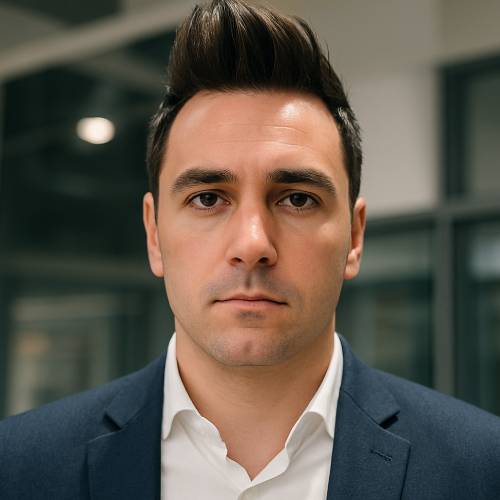
Pica AI: A Beginner’s Guide to Face Swap and Photo Enhancer App
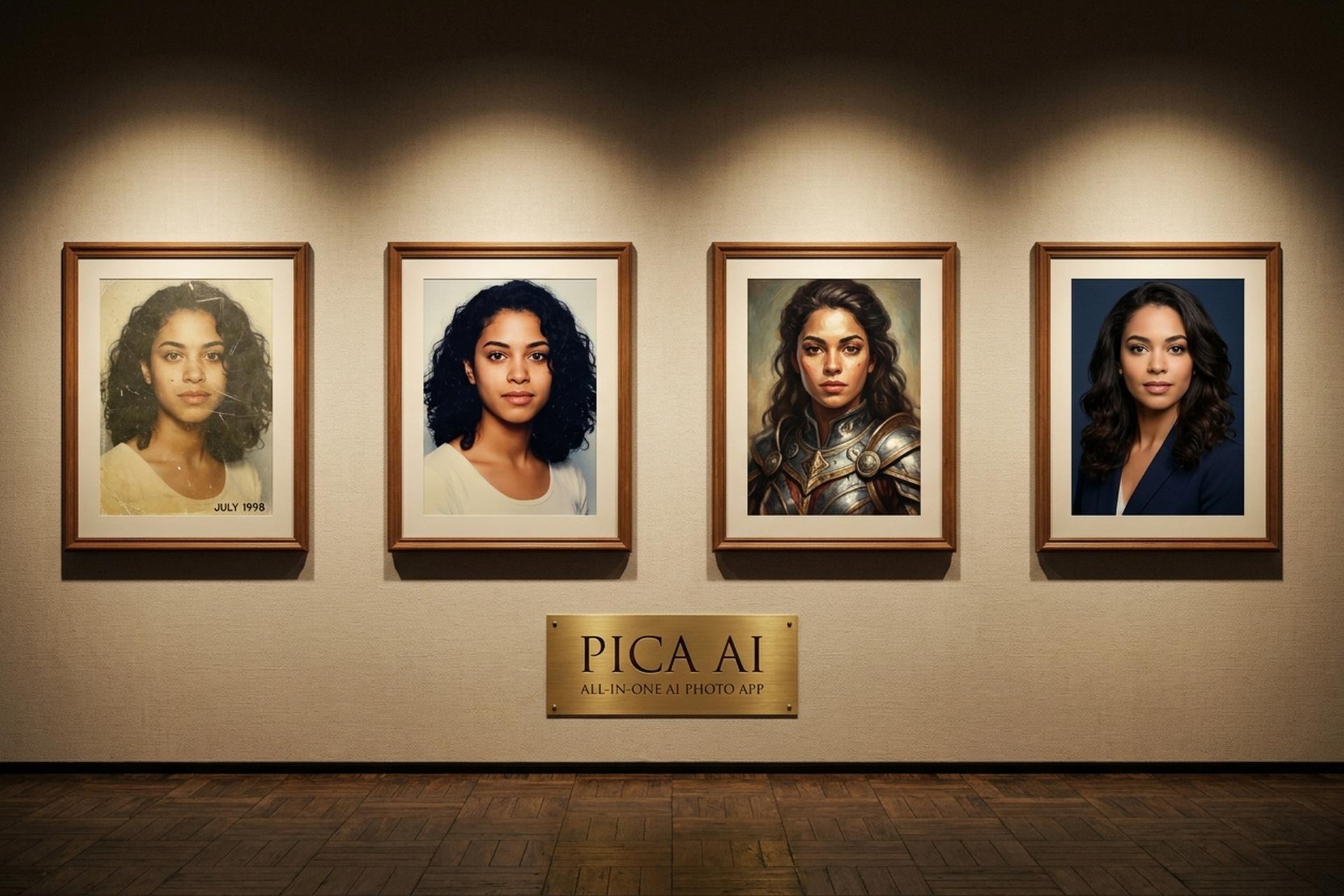
Upload a blurry phone selfie from five years ago and watch Pica AI sharpen the eyes, unblur the background, and hand you a version that looks like it came out of a portrait studio. Then swap your face into a famous movie still, just because you can. That blend of useful and silly is the appeal of this app, and it is why a small Hong Kong team has quietly shipped a product that ranks in the top fifty face swap tools on the market.
This guide walks through what Pica AI actually is, what it costs, how to use it for a LinkedIn headshot or a party GIF, and where it fits among the growing pile of AI photo tools. No jargon you do not need. A few honest notes on privacy and limits. Plain English throughout.
What Pica AI is and why people are trying it
Pica AI is an AI photo platform. It combines four things casual users actually want: face swap, photo enhancer, old photo restoration, and avatars. WEGITAL HK LIMITED launched it in 2023. You can open it at pica-ai.com in a browser, or download the mobile app on iOS and Google Play. Apple's listing shows 4.5 out of 5 stars across 835 reviews as of April 2026. Respectable, especially for a category where people grade harshly whenever a face swap comes out uncanny. Verified Market Reports pegs the AI face swap software market at $1.5 billion by 2033, growing 20% a year, so a small Hong Kong team is building inside a fast-expanding category.
The pitch is simple enough. Skip Photoshop. Skip Lightroom. Drop a picture in, pick a tool, wait a few seconds. The output is fine for social media, dating profiles, and quick creative ideas. Not always polished enough for professional print.
Why is anyone noticing now? Two reasons. AI photo enhancement went mainstream, and people would rather have one app than five. And LinkedIn turned AI headshots into a minor craze through 2025 and into 2026, with users paying a few dollars for studio-ish portraits instead of booking a real photographer. Pica AI rides both waves. The scale helps explain the pressure. According to Everypixel's 2026 tracker, users now generate about 34 million AI images a day (roughly 394 per second), and more than 30 billion synthetic images have been produced since the first consumer generators launched in 2022. Every new photo app competes with that backdrop.
How the Pica AI app works: face swap to avatars
The Pica AI app is web-first, with native iOS and Android builds wrapping a similar interface. You sign up with Google or Discord in under a minute. No credit card is required for the free tier.
Under the hood the product stacks a few different AI models. Face swap uses a face-recognition model to find the target face and a separate generative model to paste a new face onto the body while keeping lighting and expression consistent. Photo enhancer uses a super-resolution model trained on millions of low-to-high-quality image pairs, similar to the technology behind Topaz or Picsart's enhancers. Avatars use a stylization model that can turn a selfie into anime, fantasy, oil painting, or cyberpunk variants.
The tool does not explain any of this on the landing page, which is probably the right call for a consumer product. You see buttons that say "Face Swap Now" and "Enhance Now." You click. Something appears. That is the experience.
One note worth flagging up front. The pica-ai.com website displays a banner as of late 2025 indicating that the Photo Enhancer has been "upgraded to Artguru," the developer's sister product. In practice, some enhancer traffic now routes through Artguru's engine while keeping the Pica AI brand on other features. The face swap, headshots, and avatars remain on Pica AI.

Core features: photo enhancer, face swap, and AI art
Six capabilities matter on day one. Everything else you can learn later.
Start with face swap. You upload a source face and a target (image or video), the app does the rest. Pica AI handles single faces, multi-face shots up to three at a time, and short videos. The model tries to keep expressions and lighting consistent. Extreme angles and half-hidden faces still trip it. So do people wearing big sunglasses.
Then there is the AI photo enhancer. Feed it a low-resolution or blurry photo and it hands back a sharper version. Unblur old camera-phone shots. Sharpen scans. Push resolution toward 4K. This is the fastest way to recover images you thought were dead. Interesting detail: Pica's own enhancer now routes through Artguru's engine as of October 2025, which in practice means better results than the 2024 version.
An AI headshot is the feature paying the bills in 2026. Upload a few casual selfies and the app spits out professional-looking portraits across backgrounds and outfits. Corporate, creative, casual. Pick your look. For a beginner this is the cheap, easy-to-use path to a polished LinkedIn update, one that used to cost $150 to $400 at a studio. The model reads facial expressions from your selfies to keep the headshots feeling like you, not like a generic stock person.
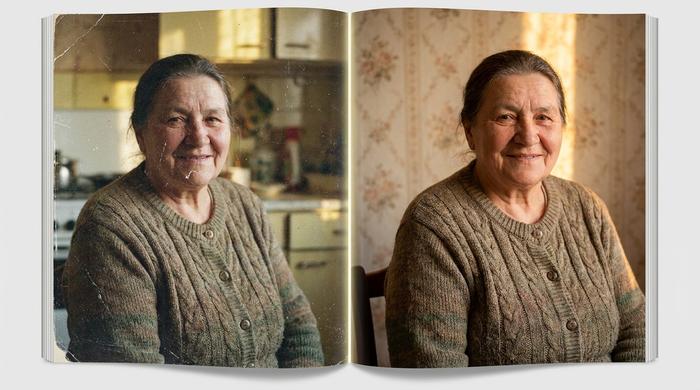
Old photo restoration is the emotional feature. Point the tool at a faded scan of your grandmother and it rebuilds color, removes damage, recovers detail. Not perfect on torn photos. Surprisingly good on family album scans from the 1980s and 1990s. The output often feels like finding the photo you wished you had.
Magic Avatars and AI art are the playful half. Drop a selfie into a style pack (anime, oil painting, fantasy warrior, cyberpunk, watercolor) and the app returns stylized portraits. You can also generate images from a text prompt, so if you want "a cat astronaut in watercolor" for a group chat, you are not forced to install Midjourney.
Background editing rounds out the toolkit. Erase a messy kitchen behind you. Replace it with a beach. Generate a new scene entirely. Not a replacement for Photoshop, but enough for product shots, passport photos, and casual cleanups.
How to use Pica AI to enhance a photo in one click
If you want a clear before-and-after in under five minutes, here is a path that works.
1. Open pica-ai.com or the mobile app and create a free account.
2. Click Enhance on the main menu.
3. Upload the photo. JPG and PNG up to a few megabytes are fine.
4. Pick the enhancement level. Most users should start on the default.
5. Wait five to fifteen seconds while the AI algorithms process the image.
6. Preview the result. Check the eyes and fine detail for artifacts.
7. Download the enhanced version.
The free tier gives you a daily allowance of credits. One enhancement typically consumes one credit. If the result is not quite right, a second pass with a different setting often fixes it. Multiple passes on the same image can flatten natural texture, so do not keep hitting the button.
For face swap, the process is almost identical. Upload a target photo, add a source face, and click Generate. Video face swap takes longer and uses more credits, but the workflow is the same three steps.
Pica AI pricing, the free plan, and credits
Pica AI is built around a credit system layered on top of a freemium model. The free version gives you a small daily allowance, enough to try each tool once or twice. Paid tiers unlock higher caps, better quality output, and access to premium packs. The exact numbers below reflect the App Store listing and the web pricing page in April 2026.
| Plan | Monthly price | What you get |
|---|---|---|
| Free | $0 | Daily credits, basic face swap and enhancement, watermark on some outputs |
| Premium Lite | $5.99 | Higher daily credits, priority processing, basic avatars |
| Premium Plus | $19.99 | Larger credit pool, all headshot packs, all art styles |
| Premium Max | $39.99 | Maximum credits, commercial usage, batch processing |
| Add-ons | $2.99 to $3.99 | Magic Avatars packs, additional headshot bundles |
A few practical notes. Add-on packs are one-time purchases, not subscriptions. The in-app purchase flow charges through the App Store or Google Play on mobile and through Stripe or similar on the web. Commercial rights are tied to the top tier, so a solo creator who wants to use Pica AI outputs in ads should budget for Premium Max, not Lite.
If you only need one round of AI headshots for a LinkedIn update, a single $2.99 pack or one month of Premium Lite is the low-cost path. You do not need to commit to an annual plan to find out whether the tool works for you.
Using Pica AI for LinkedIn and professional headshots
The fastest growing use case for Pica AI in 2026 is LinkedIn headshots. The math is easy to follow. A local professional photographer charges roughly $150 to $400 for a one-hour headshot session. Pica AI charges a few dollars for a batch of AI-generated portraits that look, in most cases, like they could have come from a studio.
Workflow for a LinkedIn update with Pica AI:
1. Gather five to ten casual selfies from different angles. Clean face, decent lighting, no sunglasses.
2. Upload them to the Headshot tool.
3. Pick a style (corporate, creative, casual).
4. Let the app generate a batch, usually twenty to forty candidates.
5. Pick the two or three best outputs. Discard anything where the eyes or teeth look off.
6. Crop to square and upload to LinkedIn.
A word of honesty. The outputs are good, not perfect. Hairlines sometimes drift. Clothing details can feel synthetic on close inspection. For a small profile picture on LinkedIn, these flaws rarely matter. For a billboard, they would. Match the tool to the stakes.
Pica AI vs Reface, FaceApp, and photo enhancer apps
The AI photo space is crowded. Here is how Pica AI compares to the names beginners ask about.
| Platform | Main strength | Free tier | Entry paid plan | Mobile apps |
|---|---|---|---|---|
| Pica AI | All-in-one: face swap, enhancer, headshots, avatars | 5 credits/day | $5.99/mo | Web, iOS, Android |
| Reface | Face swap for GIFs and videos (150M+ downloads since 2020) | Yes, watermarked | $5.99/mo | iOS and Android |
| FaceApp | Age, gender, and style filters (480M+ downloads since 2017) | Yes, limited | ~$4.99/week Pro | iOS and Android |
| DeepSwap | HD, 4K, 8K face swap output | Watermarked, limited | Credit-based tiers | Web |
| Vidnoz | Per-second pricing, business API | 720p, 3 min/day | $4.99/mo | Web |
| MioCreate | Free multi-face and video swap | Yes, fully free basic | $6.95/mo | Web |
| Picsart | Photo editor with AI enhancer | Yes | $7/mo | Web, iOS, Android |
| ArtGuru | Photo enhancer and AI art (Pica's sister engine) | Yes | Paid tiers | Web |
A few honest comparisons. Reface has been the default face swap brand for years and has crossed 150 million downloads since its 2020 launch, but its focus is narrower: short clips and GIFs. Pica AI is broader. FaceApp, with more than 480 million downloads since 2017, is stronger on aging and gender filters, weaker on precise face swap. DeepSwap competes on output quality (4K and 8K). MioCreate offers a fully free video face swap tier. For pure photo enhancement, Picsart has the deepest editor toolkit, and ArtGuru is literally the engine Pica AI now routes its own photo enhancer through.
Together, these face swap apps draw more than 95 million monthly active users and generate over $12 million in monthly revenue, with subscriptions accounting for 58% of that income, per SQ Magazine's 2026 industry tracker.
The real advantage of Pica AI is the bundle. Instead of installing three apps for swap, enhance, and avatars, you get one account and one credit pool. For a beginner that simplicity is worth a small premium.
Avatars, AI art, and expressive photo editing tools
Beyond face swap and enhancement, Pica AI ships a pair of creative features that are worth a mention.
Magic Avatars turn a selfie into a stylized avatar portrait, useful for refreshing a profile picture without actually updating your face. Popular styles in 2026 include anime, fantasy warrior, oil painting, cyberpunk, watercolor, and cartoon. Output quality depends heavily on input. Good lighting and a clean face produce usable visual output. Bad input produces uncanny ones. Small creativity hack: run the same pic through three different style packs and you'll discover which one fits your vibe.
AI art generation starts from a text prompt and produces an image from scratch. Pica AI's prompt system is simpler than Midjourney or Stable Diffusion and offers fewer knobs, but the cost is lower and the interface is far easier. For a quick illustration to post in a group chat, it gets the job done.
The platform also includes basic photo editing tools such as background removal, object erasing, and color adjustment. These will not replace Photoshop, but they cover the most common edits a casual user needs. Want to edit the sky color on a vacation photo? Two clicks.
Privacy, deepfakes, and risks with Pica AI face swap
Face swap tools sit in a legally touchy corner of AI. A beginner guide that skips the risks is no favor.
Privacy first. When you upload to Pica AI, the app processes the photo on its servers. Its policy spells out what gets collected for advertising and analytics. Treat any face data you upload to any AI platform as data that left your hands. If that feels wrong for a specific photo, just do not upload it.
Consent is the ethical line. The tech works equally well on your own face and someone else's. Swapping a friend's face into a funny meme with their permission? Fine. Putting a real person into a fake intimate or harmful scene? Separate category. Illegal in most places now.
The rules tightened fast. In the US, the federal TAKE IT DOWN Act was signed on May 19, 2025. Covered platforms must remove non-consensual intimate deepfakes within forty-eight hours of a valid notice (Skadden's summary). By April 2026, forty-six states had laws on AI-generated media per Ballotpedia. Texas's TRAIGA (HB 149) took effect on January 1, 2026 and bans deploying AI to make deepfakes outright. The EU AI Act starts full application on August 2, 2026. Under Article 50, providers of generative AI have to mark output as machine-readable, and deployers must clearly label deepfakes. Serious breaches can cost up to six percent of global turnover.
The numbers behind those laws are sobering. North America alone logged more than $200 million in deepfake fraud losses in Q1 2025 (Variety, DeepStrike). Deloitte projects US generative AI fraud will climb from $12.3 billion in 2023 to $40 billion by 2027, a 32% CAGR. Face-swap bypass attempts on identity verification jumped 704% in 2023 per Pindrop, and deepfakes account for 40% of biometric fraud attempts today per Entrust. None of this makes Pica AI dangerous in itself. It does explain why every face swap app now ships watermarks and terms-of-service warnings. The first TAKE IT DOWN Act conviction landed in April 2026, an Ohio man sentenced for AI-generated non-consensual imagery.
One more uncomfortable fact. UN Women and academic research find that 96% to 98% of deepfake videos online are non-consensual sexual content, and roughly 99% of victims are female. No face swap tool, Pica AI included, can design around a statistic that heavy. Which is exactly why lawmakers moved.
Casual-user rules of thumb: only swap faces of people who have agreed. Avoid politically sensitive contexts. Never use face swap output to impersonate someone for money. Common sense, but worth saying out loud.
Should you use Pica AI in your creative workflow
Short answer for beginners: yes, if you want one inexpensive app that covers face swap, photo cleanup, and quick headshots. The tool is not the most advanced option in any single category, but its bundle is unusually broad for the price.
Short answer for working creators: probably as a support tool, not a primary one. For professional headshots used at print quality, a human photographer or a higher-tier specialist like Secta or Aragon still wins. For face swap content on social media, Pica AI is competitive with Reface. For photo enhancement, Picsart, Topaz, and ArtGuru deliver more control.
There is one use case where Pica AI quietly shines: quickly upgrading the quality of years of old phone photos. Most people have thousands of blurry family pictures sitting in cloud storage. Running a batch through Pica AI's enhancer produces a personal archive that looks decades newer, and that is an outcome worth a few dollars a month.
The honest take: Pica AI is the all-in-one, easy-to-use option for beginners who want to do five different AI photo tasks without juggling five different accounts.