O.MG Cable: Malicious Hardware & Keystroke Risk
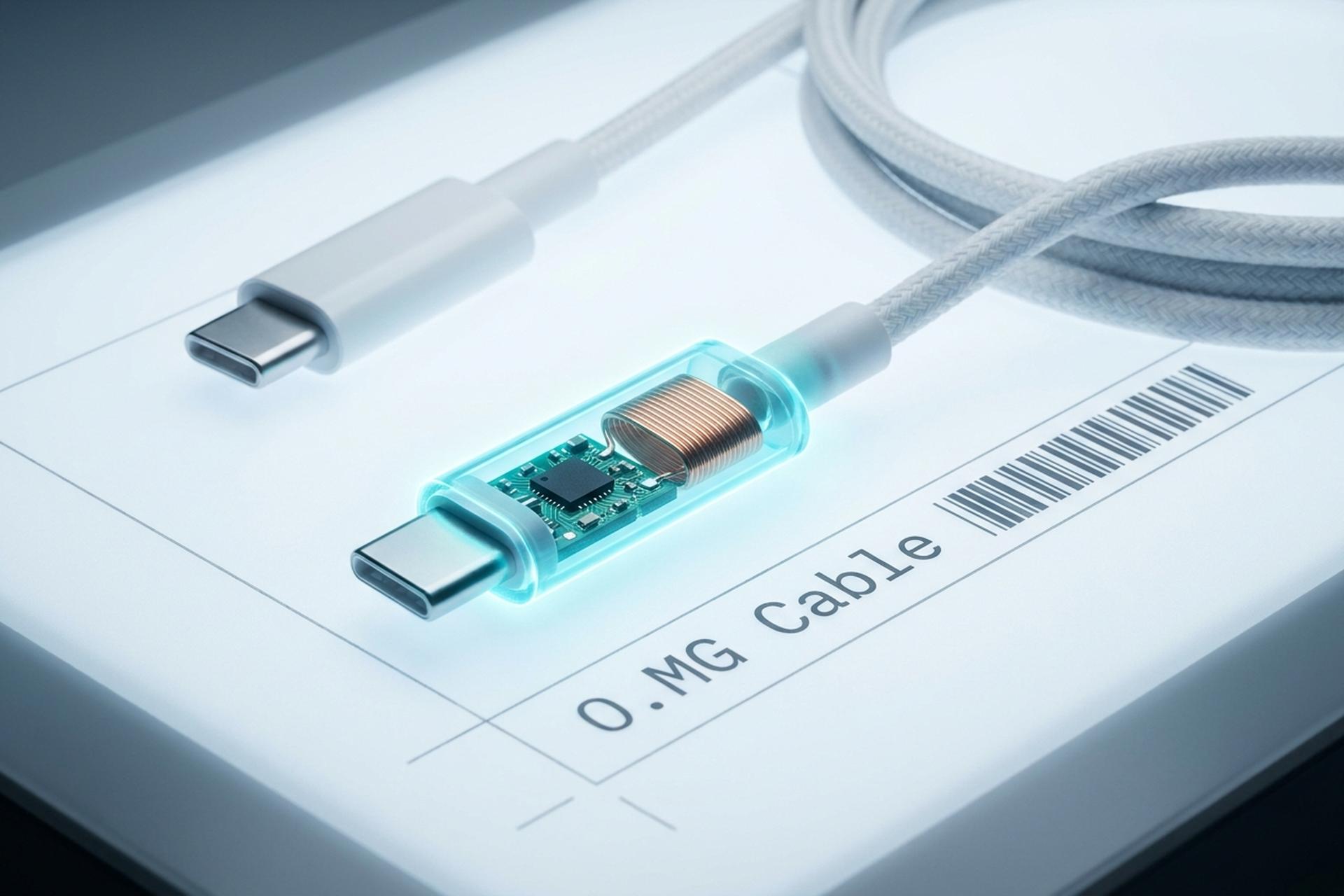
Put an ordinary-looking USB-C charging cable under an industrial CT scanner and you may find a second computer hiding inside the connector: an extra silicon chip bonded beneath the main one, a tiny antenna, and bond wires thinner than a human hair. That is not a prop from a spy film. It is the O.MG Cable, a real, commercially sold tool that looks exactly like the cable already on your desk.
This guide explains what the O.MG Cable is, what it can actually do, and how to defend against it without pretending there is a single magic fix. The hard part is not understanding the threat. It is accepting that your eyes cannot help you here, and then building habits that work anyway.
What the O.MG Cable Is and Why It Exists
The O.MG Cable is not contraband smuggled out of a lab. It is a legitimately sold red-team and security-research tool, and that dual-use nature is the whole problem. The same device that lets a security professional run an authorized awareness exercise also lets a malicious actor turn a borrowed charger into a remote foothold.
From a DEF CON demo to an off-the-shelf product
Security researcher Mike Grover, who works under the name MG, first showed the cable at the DEF CON hacking conference in 2019, hand-making early units for around $200 each. What made it notable was not novelty but accessibility. Intelligence agencies had built implanted cables for years; a leaked NSA tool called COTTONMOUTH-I reportedly cost on the order of $20,000. The O.MG Cable put a comparable capability on a public store shelf for the price of a nice dinner. By 2021, Grover had moved from hand-soldering units to having them mass-produced, as reported by Vice, which is the moment a niche conference demo became something anyone could order. Today it is sold through Hak5 in several connector styles, including USB-C, USB-A, and Lightning, and in tiers that range from a basic model to a far more capable Elite.
A security tool with a dangerous twin
Sold openly, the cable ships deactivated and needs a separate programmer to enable, which keeps the vendor on the right side of the line. But the underlying point stands: a capability that used to require a state budget is now commercially available. When a powerful tool costs almost nothing and looks like a commodity accessory, the threat model for everyone else changes whether they like it or not.
How the O.MG Cable Hides in Plain Sight
Most security advice assumes you can inspect what you plug in. The O.MG Cable breaks that assumption, and a December 2024 teardown showed exactly how thoroughly.
What the CT scan revealed
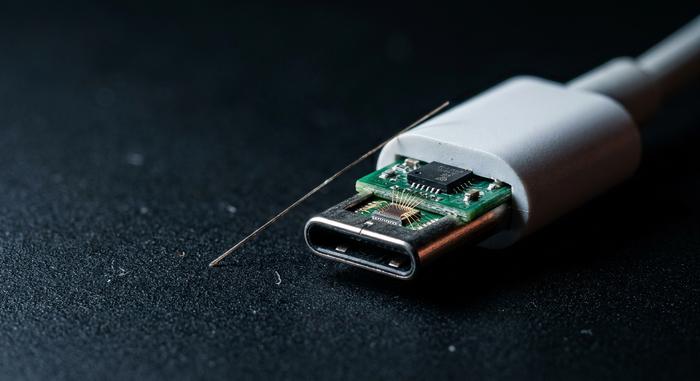
In December 2024, the engineering firm Lumafield ran an industrial CT scan on an O.MG USB-C cable and compared it to a standard one. Inside the malicious connector they found a hidden antenna and a secondary die bonded underneath the primary microcontroller, linked by wires so fine that the scan needed adjusted settings just to render them, according to Tom's Hardware. A plain charging cable has none of this. The malicious one packs a small wireless computer into the same space.
Why you cannot spot it by looking
Here is the uncomfortable part. The implant is built into the connector molding, so there is nothing to see from the outside. Visual inspection fails. Even a standard 2D X-ray can miss the hidden die, because it sits directly beneath the legitimate chip and blends into it. The cable weighs about the same, charges your phone normally, and transfers data like any other. Short of an industrial CT scanner or a careful teardown that destroys the cable, you are not going to confirm an implant by examining it. That single fact reshapes every piece of advice that follows.
I want to sit with how unusual that is for a moment, because it still bothers me. For most security threats, inspection is your friend: you can read a URL before clicking, check a file's signature, or look at a sender's address. Hardware implants remove that option entirely. The thing you would normally examine is the thing that has been compromised, and it has been engineered specifically so that examination tells you nothing. That inversion is why the rest of this guide leans so heavily on behavior and provenance rather than detection.
What an O.MG Cable Can Actually Do
Picture a charging cable that is secretly a keyboard. That is the whole trick. Plug it into a computer and it can announce itself as a Human Interface Device, the same class as the keyboard you actually type on, and the operating system trusts it on sight. Then it types. Far faster than any human, with no file to scan and nothing obvious to flag.
Why does the keyboard disguise work so well? Because operating systems were built to trust input devices without question. A keyboard never asks permission to type, and no antivirus pops up when one starts entering text, since typing is the one thing a keyboard is supposed to do. The cable abuses that built-in trust instead of any particular software bug. That is also why patching alone will not save you.
The cable also runs its own Wi-Fi access point with a web interface, so an operator can connect remotely and trigger activity undetected. Higher tiers add geofencing, a self-destruct function that bricks the implant, and an onboard hardware keylogger. The capabilities scale by tier, and the gap is large.
| Capability | Basic tier | Elite tier |
|---|---|---|
| Keystroke injection speed | ~120 keys/sec | ~890 keys/sec |
| Onboard hardware keylogger | No | ~650,000 keystrokes |
| Payload storage slots | Fewer | 50–300 |
| Wi-Fi access point + web UI | Yes | Yes |
| Geofencing / self-destruct | Limited | Yes |
The Elite numbers come from Hak5's own tier comparison. A logger that stores 650,000 keystrokes on the cable itself is enough to quietly capture a lot of passwords before anyone notices, and at roughly 890 keystrokes per second the Elite can deliver a full payload in the time it takes you to look away from the screen.

The Real Threat: Data Exfiltration Scenarios
The O.MG Cable's technology is clever, but the danger is social. Nobody hacks their way into your hands with one of these; they simply give it to you, or leave it where you will pick it up. The cable is cheap, the delivery is human, and that combination is what makes it work in the real world.
A few common attack scenarios show the pattern. The table below maps the everyday situations where an implanted cable is most likely to reach you, and the single habit that defuses each one.
| Scenario | Where you are exposed | First-line defense |
|---|---|---|
| Promo giveaway | A "free" branded cable at a booth or event | Refuse it; use your own |
| The "found" cable | One left on a desk, in a hotel, or a meeting room | Treat it like a found USB stick: do not plug it in |
| Public charging | Airport or cafe kiosks and shared cables | Carry your own charger, or use a data blocker |
| Cable swap | The cable already attached to a shared monitor | Bring and use your own known cable |
Because the cable emulates a keyboard, it works across Windows, macOS, Linux, and mobile platforms, so no operating system is automatically safe. The lesson is old, just applied to new hardware: a free cable is not a gift, it is an unknown device.
Charging Risk: Does a Wall Outlet Help?
People ask this one a lot. What if I only ever plug the cable into a wall charger, never a computer? Am I safe then? Mostly. Not entirely. Keystroke injection needs a host to type into, so a cable hanging off a power brick has no machine to attack. That part is genuinely reassuring, and worth saying plainly.
But power is still power. A wall outlet does not flip the implant off. The cable's own electronics, Wi-Fi radio included, can keep drawing current and running while it charges your phone. So the rule is narrower than "just use a charger." It is closer to this: don't connect a cable you don't trust to anything you care about, and don't read "power only" as "harmless."
How to Identify and Verify a Suspect Cable
Since you cannot eyeball an implant, the realistic goal is to reduce blind trust rather than achieve perfect detection. One purpose-built option exists: the O.MG Malicious Cable Detector, which sells for around $40 and uses side-channel power analysis, sampling a connected cable roughly 200,000 times per second to flag the electrical signature of an implant, per Hak5's product specs.
It helps. But read its own documentation honestly: this is a first-line screen, not a forensic instrument, and its makers say so plainly. It will not catch every implant, and it can never prove a cable is clean. So lean on provenance instead. Buy cables straight from the maker or an authorized seller. Keep your own, and label them. And forget weight or feel as a tell, because a good implant changes neither in any way your hand can sense. For the O.MG Cable threat, verification really means controlling where your cables come from, not inspecting the cables you already have.
How to Mitigate the O.MG Cable Risk
There is no single control that closes this threat. Anyone selling you one is overpromising. Defense here is layered, and the cheapest layer beats the priciest gadget every time: never plug in a cable you do not own. Everything else just backs up that one habit.
For individuals
Carry your own cables and charger, and use them. For public charging, a USB data blocker, sometimes called a USB condom, physically cuts the data pins so only power passes, which neutralizes a cable's data tricks at the outlet. Turn on two-factor authentication everywhere, so that even if a keylogger captures a password, a stolen credential alone is not enough to get in. And apply the same instinct you already use for unknown USB sticks to unknown cables, because they are now the same category of risk.
For teams and offices
Organizations have stronger levers. Endpoint policies can allowlist USB devices by their vendor and product IDs, so an unexpected new keyboard appearing on a machine gets blocked or flagged instead of trusted. Unified endpoint management and Group Policy can restrict which device classes are allowed at all, and can alert on a new HID device showing up where none should. For higher-risk environments, radio-frequency monitoring can catch the cable's wireless chatter. Supply-chain hygiene matters too: source peripherals from known vendors, and be skeptical of cables that arrive as unexpected gifts or replacements. None of these is complete on its own, which is exactly why you run several at once. The goal is not a perfect wall but enough overlapping layers that a single implanted cable cannot quietly do its job. A team that combines device allowlisting, endpoint alerts on new keyboards, and a simple "use company-issued cables only" policy has closed most of the realistic paths without buying a single exotic tool.
Conclusion: What to Do About the O.MG Cable Threat
What makes the O.MG Cable stick in your head is that it beats the instinct we lean on most: look at the thing, decide if it is safe. Here, looking tells you nothing. The implant is invisible on purpose. So the defense that actually lasts is a habit, not a gadget. Treat strange cables the way a careful admin already treats strange USB sticks, and most of the risk just falls away. Then there is the bigger, more uncomfortable question. As more of the hardware around us turns into a sealed black box, how much of what we plug in every day are we trusting on pure faith?