Decohere AI: A Beginner’s Guide to the AI Video Generator
Type a sentence. Hit enter. Watch a short video form on screen before you finish reading your own prompt. That is the pitch behind Decohere AI, a small Seattle startup pitching itself as "the world's fastest AI generator." For anyone trying generative video for the first time, that speed is the hook. No ten-minute wait for a render. You just watch the image update as you type.
This guide walks through what Decohere AI is, how its video generator works, what it costs in 2026, and where it sits among the bigger names. No unnecessary jargon, no hype, and a few honest notes on the limits.
What Decohere AI is and why beginners are noticing it
Decohere is a generative-AI platform that turns text prompts and reference images into short animated clips, still images, and character art. It was founded in 2022 by two former Amazon Robotics engineers, Rishi Bhuta and Will Stith, and joined Y Combinator's Winter 2023 batch with roughly $500,000 in seed funding. The team is small, about four people per its YC profile, and the product lives at decohere.co after the original decohere.ai domain was redirected.
The platform sits in the same category as Runway, Pika, and Kling, but with a different angle. Where Runway chases cinema-grade shots and Kling pushes for longer clips, Decohere leans into two things: speed and accessibility. Real-time generation means the preview updates while you type. That loop changes how a beginner experiments. You are not committing to a render; you are sketching in pixels.
According to Grand View Research, the global AI video generator market was worth about $946 million in 2026 and is projected to grow at a 20.3% compound annual rate through 2033. Fortune Business Insights puts the 2026 figure slightly lower at $847 million. Either way, this is a fast-moving space, and tools aimed at non-professional users are where most new signups come from.
How Decohere AI turns a prompt into a video
A prompt is just a short text input describing what you want to see. Something like: "A calico cat sitting on a stack of vintage books, warm afternoon light." That sentence carries two pieces of information for the model, a subject and a mood. Decohere breaks the idea down, converts it into numbers the model understands, and starts drawing.
Under the hood sits diffusion. Same family of technology behind Midjourney and Stable Diffusion. Diffusion works by starting from pure visual noise and step by step removing that noise until a clear image emerges. The model has been trained on huge amounts of image and video data, so its computer vision has learned what "calico cat" looks like and what "warm afternoon light" usually means in practice. For video, a second system handles motion coherence, which is the art of keeping objects consistent from one frame to the next. Nothing fancy, just continuity.
The company calls its video pipeline the Fluid engine. It is tuned for short, audio-reactive clips where pacing and color shifts follow the sound. Useful if you pair the clip with a music track or a voiceover, which most social-media creators end up doing anyway.

Core features: motion, style, creativity, and process
A handful of features matter on day one. The rest you can learn as you go.
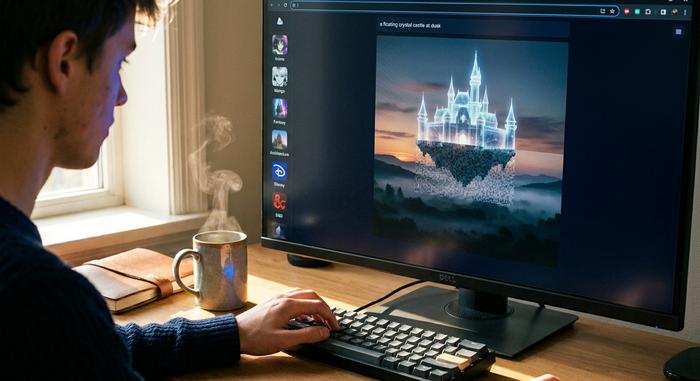
Real-time image generation is the headline. You type, the picture updates. Swap "warm afternoon" for "blue hour" and the light changes before you hit space. Iteration stops feeling expensive. You just keep tweaking words.
AI Stations are style packs. Anime, manga, fantasy, architecture, Disney-ish, D&D, headshots, interior design, Marvel-style, Pokemon-style, tattoo art, wallpapers. Pick one and your prompt inherits a look. Useful when you do not yet know how to describe an aesthetic in words.
Reference Person matters more than it sounds. Upload a single photo and the tool keeps that face recognizable across scenes and styles. Without this, your hero looks like a different person in every shot, which kills any attempt at character-driven storytelling.
The Creative Upscaler pushes resolution up to 4x while letting the model generate clean detail. Handy when a frame that looked fine on a phone screen turns blocky on a laptop.
Text-to-video and image-to-video both work. Start from a sentence. Or start from an existing still you already like and want to see breathe, animate, and loop. Two paths to the same place.
Inpainting and outpainting arrived in a 2025 update. Inpainting erases and regenerates part of an image. Outpainting stretches the canvas outward. Used together, a static digital illustration gets turned into something dynamic without opening Photoshop.
Inside the workflow: transform text into animation
The typical flow goes like this. You land on the canvas, pick a style station (or skip it), and start writing a prompt. As you type, the image updates live. When you like what you see, you switch to the video tab, apply the Fluid engine, and the clip is produced in seconds. A short edit pass on the built-in timeline lets you nudge pacing, sync audio, and trim. The process feels fast because no long render queue sits between you and the output. Export hits your device as MP4.
Two details are easy to miss. First, every video clip is capped at four seconds. That is a hard ceiling, and for storytelling it means you are building scenes out of short beats rather than long takes. Second, the upscaler charges credits separately from the generation itself, so the cost of a "finished" HD clip is not just the price of the render.
Here is the point most tutorials skip. The hardest part is the prompt, not the software. A sentence like "an astronaut in a field" will produce something flat. A sentence like "an astronaut sitting cross-legged in a wheat field at golden hour, cracked helmet visor reflecting the sun" gives the model enough to work with. You learn this by iterating, which is exactly what real-time preview was built for.
How to create your first video with the generator
If you want to create a first clip in under ten minutes, here is a path that works.
1. Sign up for the free plan at decohere.co.
2. Pick a style station close to the mood you want.
3. Start a text prompt with one subject, one setting, and one lighting cue.
4. Watch the live preview. Adjust wording until the still looks right.
5. Click into the video tab. Apply the Fluid engine.
6. Review the four-second clip. If the motion is too jumpy, soften the prompt's verbs.
7. Use the timeline to align the clip with an audio track.
8. Export. The free tier adds a watermark, which paid tiers remove.
Expect rough edges on your first try. That is normal. People who get clean output on the first attempt are either lucky or copying someone else's prompt.
Pricing, the free plan, and what each tool unlocks
Decohere's pricing as of April 2026 is laid out on decohere.co/pricing. The numbers below reflect that page. Annual billing comes with a subscription discount that is worth taking if you are committed to using the platform for a few months.
| Plan | Monthly price | Annual price | Credits per year | Commercial rights |
|---|---|---|---|---|
| Free | $0 | $0 | Daily allowance, watermarked | No |
| Explorer | $9 | $7.99/mo billed yearly | 600 | No |
| Creator | $29 | $19.99/mo billed yearly | 4,800 | Yes |
| Director | $59 | $29.99/mo billed yearly | 12,000 | Yes, full |
Credit use is straightforward: a standard image costs one credit and yields four variations, a character image costs two credits, a four-second video costs one credit, and a 4x upscale costs two credits. Training a custom character takes fifty credits, which sounds steep until you realize it unlocks reusable casting.
The free plan is the right starting point. You can test the feel, see if prompts land, and understand whether the platform resonates with your style before spending a dollar. One practical warning: the free tier has no commercial rights. If you plan to post a Decohere clip in a paid ad or a client deliverable, you need at least the Creator plan.
Where Decohere AI works: social media to music video
Short vertical video is where Decohere shines. Four seconds covers a TikTok transition, an Instagram hook, a Shorts cutaway. String a few clips together on the timeline, match them to a track, and you have a music video loop in an hour. The company even markets music video creation as a core use case, syncing visuals to lyrics or beats.
Past social, three buckets keep showing up.
Marketing content is the obvious one. Small businesses use AI Stations to produce brand-consistent art without hiring an illustrator. A coffee shop's Instagram grid can fill up with AI-styled latte close-ups in an afternoon, saving real time compared with a traditional shoot. Not every photo has to be a real photo.
Education is quieter but growing. Teachers animate still diagrams to hold attention. A static chart of the water cycle becomes a short loop where arrows move and clouds drift. The concept lands faster because the motion is doing half the explaining.
Indie storytelling is the third. Solo filmmakers storyboard entire scenes, test lighting, or build look-development frames before shooting anything real. What used to need a crew and a weekend now costs a few credits and an evening.
A quick note on the climate. A 2026 Vivideo survey found 78% of marketing teams use AI-generated video in at least one campaign per quarter, and enterprise spending on these platforms rose 127% year over year in 2025. So this is no longer a novelty. It is a budget line.
Decohere AI vs Leonardo AI, Pixverse, and other image tools
The AI generator field is crowded. Here is how Decohere looks against the names most beginners compare it to.
| Platform | Launch year | Free tier | Entry paid plan | Max clip length | Notable strength |
|---|---|---|---|---|---|
| Decohere | 2022 | Yes, watermarked | $7.99/mo annual | 4 seconds | Real-time live generation |
| Runway Gen-4.5 | 2018; Gen-4 in 2025 | 125 one-time credits | $12/mo annual | Credit-dependent | Camera controls, pro workflows |
| Pika 2.5 | 2023 | 80 credits/mo, 480p | $8/mo annual | Short clips | Creative effects for social |
| Kling 3.0 | 2024 | 66 credits/day, 720p | $5.99/mo | Up to 5 minutes | Human motion, lip-sync |
| Luma Dream Machine | 2024 | ~80 credits/day | $23.99/mo | Short clips | Image-to-video quality |
| Leonardo AI | 2022 | Daily free tokens | $12/mo | Primarily images | Concept art, game assets |
| Pixverse | 2023 | Limited free clips | $10/mo | 8 seconds | Versatile short-form video |
| Google Veo 3 | 2025 | Via Gemini app | Bundled in Gemini Advanced | ~8 sec at 4K | Native synchronized audio |
A few honest comparisons. Runway is more advanced for cinematic work, but the learning curve is steeper and renders take longer. Pika is a closer match in vibe, with a focus on short, playful, social-media-first content. Kling wins on clip length, which matters if you need continuity. Leonardo is image-first, not video, so the comparison is really about character art and concept illustration rather than motion.
Decohere's edge is the live preview. For beginners, that feedback loop is worth a lot. You see what prompts do in real time, which teaches you faster than any tutorial. You give up max clip length and cinematic polish in exchange.
Limits, risks, and a realistic view of AI video
Every generative tool has sharp edges. Skipping them would be a disservice to any new reader. Six challenges worth knowing before you build a workflow around this.
Output length is the first ceiling. Four seconds per clip. That is tiny. You cannot tell a story in one take, so you learn to chain clips. The chaining gets easier with practice, but it never stops being the thing you have to think about.
Photorealism is the second. Decohere handles stylized art better than hyperreal humans. Reviewers in 2026 called the photo-real faces uncanny, sometimes off by a mouth shape or an odd iris. If you need a believable person on camera, Synthesia or HeyGen's avatars probably fit your project better.
Commercial rights come third. The Free and Explorer plans do not grant commercial use. Read the license before you drop a clip into a sponsored campaign. Clients do not care whether a mistake was honest.
Then there is copyright risk on training data. More than 70 generative-AI infringement lawsuits were active through 2025. Getty Images is still pursuing Stability AI on appeal. Runway faced accusations in 2024 of training on YouTube videos without consent. If a business is being built on top of AI video, the legal ground is still shifting beneath it.
Fifth, deepfake and fraud exposure. This matters whether you create deepfakes or not, because the regulatory response touches every generative video tool. US deepfake losses hit $1.1 billion in 2025, roughly three times the $360 million of 2024 per DeepStrike. Deloitte projects $40 billion in AI-enabled fraud by 2027. Those numbers are why lawmakers moved fast.
Regulation is the last one. The EU AI Act begins full application on August 2, 2026. Article 50 requires providers to mark AI-generated output in a machine-readable format, and deployers must clearly label deepfakes. Fines can reach 6% of global turnover. In the United States, the federal TAKE IT DOWN Act signed in May 2025 forces covered platforms to remove non-consensual intimate deepfakes within 48 hours of notice. Forty-seven US states had their own deepfake laws on the books by January 2026.
For a casual user making a birthday video for a friend, none of this matters. For a business using AI video in ads, all of it does.
Should you integrate Decohere AI into your workflow
Short answer for beginners: yes. The live preview speeds up learning in a way tutorials cannot. Style stations remove the guesswork on prompts. The free tier is generous enough to let you decide whether this tool actually resonates with how you think about images. No money down to find out.
If you are a professional with different needs, long takes, frame-accurate camera control, or pristine photorealism, use Decohere as the sketchpad and render finals in Runway, Kling, or Veo. Plenty of creators now juggle multiple platforms in one project. Industry data from 2026 puts the average enterprise at about 3.2 AI-driven video tools running in parallel. That mix keeps creative freedom high without locking everything into one workflow.
Honest take. Decohere AI is not the most powerful video generator on the market. It might be the most fun one to use on day one. That is worth a lot when you are just starting.